


















Omnara
What is Omnara?
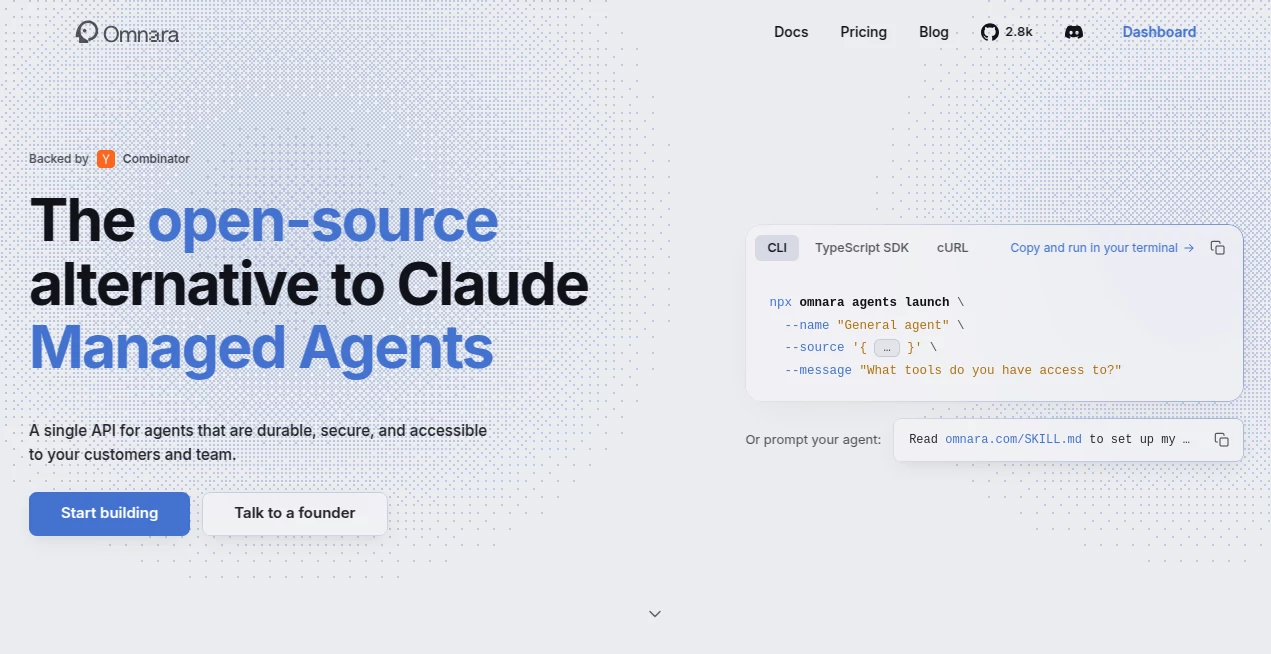
Omnara is a remote command center designed for developers who use AI coding agents and want more freedom over where and how they manage their development work. Instead of keeping an AI coding session tied to a single desktop or terminal window, it provides a way to launch, monitor, steer, and review agent activity across desktop, web, and mobile devices.
The idea is particularly useful for developers working with long-running coding tasks. An agent can continue working while the developer steps away from the computer, and important requests, progress updates, or approval decisions can be handled remotely. The platform currently works with Claude Code and Codex, while its broader agent infrastructure is designed to support different models and agent environments.
For anyone who has ever started an AI-assisted coding task and then had to keep a laptop awake just to make sure the process did not stop, this approach feels practical rather than flashy. The emphasis is on keeping the developer in control while allowing agents to do more of the repetitive work.
Key Features
- Remote control of AI coding agents from desktop, web, and mobile devices.
- Support for running multiple coding agents in parallel.
- Integration with Claude Code and Codex.
- Persistent sessions designed to survive interruptions and device changes.
- Git integration, worktrees, diffs, and development workflow management.
- Voice-based interaction for hands-free instructions and conversations.
- Remote review and approval of code changes.
- Cloud migration for supported repositories when a local machine goes offline.
- Support for iOS, Android, Apple Watch, Windows, Apple Silicon Macs, web browsers, and Linux through the CLI.
User Interface
The interface is built around the idea of a command center rather than another conventional coding editor. Developers can see active sessions, interact with agents, review their progress, and respond to requests without being limited to the terminal where the work originally started.
The mobile experience is especially interesting because it is designed as a native workflow rather than simply placing a desktop terminal inside a small screen. A developer can receive a notification, inspect what an agent has done, respond to a question, or review a change directly from a phone.
On desktop, the experience is closer to a full development environment, with parallel agents, worktrees, Git integration, and diffs. The result is a useful balance: the desktop remains the place for deep development, while smaller devices become practical control panels for work that is already underway.
Accuracy & Performance
Performance in this type of product depends partly on the underlying coding agent and AI model, but the platform focuses on making the surrounding workflow more reliable. Sessions are designed to persist rather than disappearing when a laptop closes or an unexpected interruption occurs.
For longer development tasks, this distinction matters. A coding agent that can continue from its previous state is much more useful than one that has to start again after every interruption. Persistent state, session migration, and real-time interaction make the workflow better suited to projects where agents need several minutes or hours to complete a task.
Developers can also run multiple agents simultaneously, making it possible to separate tasks such as debugging, feature development, research, or refactoring instead of waiting for one process to finish before starting another.
Capabilities
The platform goes beyond sending prompts to a coding model. It acts as an operational layer around AI agents, connecting the agent with the developer's environment and providing controls for monitoring and intervention.
Voice interaction is one of the more distinctive capabilities. Developers can talk to an agent during planning or brainstorming instead of typing every instruction. One-way dictation can also be used when a developer simply wants to give an instruction and let the agent continue working.
Another useful capability is remote code review. Changes produced by an agent can be inspected through diffs, allowing developers to make decisions without sitting in front of their main workstation. This human-in-the-loop approach is valuable for AI-assisted development because automation remains useful without removing developer oversight.
For supported repositories, sessions can also move into a cloud-backed continuation when the local computer goes offline. The developer chooses which repositories are eligible for cloud synchronization, rather than automatically sending every local project away from the machine.
Security & Privacy
Security is an important consideration when an AI agent has access to source code, development environments, secrets, and potentially production-related tools. The platform's broader agent infrastructure includes encrypted secrets, scoped access, role-based permissions, enforced tool policies, and append-only audit history.
The system also supports different permission behaviors for tools, including allowing, asking for approval, or denying an action. This creates an additional layer between an AI agent and sensitive operations, which is particularly useful when agents are trusted with increasingly complex development tasks.
For the coding workflow, local dependencies, secrets, and environments can remain on the developer's machine. Cloud synchronization is opt-in for repositories rather than an automatic requirement for everything stored locally.
Use Cases
Remote coding supervision: Developers can start an agent on their workstation and continue monitoring its progress from a phone or browser. This is convenient for long-running tasks that do not require constant keyboard input.
Parallel development: Multiple agents can work on separate tasks or worktrees at the same time. A developer might dedicate one session to fixing a bug while another works on a feature or explores a refactoring option.
Mobile code review: When an agent finishes a task, the developer can inspect the resulting changes and make approval decisions without immediately returning to the main development machine.
Hands-free development: Voice interaction can be useful during planning, brainstorming, or situations where typing is inconvenient. Instead of constructing a detailed written prompt, developers can explain what they want conversationally.
Long-running agent workflows: Projects that require agents to work for extended periods benefit from persistent sessions and the ability to resume work after interruptions.
Distributed development teams: Teams experimenting with multiple AI agents can use a centralized interface to monitor activity and maintain human oversight over automated development processes.
Pros and Cons
- Pros: Strong remote-control experience, useful mobile apps, parallel agent workflows, voice interaction, Git and worktree support, persistent sessions, and practical human approval mechanisms.
- Pros: Supports Claude Code and Codex while keeping the workflow connected to existing development environments.
- Pros: The free coding-agent experience offers unlimited sessions, making it easy to experiment without committing to a paid plan first.
- Cons: Developers who only perform short coding tasks may not need a dedicated remote command center.
- Cons: The value of the platform depends heavily on whether a developer already uses compatible AI coding agents.
- Cons: Some advanced workflows involving cloud continuation require deliberate repository synchronization and configuration.
Pricing Plans
The current coding-agent product is offered as a free experience with unlimited sessions. Developers can download the desktop application or install the CLI, sign in, and begin managing compatible coding agents without purchasing a subscription.
The broader platform also includes an agent infrastructure and console aimed at teams building and operating production agents. Pricing information for that side of the platform may differ from the free coding-agent experience, and the public billing page is currently unavailable, so developers considering an organization-level deployment should check the latest commercial details before making a decision.
How to Use the Tool
- Download the desktop application or install the CLI on a supported development environment.
- Sign in and connect the coding workflow you want to manage.
- Start a Claude Code or Codex session and provide the development task.
- Open the web or mobile interface to monitor the active session remotely.
- Respond to agent questions, provide additional instructions, or use voice interaction when appropriate.
- Review generated changes and diffs before accepting important modifications.
- For supported repositories, enable cloud synchronization when you want sessions to continue even when the local computer is unavailable.
Comparison with Similar Tools
Traditional AI coding assistants are usually centered around a desktop editor or terminal. They can be excellent for writing and modifying code, but the developer often remains tied to the environment where the agent is running.
This platform takes a different approach by focusing on remote control and orchestration. Instead of replacing the coding agent, it provides an interface around it. That distinction makes it particularly attractive to developers who already rely on terminal-based agents but want to manage several sessions, receive notifications, review changes, and intervene from different devices.
It also differs from simple remote-desktop solutions. The goal is not merely to mirror a desktop screen on a phone. The mobile and web experiences are designed specifically around agent sessions, approvals, diffs, notifications, and conversational control.
Conclusion
AI coding agents are becoming capable of handling increasingly large pieces of software development, but automation creates a new problem: developers need a practical way to supervise that work without constantly sitting beside the terminal.
This platform addresses that gap with a thoughtful combination of remote access, persistent sessions, parallel agents, mobile control, voice interaction, Git workflows, and human approval. Its biggest strength is not simply giving developers another place to send prompts. It makes AI coding agents easier to manage as ongoing development processes.
For developers who regularly use Claude Code or Codex and want their agents to keep working while they move between devices, it offers a compelling workflow. The ability to check progress from a phone, review changes remotely, or continue a session after leaving the desk can turn AI-assisted development from a desktop-bound activity into something much more flexible.
Frequently Asked Questions (FAQ)
What is this platform mainly used for?
It is designed to help developers launch, monitor, control, and review AI coding agents from desktop, web, and mobile devices. It is particularly useful for long-running and parallel coding workflows.
Which coding agents are supported?
The current remote coding experience supports Claude Code and Codex, with the platform actively working toward broader agent support.
Can I control an AI coding session from my phone?
Yes. The mobile applications allow developers to monitor sessions, send instructions, respond to agents, receive notifications, and review development activity remotely.
Does it support voice interaction?
Yes. Voice can be used for two-way conversations with a coding agent as well as one-way dictation for sending tasks without typing.
Can multiple AI agents run at the same time?
Yes. The desktop experience supports parallel agents and worktrees, making it possible to manage multiple development tasks concurrently.
What happens if my laptop goes offline?
For repositories where cloud synchronization has been enabled, the session can transition to a cloud-backed continuation. Agent state, code, and uncommitted changes can continue with the supported workflow and synchronize back when the developer returns.
Is it free?
The current coding-agent product is free with unlimited sessions. Developers can use the desktop application or CLI without purchasing a subscription for this experience.
Does it replace my existing coding environment?
Not necessarily. The service is designed to work with existing local environments, dependencies, secrets, and workflows. Its role is primarily to make AI agent sessions easier to control and manage across devices.
Can I review AI-generated code remotely?
Yes. Developers can inspect diffs and review changes from supported remote interfaces, allowing them to maintain human oversight before accepting important modifications.
Who is it best suited for?
It is best suited to developers, engineering teams, and technical builders who regularly use AI coding agents and want better control over long-running, concurrent, or remotely managed development tasks.
AI Code Assistant , AI Developer Tools .
These classifications represent its core capabilities and areas of application. For related tools, explore the linked categories above.

Omnara Alternatives Product

Where Is Thi…

Simple Dev T…

DeepSeek V4

Vibe Coding

vivgrid

DDS Gub

Mage Flow AI…

BootstrapKing

AgentOne
