
OpenGraph
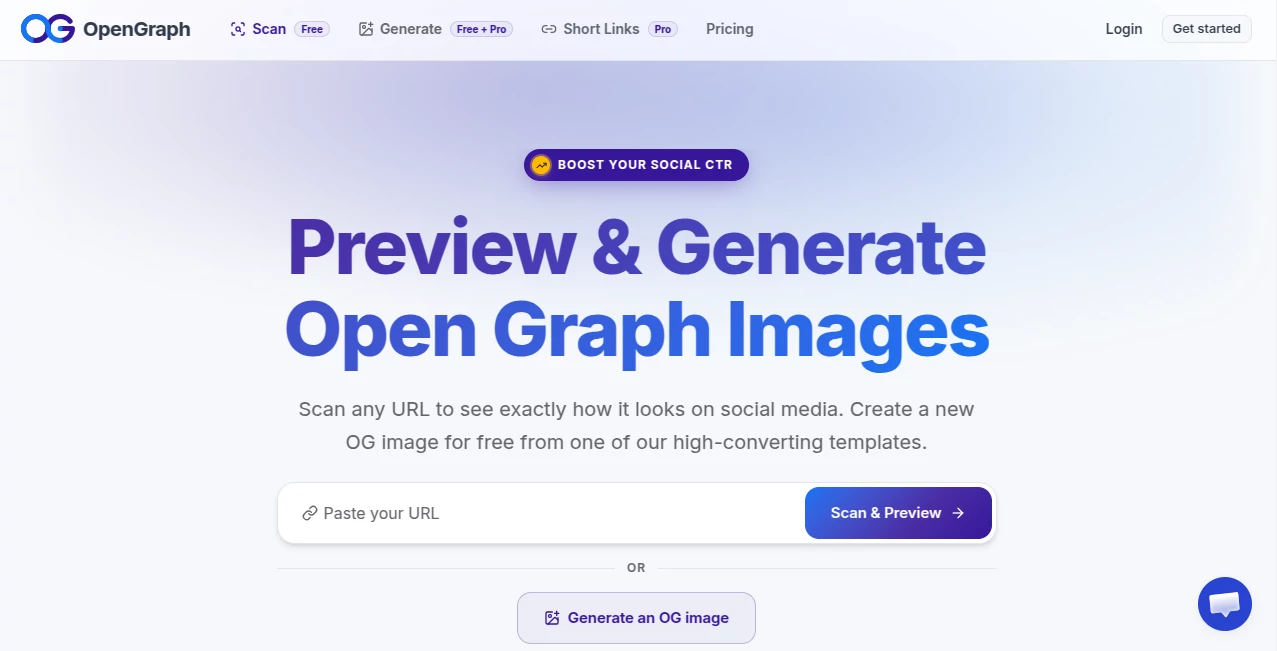
What is OpenGraph?
Creating attractive social media previews for every page of a website can quickly become a repetitive and time-consuming task. This platform solves that problem by automatically generating branded Open Graph images that match the content of each page, helping businesses, publishers, bloggers, and developers present their content professionally whenever it is shared online.
Instead of manually designing hundreds or even thousands of images, users can create a reusable template that automatically updates with page titles, descriptions, featured images, and other dynamic content. The result is a consistent brand identity across every social platform while dramatically reducing the amount of manual work required. The platform also includes AI-powered tools that assist with metadata generation, image optimization, accessibility improvements, and website audits, making it much more than a simple image generator.
For websites that publish content frequently, this approach offers an efficient workflow that combines automation with professional design. Every shared link looks polished without requiring designers to create graphics for each individual page.
Key Features
User Interface
The dashboard is designed to keep template management straightforward. Users can create visual templates, connect dynamic variables, preview generated images, and deploy them across an entire website without navigating through unnecessary complexity. WordPress integration makes setup particularly convenient for publishers who want a low-maintenance workflow.
Accuracy & Performance
Each generated preview reflects the content of the corresponding page by automatically inserting titles, descriptions, featured visuals, and other selected variables. Images are delivered through a global content delivery network, allowing previews to load quickly when links are shared on popular social platforms.
Capabilities
- Automatic Open Graph image generation
- AI-powered template creation
- Dynamic variables for page content
- Metadata optimization
- AI-generated meta titles and descriptions
- AI alt text generation for accessibility
- Website metadata auditing
- Custom sharing links
- WordPress integration
- Cloud-hosted image delivery
Security & Privacy
The service focuses on website metadata and generated marketing assets rather than sensitive customer information. Image delivery through dedicated infrastructure helps maintain reliable performance while allowing website owners to automate social sharing without exposing private business data.
Use Cases
- Large blogs publishing new articles every day.
- News websites with thousands of indexed pages.
- E-commerce stores managing extensive product catalogs.
- SaaS companies promoting landing pages.
- Marketing agencies managing multiple client websites.
- Content creators seeking consistent social branding.
- Developers building automated publishing workflows.
- Businesses looking to improve click-through rates on social media.
Pros and Cons
Pros
- Saves significant design time through automation.
- Maintains consistent branding across every shared page.
- Supports AI-assisted metadata creation.
- Easy integration with WordPress websites.
- Scales efficiently for websites with thousands of pages.
- Includes website auditing tools alongside image generation.
Cons
- Some advanced features require a paid subscription.
- Initial template configuration may take a little planning.
- Primarily focused on websites rather than standalone graphic design projects.
Pricing Plans
A free trial is available for new users, allowing access to core functionality before subscribing. Paid plans unlock additional automation, AI-powered features, larger usage limits, and tools intended for growing websites and professional publishing teams.
How to Use OpenGraph.xyz
- Create an account.
- Connect your website or WordPress installation.
- Select or generate an AI-powered template.
- Map dynamic fields such as title, description, and featured image.
- Publish the template.
- Allow new pages to automatically generate branded Open Graph images.
- Monitor results and optimize metadata when necessary.
Comparison with Similar Tools
Unlike traditional design applications that require manual image creation for every page, this platform focuses on complete automation. Instead of editing graphics one by one, users build a reusable template that dynamically adapts to website content. Compared with simple Open Graph preview generators, it also includes AI-assisted metadata creation, accessibility improvements, website auditing, and cloud-based image delivery, making it a broader optimization platform for publishers and marketing teams.
Conclusion
Managing social media previews at scale has traditionally required considerable design effort, especially for websites with large content libraries. This solution removes that burden by combining automation, AI-assisted optimization, and dynamic image generation into a single workflow. The result is a faster publishing process, stronger visual consistency, and more engaging link previews that help attract attention across social networks. For businesses, publishers, and creators who value efficiency without sacrificing presentation quality, it offers an impressive balance between automation and professional branding.
Frequently Asked Questions (FAQ)
What is the main purpose of this platform?
It automates the creation of dynamic Open Graph images and related metadata for websites.
Can it generate unique images for every page?
Yes. Dynamic templates automatically update using each page's content.
Is it suitable for large websites?
Yes. It is particularly useful for blogs, news portals, e-commerce stores, and websites containing thousands of pages.
Does it include AI features?
Yes. AI is used to assist with template creation, metadata generation, and image accessibility improvements.
Does it work with WordPress?
Yes. A dedicated integration is available for WordPress websites.
AI Photo & Image Generator , AI Website Builder , AI SEO Assistant , AI Developer Tools .
These classifications represent its core capabilities and areas of application. For related tools, explore the linked categories above.

OpenGraph Alternatives Product

Lensgo

NetlifyAPP

PZERO

GPT Image 2-…

Createimg.ai

NanoAI

Beamtrace

MikeSullyToo…

Banana Promp…