
PDF Summarizer.net
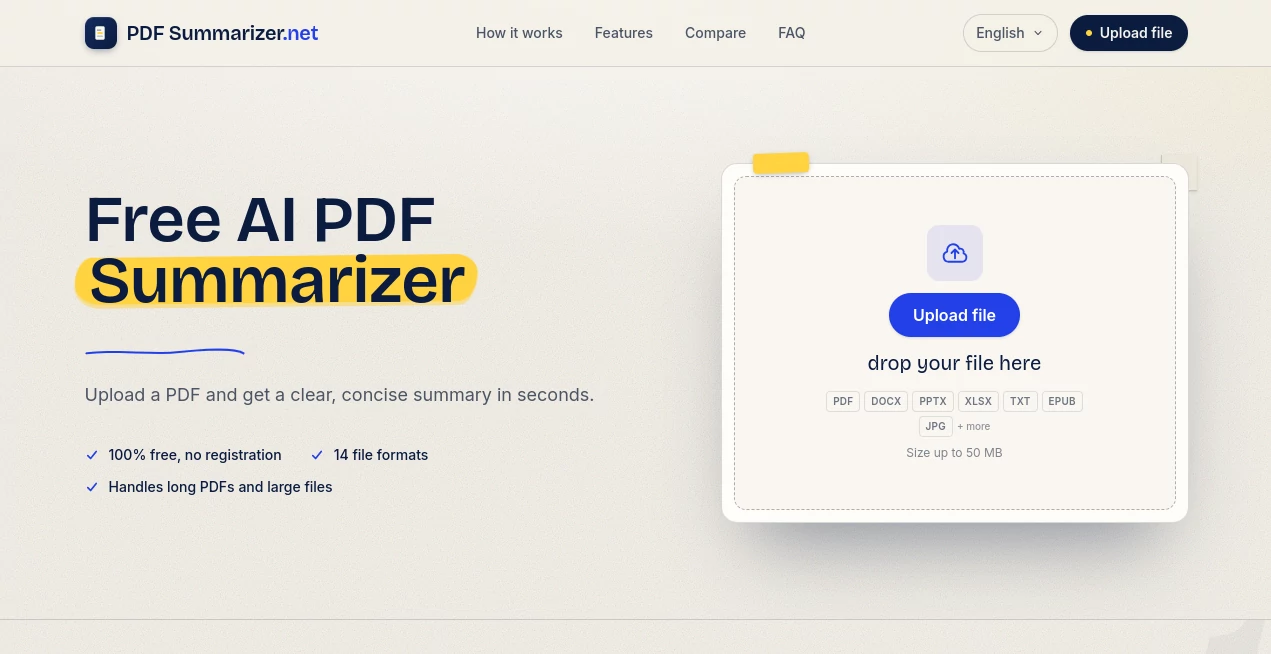
What is PDF Summarizer.net?
Reading lengthy documents can be exhausting, especially when you only need the essential information. This AI-powered document summarization platform transforms large files into concise, structured summaries within seconds, making it easier to absorb key ideas without spending hours reading every page. Whether you're reviewing research papers, business reports, legal documents, or textbooks, the experience feels remarkably fast and effortless.
One of the biggest advantages is its accessibility. There is no registration process, no subscription barriers, and no hidden limitations for everyday users. Simply upload a document, let the AI analyze it page by page, and receive an organized summary highlighting the most valuable insights. The service also supports follow-up conversations with uploaded documents, allowing users to ask questions and explore specific topics without manually searching through hundreds of pages.
Beyond PDFs, the platform accepts multiple document formats, making it a practical workspace for students, researchers, professionals, educators, and anyone dealing with information-heavy content on a regular basis.
Key Features
User Interface
The interface is refreshingly simple. Uploading a document requires only a drag-and-drop action, while the summarization process happens automatically without requiring prompts or technical knowledge. Even first-time visitors can begin working within seconds, making the learning curve virtually nonexistent.
Accuracy & Performance
The AI analyzes entire documents instead of only selected sections, extracting major concepts, supporting details, and meaningful insights into a structured summary. Long reports and extensive academic papers remain readable thanks to organized bullet points and concise explanations that preserve the original context.
Capabilities
- Generate concise summaries from lengthy PDF documents.
- Support more than fourteen document and media formats.
- Process files up to 50 MB.
- Summarize documents written in multiple languages.
- Create structured summaries with key points.
- Answer follow-up questions about uploaded documents.
- Support eBooks, presentations, images, Word files, spreadsheets, and text documents.
- Provide downloadable and copy-ready summaries.
Security & Privacy
Privacy is treated as a priority. Documents are processed securely without requiring account creation, helping users work with sensitive reports while maintaining confidence that uploaded content remains private. The absence of mandatory registration also minimizes unnecessary sharing of personal information.
Use Cases
- Review academic papers before conducting detailed research.
- Prepare for exams using summarized textbooks and lecture notes.
- Analyze lengthy legal contracts more efficiently.
- Create executive summaries for business reports.
- Understand technical manuals without reading every page.
- Summarize books and digital publications for quicker learning.
- Extract the main ideas from articles and whitepapers.
- Translate complex reading into easy-to-understand summaries.
Pros and Cons
Pros
- Completely free to use.
- No registration required.
- Supports numerous document formats.
- Handles large files efficiently.
- Works with documents written in different languages.
- Includes document-based AI chat functionality.
- Fast processing with organized summaries.
Cons
- Requires an internet connection.
- Advanced document editing is not the primary focus.
- Very specialized documents may still benefit from manual review.
Pricing Plans
The platform is completely free to use. Users can summarize documents without creating an account, purchasing a subscription, or entering payment information, making it one of the most accessible AI document summarization services available today.
How to Use This Tool
- Upload your PDF or another supported document format.
- Allow the AI to scan and analyze the content.
- Review the automatically generated summary.
- Copy or download the summary.
- Ask follow-up questions to explore specific sections of the document.
Comparison with Similar Tools
Unlike general-purpose AI chat assistants that depend heavily on carefully written prompts, this solution is designed specifically for document summarization. It automatically analyzes entire files page by page, supports a wider variety of document formats, and generates organized summaries without requiring prompt engineering. The built-in document chat further improves productivity by allowing users to interact directly with uploaded files instead of repeatedly searching through the original content.
Conclusion
For anyone who regularly works with lengthy documents, this AI summarization platform delivers an excellent balance of speed, simplicity, and accuracy. The ability to summarize large files, support multiple formats, process multilingual content, and answer follow-up questions creates a workflow that saves valuable time without sacrificing important information. Whether you're studying, researching, reviewing contracts, or preparing business reports, it provides a practical and reliable way to understand complex documents in minutes instead of hours.
Frequently Asked Questions (FAQ)
Is the service completely free?
Yes. Users can generate unlimited summaries without paying or creating an account.
Which file formats are supported?
It supports PDFs, Word documents, PowerPoint presentations, spreadsheets, text files, HTML, Markdown, images, and several eBook formats.
Can it summarize large documents?
Yes. Documents up to 50 MB can be processed while preserving the main ideas and important insights.
Does it support multiple languages?
Yes. Documents written in different languages can be summarized, and summaries can be generated in the preferred language.
Can I ask questions about my uploaded document?
Yes. After generating a summary, users can continue interacting with the document through AI-powered question answering.
AI Documents Assistant , AI PDF , AI Summarizer , AI Productivity Tools .
These classifications represent its core capabilities and areas of application. For related tools, explore the linked categories above.
PDF Summarizer.net details
Website unavailable — View Alternatives
Pricing
- Free
Apps
- Web App
Categories

PDF Summarizer.net Alternatives Product

Image Descri…

Zloth

YT Video Sum…

Luffy

Calculadora …

Denoisr

Thinkesta

Wisegrid

SuperAI