


















Quickform pro
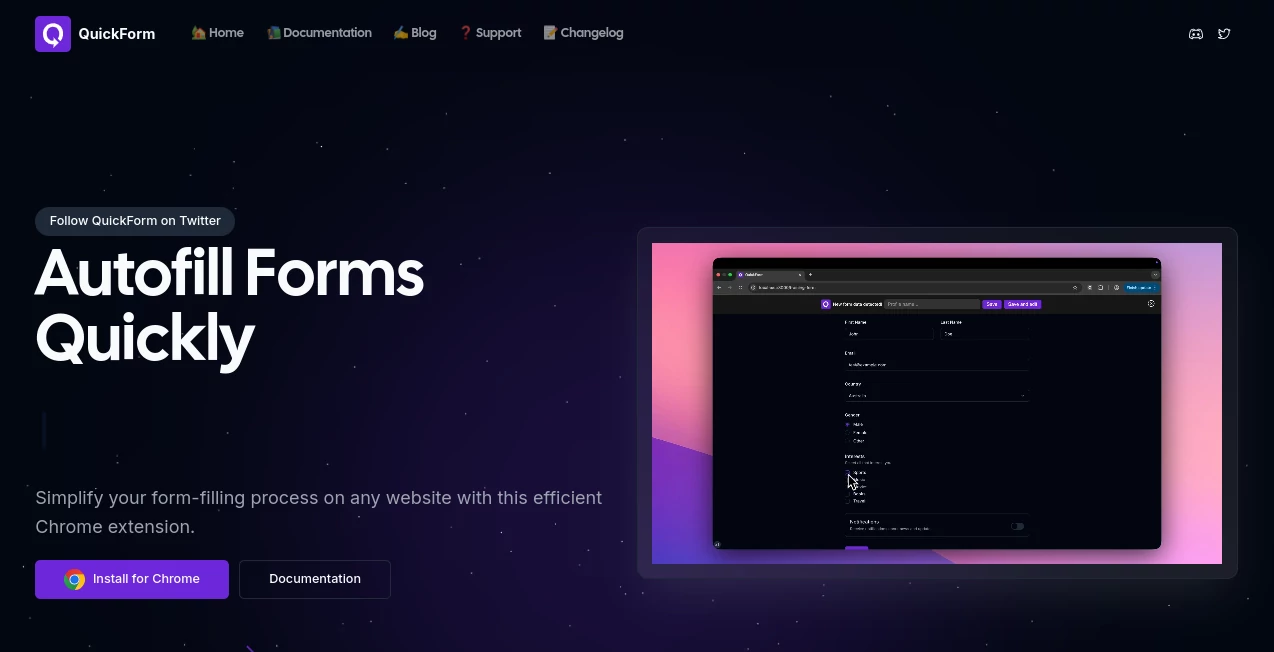
What is Quickform pro?
Filling out the same online forms day after day is one of those repetitive tasks that quietly consumes valuable time. Whether you are testing web applications, submitting job applications, entering customer information, or working with internal business tools, repeating identical data quickly becomes frustrating. This Chrome extension removes that burden by allowing users to record a form once and complete similar forms with a single click.
Unlike traditional browser autofill solutions that often struggle with modern web applications, this solution has been designed to work reliably across dynamic websites, including applications built with React, Angular, Vue, and other JavaScript frameworks. The combination of intelligent field recognition, reusable profiles, automation options, and flexible customization makes it an excellent productivity tool for professionals who regularly interact with online forms.
Key Features
User Interface
The interface is clean, lightweight, and easy to understand even for first-time users. Creating a new autofill profile takes only a few minutes thanks to the Record Mode, which automatically captures entered values while the user fills out a form naturally. Profile management is organized clearly, making it simple to edit, duplicate, import, or export saved configurations.
Accuracy & Performance
One of the strongest aspects of this extension is its ability to handle complex web applications where standard browser autofill frequently fails. It supports text fields, text areas, checkboxes, radio buttons, dropdown menus, and many other common form elements. Advanced automation options such as delays between actions and automatic button clicks improve reliability when working with multi-step forms or pages that load content dynamically.
Capabilities
- One-click form autofill
- Record Mode for automatic profile creation
- Support for text fields, checkboxes, radio buttons, and dropdowns
- Advanced automation with custom delays
- Automatic click actions during workflows
- Multiple reusable profiles
- URL-specific profile assignment
- Import and export profile configurations
- Works with React, Angular, Vue, and other modern frameworks
- Suitable for internal tools, enterprise portals, and staging environments
Security & Privacy
Privacy has been considered throughout the design. User profiles and personal settings remain stored locally inside the browser, giving users control over their information. Any optional data collected to improve field recognition can be disabled through the extension settings, allowing individuals and organizations to choose the level of functionality that best fits their privacy requirements.
Use Cases
- QA engineers repeatedly testing registration forms
- Developers working with internal admin dashboards
- Job seekers completing multiple online applications
- Customer support teams entering recurring information
- Data entry professionals processing large numbers of forms
- Sales teams updating CRM systems faster
- Business users managing repetitive administrative tasks
Pros and Cons
Pros
- Simple setup with automatic recording
- Excellent compatibility with modern web applications
- Supports complex multi-step workflows
- Multiple profile management options
- Import and export functionality
- Fast one-click automation
- No complicated configuration required for basic usage
Cons
- Currently available only for Google Chrome desktop browsers
- Some highly customized dropdown implementations may require manual adjustments
- Advanced automation features may require initial configuration for complex websites
Pricing Plans
The extension is available as a free Chrome extension with no mandatory account required for getting started. Users can install it and begin creating autofill profiles immediately, making it an attractive option for individuals and teams looking for productivity improvements without additional software costs.
How to Use QuickForm
Install the Chrome extension and open it from the browser toolbar. Activate Record Mode before completing an online form for the first time. As you naturally fill each field, the extension records the information and creates a reusable profile automatically. Save the profile, then revisit similar forms whenever needed. With a single click, the stored information is inserted into matching fields, dramatically reducing manual typing. Users who require more advanced workflows can configure automatic clicks, delays, URL-specific profiles, and additional automation rules.
Comparison with Similar Tools
Many browser autofill solutions work well for simple contact forms but struggle when faced with modern single-page applications or enterprise platforms. This extension stands out because it focuses on accurate field recognition, automation flexibility, and compatibility with JavaScript-heavy websites. The Record Mode removes the need for manually mapping fields, while advanced workflow automation allows users to automate far more than basic text entry. For professionals working with testing environments, staging servers, or business portals, these capabilities provide a noticeable productivity advantage.
Conclusion
For anyone who regularly completes online forms, reducing repetitive typing can significantly improve daily productivity. This extension delivers a practical balance between simplicity and advanced automation. Its intelligent recording system, reliable support for modern web technologies, flexible profile management, and privacy-focused design make it a valuable solution for developers, QA engineers, recruiters, administrative staff, and business professionals alike. Instead of wasting time on repetitive input, users can focus on more meaningful work while maintaining consistency and accuracy across every submission.
Frequently Asked Questions (FAQ)
Is it difficult to configure?
No. Most users can create their first reusable profile simply by recording themselves completing a form once.
Does it work with modern JavaScript websites?
Yes. It is designed to support applications built with frameworks such as React, Angular, and Vue, along with many other dynamic web applications.
Can multiple profiles be created?
Yes. Users can create, duplicate, organize, import, export, and assign multiple profiles for different websites or workflows.
Is personal information stored securely?
User profiles are stored locally in the browser, and optional data collection used for improving autofill performance can be disabled through the settings.
Who benefits the most from this extension?
It is especially useful for QA testers, developers, recruiters, job seekers, customer support teams, data entry specialists, and anyone who repeatedly completes similar online forms.
AI Workflow Management , AI Productivity Tools , AI Forms & Surveys , AI Developer Tools .
These classifications represent its core capabilities and areas of application. For related tools, explore the linked categories above.

Quickform pro Alternatives Product

AfterSession

AiZolo

Thinkesta

Gemini Omni

Miro

CtrlOps

Nimbalyst

Speechara

TruthSpine
