

















RandomTask
What is RandomTask?
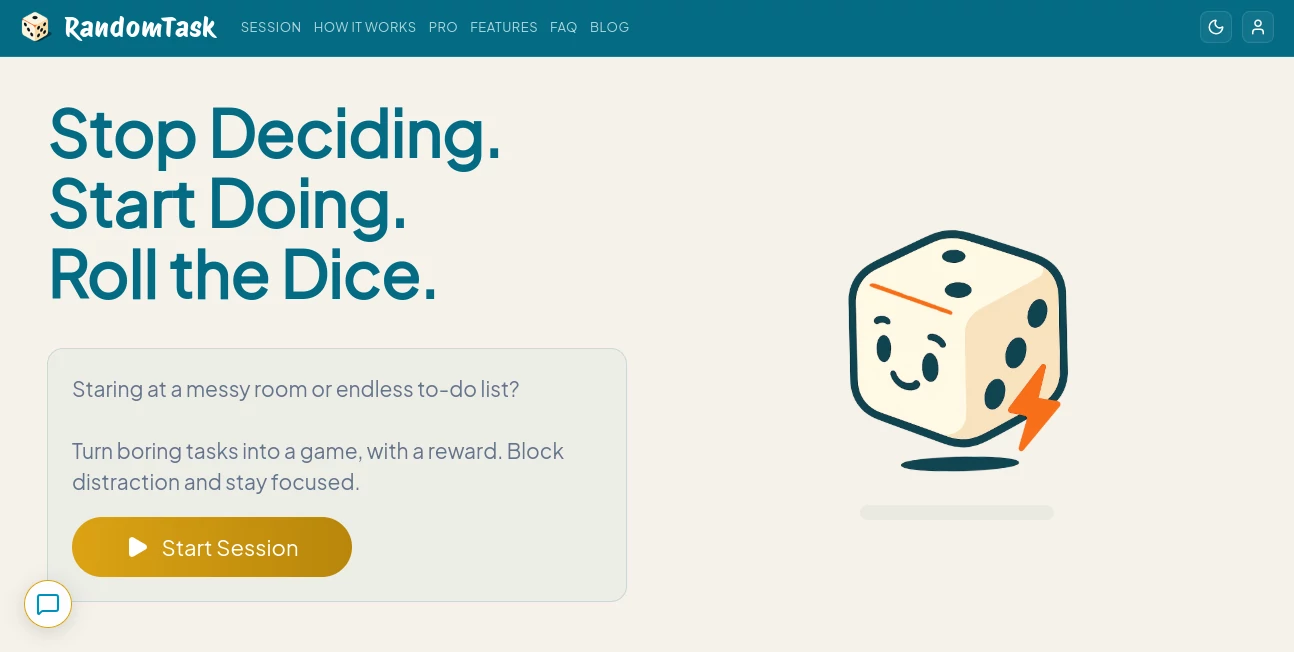
RandomTask takes a surprisingly simple approach to a familiar productivity problem: sometimes the hardest part of getting something done is deciding what to do first. Instead of asking users to stare at a long to-do list and make another decision, the platform turns task selection into a quick dice roll.
The idea is straightforward. Add the chores, errands, work items, or small tasks sitting on your plate, then let randomness choose the next one. This removes some of the mental friction that can make an ordinary task list feel overwhelming. With a focused workspace, optional countdown timers, rewards, presets, and progress tracking, the experience feels more like a small productivity game than another complicated planning system.
It is particularly interesting for people who regularly get stuck between tasks, spend too much time deciding what to tackle next, or simply find conventional productivity apps too rigid. Rather than encouraging more planning, the experience encourages action.
Key Features
- Dice-based random task selection
- Six-slot sessions containing five tasks and one potential reward
- Minimalist single-task focus workspace
- Optional Pomodoro-style countdown timers
- Productivity streaks and heatmap tracking
- Preset task collections for different situations
- Custom task sets for more personalized workflows
- Reward mechanics that make completing ordinary tasks more engaging
- Multiple dice styles and themes for Pro users
- Cross-device backup and synchronization with the Pro plan
- Data export and advanced productivity history for Pro users
- Multilingual support
User Interface
The interface is built around one clear idea: reduce distractions. Instead of presenting users with an enormous dashboard filled with charts, menus, and project hierarchies, the experience moves through a simple sequence of setup, roll, focus, reward, and progress.
The dice interaction is the centerpiece. Users can hit, swipe, or shake to make their selection, giving the process a small physical and playful element. Once a task is selected, the focused workspace keeps attention on that single item rather than encouraging users to jump back into their entire list.
Accuracy & Performance
This is not a traditional AI system where accuracy means generating the correct answer to a question. Its core job is different. The platform needs to reliably manage the tasks entered by the user, select a task through its randomized session system, record progress, and keep the workflow moving without unnecessary complexity.
The randomness is intentional rather than a limitation. If you have six possible items and cannot decide which one deserves attention, the dice effectively make the decision for you. That small change can be useful when the real obstacle is hesitation rather than lack of available tasks.
The website currently reports more than 12,000 tasks cleared and an average session length of around 75 minutes, giving users an indication of activity on the platform.
Capabilities
The strongest capability is its ability to transform an ordinary list of unfinished tasks into a sequence of small decisions. Users can enter everyday chores or micro-tasks into available slots and let the system determine what comes next.
Preset collections add another useful layer. Options include collections focused on resetting your environment, digital hygiene, focused work, household activities, budgeting and administration, social connection, and getting unstuck. These can be useful when you do not even want to spend time building a task list from scratch.
For users who prefer measurable progress, streaks and heatmaps provide a visual record of completed sessions. Pro users also get additional history, unlimited custom task sets, momentum tracking, cloud synchronization, data export, and additional customization.
Security & Privacy
Privacy is an important consideration for any productivity service because task lists can contain personal or work-related information. The service states that tasks are encrypted and are not sold. Its terms also explain that some functionality can use browser or device storage and that payment information is handled by payment providers rather than storing full payment details directly.
Users should still review the current privacy policy before entering confidential business information, especially when using any online productivity platform.
Use Cases
Breaking through procrastination: When a long list becomes intimidating, random selection provides an immediate starting point. Instead of debating between ten tasks, you simply roll and begin.
Household chores: Cleaning, laundry, organizing, shopping, and small maintenance jobs can be placed into a session and tackled without spending extra time deciding their order.
Administrative work: Unpaid bills, routine paperwork, inbox cleanup, and other boring administrative jobs are good candidates for short randomized sessions.
Focused work sessions: Professionals can use small tasks as individual missions and work through them one at a time, with the optional countdown timer helping create a defined work period.
Students: A student with several small study or organization tasks can use random selection to avoid repeatedly choosing the easiest item.
Daily resets: Preset collections make the service useful when you want a quick list of practical actions without designing a productivity system from scratch.
Pros and Cons
Pros:
- Very simple concept that is easy to understand
- Removes some decision-making from task selection
- Playful dice mechanic makes routine work more engaging
- Focused workspace avoids the clutter of complex productivity dashboards
- Useful presets can provide instant inspiration
- Progress tracking adds a sense of momentum
- Optional timers support focused work sessions
- Free access is available before upgrading to Pro
Cons:
- Random selection is not ideal for tasks that must follow a strict priority order
- Large multi-step projects may require another project-management system alongside it
- Users who prefer detailed manual scheduling may find the approach too unconventional
- Some of the more advanced tracking, customization, synchronization, and export features require Pro
Pricing Plans
The service offers a free Basic experience with limitations on sessions, history, customization, and synchronization. The website currently lists a Pro Monthly option at $2.99 per month, with unlimited sessions, cross-device cloud backup and sync, advanced history, custom task sets, momentum tracking, additional themes, data export, and an ad-free experience.
The pricing section also presents weekly, monthly, and lifetime purchasing options. Because pricing and promotional offers can change, users should check the current pricing page before purchasing.
How to Use It
Start by adding the everyday tasks you want to complete. These can be very small actions rather than large projects. For example, instead of adding “clean the house,” break it down into “clear the desk,” “take out the trash,” and “organize the kitchen counter.”
Once your session is prepared, roll the dice. The selected task becomes your current mission, so there is no need to keep scanning the rest of your list.
Move into the focused workspace and work on that task until the session is complete. If you prefer structured work intervals, enable the optional countdown timer. After finishing, record the win and continue with the next task.
For regular use, experiment with the preset collections or create custom sets that match your own routines. Over time, the progress heatmap and streak information can help you see whether those small sessions are becoming a consistent habit.
Comparison with Similar Tools
Traditional to-do list applications are usually built around manually choosing priorities. That works well for users who already know what needs attention, but it can create another decision point for people who struggle to get started.
Gamified productivity platforms can go much further into points, characters, rewards, levels, and elaborate systems. This approach is considerably lighter. The game element is concentrated around the dice, the possibility of a reward, and the satisfaction of completing small missions.
It also differs from highly customizable productivity systems because users are not expected to spend hours designing their ideal workflow. The appeal is the opposite: put the tasks in, roll, and start.
For someone who needs detailed project dependencies, complex team workflows, or extensive scheduling, a conventional project-management platform will probably remain more appropriate. For everyday task paralysis and boring jobs that repeatedly get postponed, the minimalist approach can be much more practical.
Conclusion
The real strength of this productivity approach is its willingness to remove rather than add complexity. Instead of another dashboard, another priority matrix, or another long planning session, users get a simple mechanism for making the next decision and moving forward.
The combination of random task selection, focused sessions, optional timers, rewards, presets, and progress tracking gives ordinary chores a surprisingly different feel. It will not replace every task-management system, particularly for large projects that depend on strict ordering, but that is not really its purpose.
If your biggest productivity problem is knowing what to do next and then actually starting it, turning that decision into a quick roll of the dice can be an appealing change of pace.
Frequently Asked Questions (FAQ)
How is this different from a traditional to-do list?
A traditional list usually leaves the user responsible for deciding which task comes next. This approach uses random selection to reduce that decision-making step and encourage immediate action.
Can it be used for large projects?
It is better suited to individual tasks and smaller pieces of work. Large projects can be broken into manageable actions, but complex dependencies and detailed project planning may still require a dedicated project-management application.
Does it include a timer?
Yes. The focused workspace includes an optional countdown timer designed for structured work sessions and Pomodoro-style workflows.
Are there ready-made task lists?
Yes. The platform provides preset collections covering areas such as focused work, household activities, digital hygiene, budgeting, social connection, and getting unstuck.
Can users create their own task sets?
Yes. Custom task sets are available with the Pro experience, allowing users to build collections around their own routines and recurring activities.
Is there a free plan?
Yes. A Basic option is available with limits on sessions, history, synchronization, and customization. Paid access adds features such as unlimited sessions and advanced progress tracking.
Does it work across multiple devices?
Cross-device cloud backup and synchronization are included with Pro. The Basic experience primarily uses local synchronization on the device.
Is an account required?
The service supports account-based features, while some functionality can rely on local browser or device storage. The available account and synchronization options may depend on the current version of the service.
AI Fun Tools , AI Productivity Tools , AI Task Management .
These classifications represent its core capabilities and areas of application. For related tools, explore the linked categories above.
RandomTask details
Website unavailable — View Alternatives
Pricing
- Freemium
Apps
- Web App
- iOS App
- Android App
Categories

RandomTask Alternatives Product

Claude and C…

Oasis

AfterSession

Presenti AI

Fina Money

MBTI Compati…

broop

Sendmux

Hairstyle An…
