


















RowSpeak
What is RowSpeak?
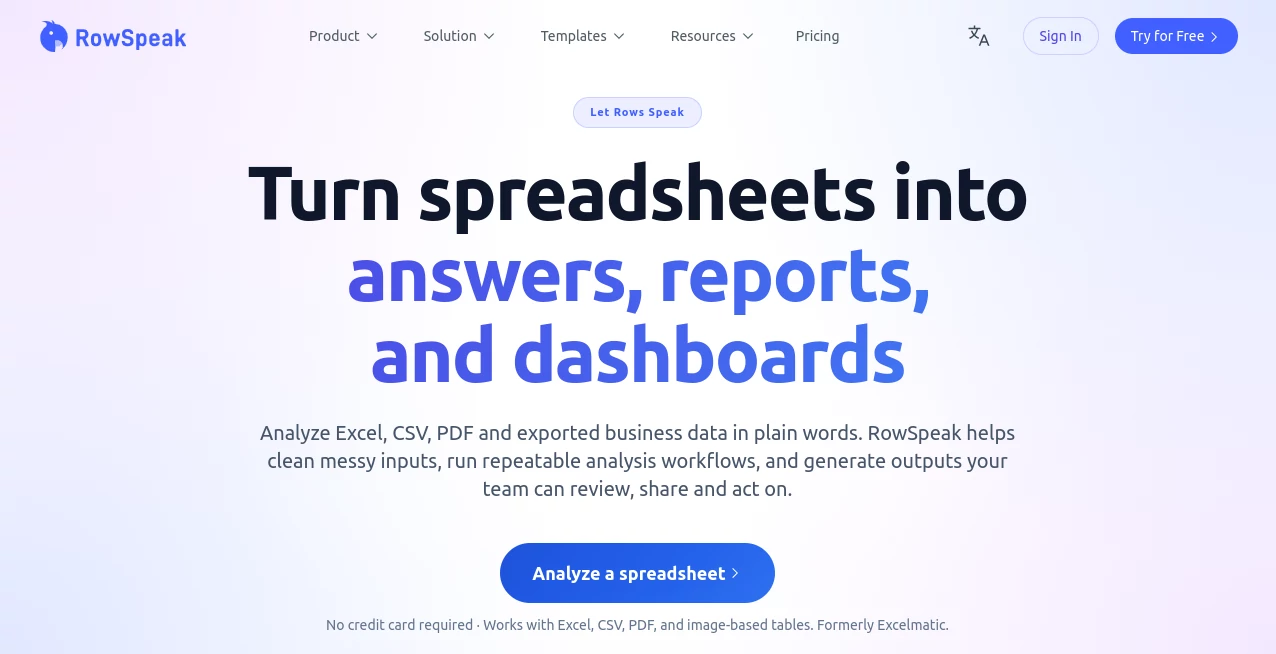
Most of us have that one spreadsheet that makes us groan — columns that don’t line up, duplicate entries, missing values, and numbers that should make sense but don’t. RowSpeak takes that chaos and turns it into something useful. You upload your Excel file, CSV export, or even a PDF table, ask a question in plain English, and it gives you clean answers, charts, and reports you can actually trust and share. I’ve seen finance teams go from spending hours cleaning data to getting instant summaries that actually help them make decisions. It feels less like software and more like having a very smart colleague who never complains about pivot tables.
Introduction
Data is supposed to help us, but messy spreadsheets often do the opposite. RowSpeak was built for exactly this reality — the real-world mess that most businesses deal with every day. It cleans, understands, analyzes, and visualizes your data without forcing you to learn complex formulas or SQL. Whether you’re looking at sales reports, inventory logs, marketing exports, or financial statements, you can simply ask questions like “What drove our margin drop last quarter?” and get clear, actionable answers with supporting charts. It’s become a favorite for people who need insights fast but don’t have time (or patience) for traditional data tools.
Key Features
User Interface
The experience is refreshingly straightforward. You upload your file, the tool quickly scans and understands the structure, and then you just chat with your data in normal language. No intimidating ribbons of Excel functions, no overwhelming dashboards at the start. Results appear with clean tables, charts, and explanations side-by-side. It feels like having a conversation rather than wrestling with software.
Accuracy & Performance
It does a remarkably good job cleaning messy data — spotting duplicates, filling gaps intelligently, and understanding what the columns actually mean in a business context. Answers are fast and usually spot-on for standard business questions. The charts it suggests are relevant and well-formatted, saving the usual back-and-forth of trying different visualizations. Even with imperfect data, it delivers usable insights instead of error messages.
Capabilities
You can ask for summaries, trend analysis, comparisons, forecasts, and outlier detection. It generates professional-looking charts and dashboards automatically, handles multiple sheets or files, and lets you build repeatable workflows. Export options include clean reports your team can review and act on. It also supports image-to-Excel and PDF-to-Excel conversion, making it versatile for real business data that comes in all kinds of messy formats.
Security & Privacy
Your data is handled with care — processed securely and not used for training unless you explicitly allow it. The platform emphasizes privacy boundaries that make business users feel comfortable uploading sensitive reports. You stay in control of what gets shared and stored.
Use Cases
A sales manager uploads quarterly reports and instantly sees which products are underperforming by region. A small business owner drops in messy expense exports and gets a clean monthly overview with charts. A marketing team analyzes campaign data across platforms without manual consolidation. Finance teams quickly validate numbers and spot anomalies before closing the books. It shines anywhere people are drowning in spreadsheets but need clear answers fast.
Pros and Cons
Pros:
- Turns messy, real-world data into usable insights without technical expertise.
- Natural language questions make analysis feel conversational.
- Automatic cleaning and smart visualization save hours of manual work.
- Handles Excel, CSV, PDF, and image-based data flexibly.
- Results are shareable and reviewable by non-technical team members.
Cons:
- Extremely complex or highly custom analyses may still benefit from human review.
- Free tier has usage limits suitable for occasional use.
- Learning the best way to phrase questions takes a short adjustment period.
Pricing Plans
It offers a free tier generous enough to test real files and get meaningful insights. Paid plans unlock higher usage limits, priority processing, advanced workflows, and team collaboration features. Pricing is practical for both individuals and growing teams — many users say the time saved on a single project more than covers the cost.
How to Use RowSpeak
Upload your Excel, CSV, or PDF file. Let it scan and understand the data structure. Start asking questions in plain English — from simple summaries to deeper trend analysis. Review the generated charts and tables, refine your questions if needed, and export clean reports when you’re ready. For recurring reports, you can save workflows to run the same analysis again with fresh data in seconds.
Comparison with Similar Tools
Traditional Excel add-ins often require formula knowledge and still leave you doing manual cleanup. Other AI data tools can feel either too basic or overly complex with steep learning curves. RowSpeak strikes an excellent middle ground — powerful enough for real business analysis but approachable enough that non-technical users can get value immediately. The combination of strong data cleaning and natural language interaction sets it apart.
Conclusion
Spreadsheets contain valuable stories, but too often those stories stay buried under noise and complexity. RowSpeak helps those stories emerge quickly and clearly, so decisions can be made with confidence instead of guesswork. It’s the kind of practical AI that feels like it was built by people who actually work with data every day. For teams tired of wrestling with messy files, it’s a genuine relief and a real productivity booster.
Frequently Asked Questions (FAQ)
What file types does it support?
Excel, CSV, PDF tables, and common business exports work very well.
Do I need to clean my data first?
No — the tool is designed to handle messy, real-world spreadsheets.
Can non-technical people use it?
Yes — that’s one of its biggest strengths. Just ask questions in plain English.
Is it suitable for large datasets?
Yes, especially on paid plans that support bigger files and more complex analysis.
Can I share the results with my team?
Absolutely — outputs are designed to be clear, reviewable, and easy to share.
AI Documents Assistant , AI Productivity Tools , AI Spreadsheet .
These classifications represent its core capabilities and areas of application. For related tools, explore the linked categories above.

RowSpeak Alternatives Product

LongTerMemory

Denoisr

Remove My Me…

Flow Veo 3

ekstrakt

Black Screen

AI Entity

MakeGraph

Image to URL…
