


















Saveto AI
What is Saveto AI?
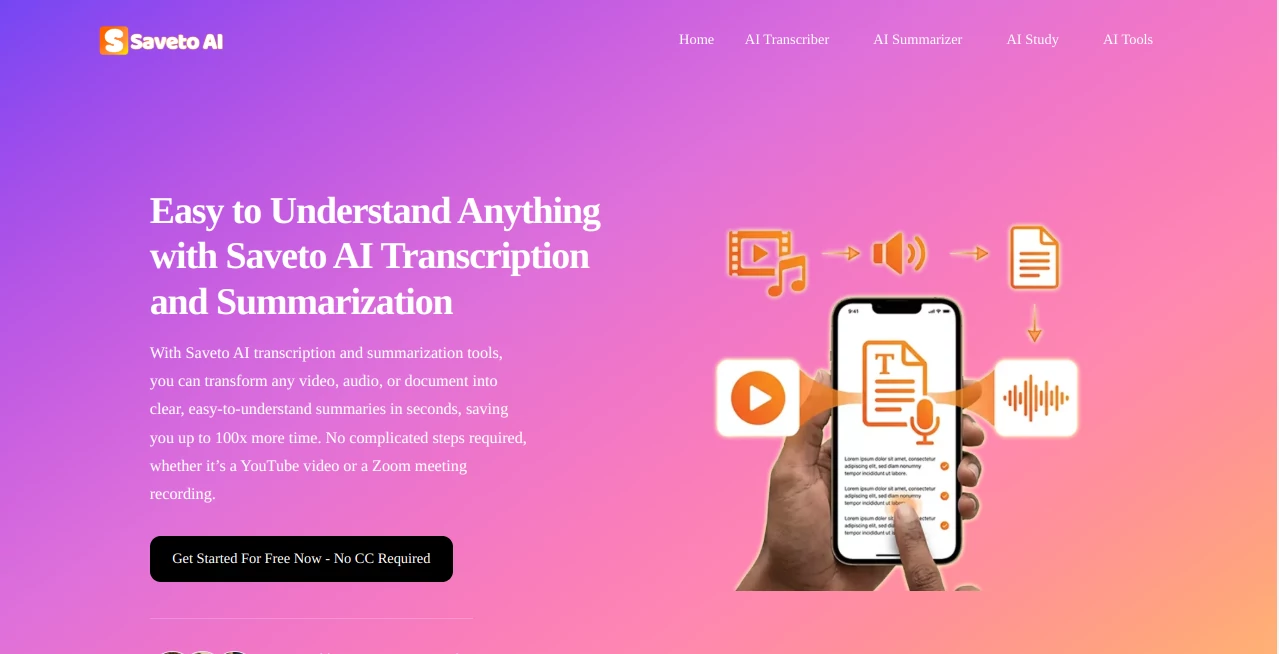
I used to dread long videos or recorded meetings because I knew I’d have to sit through them entirely or waste hours transcribing manually. Then I started using this tool and everything changed. Drop in a YouTube link, a podcast file, or even a PDF, and within minutes you get accurate transcription, a clean summary, and key takeaways. No sign-up, no hidden limits on the free plan, and it works surprisingly well across accents and languages. It’s become one of those daily tools I open without thinking — because it just gets the job done and saves me real time.
Introduction
In our fast-moving world, we consume far more content than we can possibly remember or organize. Saveto AI solves that by turning videos, audio files, documents, and web links into structured, usable knowledge quickly and accurately. It supports over 200 languages, handles multiple speakers intelligently, and delivers clean summaries that actually capture the essence instead of generic bullet points. Whether you’re a content creator processing interviews, a student reviewing lectures, a marketer analyzing competitor videos, or just someone who wants to extract value from long-form content faster, it feels like having a smart assistant that never gets tired. Best of all, the core experience is completely free and requires no login for many tasks.
Key Features
User Interface
The interface is refreshingly straightforward — paste a link or upload a file, choose what you want (transcript, summary, translation, etc.), and results appear cleanly organized. No overwhelming dashboards or unnecessary steps. You can jump straight to key moments in transcripts, export summaries in different formats, or even generate mind maps. It stays out of your way so you can focus on the content, not the tool itself.
Accuracy & Performance
The transcription quality stands out, especially with multiple speakers and varied accents. It reaches extremely high accuracy in major languages and performs admirably across the 200+ supported ones. Summaries feel thoughtful rather than robotic, capturing context and key arguments instead of just pulling random sentences. Processing is fast — a 30-minute video is usually done in under a couple of minutes — so you stay in flow instead of waiting around.
Capabilities
It handles YouTube, TikTok, podcasts, PDFs, audio files, and more. You get full transcription with speaker detection, concise summaries, mind maps, key point extraction, translation between languages, and even video downloading. The combination of all these features in one place means you rarely need to switch between different tools. For longer content, it breaks things down intelligently so you can grasp the big picture without watching or reading everything.
Security & Privacy
Your files are processed securely and deleted after a short period (usually 24 hours). No forced login for basic use means less personal data floating around. It’s clear the team prioritized privacy while still delivering powerful features, which is rare and very welcome for tools that handle potentially sensitive content like interviews or internal meetings.
Use Cases
A YouTuber processes interview footage in minutes instead of hours, pulling clean quotes and summaries for scripts. A student turns hour-long lectures into structured notes with key concepts highlighted. A marketing team analyzes competitor videos and extracts insights without watching everything end-to-end. Remote workers summarize long meetings and share clear action points with their team. It fits naturally into almost any workflow where consuming and understanding information quickly matters.
Pros and Cons
Pros:
- Completely free core features with no login required for many tasks.
- Strong multi-speaker detection and high accuracy across languages.
- All-in-one solution — transcribe, summarize, translate, and download in one place.
- Fast processing that respects your time.
- Clean, thoughtful summaries that actually help you understand content faster.
Cons:
- Very long or extremely low-quality audio can still challenge accuracy (same as most tools).
- Some advanced features and higher usage limits are behind paid plans.
Pricing Plans
The free tier is genuinely useful for regular personal and light professional use. Paid plans remove any remaining limits, unlock higher processing speeds, more storage, and priority features for heavier users or teams. It’s priced reasonably so you only upgrade when your needs grow, which feels fair and transparent.
How to Use Saveto AI
Go to the site, paste a video link (YouTube, TikTok, etc.) or upload an audio/PDF file. Select what you want — full transcript, summary, translation, or all of the above. Click process and wait a short moment. Review the results, copy key sections, export as needed, or generate a mind map for better organization. For repeated use, you can create a free account to save history. The entire flow is simple enough that you can start getting value in under a minute.
Comparison with Similar Tools
Many transcription tools require sign-ups, have daily limits, or produce robotic summaries. This one stands out with its generous free access, strong multi-language support, and clean, useful outputs. It combines several features that usually require switching between different platforms, making it more practical for everyday knowledge work than most alternatives.
Conclusion
In a world overflowing with content, the ability to quickly understand and organize information is becoming a real superpower. Saveto AI delivers that superpower in a simple, reliable package that respects your time and privacy. Whether you’re a creator, student, professional, or just someone who wants to get more value from what you watch and read, it’s one of those rare tools that quietly makes life noticeably better. Give it a try with your next long video or meeting recording — you’ll likely wonder how you managed without it.
Frequently Asked Questions (FAQ)
Do I need to create an account?
No — you can start using core features immediately without signing up.
How accurate is the transcription?
Extremely high in major languages, with excellent speaker detection even in conversations.
What content types does it support?
Video links (YouTube, TikTok, etc.), audio files, PDFs, and documents.
Is it really free?
Yes — the core transcription and summarization features are free with generous daily usage.
Can it handle multiple languages in one file?
Yes, it supports over 200 languages and handles mixed-language content well.
AI Documents Assistant , AI Summarizer , AI Transcription .
These classifications represent its core capabilities and areas of application. For related tools, explore the linked categories above.

Saveto AI Alternatives Product

Flowmata AI
AI OCR

Glanced
PDF to Video

Zloth

Voza Transcr…
heicpdf.to

Certificate …

SkipBait
