SceneRoll
What is SceneRoll?
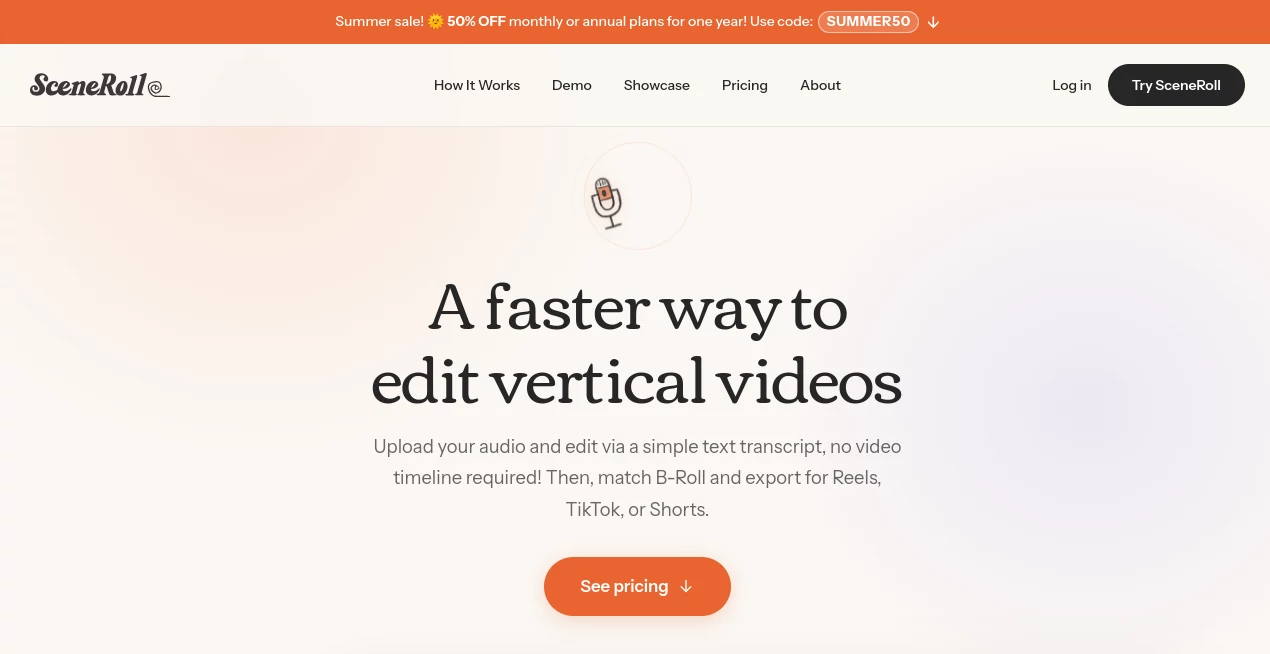
Creating short-form videos sounds simple until the editing starts. A quick voice memo can turn into hours of trimming, searching for B-Roll, adjusting clips, and trying to make everything fit a vertical format. SceneRoll takes a much simpler approach: start with what you want to say, turn the recording into a transcript, match visuals to your words, and export a finished vertical video.
The workflow is particularly appealing for creators who have plenty of ideas but do not want to become full-time video editors. You can record a voice memo directly in the browser or upload an existing audio or video file. The system then breaks the recording into scenes and helps connect each section with suitable B-Roll.
Instead of spending your first hour learning a timeline, you can focus on the actual message. For a creator making Reels, TikToks, or YouTube Shorts several times a week, that change in workflow can make publishing feel considerably less demanding.
Key Features
- Automatic transcription that turns spoken audio into editable text.
- Scene detection that separates a recording into manageable sections.
- AI-powered B-Roll suggestions based on the content of each scene.
- A personal Vault for storing and automatically tagging reusable clips.
- An AI Content Coach that suggests B-Roll shots based on a creator's niche.
- Transcript-based editing for removing filler words and tightening scenes.
- Quick Match for assigning B-Roll across multiple scenes.
- Custom captions with adjustable fonts, colors, and word timing.
- Support for images, GIFs, and stickers as overlays.
- 9:16 vertical exports in HD 1080p for major short-form platforms.
- Browser-based access from phones, tablets, and desktop computers.
- A-Roll integration for creators who want to use their own video as the main track.
User Interface
The interface is designed around a text-first editing experience rather than a traditional video timeline. After transcription, your spoken words are presented as individual sections that can be edited directly. This makes the process feel closer to editing a document than manipulating a complicated video project.
The three-step workflow is straightforward: record or upload, match the visuals, and export. The personal Vault also becomes more useful over time because selected clips are saved, organized, and tagged for future projects.
Accuracy & Performance
Transcription is performed word by word, giving creators a practical way to identify filler words, tighten sentences, and remove unwanted sections. Scene analysis then helps determine where different visuals can fit naturally into the spoken content.
The B-Roll matching system is especially useful when the creator already knows what they want to say but does not want to manually search through dozens of clips. Suggestions can be accepted, replaced, or combined with footage from a personal collection.
For everyday short-form production, the advantage is less about adding more editing controls and more about reducing the number of repetitive decisions required before a video is ready to publish.
Capabilities
The platform is built around a voice-to-video workflow, but it goes beyond simple transcription. Creators can upload their own B-Roll, use footage from a free stock library, organize clips in a personal Vault, and receive suggestions for additional shots through the built-in Content Coach.
The Coach can provide practical shot ideas with descriptions, angles, and suggested durations. For example, a creator discussing productivity might receive a suggestion for a close-up desk shot or hands typing on a keyboard. That makes it easier to build a reusable library of footage instead of starting the visual side of every project from zero.
Captions, overlays, multi-scene selection, A-Roll support, and HD export round out the editing workflow. The result is aimed squarely at people who want polished short-form content without a traditional editing-heavy process.
Security & Privacy
Uploaded audio, video clips, and images are stored securely and are used to provide the service. The platform states that it does not sell personal information and uses several infrastructure providers for authentication, storage, transcription, AI scene analysis, payments, and video processing.
Uploaded content is stored on encrypted Cloudflare R2 storage, while account information is handled through Supabase with row-level security. The service also states that its Deepgram and Google AI providers do not use uploaded audio, transcripts, or clip thumbnails to train their models.
Payment processing is handled through Stripe, so credit card details are not directly stored by the service. Users can also delete their account and uploaded content through the application.
Use Cases
Content creators: Turn spoken ideas into short-form videos without building every project manually from a timeline.
Entrepreneurs: Share business lessons, product ideas, educational tips, or personal experiences using voice-driven videos and supporting B-Roll.
Social media managers: Produce a steady stream of vertical content for Instagram, TikTok, and YouTube Shorts with a repeatable workflow.
Faceless creators: Use voice as the main storytelling element while B-Roll provides the visual layer.
Educators and coaches: Convert explanations, lessons, and quick tips into short educational videos without spending excessive time on editing.
Beginners: Anyone who finds traditional video editors intimidating can start with a voice recording instead of learning a complex timeline first.
Pros and Cons
Pros:
- Very focused workflow for vertical short-form video.
- Transcript-based editing is easier to understand than traditional timeline editing for many beginners.
- Automatic scene analysis reduces manual organization.
- B-Roll suggestions can save significant searching time.
- Personal Vault becomes more valuable as more clips are collected.
- Built-in Content Coach helps creators plan additional footage.
- No watermark on exported videos, including the free trial.
- Works directly in a browser without requiring desktop software.
- Exports are optimized for Reels, TikTok, and YouTube Shorts.
Cons:
- The workflow is specialized around short-form vertical content rather than full professional video production.
- Users who prefer detailed timeline control may find the simplified editing approach limiting.
- Monthly subscription credits reset at the beginning of each billing month.
- Credits are tied to exported video duration, so frequent or longer-form production can require a higher plan.
Pricing Plans
The free trial starts with 5 credits and does not require a credit card. It includes transcription, scene matching, B-Roll, and watermark-free exports.
The Creator plan is listed at $19 per month, or $14 per month when billed annually, and includes 50 monthly credits. It is positioned for creators publishing a few times each week.
The Pro plan is listed at $39 per month, or $29 per month with annual billing, and includes 150 monthly credits. It is designed for daily creators and small studios.
The credit system is simple: one credit represents one minute of exported video. Subscription credits reset monthly, while additional top-up credits purchased separately do not expire.
How to Use It
- Open the browser-based editor and create an account.
- Record a voice memo directly in the browser or upload an audio or video file.
- Let the system transcribe the recording and divide it into scenes.
- Review the transcript and remove unnecessary words or sections.
- Choose suggested B-Roll or add clips from your personal Vault.
- Use the Content Coach if you need ideas for additional footage.
- Review captions, overlays, and scene assignments.
- Preview the finished vertical video.
- Export the final 1080p video and publish it to your preferred short-form platform.
Comparison with Similar Tools
Traditional editors such as CapCut give creators extensive timeline-based control, but that flexibility can also mean more manual work. Finding footage, positioning it, and syncing it with spoken content can take considerable time when producing many short videos.
Descript is well known for transcript-based editing, but its broader purpose makes it different from a workflow specifically designed around turning voice recordings into short-form videos with matched B-Roll.
Instagram Edits is useful for creators working inside the Instagram ecosystem, while this approach is designed to export the same vertical content for Instagram, TikTok, and YouTube Shorts. The key distinction is the combination of transcript editing, automatic scene analysis, B-Roll matching, and a reusable personal clip library.
Conclusion
For creators who enjoy talking about ideas but dislike the editing process, this is a refreshingly focused approach to short-form video. Instead of asking users to master a complicated timeline, it starts with something most creators already have: a voice, an idea, and a recording.
The combination of automatic transcription, scene-based editing, B-Roll suggestions, reusable clips, and a content coach makes the workflow particularly attractive for consistent social publishing. It is not trying to replace every professional video editor, and that is actually part of its appeal. The experience is focused on getting useful vertical content from an idea to a finished video with as little friction as possible.
If your biggest obstacle to publishing more Reels, TikToks, or Shorts is the editing time rather than the lack of ideas, this tool is well worth trying.
Frequently Asked Questions (FAQ)
Can I start without paying?
Yes. The free trial provides 5 credits, includes the core workflow, does not require a credit card, and allows watermark-free exports.
Can I use my own B-Roll?
Yes. You can upload your own clips to the personal Vault, where they are automatically tagged and can be suggested for relevant scenes.
Does it work on mobile?
Yes. The service runs in a browser and can be used on phones, tablets, and desktop computers without installing a dedicated application.
What platforms are supported for exported videos?
The vertical 9:16 format is designed for Instagram Reels, TikTok, and YouTube Shorts, with HD 1080p export quality.
How does the credit system work?
One credit equals one minute of exported video. Editing, transcription, previewing, and the Content Coach are included with the plan rather than consuming additional credits.
Does the service use uploaded content to train AI models?
The privacy policy states that the AI providers used for transcription and scene analysis do not use uploaded audio, transcripts, or clip thumbnails to train their models.
Do exported videos contain a watermark?
No. The service states that exports are watermark-free, including videos created during the free trial.
Is it suitable for professional video editors?
It can be useful for professionals who regularly produce short-form content, especially when speed and repeatability matter. However, creators who need advanced timeline manipulation and extensive professional editing controls may still prefer a traditional video editor.
Can I edit the transcript after transcription?
Yes. The text-based workflow allows you to remove filler words, tighten the message, and trim scenes directly through the transcript.
Where does the B-Roll come from?
B-Roll can come from a free stock video library or from clips stored in your personal Vault. Your own clips can be automatically tagged and suggested for future projects.
AI Video Recording , AI Video Editor , AI Short Clips Generator , AI UGC Video Generator .
These classifications represent its core capabilities and areas of application. For related tools, explore the linked categories above.

SceneRoll Alternatives Product
remove bg vi…

Riverside.fm

Video Breakd…

happyhorse

Sora 2 AI

ARKADS

RemoveVideoBG

ModelsLab

LatentSync