

















SendHQ

What is SendHQ?
Sending email from a modern application can become surprisingly complicated. A product may need transactional messages, a support inbox, automated replies, domain verification, delivery tracking, and separate identities for different services. Add AI agents to the mix, and keeping everything organized becomes even more important.
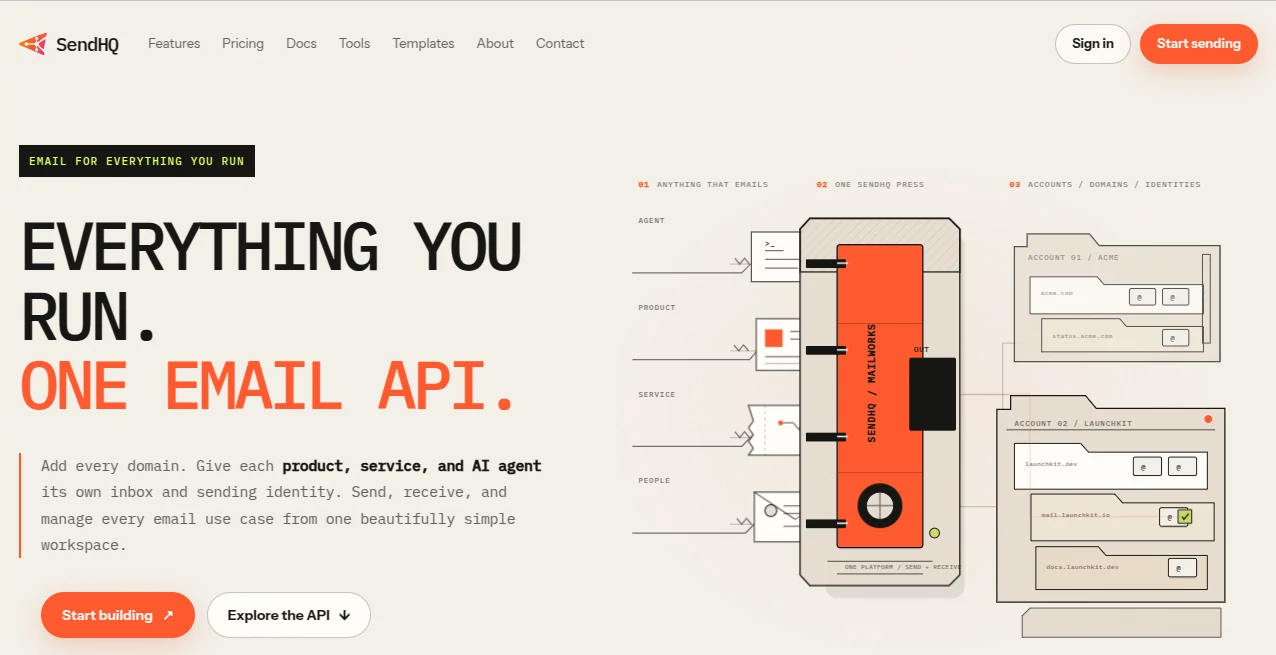
SendHQ brings these email workflows into one developer-focused platform. It is designed for products, services, people, and AI agents that need to send and receive email through a consistent infrastructure layer. Instead of maintaining several disconnected email systems, developers can manage sending identities, inbound messages, domains, API access, and delivery activity from one workspace.
The idea is particularly useful for teams building multiple products or automated workflows. A developer can give different applications or agents their own email identity while keeping administration and monitoring in one place.
Key Features
User Interface
The workspace is built around the practical tasks developers and product teams need to handle. Domain management, API keys, inbox and outbox activity, delivery information, and account controls are brought together rather than being spread across several services.
The interface also provides a live view of email activity, which can make troubleshooting easier when a message does not behave as expected. For someone managing several domains or applications, having these details available in one workspace can save a considerable amount of time.
Accuracy & Performance
Email infrastructure is less about visual features and more about predictable behavior. The platform provides delivery events, bounce information, suppression controls, and operational visibility so developers can understand what happened after an email was submitted.
The API is designed around server-side integrations and supports retry-safe requests through idempotency keys. Its documented API is versioned and covers sending, receiving, templates, domains, deliverability, and related operations. This gives technical teams a more structured foundation for production email workflows.
Capabilities
The platform goes beyond simple outbound email. Developers can send transactional messages, receive inbound email, work with conversations and threads, handle attachments, create reusable hosted templates, verify domains, and inspect delivery outcomes.
- Transactional email sending
- Inbound email and conversation handling
- Multiple verified sending domains
- Workspace-scoped API keys
- Delivery and bounce tracking
- Hosted email templates
- Drafts and attachments
- Inbound webhooks
- Suppression and opt-out management
- AI agent email workflows
- REST API access
- DNS verification for SPF, DKIM, and DMARC
One of the more interesting aspects is its focus on AI agents. Automated systems can be given controlled email identities without requiring developers to expose an ordinary mailbox password. This makes email a usable part of an agent workflow while keeping access more constrained.
Security & Privacy
Security depends heavily on how email credentials and identities are managed. API integrations use workspace API keys that are intended to remain on the server side, while browser sessions are used for account administration.
Domain verification also plays an important role. The platform provides the DNS records needed for SPF, DKIM, and DMARC configuration, allowing users to authenticate their sending domains before using them for application email.
For Google Sign-In, the service states that authentication receives basic account information such as the account identifier, email address, name, and profile image. It does not request Gmail messages, contacts, Drive files, calendars, or other sensitive Google data for this sign-in process.
Use Cases
This platform can fit a wide range of software projects where email is part of the product rather than an afterthought.
- SaaS applications: Send onboarding messages, receipts, password resets, alerts, confirmations, and account notifications.
- AI agents: Give an automated agent a dedicated email identity with controlled permissions and a visible history of conversations.
- Customer support: Receive replies and keep inbound conversations connected to the same email infrastructure.
- Multiple products: Maintain separate sender identities for different applications while managing them from one workspace.
- Developer platforms: Add transactional email to applications through a REST API rather than maintaining a custom mail system.
- Background services: Send monitoring alerts, billing notifications, system events, and other automated messages from dedicated identities.
For example, a small software company could use one sending identity for billing notifications, another for customer support, and a separate identity for an AI-powered assistant. The development team would not need to build three independent email systems just to keep those workflows separated.
Pros and Cons
- Pros: One API for several email workflows
- Pros: Supports both outbound and inbound email
- Pros: Designed with AI agent workflows in mind
- Pros: Domain verification and DNS guidance are included
- Pros: Delivery events and deliverability information are visible
- Pros: Supports multiple verified domains
- Pros: Hosted templates, attachments, and conversations are available through the API
- Cons: The platform is primarily aimed at developers and technical teams
- Cons: Setting up domains still requires DNS configuration
- Cons: Teams looking only for occasional personal email may find the developer-oriented feature set unnecessary
Pricing Plans
The pricing structure is straightforward, with plans designed around email volume and the number of verified domains.
- Starter: $9 per month, including 10,000 emails per month, up to 15 verified domains, inbox and outbox access, and delivery and bounce tracking.
- Scale: $29 per month, including unlimited emails, up to 200 verified domains, and the features available in the Starter plan.
There are also marketing-mode options that cost $10 more per month while keeping the same stated limits. This makes the service relatively easy to evaluate for a small product team before moving to a larger setup.
How to Use the Platform
- Create a workspace and generate the required API credentials.
- Add the domain or domains that will be used for sending.
- Publish the required SPF, DKIM, and DMARC records in your DNS provider.
- Wait for domain verification to complete.
- Configure the sender identity for your application, service, or automated agent.
- Use the REST API to send a test email.
- Inspect delivery events and troubleshoot any bounce or delivery issue.
- Add inbound email or templates if your application needs replies, conversations, or reusable message content.
The documented API uses a versioned endpoint and supports common email operations through a REST interface. Developers familiar with API-based email services should find the general workflow familiar, while the additional inbound and agent-oriented functionality gives larger projects more room to expand.
Comparison with Similar Tools
Traditional transactional email platforms often concentrate primarily on sending application messages. This approach is useful for straightforward notifications, but modern applications increasingly need more than outbound delivery.
The main distinction here is the attempt to treat email as a broader infrastructure layer. Sending, receiving, domain identities, templates, delivery information, and AI-agent workflows are considered parts of the same system.
For a simple application that only needs a few transactional messages, a conventional email API may be enough. For a product ecosystem with several domains, inbound conversations, automated agents, and multiple email identities, a unified workspace can be a more attractive approach.
Conclusion
Email infrastructure becomes harder to manage as a product grows. What starts as a few notification messages can eventually turn into separate transactional systems, support inboxes, domain configurations, API credentials, templates, and automated workflows.
This platform takes a broader approach by bringing those responsibilities into a single email layer. Its combination of transactional sending, inbound email, verified domains, delivery visibility, reusable templates, and controlled AI-agent access makes it especially interesting for developers building modern SaaS products and automated systems.
For teams that want their applications and AI agents to communicate through dedicated email identities without building the entire infrastructure themselves, it offers a practical and developer-oriented solution.
Frequently Asked Questions (FAQ)
What is this platform used for?
It provides email infrastructure for applications, services, teams, and AI agents. It can handle transactional sending, inbound email, domains, templates, delivery events, and related email operations.
Can it send transactional emails?
Yes. Applications can use the REST API for messages such as receipts, notifications, onboarding emails, confirmations, password resets, and other product-triggered communication.
Can AI agents use it?
Yes. The platform is specifically designed to support AI agents that need controlled email identities and the ability to send or receive messages through an API.
Does it support inbound email?
Yes. Developers can create inbound addresses, receive messages, work with conversations, and integrate incoming email into their applications.
Does it support multiple domains?
Yes. Users can add and verify multiple domains within a workspace. The number of domains depends on the selected plan.
What authentication records are required?
Domain verification uses standard email authentication mechanisms including SPF, DKIM, and DMARC. The platform provides the records required for configuration.
How much does the Starter plan cost?
The Starter plan costs $9 per month and includes 10,000 emails per month and 15 verified domains.
Is there a higher-volume plan?
Yes. The Scale plan costs $29 per month and provides unlimited emails with up to 200 verified domains, along with the features included in Starter.
Is this suitable for non-technical users?
The service is primarily designed for developers and product teams. Users who are comfortable with APIs, DNS records, domains, and application integrations will get the most value from it.
Can developers monitor email delivery?
Yes. Delivery events, bounce