


















SmartTaxReceipt
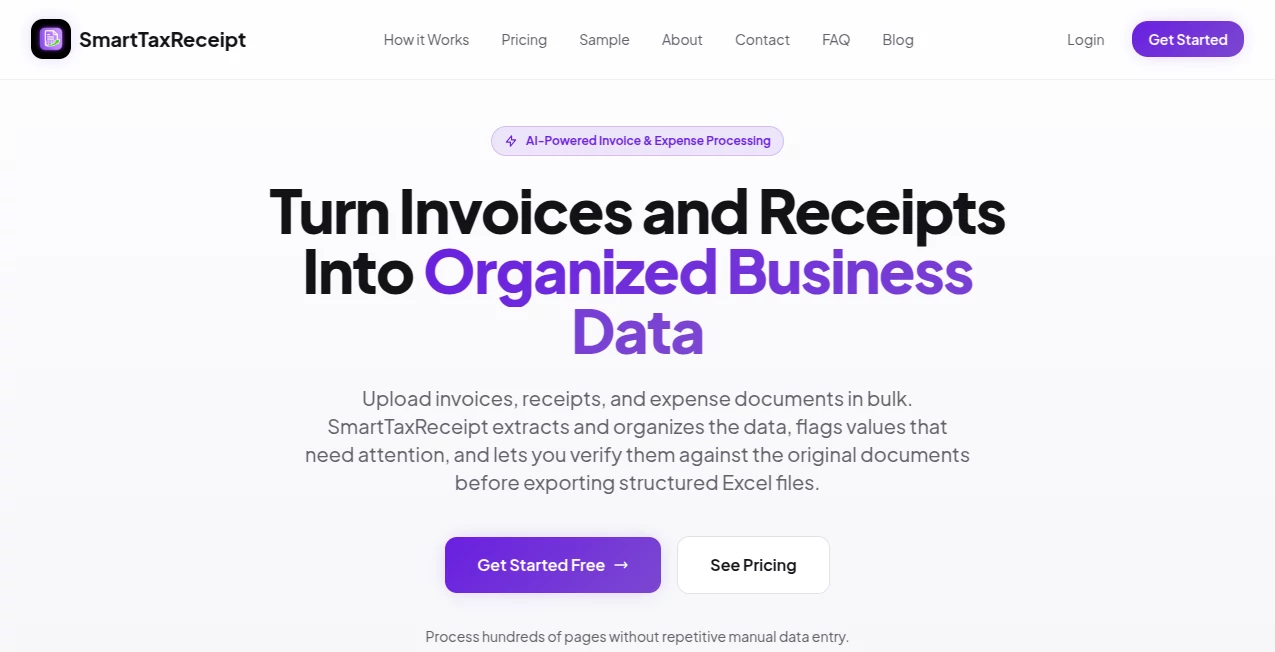
What is SmartTaxReceipt?
Managing invoices manually is one of the most repetitive tasks for finance teams, accountants, and business owners. Processing hundreds of receipts, VAT invoices, and expense documents often leads to unnecessary delays, data entry mistakes, and extra administrative work. This platform transforms that workflow by automatically extracting important financial information from invoices and receipts, organizing everything into structured spreadsheets, and making verification simple before export.
Designed with modern accounting workflows in mind, the platform supports bulk document processing, intelligent document classification, and AI-assisted validation. Instead of spending hours copying invoice numbers, supplier details, tax values, and totals into Excel, users can upload multiple documents simultaneously and receive organized data within minutes. For organizations handling large invoice volumes, this dramatically reduces workload while maintaining better financial accuracy.
Key Features
User Interface
The dashboard is clean, intuitive, and built for productivity. Uploading documents requires only a few clicks, while extracted information is displayed alongside the original invoice for easy verification. Flagged values are clearly highlighted, allowing users to review questionable fields without searching through lengthy spreadsheets.
Accuracy & Performance
AI-powered extraction automatically recognizes invoice data from PDF files and scanned images, including multi-page invoices and multiple documents uploaded together. Intelligent review highlights missing or suspicious values so users can validate important fields before exporting the final dataset. This review process helps minimize manual corrections while improving confidence in the exported information.
Capabilities
- Bulk invoice and receipt processing
- Automatic document classification
- Extraction of invoice numbers, dates, supplier information, VAT values, and totals
- Support for scanned documents and digital PDFs
- Multi-page invoice recognition
- Excel export with organized worksheets
- Side-by-side document verification
- AI-assisted review with suggested corrections
- Support for multiple company profiles
- Team collaboration on supported plans
- UAE VAT and TRN extraction
- Traceability between exported rows and original documents
Security & Privacy
Business documents are processed through encrypted connections and remain associated only with the user's account. The service emphasizes secure document handling while allowing organizations to maintain ownership of both uploaded files and extracted data. Privacy practices are designed to protect financial information throughout the processing workflow.
Use Cases
- Accounting firms processing invoices for multiple clients
- Finance departments handling monthly accounts payable
- Small businesses reducing manual bookkeeping work
- Companies preparing VAT documentation
- Organizations converting invoice PDFs into structured Excel reports
- Businesses reviewing supplier invoices before financial reporting
- Teams managing large batches of receipts and expense documents
Pros and Cons
Pros
- Excellent bulk processing capabilities
- Fast AI-powered invoice extraction
- Supports scanned and digital documents
- Easy verification using side-by-side review
- Well-organized Excel exports
- Automatic document categorization
- Useful AI review that identifies possible extraction issues
- Designed specifically for VAT invoice workflows
Cons
- Specialized primarily for invoice and expense processing rather than complete accounting
- Human verification is still recommended for complex or poor-quality documents
- Advanced collaboration features require higher-tier plans
Pricing Plans
The platform offers flexible pricing suitable for different business sizes. New users receive free page credits to test the service without providing a payment card. Businesses can choose between pay-as-you-go pricing, monthly subscriptions, professional plans for higher document volumes, and enterprise solutions for larger organizations.
How to Use SmartTaxReceipt
Begin by uploading invoices, receipts, or expense documents in PDF or supported image formats. The AI automatically identifies document types, extracts structured financial information, and highlights fields requiring attention. Users can compare extracted values directly with the original document, make corrections when necessary, and export clean Excel files ready for bookkeeping, reporting, or VAT preparation.
Comparison with Similar Tools
Unlike many generic OCR solutions that simply convert text, this platform focuses on financial document workflows. It combines intelligent document classification, AI-assisted validation, bulk processing, and structured spreadsheet exports into a single workflow. The ability to review extracted data beside the original document greatly improves usability and reduces correction time compared to traditional invoice scanning software.
Conclusion
Organizations that regularly process invoices understand how quickly repetitive data entry consumes valuable working hours. This solution replaces manual transcription with an efficient AI-assisted workflow that extracts, reviews, organizes, and exports financial data with impressive speed. Its thoughtful review system, support for bulk processing, and structured Excel output make it a valuable productivity tool for accountants, finance professionals, and businesses looking to streamline invoice management while improving overall accuracy.
Frequently Asked Questions (FAQ)
Can it process scanned invoices?
Yes. Both scanned invoices and digital PDF documents can be processed automatically.
Does it support bulk uploads?
Yes. Multiple documents and multi-page PDFs can be uploaded together for batch processing.
What information is extracted?
The platform extracts invoice numbers, supplier details, invoice dates, VAT amounts, totals, Tax Registration Numbers (TRN), and other important invoice fields.
Can the exported data be edited before download?
Yes. Users can review flagged fields, make corrections, and export cleaned data into structured Excel files.
Who benefits most from this platform?
Accountants, finance teams, bookkeepers, small businesses, and organizations handling high volumes of invoices or expense documents will gain the greatest productivity improvements.
AI Document Extraction , AI PDF , AI Accounting Assistant , AI Productivity Tools .
These classifications represent its core capabilities and areas of application. For related tools, explore the linked categories above.
SmartTaxReceipt details
Website unavailable — View Alternatives
Pricing
- Free
Apps
- Web App
Categories

SmartTaxReceipt Alternatives Product

GPT Image 2 …

GPT Image 2 …

Zush

Graph Maker

PDFgear

Remove My Me…

AltHunt

XreplyAI

GenPPT AI
