


















TextGlow
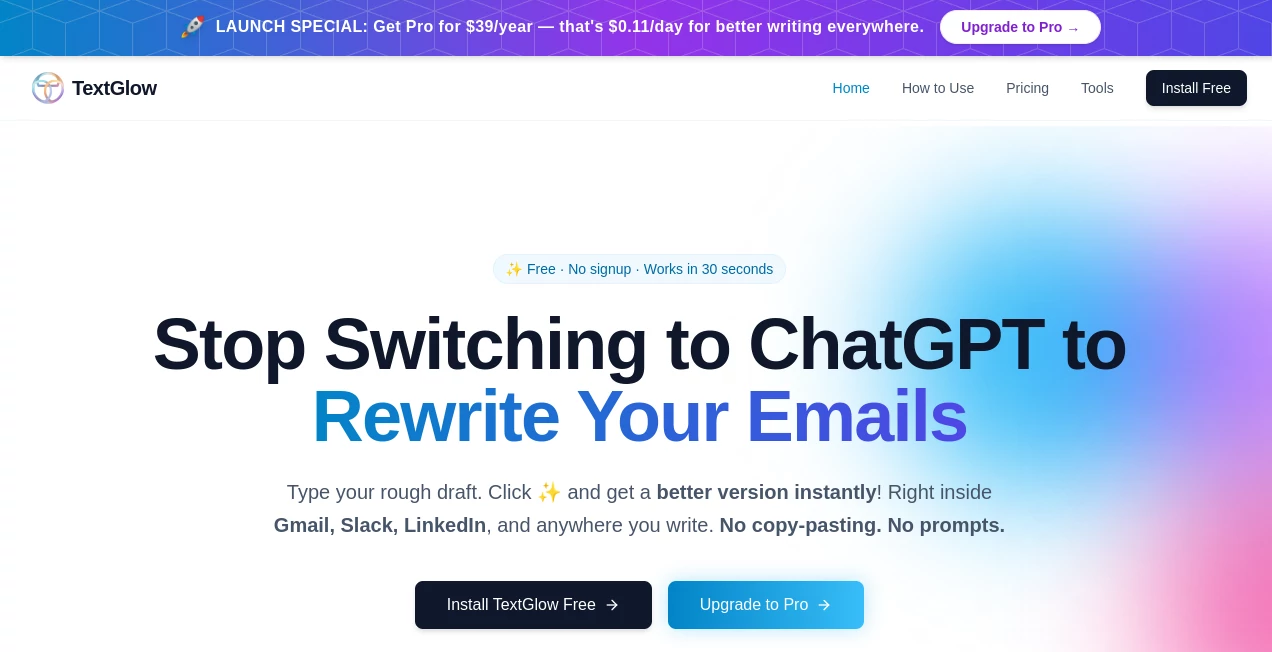
What is TextGlow?
Writing a message is often easy. Making sure it sounds exactly right is the difficult part. Whether it is an important client email, a LinkedIn update, a Slack message, or a quick reply, the wrong tone can change how people understand your words.
TextGlow is an AI writing assistant designed to improve everyday communication by helping users rewrite their text directly where they write. Instead of copying content into another editor, switching between tabs, and adjusting the result manually, it brings AI-powered rewriting into your existing workflow.
The tool focuses on making writing clearer, more natural, and better suited for different situations. Users can transform rough drafts into polished messages with different tones, making professional and personal communication feel more confident and authentic.
Key Features
User Interface
One of the strongest advantages is its simple and distraction-free experience. The assistant works inside text fields across the web, allowing users to improve their writing without leaving the platform they are already using.
The workflow is designed around speed: write your thoughts naturally, activate the AI assistant, select the preferred tone, and receive an improved version instantly. This approach removes the common frustration of switching between writing apps and AI chat windows.
Accuracy & Performance
The assistant focuses on preserving the original meaning while improving clarity, structure, and tone. Instead of simply replacing words with synonyms, it helps make messages sound more human and appropriate for the intended audience.
The lightweight experience makes it suitable for daily communication where speed matters. Users who write dozens of messages every day can save time while maintaining a consistent writing style.
Capabilities
- Instant rewriting: Transform rough drafts into polished messages with minimal effort.
- Multiple writing tones: Adjust content for professional, friendly, confident, concise, empathetic, and other communication styles.
- Works across websites: Improve writing in email platforms, social networks, collaboration tools, and other online text fields.
- Email improvement: Create clearer and more effective business communication.
- Social media writing support: Enhance posts, comments, and direct messages.
- Team communication assistance: Make workplace messages more understandable and professional.
- Language improvement: Help non-native speakers create more natural-sounding English messages.
Security & Privacy
Privacy is an important consideration for any writing assistant. The platform is designed around secure processing and does not store users' keystrokes. The focus is on helping users improve their text while keeping the experience simple and respectful of personal information.
Use Cases
This AI writing assistant can support many everyday scenarios where communication quality matters. Professionals can use it to refine client emails, prepare LinkedIn posts, and create stronger business messages.
Remote teams can benefit from clearer Slack conversations and better workplace communication. Managers can adjust the tone of feedback messages, while freelancers can create more professional proposals and client responses.
Students, job seekers, customer support teams, and anyone who writes online regularly can use it to make their messages sound more polished without losing their personal voice.
Pros and Cons
Pros
- Works directly inside existing writing environments.
- Saves time by removing copy-and-paste workflows.
- Offers multiple tone options for different situations.
- Simple interface with a fast learning curve.
- Useful for professionals, teams, and everyday users.
- Helps create more natural and confident communication.
Cons
- Advanced features require a paid plan.
- Users may still want to manually review important documents.
- Best results depend on providing clear original text.
Pricing Plans
The platform offers a free option for users who want to try AI-powered rewriting without a complicated setup. The free plan includes daily rewriting limits and access to essential tone features.
A premium plan is available for users who need higher usage limits, faster responses, longer text support, and additional rewriting capabilities. This makes it suitable for professionals who rely on writing tools every day.
How to Use TextGlow
- Install the browser extension or activate the writing assistant.
- Open any website where you need to write text.
- Create a draft naturally without worrying about perfect wording.
- Select the AI rewrite option.
- Choose a preferred tone based on your audience and purpose.
- Review the improved version and use it immediately.
Comparison with Similar Tools
Many AI writing platforms focus on generating long-form content, blog articles, or marketing materials. This tool takes a different approach by concentrating on everyday writing improvement and communication quality.
Compared with traditional grammar checkers, it goes beyond fixing mistakes by helping users change the overall feeling and tone of their messages. Compared with general AI chat assistants, it provides a more convenient experience because users do not need to leave their current workflow.
Conclusion
Effective communication is not only about correct grammar; it is about making sure your message creates the right impression. This AI writing assistant helps users express ideas more clearly, professionally, and naturally in the places where they already write.
With its simple workflow, flexible tone options, and focus on real-world communication, it can become a valuable companion for professionals, remote teams, creators, and anyone who wants their messages to sound better with less effort.
Frequently Asked Questions (FAQ)
What does this AI writing assistant do?
It helps rewrite and improve text by adjusting tone, clarity, and style while keeping the original meaning.
Can it improve professional emails?
Yes. It can help create clearer, more polished emails for clients, colleagues, and business communication.
Does it work on different websites?
Yes. It is designed to work inside many online text fields, allowing users to improve messages without switching applications.
Is there a free version available?
Yes. Users can start with a free plan that provides access to basic rewriting features and daily usage limits.
Who can benefit from using this tool?
Professionals, marketers, remote workers, freelancers, students, and anyone who writes online frequently can benefit from faster and better communication.
AI Email Assistant , AI Productivity Tools , AI Rewriter , AI Writing Assistants .
These classifications represent its core capabilities and areas of application. For related tools, explore the linked categories above.

TextGlow Alternatives Product

CapyQR

fasturl

ForthWrite

Your Own AI

Claude and C…

Airtable AI …

Grok 4

AI Entity

Free Email V…
