


















Thumbnail Gods
What is Thumbnail Gods?
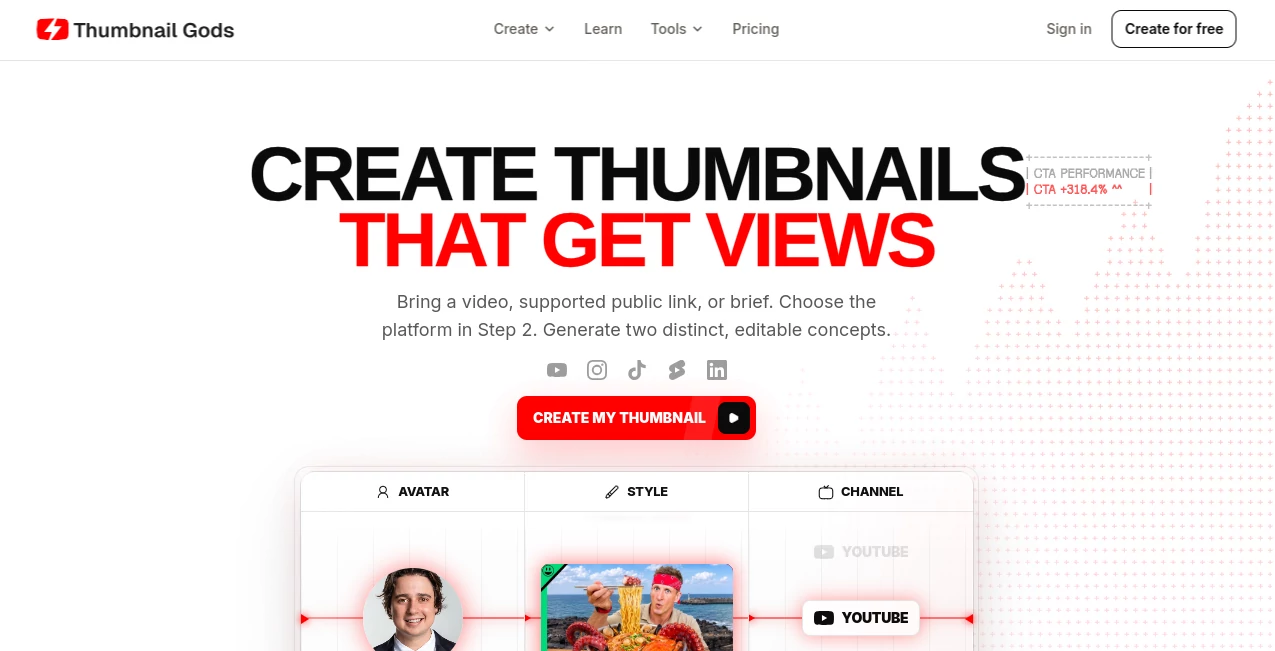
Thumbnail Gods is an AI-powered thumbnail creation platform built for creators who need strong visuals without turning every upload into a long design project. It can work from a video, a supported public social link, a written brief, or reference material, then turn that input into editable thumbnail concepts.
What makes the platform particularly useful is its focus on the actual publishing workflow. Instead of generating one image and leaving the creator to figure out the rest, it lets users choose a target platform, compare different creative directions, refine the result, and export a version suited to the destination. YouTube, Shorts, Instagram Reels, and TikTok are all supported.
Key Features
- Generate thumbnail concepts from videos, public links, titles, prompts, or creative briefs.
- Create different visual directions instead of relying on a single generated result.
- Use real frames and subjects from uploaded footage when appropriate.
- Create thumbnails for YouTube, Shorts, Instagram Reels, and TikTok.
- Edit text, subjects, colors, shapes, and other elements through a visual canvas.
- Generate thumbnails for gaming channels, faceless channels, podcasts, food creators, vloggers, and professional content teams.
- Support batch-oriented workflows for creators producing multiple short-form clips.
- Provide review links for sharing selected designs with teammates or clients.
- Offer additional creator utilities such as thumbnail previews, resizing, compression, downloading, and YouTube thumbnail testing.
User Interface
The interface follows a practical creation workflow rather than making users dig through complicated design menus. A creator can provide the source material, select the primary platform, explore concepts, edit the preferred version, and prepare the final export.
The editable canvas is especially helpful for users who want AI assistance without giving up creative control. Instead of treating the generated image as a finished, untouchable file, the workflow allows individual elements to be reviewed and refined before publishing.
Accuracy & Performance
The platform takes a source-first approach. When footage is provided, the system can identify usable frames, subjects, settings, and moments that can become part of the thumbnail direction. This is valuable for creators who want their thumbnails to represent the actual video rather than looking completely disconnected from the content.
Platform selection also happens before generation. That matters because a YouTube thumbnail and a vertical TikTok or Reels cover have very different visual requirements. The workflow accounts for dimensions, composition, and safe areas before the design is produced.
Capabilities
There is considerable flexibility in how a thumbnail can be created. A creator can start with a video, paste a supported public YouTube, TikTok, or Instagram URL, or simply describe the desired concept. References, avatar profiles, and brand kits can also be incorporated into the workflow.
For short-form publishers, the batch workflow is particularly interesting. A long podcast or stream can produce multiple clips, with vertical 9:16 covers prepared for platforms such as TikTok, Reels, and Shorts. This can save a surprising amount of repetitive design work when publishing frequently.
Teams also get features designed around review and approval. Designs can be generated, discussed, revised, and approved within the same workspace, while shareable review links make it easier to involve a client or teammate without sending files back and forth.
Security & Privacy
Because the service can work with uploaded videos, images, references, and other creative material, privacy should be considered as part of the workflow. Users working with confidential footage or unreleased campaigns should review the provider's privacy policy and terms before uploading sensitive material.
For ordinary creator workflows, keeping generation, editing, review, and export in one workspace can also reduce the need to move creative files between several different services.
Use Cases
YouTube creators: Turn a video, title, or brief into several thumbnail directions and refine the strongest option before publishing.
Gaming channels: Build bold gaming-focused concepts from clips or briefs without having to create every composition manually.
Faceless channels: Create attention-grabbing visual concepts without relying on a creator's face as the main thumbnail element.
Podcast and clip publishers: Generate multiple vertical covers for short clips taken from longer recordings.
Agencies: Maintain more consistent creative production while allowing clients and team members to review designs through shared links.
Brands and professional publishers: Use brand kits, reusable styles, avatars, and review workflows to make high-volume thumbnail production easier to manage.
Pros and Cons
Pros:
- Works from videos, links, prompts, and creative briefs.
- Designed specifically around thumbnail production rather than general image generation.
- Supports both horizontal and vertical social formats.
- Editable designs provide more control than a simple image generator.
- Useful tools are available for previewing, resizing, compressing, and testing thumbnails.
- Strong workflow for creators, agencies, teams, and high-volume publishers.
Cons:
- Users looking only for occasional basic image editing may find the broader workflow unnecessary.
- Higher-volume production requires a paid subscription.
- Advanced features and API access are reserved for higher plans.
- Results may still require manual creative decisions to match a channel's exact visual identity.
Pricing Plans
The platform offers a free trial with three generations and does not require a credit card to start. Paid plans are available with monthly and yearly billing, with the displayed yearly option providing significant savings.
Creator: £17 per user per month when billed yearly. It includes 75 thumbnails per month, 30 AI edits, 15 thumbnail styles, one avatar, the visual editor, and shareable review links.
Studio: £35 per user per month when billed yearly. It increases the allowance to 225 thumbnails and 100 AI edits per month, adds 50 thumbnail styles and five avatars, and includes advanced AI editing and API access.
Professional: £59 per user per month when billed yearly. It provides 525 thumbnails, 200 AI edits, more than 100 thumbnail styles, 10 avatars, brand kits, Anti-AI Thumbnail Mode, and priority support.
How to Use the Tool
Start by providing the content you want to turn into a thumbnail. This can be an uploaded video, a supported public social link, or a written brief describing the desired direction.
Next, select the platform where the visual will be published. Choose between YouTube, Shorts, Instagram Reels, or TikTok so the composition can be prepared for the appropriate format.
Review the generated concepts and compare their framing, colors, hooks, and overall visual direction. Select the version with the strongest connection to your content and refine it through the editable canvas.
Once the design is ready, review the final composition and export it in the required format. If the same creative needs to appear on another platform, native versions can be prepared for additional formats.
Comparison with Similar Tools
Many AI image generators are capable of producing attractive images, but they are not necessarily designed around the specific requirements of thumbnail production. This platform takes a narrower and more practical approach by combining generation with editing, platform formatting, review, and export.
Compared with traditional graphic design software, the main advantage is speed. A creator can begin with a video or simple idea rather than building the composition from an empty canvas. Compared with basic thumbnail generators, the editable workflow and platform-specific production make it more suitable for creators who publish regularly.
The biggest distinction is therefore not simply image generation. It is the attempt to connect the creative idea with the actual publishing process, from source material to review and final export.
Conclusion
For creators, agencies, and teams that publish video content frequently, Thumbnail Gods offers a focused way to reduce the repetitive work involved in thumbnail production. Its combination of source-based generation, editable concepts, platform-specific formats, review tools, and batch workflows makes it more than a simple thumbnail generator.
The strongest value comes from the balance between automation and control. You can let AI handle the initial creative heavy lifting while still deciding which composition, headline, subject placement, and visual style actually represents the content.
For someone publishing a few videos a month, the free starting option may be enough to evaluate the workflow. For active channels and professional teams, the higher-volume plans make more sense because they add greater production capacity and collaboration features.
Frequently Asked Questions (FAQ)
Can I create a thumbnail from a video?
Yes. Uploaded footage can be used as a source, allowing the system to work with real subjects, scenes, and usable moments from the video.
Can I create thumbnails for YouTube Shorts and TikTok?
Yes. The platform supports YouTube, YouTube Shorts, Instagram Reels, and TikTok, with layouts designed for their respective formats.
Can I edit the generated thumbnail?
Yes. Generated concepts remain editable, allowing users to refine elements such as text, subjects, colors, shapes, and composition.
Is there a free option?
New users can try the service with three generations without entering a credit card. Paid subscriptions provide larger monthly allowances and additional features.
Does it support faceless YouTube channels?
Yes. There is a workflow specifically intended for faceless channels, allowing thumbnails to focus on concepts, typography, subjects, and visual style without requiring a creator's face.
Can teams use it for client reviews?
Yes. Shareable review links allow selected variants to be sent to clients or teammates for comments and approval.
Does it offer API access?
API access is included with the Studio plan and above.
Can I create several covers for short clips?
Yes. The batch workflow is designed for publishers working with multiple clips from podcasts, streams, and long-form videos, including 9:16 covers for short-form platforms.
What file formats are available for export?
The workflow supports PNG, JPG, WEBP, and ZIP exports.
AI Instagram Assistant , AI YouTube Assistant , AI Tiktok Assistant , AI Thumbnail Maker .
These classifications represent its core capabilities and areas of application. For related tools, explore the linked categories above.
Thumbnail Gods details
Website unavailable — View Alternatives
Pricing
- Freemium
Apps
- Web App
Categories

Thumbnail Gods Alternatives Product

Quso AI

Zloth

ttanonviewer

Maestra

Sprokl

Getforge.stu…

VideoDubber'…

Ssave App

ViralSnap AI
