
Thumix
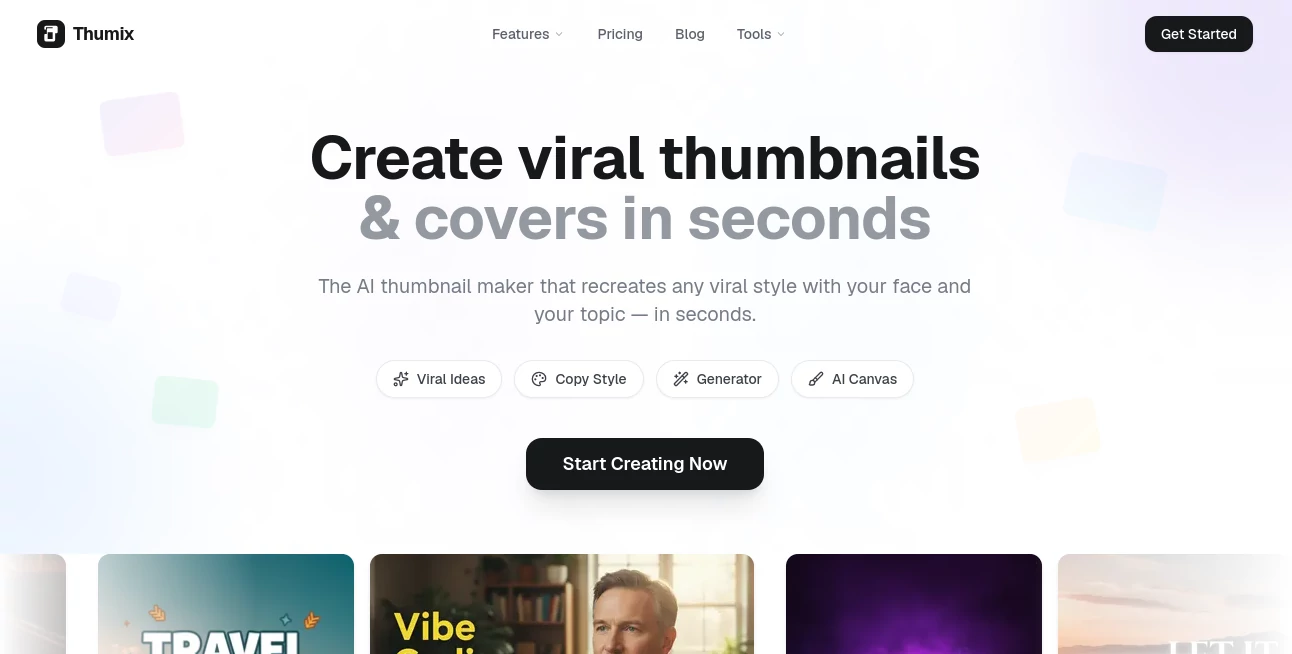
What is Thumix?
Creating a YouTube thumbnail that attracts attention is often harder than creating the video itself. A great thumbnail needs the right composition, strong visuals, readable text, and a style that matches the audience. Thumix helps creators solve this challenge by using artificial intelligence to generate eye-catching thumbnails quickly without requiring advanced design skills.
Built for YouTubers, marketers, and content creators, this AI-powered platform makes it easier to transform ideas, images, and creative references into professional-looking thumbnails. Instead of spending hours inside complicated design software, users can create engaging visuals through a simple workflow that combines AI generation, style inspiration, and editing tools.
The platform focuses on helping creators produce thumbnails designed for higher engagement while keeping the creative process simple and accessible. It provides multiple ways to start, including generating from prompts, using templates, exploring popular styles, and refining designs through an integrated editing workspace.
Key Features
- AI Thumbnail Generation: Create unique YouTube thumbnails from text descriptions, images, or predefined styles.
- YouTube Inspiration: Discover successful visual styles and use them as creative references for new designs.
- Style Reference: Capture the look and feeling of existing designs to create similar visual directions.
- Professional Templates: Start quickly with thumbnail formats designed for different content categories.
- Canvas Editor: Adjust generated images, edit text, modify layers, and refine designs without starting over.
- Multiple Image Models: Choose from different AI generation models depending on quality and speed requirements.
- Batch Generation: Generate multiple variations to compare different creative options.
- Commercial Usage: Generated images can be used for commercial projects according to the platform terms.
User Interface
The user interface is designed around simplicity. Even users without graphic design experience can quickly understand the workflow. The creation process feels natural: choose an idea, select a preferred style, generate a result, and make final adjustments if needed.
The built-in workspace combines inspiration, generation, and editing features in one place. This reduces the need to move between multiple applications and makes thumbnail production much faster for regular creators.
Accuracy & Performance
The platform delivers fast AI-powered generation with results created in seconds. The system focuses on producing thumbnails with strong visual structure, suitable compositions, and attention-grabbing elements that fit modern content trends.
Different AI models are available to balance speed and image quality. Creators can experiment with various outputs and choose the version that best matches their video topic and brand style.
Capabilities
This tool is more than a basic image generator. It is designed specifically around the needs of content creators who need thumbnails that communicate a message immediately.
- Create thumbnails from simple text ideas.
- Generate visuals based on popular creator styles.
- Use uploaded images as references.
- Create thumbnails for gaming, education, technology, photography, and other niches.
- Edit generated designs with additional adjustments.
- Create different variations for testing creative ideas.
Security & Privacy
The platform follows standard practices for handling user accounts and generated content. Users maintain responsibility for the images and references they upload, ensuring they have appropriate rights to use any external materials.
The service uses account-based access and secure payment processing for credit purchases, allowing creators to manage their usage safely.
Use Cases
This AI thumbnail creator is useful for anyone who publishes visual content and wants to improve the appearance of their videos. YouTube creators can quickly prepare professional thumbnails for new uploads, while marketing teams can create campaign visuals without relying on a dedicated designer.
- YouTube Channels: Create attractive thumbnails for regular video publishing.
- Gaming Creators: Design bold visuals that match gaming content styles.
- Education Channels: Build clear and engaging thumbnails for tutorials and lessons.
- Technology Reviews: Create professional designs for product reviews and comparisons.
- Social Media Managers: Produce consistent visual assets for content campaigns.
- Small Businesses: Create marketing graphics without expensive design services.
Pros and Cons
Pros
- Easy workflow for beginners and professionals.
- Designed specifically for thumbnail creation.
- Fast image generation process.
- Includes inspiration and editing features.
- Supports different content categories and styles.
- No advanced design knowledge required.
Cons
- AI-generated results may require creative adjustments for perfect branding.
- Advanced designers may prefer full professional design software for complete control.
- Credit-based usage may not fit users who need unlimited daily generations.
Pricing Plans
The platform uses a simple credit-based pricing model instead of requiring a long-term subscription. This approach allows occasional creators and professional users to purchase credits based on their actual needs.
- Try Plan: Includes 20 credits for testing the platform and creating initial thumbnails.
- Pro Plan: Includes 100 credits with higher-quality image models and batch generation features.
- Studio Plan: Includes 250 credits for creators who produce content frequently and need more generation capacity.
Credits do not expire, making the pricing structure flexible for users who create content at different speeds.
How to Use Thumix
Getting started is simple and does not require professional design experience. Users can follow a straightforward creation process:
- Step 1: Choose a creation method such as templates, inspiration, or custom generation.
- Step 2: Add a description, upload reference images if needed, and select a preferred style.
- Step 3: Generate thumbnail options and compare different variations.
- Step 4: Edit the final design using the built-in canvas tools.
- Step 5: Download the finished thumbnail and use it for your content.
Comparison with Similar Tools
Traditional design platforms offer powerful editing features, but they often require more time and design knowledge. This solution focuses specifically on thumbnail creation, helping users move from an idea to a finished visual much faster.
Compared with general image generators, it provides a workflow built around YouTube content needs, including thumbnail-focused templates, style references, and creator-friendly editing options.
For creators who want speed, simplicity, and specialized thumbnail generation, this approach provides a more focused experience than using general-purpose design tools.
Conclusion
Creating thumbnails that stand out is essential in today's competitive content landscape. Thumix gives creators a practical way to produce professional visuals without spending hours designing every image manually.
With AI generation, creative inspiration tools, templates, and editing capabilities, it provides a complete workflow for turning ideas into attention-grabbing thumbnails. Whether you are running a growing YouTube channel or managing content for a brand, this tool can help make the design process faster and more efficient.
Frequently Asked Questions (FAQ)
What can I create with this AI thumbnail tool?
You can create YouTube thumbnails for many types of content, including gaming, technology, education, photography, entertainment, and other creator niches.
Do I need design experience to use it?
No. The platform is designed for beginners as well as experienced creators. Users can generate professional-looking thumbnails without learning complex design software.
Can I use generated images commercially?
Yes, generated images can be used for commercial purposes according to the platform's usage terms.
Do credits expire?
No. Purchased credits remain available and can be used whenever creators need them.
Can I edit thumbnails after generating them?
Yes. The built-in canvas editor allows users to adjust text, layers, and other visual elements after generation.
AI Photo & Image Generator , AI YouTube Assistant , AI Graphic Design , AI Thumbnail Maker .
These classifications represent its core capabilities and areas of application. For related tools, explore the linked categories above.

Thumix Alternatives Product

Nano Banana …

textile gen

BeadPattern

images 2.0 A…

Freepik

Block Poster…

Klyra AI

Try FLux2

Nano Banana 2