
Tracelight Platform
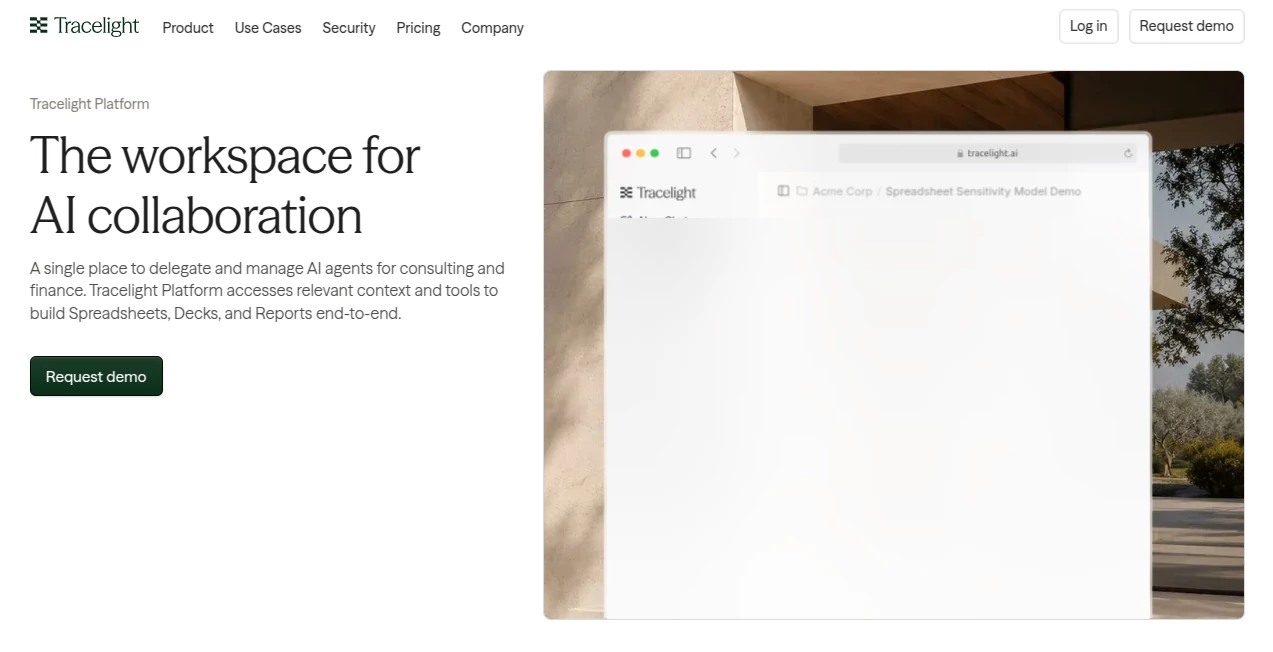
What is Tracelight Platform?
Tracelight Platform is an AI workspace built for consulting and finance teams that need more than a simple chatbot. It brings AI agents, project files, spreadsheets, presentations, reports, research context, and connected data sources into one working environment. Instead of moving between separate tools, analysts can keep the context of a project together and delegate specific tasks to AI agents.
The platform is particularly useful for work where accuracy, traceability, and consistency matter. A financial model, due diligence report, or investment committee presentation can involve dozens of files and countless linked figures. Keeping those pieces aligned is often more difficult than creating the first draft. This platform is designed to make that process easier while giving professionals more visibility into what the AI changes and why.
Key Features
- AI agents for professional workflows: Delegate research, modelling, reconciliation, review, and document-related tasks to AI agents while keeping them within the context of a project.
- Project-based workspace: Each project can contain its relevant files, models, applications, chats, and working memory in a dedicated environment.
- Spreadsheet modelling: Build and work with financial models, assumptions, calculations, forecasts, and linked spreadsheet logic using natural-language instructions.
- Model review and error checking: Review spreadsheet logic, formulas, links, hardcoded values, and potential modelling problems before sharing the work.
- Traceability: Follow relationships between spreadsheet cells and formulas to understand how figures are connected.
- Version comparison: Compare different versions of a workbook and identify changes together with their potential impact.
- Document and presentation workflows: Work across Excel, PowerPoint, and Word while maintaining context between related deliverables.
- Data integrations: Connect project workflows with sources such as SharePoint, OneDrive, Microsoft Teams, Outlook, and selected financial and business data providers.
User Interface
The interface is designed around projects rather than isolated prompts. Users can access chats, files, agents, integrations, resources, and spreadsheet work from the same workspace. A project can contain documents such as a CIM, due diligence report, operating model, investment committee memo, and interactive spreadsheet application.
This approach feels practical for deal teams because the workspace mirrors how real financial projects are organized. Instead of asking an AI tool to remember a long conversation, users can give it access to the relevant project context and continue working from there.
Accuracy & Performance
Accuracy is one of the most important aspects of this platform. Financial models can fail because of a single broken formula, hardcoded value, incorrect link, or assumption that does not flow through the model correctly. The platform provides tools for reviewing model logic, tracing relationships, and identifying inconsistencies.
The company also publishes benchmark results comparing its spreadsheet modelling performance with major AI models. Its published June 2026 benchmark reports higher cell-level accuracy on complex modelling tasks and stronger error recall in its model review testing. These figures are vendor-reported benchmarks, so they are best viewed as an indication of the platform's intended strength rather than a guarantee for every workbook.
Capabilities
The platform covers a broad part of the financial analysis workflow. Users can build and review spreadsheets, investigate model logic, create charts and tables, compare workbook versions, generate reports, and prepare presentation materials from the same project context.
One particularly useful capability is the connection between different deliverables. A financial model can sit alongside research documents and presentation materials, making it easier to keep important numbers consistent. The platform also supports interactive spreadsheet applications where assumptions can be changed and outputs recalculated directly from the underlying model logic.
For example, a finance professional could work on an operating model with revenue growth, working-capital assumptions, and capital expenditure drivers, then use those same model relationships when examining cash flow or preparing a management presentation. That reduces the amount of manual copying that normally happens between files.
Security & Privacy
Security is positioned as a core part of the platform rather than an optional feature. The company states that customer data is not used to train its models or third-party models. Data is protected in transit and at rest, while enterprise customers can access additional controls around data residency, retention, authentication, and organizational access.
The platform also states that it maintains SOC 2 Type II controls and supports GDPR and ISO 27001 requirements. Enterprise deployments can include single sign-on, configurable data retention, deployment support, and centralized administrative controls.
Use Cases
Financial due diligence: Teams can bring financial models, reports, and supporting documents into a project and use AI to investigate assumptions, identify inconsistencies, and accelerate analysis.
Commercial due diligence: Research, market information, company documents, and analytical models can be organized around a single project so that analysts spend less time searching for context.
Mergers and acquisitions: Deal teams can use the workspace for modelling, document analysis, reconciliation, version comparison, and preparation of transaction-related deliverables.
Valuation and financial modelling: Professionals can build and inspect models, trace formulas, test assumptions, and review the relationships between different parts of a workbook.
Private equity: Investment teams can organize deal materials, financial models, research, and investment committee documents while using AI agents for repeatable analytical tasks.
Corporate development: Internal strategy and corporate development teams can use the platform to analyze opportunities, work with financial models, and prepare decision-making materials.
Pros and Cons
Pros:
- Designed specifically around consulting and finance workflows.
- Combines AI agents, projects, documents, spreadsheets, and presentations.
- Strong focus on financial modelling and model review.
- Formula and cell tracing makes spreadsheet logic easier to inspect.
- Supports workbook version comparison and change tracking.
- Connects with Microsoft 365 and selected external data sources.
- Enterprise security and privacy controls are available.
- Useful for teams working with complex, multi-file projects.
Cons:
- The platform is primarily aimed at professional consulting, finance, and corporate workflows rather than casual AI use.
- Some advanced capabilities are more relevant to experienced financial analysts than general users.
- Higher usage levels and enterprise features require paid plans.
- Users looking only for a basic AI chat assistant may find the broader workspace unnecessary.
Pricing Plans
The platform offers a Starter option with limited access, including limited chat usage, three model review runs, spreadsheet applications, and limited Microsoft Office add-in access.
The Pro plan is listed at $40 per month and adds higher usage limits, confidential mode, MCP and integration access, and premium large language model access.
The Max plan is listed at $200 per month and provides five times the usage of Pro, together with priority support and priority access to new features.
Enterprise pricing is available through the sales team. Enterprise customers receive unlimited platform usage, organization-wide customization, the latest LLM access, single sign-on, configurable data retention, enterprise security and privacy features, deployment and onboarding support, and centralized administration.
How to Use Tracelight Platform
Start by creating a project for the work you want to manage. Add the relevant spreadsheets, reports, presentations, research documents, or other project materials. Once the context is available, you can use natural-language instructions to ask the AI to analyze information, build or modify models, review formulas, investigate inconsistencies, or prepare a deliverable.
For spreadsheet work, it is useful to begin with a specific task rather than a vague request. For example, instead of simply asking the AI to “check this model,” ask it to review cross-sheet links, trace a particular calculation, or identify hardcoded assumptions that could break when a driver changes.
After an agent completes a task, review its proposed changes before using the result in a final deliverable. The platform's review and comparison capabilities make this process particularly valuable for work where even small spreadsheet changes can have a significant downstream effect.
Comparison with Similar Tools
General-purpose AI assistants are excellent for writing, brainstorming, summarization, and everyday questions, but they are not necessarily designed around the structure of a financial model or a multi-document consulting project. This platform takes a more specialized approach.
Its main distinction is the combination of AI agents with financial modelling, spreadsheet review, project context, traceability, version comparison, and professional deliverables. For someone who primarily needs conversational AI, a general assistant may be simpler. For an analyst working daily with Excel models, due diligence materials, valuation work, and presentation outputs, the specialized workflow can be considerably more relevant.
The choice ultimately depends on the task. A general AI assistant can be convenient for quick questions, while a dedicated financial workspace becomes more valuable when the work involves interconnected files, complex models, repeated analysis, and strict accuracy requirements.
Conclusion
Tracelight Platform takes a focused approach to AI-assisted professional work by putting projects, agents, financial models, documents, and deliverables into one workspace. Its strongest appeal is not simply generating text or answering questions. It is the ability to work with the underlying structure of complex financial and consulting projects.
For investment teams, consultants, financial analysts, private equity professionals, and corporate development groups, that distinction can matter. When a project depends on dozens of linked numbers and documents, keeping the context together can save significant time and reduce unnecessary manual work.
The combination of model review, tracing, version comparison, connected data sources, and AI-assisted deliverables makes the platform an interesting option for teams looking to introduce AI into high-stakes financial workflows without treating their models like ordinary documents.
Frequently Asked Questions (FAQ)
What is this platform designed for?
It is designed primarily for consulting, finance, investment, and corporate development workflows involving spreadsheets, reports, presentations, research, and financial models.
Can it work with Excel files?
Yes. Spreadsheet work is a central part of the platform, and its workflow includes financial modelling, formula analysis, model review, tracing, and version comparison.
Can it review financial models?
Yes. The platform includes model review capabilities intended to identify formula issues, broken links, inconsistent logic, and other problems within spreadsheets.
Does it support PowerPoint and Word?
Yes. The platform provides PowerPoint and Word add-ins and supports workflows that connect spreadsheets with presentation and document deliverables.
Can it connect to external data sources?
Yes. The platform supports connections to Microsoft 365 services and selected business and financial data sources, allowing project-specific context to be brought into AI workflows.
Is there a free option?
Yes. A Starter option provides limited access to the platform, including limited chat usage, model review runs, spreadsheet applications, and selected Office add-in functionality.
Is it suitable for enterprise teams?
Yes. Enterprise capabilities include unlimited usage, single sign-on, configurable data retention, organization-wide customization, centralized administration, and enterprise security and privacy controls.
Does the company use customer data to train AI models?
The company states that customer data is not used to train its models or third-party models.
AI Investing Assistant , AI Accounting Assistant , AI Research Tool , AI Spreadsheet .
These classifications represent its core capabilities and areas of application. For related tools, explore the linked categories above.
Tracelight Platform details
Website unavailable — View Alternatives
Pricing
- Freemium
Apps
- Web App
Categories

Tracelight Platform Alternatives Product

Rate My Prof…

Glanced

Omphalis

ttanonviewer

Ecom Tool AI

SearchSpot

Semantic SEO…

Chrome Sidek…

Skygen AI