
UpscaleAI
What is UpscaleAI?
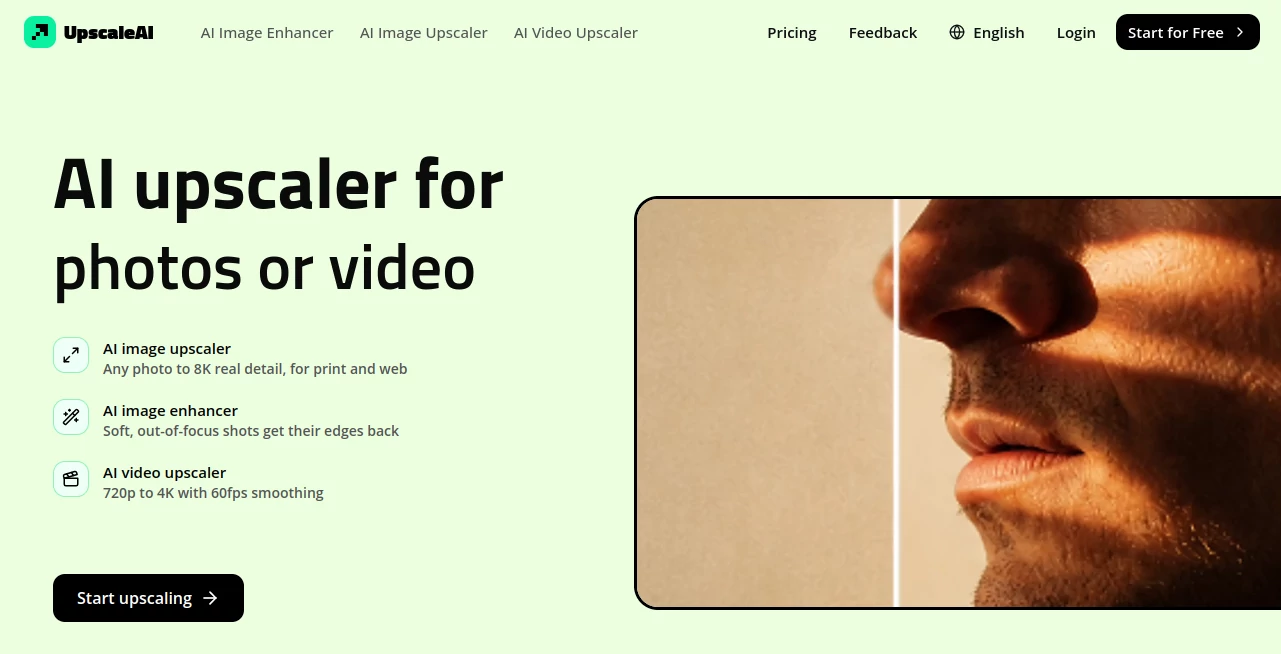
UpscaleAI is an AI-powered image and video enhancement platform designed for people who want more detail, clarity, and usable resolution from their existing media. Instead of simply stretching pixels, it uses AI to rebuild fine details and improve the overall appearance of photos and videos.
The platform is particularly useful when an otherwise valuable image is too small, soft, noisy, compressed, or damaged to use at its original resolution. A product photograph that looks fine on a phone may need considerably more detail for a large listing image. An old family photograph may have scratches and faded tones. A low-resolution video may need a significant quality boost before it is shown on a larger screen. These are the kinds of situations where an AI-based enhancement workflow can make a noticeable difference.
One of its strongest advantages is the range of enhancement tasks available in the same environment. Users can work with regular photographs, portraits, documents, old prints, anime artwork, and video without having to rely on a different service for every job.
Key Features
- AI image upscaling from 2x to 8x, with output reaching up to 8K.
- Image enhancement for soft and out-of-focus photographs.
- Noise reduction for grainy and low-light images.
- Photo restoration for scratched, faded, or water-damaged prints.
- Optional colorization for black-and-white photographs.
- Face enhancement that focuses on recovering facial detail while preserving identity.
- Background removal for quick subject isolation.
- Image deblurring for motion blur and camera-shake issues.
- Text enhancement for screenshots, scans, receipts, documents, signs, and labels.
- Anime and manga upscaling with attention to clean lines and cel-shaded artwork.
- AI video upscaling from 720p to 4K.
- Video denoising and smoothing with support for 60fps output.
- Batch processing for handling multiple images in one workflow.
- Automatic model matching without requiring users to manually select complicated settings.
User Interface
The experience is built around a straightforward upload-and-enhance workflow. Rather than asking users to understand technical image-processing parameters, the platform focuses on choosing the appropriate enhancement task and letting the system handle much of the underlying processing.
This makes it approachable for someone who simply wants to improve a photograph, while still being useful for designers, photographers, content creators, and businesses that regularly work with visual files. The focused tools also make it easier to choose the right workflow instead of searching through a large collection of unrelated editing controls.
Accuracy & Performance
The platform places considerable emphasis on recovering believable detail rather than applying an overly aggressive sharpening effect. Its image upscaler is designed to reconstruct texture and edges when enlarging a file, while the enhancement tools target problems such as softness, noise, and mild blur.
Portrait work is another area where the approach is especially useful. The face enhancement feature is intended to recover facial detail without replacing the person's identity. For old photographs, restoration tools can remove visible damage and improve faded material, while the optional colorization feature gives users a choice between keeping an authentic black-and-white appearance and introducing color.
For video, the service focuses on taking lower-resolution footage such as 720p and producing 4K output with denoising and frame smoothing. This can be particularly helpful for older recordings, gameplay footage, and compressed social media clips.
Capabilities
The range of supported workflows makes the platform more versatile than a basic image enlarger. A small product photo can be prepared for a larger storefront image, a scanned document can be enlarged while keeping its lettering clearer, and an old photograph can be restored instead of being discarded because of visible damage.
Creative users also get dedicated options for anime frames, manga panels, and AI-generated artwork. The anime workflow is designed to preserve clean line work and shading, while prompt guidance can be used to help newly reconstructed details fit the intended visual style.
For professional workflows, the combination of high-resolution output, batch processing, image enhancement, restoration, and video upscaling makes the platform suitable for everything from occasional personal projects to recurring content-production tasks.
Security & Privacy
The service's privacy policy explains that it may collect account information, uploaded images and videos, generated outputs, project information, usage data, and technical information required to operate the service. Uploaded media and prompts may be processed through infrastructure, model, storage, or moderation providers that support the platform.
Payment card information is handled by payment processors rather than being stored directly by the service. The platform also states that generated content may remain in account history so users can view, download, reuse, or manage their work.
Users working with sensitive material should therefore review the privacy policy and consider the nature of their files before uploading them. The service states that it uses administrative, technical, and organizational safeguards, while also noting that no online service can guarantee absolute security.
Use Cases
- Photography: Improve soft, low-resolution, noisy, or slightly blurred photographs before publishing or printing them.
- E-commerce: Enlarge product photographs so packaging, materials, and product details remain more visible at larger sizes.
- Old Photo Restoration: Repair faded, scratched, scanned, or damaged family photographs.
- Portrait Enhancement: Recover facial details in compressed selfies, portraits, and group photographs.
- Document Enhancement: Improve the readability of small text in screenshots, scans, receipts, labels, and signs.
- Content Creation: Prepare images for websites, social platforms, portfolios, and other digital publications.
- Anime and Manga: Enlarge frames and artwork while maintaining cleaner line work and visual structure.
- Video Production: Improve lower-resolution footage and prepare it for larger displays.
- Gaming Content: Enhance compressed gameplay recordings before publishing them.
- Personal Archives: Give older photographs and videos a more usable resolution for modern screens.
Pros and Cons
Pros
- Supports image enlargement up to 8x and resolutions up to 8K.
- Combines upscaling, enhancement, restoration, and specialized workflows.
- Includes both image and video enhancement tools.
- Useful features for portraits, documents, old photographs, and anime artwork.
- Video enhancement can upscale 720p footage to 4K.
- Batch processing can save time when working with multiple images.
- Automatic model selection reduces the need for technical configuration.
- Offers a free plan for users who want to test the service.
Cons
- Free usage is limited to 10 credits per month.
- Higher-volume users need a paid plan for additional credits.
- AI enhancement cannot recover information that was never captured in the original file perfectly.
- Users handling private or sensitive media should review the data-processing terms before uploading files.
Pricing Plans
The platform offers a free plan with 10 credits per month. Paid plans provide larger credit allowances along with features such as result downloads, private generation, an ad-free experience, and unlimited storage.
- Free: $0 per month with 10 credits per month.
- Plus: $9.99 per month, or $7.99 per month when billed annually, with 5,160 credits per year.
- Pro: $14.99 per month, or $11.99 per month when billed annually, with 7,800 credits per year.
- Professional: $39.99 per month, or $31.99 per month when billed annually, with 20,880 credits per year.
Annual billing is advertised with a 20% discount, making the paid plans more attractive for people who expect to use the service regularly.
How to Use It
- Open the enhancement tool that matches the type of media you want to improve.
- Upload the image or video you want to process.
- Choose the relevant enhancement workflow, such as upscaling, restoration, face enhancement, text enhancement, or video upscaling.
- Allow the AI processing system to analyze and enhance the file.
- Review the generated result to make sure the recovered detail looks natural.
- Download the finished file when the result meets your requirements.
For the best results, start with the highest-quality source file available. AI can reconstruct useful detail, but a cleaner original gives the system more information to work with. It is also worth checking faces, small text, and fine patterns carefully after processing, especially when preparing an image for professional use.
Comparison with Similar Tools
Many image upscalers concentrate primarily on enlarging photographs. This platform takes a broader approach by bringing several related enhancement tasks into one place. Alongside standard image upscaling, users can access restoration, denoising, deblurring, face enhancement, background removal, text enhancement, anime upscaling, and video enhancement.
That broader selection can be useful for people whose projects change from one file to another. A photographer might need enlargement for one image, restoration for another, and face enhancement for a third. A content creator may need to improve both still images and video. Having these workflows together reduces the need to move files between several specialized services.
The automatic model-matching approach is another practical difference. Instead of requiring users to understand which processing model should be selected, the service states that it automatically matches each file to the appropriate Topaz model. This keeps the workflow focused on the result rather than technical configuration.
Conclusion
For anyone regularly dealing with low-resolution, soft, damaged, compressed, or otherwise imperfect media, this platform offers a practical collection of AI enhancement tools in one place. Its strongest point is not simply the ability to enlarge an image, but the variety of problems it can address along the way.
From restoring a family photograph to preparing product images for a larger display, sharpening a portrait, recovering text from a small scan, or improving older video footage, the available workflows cover a surprisingly broad range of everyday media tasks. The free plan also gives new users a low-risk way to explore the service before deciding whether a larger credit package is worthwhile.
For users who want better-looking visual files without spending time learning complicated editing software, it is a compelling option worth trying.
Frequently Asked Questions (FAQ)
Can I upscale images to 8K?
Yes. The image upscaling workflow supports enlargement from 2x to 8x, with output reaching up to 8K.
Can I enhance videos?
Yes. The video upscaling feature can process 720p footage toward 4K and includes denoising and 60fps smoothing.
Can I restore old photographs?
Yes. The photo restoration workflow is designed for scratched, faded, scanned, and water-damaged photographs. Users can also choose whether to keep a black-and-white result or use the colorization option.
Can it improve blurry faces?
Yes. The face enhancement feature is designed to recover facial detail in portraits and group photographs while aiming to preserve the original person's identity.
Is there a free plan?
Yes. The free plan provides 10 credits per month. Paid plans offer larger annual credit allowances and additional features such as private generation, downloads, an ad-free experience, and unlimited storage.
Do I need to choose an AI model manually?
No. The platform states that it automatically matches each file to the appropriate Topaz model, so users do not need to manually select a model for every enhancement.
Photo & Image Editor , AI Photo Enhancer , AI Photo Restoration , AI Video Enhancer .
These classifications represent its core capabilities and areas of application. For related tools, explore the linked categories above.

UpscaleAI Alternatives Product

TextSharp | …

Image2

Denoisr

Picnana

Edit Stamp

FitHairAI

Imagens App

Sora Waterma…
Change-BG