
Velo
What is Velo?
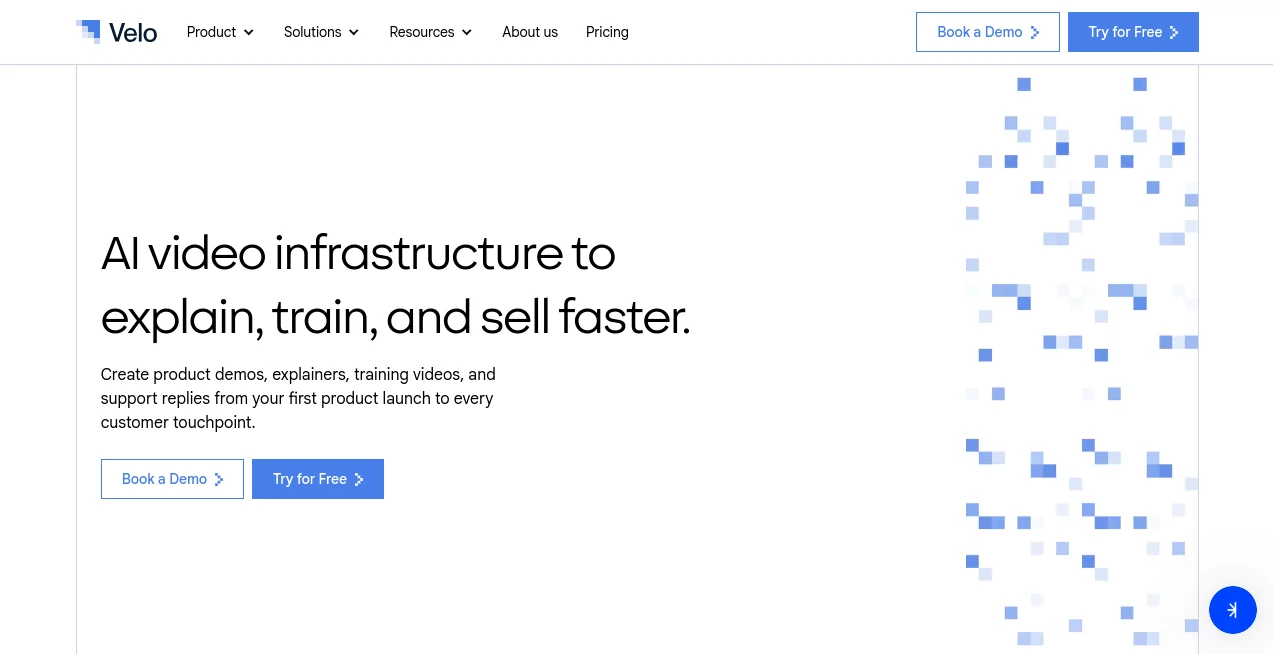
Creating professional business videos often requires multiple tools, hours of editing, and constant updates whenever products or processes change. This platform simplifies that entire workflow by transforming documents, product pages, screenshots, recordings, and company knowledge into polished AI-powered videos that are ready to share with customers, employees, or prospects.
Instead of treating video as a one-time project, it approaches video creation as an ongoing business workflow. Marketing teams can produce product demonstrations, support teams can answer customer questions with personalized videos, and learning departments can generate training materials without repeating the same recordings over and over again.
Whether a company needs onboarding tutorials, sales presentations, product walkthroughs, internal SOPs, or multilingual customer education, the platform provides an organized environment where content can be created, updated, translated, hosted, and measured from one workspace.
Key Features
User Interface
The dashboard is designed around productivity rather than traditional video editing. Users can begin by recording their screen, uploading an existing recording, importing documents, or simply providing a webpage. The editing experience remains straightforward while offering advanced collaboration tools for growing teams.
- Document-to-video generation
- Screen recording enhancement
- URL-to-video creation
- Shared workspaces
- Brand consistency controls
- Centralized content library
Accuracy & Performance
The platform builds videos using company documents and existing business resources instead of relying solely on generic AI prompts. This helps keep explanations aligned with actual products, documentation, and workflows. Teams can also refresh outdated videos whenever information changes instead of recreating everything from scratch.
The result is faster production while maintaining consistency across customer education, product marketing, and employee training.
Capabilities
- Create product demonstrations automatically
- Generate onboarding and training videos
- Produce customer support explainers
- Create multilingual video content
- Generate AI narration and voice cloning
- Support avatar-based presentations
- Share secure video links
- Track viewer engagement and analytics
- Collaborate across departments
- Export learning content for enterprise training
Security & Privacy
The platform includes enterprise-grade security features for organizations that require governance and compliance. Support for role-based permissions, single sign-on, access controls, shared libraries, content governance, private sharing, and data residency makes it suitable for businesses that handle sensitive information while maintaining centralized management of video assets.
Use Cases
- Product demonstrations for SaaS companies
- Customer onboarding videos
- Sales enablement presentations
- Employee training programs
- Knowledge base videos
- Technical documentation walkthroughs
- Customer support responses
- Internal standard operating procedures
- Marketing campaigns
- Software release announcements
Pros and Cons
- Pros
- Fast video production from existing business content.
- Supports documents, URLs, recordings, and screenshots.
- Built-in AI narration, voice cloning, and translation.
- Excellent collaboration features for teams.
- Enterprise-ready security and governance.
- Analytics and viewer tracking included.
- Cons
- Many advanced capabilities are available on higher-tier plans.
- Enterprise features may be unnecessary for individual creators.
- Some workflows benefit from existing company documentation.
Pricing Plans
A free plan allows users to explore the platform with limited monthly generation capacity. Paid subscriptions increase available video minutes, voice cloning, avatars, multilingual support, analytics, collaboration features, and brand management tools. Enterprise pricing adds advanced security, governance, API access, workflow automation, and custom integrations for large organizations.
How to Use Velo
Create an account and choose how you want to start your project. Upload a document, record your screen, import an existing video, or provide a webpage. Review the automatically generated script, customize narration, make visual adjustments if necessary, generate the final video, and share it securely with customers or teammates. As products evolve, update the source material to regenerate current versions without repeating the entire production process.
Comparison with Similar Tools
Many AI video platforms focus primarily on editing or avatar generation. This solution takes a broader approach by acting as complete video infrastructure for business operations. Instead of simply producing videos, it helps organizations organize, maintain, distribute, translate, govern, and measure business knowledge through video. Teams that regularly create demos, onboarding materials, support content, and training resources are likely to benefit the most from this workflow-oriented design.
Conclusion
For businesses that depend on clear communication, professional demonstrations, and scalable training, this platform delivers an impressive combination of automation and enterprise management. By transforming existing company knowledge into polished videos while keeping content easy to update, it significantly reduces repetitive work and helps teams communicate more effectively across marketing, sales, customer support, and education.
Frequently Asked Questions (FAQ)
What types of videos can be created?
Users can create product demos, onboarding tutorials, training materials, support videos, sales presentations, and educational content.
Can existing documents be converted into videos?
Yes. Documents, screenshots, webpages, and recordings can all be used as source material for AI-generated videos.
Does it support multiple languages?
Yes. Multilingual video generation and translation are available to help organizations reach global audiences.
Is it suitable for enterprise organizations?
Yes. Enterprise plans include advanced security, governance, collaboration, access controls, compliance features, and API integrations.
Can videos be updated after product changes?
Yes. Existing videos can be refreshed using updated source content, making it easier to keep product demonstrations and training materials accurate.
AI Video Generator , AI Video Editor , AI Team Collaboration , AI Presentation Generator .
These classifications represent its core capabilities and areas of application. For related tools, explore the linked categories above.

Velo Alternatives Product

AI Motion Co…

Meet-Ting

Pinci.ai

MiniMax H3

Image 2 AI

Seedance 2.0…

VideoLens

FastMoro AI

Seedance 2.5…