

















VectoSolve
What is VectoSolve?
Creating clean vector graphics has traditionally required advanced design software, technical knowledge, and a significant amount of manual work. Today, that process has become dramatically easier thanks to modern artificial intelligence. This platform transforms raster images into crisp, scalable SVG graphics within seconds, making professional vectorization accessible to designers, marketers, developers, print businesses, and creative professionals alike.
Whether you need to convert a company logo, prepare artwork for laser cutting, create scalable illustrations, or optimize graphics for web and print, the service delivers reliable results with very little effort. Instead of spending time adjusting countless tracing settings, users simply upload an image and receive an optimized vector file that preserves important details while remaining easy to edit.
Its browser-based workflow removes the need for complicated desktop software, allowing anyone to generate production-ready vector graphics from virtually anywhere. Fast processing, multiple export options, batch conversion capabilities, and an intuitive experience make it a valuable solution for professionals and beginners alike. :contentReference[oaicite:0]{index=0}
Key Features
User Interface
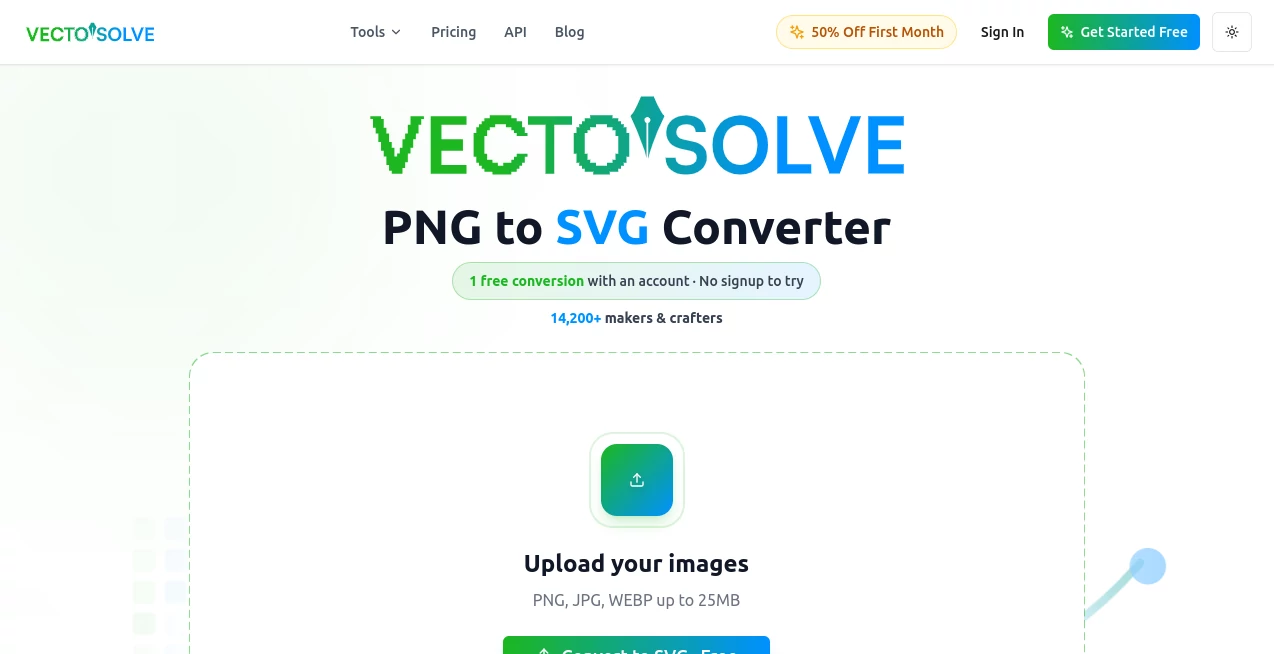
The interface is refreshingly simple. Users can upload PNG, JPG, or WebP images using drag-and-drop, file selection, or clipboard paste before starting the conversion process. The clean dashboard minimizes distractions, allowing users to focus entirely on producing high-quality vector graphics without navigating complicated menus or design settings. Batch processing further improves productivity for users handling multiple graphics at once. :contentReference[oaicite:1]{index=1}
Accuracy & Performance
Advanced machine learning algorithms analyze image edges, shapes, and color boundaries to generate smooth Bézier curves with impressive precision. Logos, icons, illustrations, and graphics retain sharp details while becoming infinitely scalable. Most conversions complete within only a few seconds, making the platform suitable for rapid production workflows and high-volume projects. :contentReference[oaicite:2]{index=2}
Capabilities
- Convert PNG, JPG, and WebP images into SVG vectors.
- Export files in SVG, PDF, EPS, and DXF formats.
- Process multiple images in batches.
- Create print-ready graphics.
- Prepare files for Cricut, Silhouette, embroidery, and laser cutting.
- API support for workflow automation and software integration.
- Generate scalable graphics suitable for websites, branding, and marketing materials.
These capabilities make the solution useful for both individual creators and organizations that require fast, consistent vector graphics across many projects. :contentReference[oaicite:3]{index=3}
Security & Privacy
Security is treated seriously throughout the conversion process. Uploaded images are processed securely and deleted almost immediately after conversion rather than being permanently stored. The service follows GDPR and CCPA compliance standards, encrypts user information during transmission, and states that personal data is never sold to third parties. These practices provide reassurance for professionals working with commercial artwork. :contentReference[oaicite:4]{index=4}
Use Cases
- Convert logos into scalable vector graphics.
- Create artwork for print shops and signage.
- Prepare files for laser engraving and CNC cutting.
- Produce SVG files for Cricut and Silhouette machines.
- Design embroidery-ready graphics.
- Generate web graphics that remain sharp on every screen size.
- Automate image processing through API integrations.
- Create marketing assets that require high-resolution scaling.
Pros and Cons
Pros
- Fast AI-powered conversion.
- Simple browser-based workflow.
- Professional-quality vector output.
- Supports multiple export formats.
- Batch image processing.
- API available for developers.
- Strong privacy practices.
- No advanced design knowledge required.
Cons
- Complex artistic illustrations may still require manual refinement.
- Premium functionality depends on paid credits or subscription plans.
- Internet connection is required because processing occurs online.
Pricing Plans
The platform offers both free and premium usage options. New users can test the service before upgrading, while paid subscriptions unlock additional credits, higher usage limits, faster workflows, and expanded functionality for professional users and businesses. Enterprise options are also available for organizations requiring larger-scale processing or custom API limits. :contentReference[oaicite:5]{index=5}
How to Use VectoSolve
Begin by uploading a PNG, JPG, or WebP image into the online workspace. The artificial intelligence automatically analyzes the artwork and converts it into clean vector paths. After reviewing the preview, simply download the finished result in the preferred vector format. For larger projects, upload several images simultaneously using the batch conversion feature to significantly reduce production time. :contentReference[oaicite:6]{index=6}
Comparison with Similar Tools
Compared with traditional vector editing software, this solution dramatically reduces the learning curve by eliminating manual tracing settings and complicated editing panels. Unlike desktop applications that often require installation and manual adjustments, it performs vectorization entirely inside a web browser. The inclusion of AI optimization, batch processing, multiple export formats, and developer APIs makes it an attractive option for both creative professionals and automated production environments. :contentReference[oaicite:7]{index=7}
Conclusion
For anyone who regularly works with logos, illustrations, product graphics, or printable artwork, this platform offers an efficient and dependable approach to image vectorization. Its combination of speed, high-quality results, privacy protection, and ease of use removes much of the complexity traditionally associated with creating vector graphics. Whether used occasionally for personal projects or integrated into professional production pipelines, it delivers a practical solution that saves both time and effort.
Frequently Asked Questions (FAQ)
Can I convert JPG and PNG images into SVG files?
Yes. The platform supports common raster formats including PNG, JPG, and WebP before converting them into scalable SVG graphics.
Are uploaded images stored permanently?
No. Uploaded files are processed during conversion and deleted shortly afterward according to the published privacy policy. :contentReference[oaicite:8]{index=8}
Does it support batch image conversion?
Yes. Multiple images can be processed together, making it suitable for businesses and professionals handling larger workloads. :contentReference[oaicite:9]{index=9}
Can developers integrate the service into their own applications?
Yes. API access and an official SDK are available for automating vector conversion workflows. :contentReference[oaicite:10]{index=10}
Who benefits most from this platform?
Graphic designers, print shops, marketing teams, e-commerce businesses, developers, crafters, educators, and anyone needing scalable vector graphics can benefit from its AI-powered workflow.
AI Photo & Image Generator , AI Design Assistant , AI Image to 3D Model , AI Graphic Design .
These classifications represent its core capabilities and areas of application. For related tools, explore the linked categories above.

VectoSolve Alternatives Product
![FLUX.2 [max] Image Generator - AI image generator with prompt gallery and production-ready editing workflows.](/media_submitaitools/telegram/flux2max.app-favicon.webp)
FLUX.2 [max]…

claude image
BulkPicTools

HTMLSlides
PicLumen AI …
AI 3D World

Nano Banana …

GPT Image 2

Flux 2 Cloud
