


















Videnly
What is Videnly?
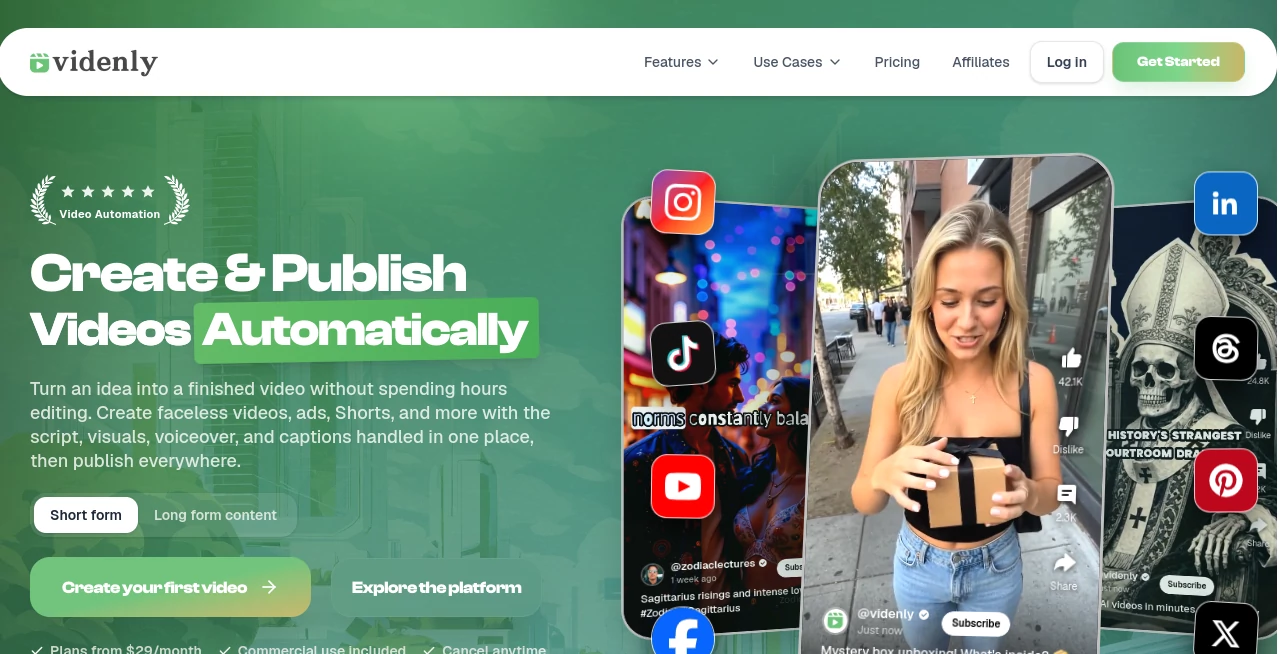
Creating video content regularly sounds simple until the work starts piling up: writing a script, finding visuals, recording a voiceover, adding captions, editing scenes, preparing different formats, and then uploading everything to several social platforms. Videnly brings those steps into one connected workflow, making it possible to go from an idea to a finished, publish-ready video without building a full production team.
The platform is designed for creators, YouTubers, marketing teams, agencies, solopreneurs, and ecommerce businesses that need to produce video at scale. It can create faceless videos, UGC-style advertisements, short-form stories, long-form content, clips, and other social-ready formats. Instead of stopping at video generation, it also handles editing, scheduling, and publishing, which makes the overall workflow much more practical for people managing several channels.
Key Features
- AI video generation from text prompts and content ideas.
- Faceless video creation with generated visuals, narration, motion, and captions.
- UGC-style advertising videos with AI avatars and realistic lip sync.
- Long-form video creation for explainers, stories, documentaries, and other formats.
- AI-powered video editing with control over scenes, captions, timing, and assets.
- Smart clipping that can turn longer videos into multiple short clips.
- AI voice selection with multiple voices and languages.
- Background music and customizable captions.
- Multiple aspect ratios for vertical, horizontal, and square content.
- Automatic scheduling and publishing across connected social accounts.
- Project organization for different channels, niches, clients, or content ideas.
- Zapier integration for automated workflows.
- API access for developers who want to integrate video generation into their own systems.
User Interface
The interface is built around a workflow rather than a collection of disconnected tools. Users can prepare projects, generate videos, edit drafts, organize content, schedule publishing, and monitor activity from the same environment.
That approach is particularly useful for someone running more than one channel. A creator can keep projects separated by niche or platform instead of mixing every script and video into a single workspace. Drafts can also be reviewed and edited before final rendering, giving users more control than a simple one-click generator.
Accuracy & Performance
Video generation is only useful when the final result is coherent. The platform focuses on keeping visuals, narration, captions, timing, and overall presentation aligned with the original content. Its workflow analyzes supplied content, creates matching visuals, and produces narration before assembling the final video.
Generation is intended to take minutes rather than the hours normally associated with conventional production. Output quality can still depend on the prompt, source material, selected visual style, and amount of customization, but the automated workflow removes much of the repetitive production work.
Capabilities
The range of formats is one of the strongest parts of the platform. A user can create faceless stories, educational videos, explainers, product content, UGC-style advertisements, Shorts, and longer videos without switching between several production applications.
The publishing side is equally important. Connected accounts can be scheduled and managed from one workflow, with support for platforms including YouTube, TikTok, Instagram, Pinterest, Facebook, LinkedIn, Threads, and X. Content can be prepared with titles, descriptions, captions, hashtags, and keywords before publishing.
For more advanced workflows, integrations can connect video generation with other applications, while API access allows developers to build custom video-generation systems around the platform.
Security & Privacy
Account connections are designed around official platform integrations, and the service also provides OAuth-based access controls for its AI-agent workflow. The MCP integration allows connected AI assistants to access projects and prepare generation workflows while keeping authorization revocable.
The platform states that generated videos are uniquely created and that users own the copyrights to their videos. As with any service that connects social media accounts, users should review the current terms of service and privacy policy before connecting business or client accounts.
Use Cases
YouTube Automation: Creators can produce faceless videos, Shorts, explainers, stories, and longer videos while reducing the amount of manual editing and publishing work.
Short-Form Content: TikTok and short-video creators can generate vertical content with narration, captions, visuals, and effects without appearing on camera.
UGC Advertising: Ecommerce brands and marketers can create UGC-style ads using AI avatars instead of arranging actors, filming sessions, and traditional production.
Content Repurposing: Existing long videos, articles, or other content can become shorter pieces suitable for social channels, helping businesses get more mileage from material they already have.
Marketing Agencies: Agencies managing multiple clients can separate projects and publishing workflows while producing a larger volume of content without increasing production staff at the same rate.
Ecommerce: Product catalogs can become a source of continuous video content, including product demonstrations, advertisements, and social clips.
Pros and Cons
Pros
- Combines video generation, editing, scheduling, and publishing in one workflow.
- Supports both short-form and long-form video production.
- Useful for faceless channels and automated content operations.
- Includes UGC-style advertising capabilities.
- Supports multiple social media platforms.
- Offers AI voices, captions, music, visual styles, and motion effects.
- Zapier integration makes broader no-code automation possible.
- API access is available on higher-tier plans.
Cons
- Monthly credit limits vary by plan and unused credits do not roll over.
- Higher-volume workflows require more expensive plans.
- Users who want highly manual, frame-by-frame production may still prefer a traditional professional editor.
- Automated generation can require review and refinement when a project has very specific creative requirements.
Pricing Plans
The service uses a credit-based subscription model, with higher plans providing more monthly credits, projects, connected accounts, and advanced capabilities. The Starter plan is listed at $49 per month, with annual billing reducing the effective monthly price to $29. It includes 3,000 monthly credits, 10 video projects, up to 20 connected accounts, automatic publishing, faceless videos, UGC ads, basic AI image styles, text-to-speech voices, and HD exports.
The Growth plan is listed at $89 per month, or an effective $49 per month with annual billing. It increases the allowance to 6,000 monthly credits, 20 projects, and 40 connected accounts, while adding premium visual styles, professional voices, presets and templates, and UGC ads with realistic lip sync.
The Premium plan is listed at $149 per month, or an effective $99 per month with annual billing. It provides 12,000 monthly credits, 30 projects, 60 connected accounts, priority generation, advanced image styles, custom trained AI models, Zapier integration, full API access, and priority support.
A Business tier is also available for larger operations, with 30,000 monthly credits, up to 50 projects, and up to 100 connected accounts. Pricing and specific arrangements for this tier may depend on the business requirements.
How to Use It
Start by creating an account and opening a new video project. You can provide a script, article, product description, idea, or other source material depending on the type of video you want to create.
Next, choose the desired video format and customize the visual style, narration, captions, music, and other available elements. The generation system then processes the content and assembles the scenes, visuals, voiceover, and captions.
Before publishing, review the generated draft and make any necessary adjustments to scenes, timing, captions, or assets. Once the video is ready, select the platforms and publishing schedule. Connected accounts can then receive the finished content automatically, reducing the need for repeated downloads and manual uploads.
Comparison with Similar Tools
Many AI video platforms concentrate primarily on generating a video from a prompt. This product takes a broader approach by combining creation with editing, project management, scheduling, and distribution.
For someone who only needs occasional AI-generated clips, a simpler generator may be enough. However, creators and businesses producing content every week can benefit from having the complete workflow in one place. The distinction becomes even more noticeable when several YouTube or TikTok accounts, client projects, or product campaigns need to be managed simultaneously.
Another advantage is the combination of content formats. Users are not limited to one type of AI video; they can work with faceless stories, UGC ads, Shorts, clips, explainers, and long-form projects. That makes the platform more suitable for content operations where the goal is not simply to generate a video, but to maintain a consistent publishing pipeline.
Conclusion
For creators and businesses that see video as an ongoing content operation rather than a one-off project, this platform offers a compelling combination of automation and control. It handles many of the tedious steps between an initial idea and a published video, while still giving users room to review and customize the result.
The strongest appeal is the connected workflow. Generation, editing, organization, scheduling, and distribution can happen without constantly moving files between different services. Add support for faceless content, UGC advertising, short clips, long-form videos, social publishing, automation integrations, and an API, and it becomes a practical option for anyone looking to increase video output without building a large production team.
Frequently Asked Questions (FAQ)
What can I create with this platform?
You can create faceless videos, UGC-style ads, short-form videos, stories, explainers, long-form content, clips, and other social-ready videos.
Can I create videos without appearing on camera?
Yes. Faceless video workflows are one of the main use cases, with generated visuals, narration, captions, and motion handled as part of the production process.
Can I publish videos automatically?
Yes. Connected social accounts can be scheduled and published automatically, depending on the supported platform and account configuration.
Which social platforms are supported?
Supported publishing destinations include YouTube, TikTok, Instagram, Pinterest, Facebook, LinkedIn, Threads, and X, with available capabilities varying by platform.
Does it support UGC advertisements?
Yes. UGC-style advertisements can be created with AI avatars, and higher plans include realistic lip-sync capabilities.
Does it have an API?
Yes. API access is included with the Premium plan, allowing developers to integrate video generation into custom applications and workflows.
Can I connect it to other applications?
Yes. Zapier integration can connect video workflows with thousands of other applications, making it possible to automate tasks across marketing, ecommerce, CRM, productivity, and other systems.
Are generated videos customizable?
Yes. Users can adjust visual styles, captions, voices, scenes, timing, assets, and other elements before final rendering.
Are the generated videos suitable for commercial use?
Commercial use is included with the subscription plans listed by the service. Users should still review the current terms and applicable third-party content licenses for their specific projects.
AI Video Generator , AI Video Editor , AI Short Clips Generator , AI UGC Video Generator .
These classifications represent its core capabilities and areas of application. For related tools, explore the linked categories above.

Videnly Alternatives Product

Sora 2 Video

OmniVideo

remove bg vi…

Shoorts AI

Leonardo.ai

kling 4.0

Motion Contr…

Motion Hero

Seedance 2.0
