VoiceEnhancer AI
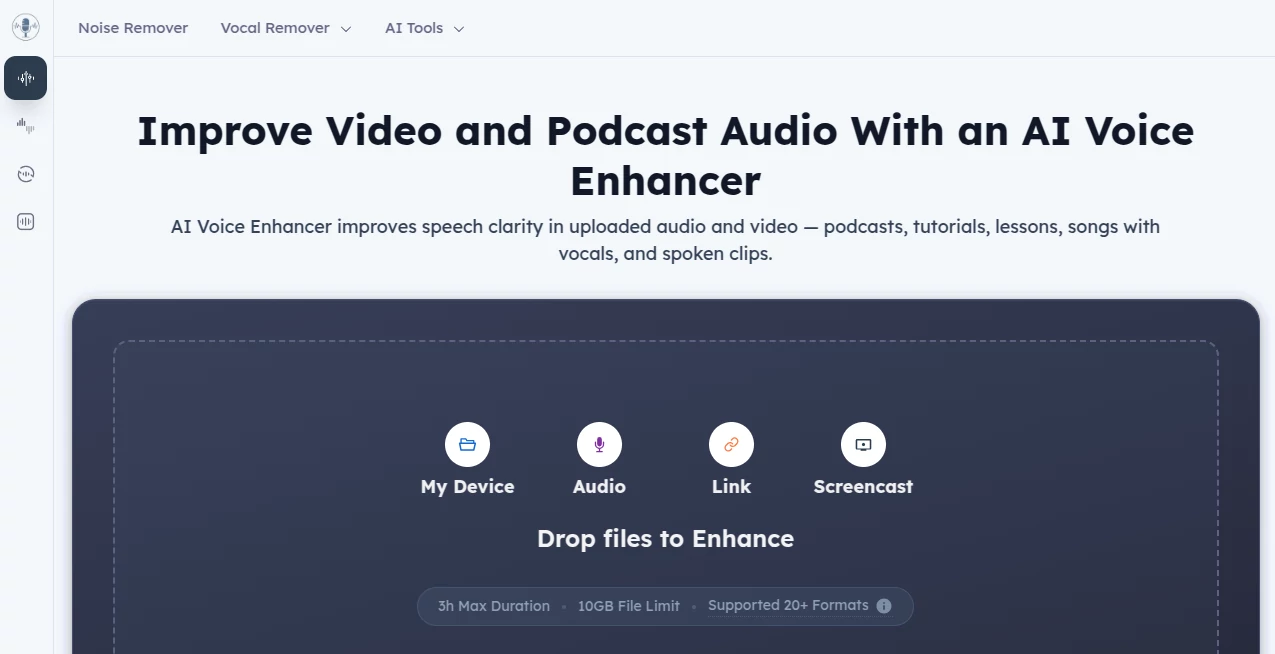
What is VoiceEnhancer AI?
Clean audio can make the difference between content that keeps viewers engaged and content that gets skipped. This online solution helps creators improve voice quality in just a few clicks by removing distracting noise, balancing speech, and producing a clearer listening experience. Since everything runs directly in the browser, there is no software to install and no technical knowledge required.
Key Features
User Interface
The interface is simple and beginner-friendly. Upload an audio or video file, choose the enhancement options, preview the result, and download the improved version. The workflow feels quick and straightforward.
Accuracy & Performance
Speech enhancement is impressive, especially for podcasts, tutorials, lectures, interviews, and marketing videos. Background distractions are reduced while voices remain natural and easy to understand.
Capabilities
- Remove background noise
- Reduce echo and reverb
- Normalize audio levels
- Remove filler words and long pauses
- Support audio and video files in multiple formats
- Improve voice clarity with AI processing
Security & Privacy
The service works without requiring account registration. According to its privacy information, users can process files without providing personal details, making it a convenient option for quick editing tasks.
Use Cases
- Podcast production
- YouTube videos
- Online courses
- Business presentations
- Marketing videos
- Voice recordings for social media
Pros and Cons
- Pros
- Free to use
- No login required
- Supports both audio and video files
- Fast browser-based processing
- Simple interface for beginners
- Cons
- Internet connection is required
- Very poor source recordings may still have limitations
Pricing Plans
The platform is currently available free of charge, allowing users to enhance recordings online without purchasing a subscription.
How to Use VoiceEnhancer AI
Upload your recording, let the AI process the file, compare the original with the enhanced version, and download the final result. The entire process usually takes only a short time and works directly inside your browser.
Comparison with Similar Tools
Compared with many audio enhancement platforms, this solution focuses on speed and accessibility. It offers useful speech-cleaning features without requiring installation or account creation, making it a practical choice for creators who want fast results.
Conclusion
For anyone producing podcasts, educational videos, interviews, or online content, this tool provides an easy way to achieve cleaner and more professional audio. Its combination of AI-powered enhancement, browser-based workflow, and free access makes it an attractive option for creators who value simplicity and quality.
Frequently Asked Questions (FAQ)
Is it free?
Yes. The platform currently offers free online voice enhancement.
Does it support video files?
Yes. Both audio and video uploads are supported.
Do I need to install software?
No. Everything works directly in a web browser.
Is registration required?
No. You can use the service without creating an account.
AI Audio Enhancer , AI Video Editor , AI Noise Cancellation , AI Voice & Audio Editing .
These classifications represent its core capabilities and areas of application. For related tools, explore the linked categories above.
VoiceEnhancer AI details
Website unavailable — View Alternatives
Pricing
- Free
Apps
- Web App
Categories

VoiceEnhancer AI Alternatives Product

mp3tourl

Flow Song

AI Describe …
Video to GIF…

PureMIDI

LatentSync

AIMusicFlow

FluentDictat…

happyhorse