


















WanAI
What is WanAI?
There’s a special excitement when you type a scene description or upload a single image and watch it transform into a smooth, cinematic video clip with natural motion and consistent characters. This platform delivers that experience with impressive reliability. Whether you're creating short marketing clips, story prototypes, or creative social content, the results often feel polished enough to use directly. I've seen creators go from rough ideas to shareable videos in minutes, and the quality keeps surprising people who are used to glitchy or inconsistent AI outputs.
Introduction
AI video generation has improved dramatically, but many tools still struggle with character consistency, natural movement, or professional-looking results. Wan AI stands out by focusing on practical, high-quality output that creators can actually use in real projects. Built on Alibaba’s advanced Wan models, it handles both text-to-video and image-to-video with strong attention to motion fluidity, lighting, and storytelling flow. It’s become a go-to for marketers, filmmakers prototyping scenes, social content creators, and indie storytellers who need fast yet visually strong results without a full production team. The balance of speed, control, and quality makes it feel like a genuine creative partner rather than just another generator.
Key Features
User Interface
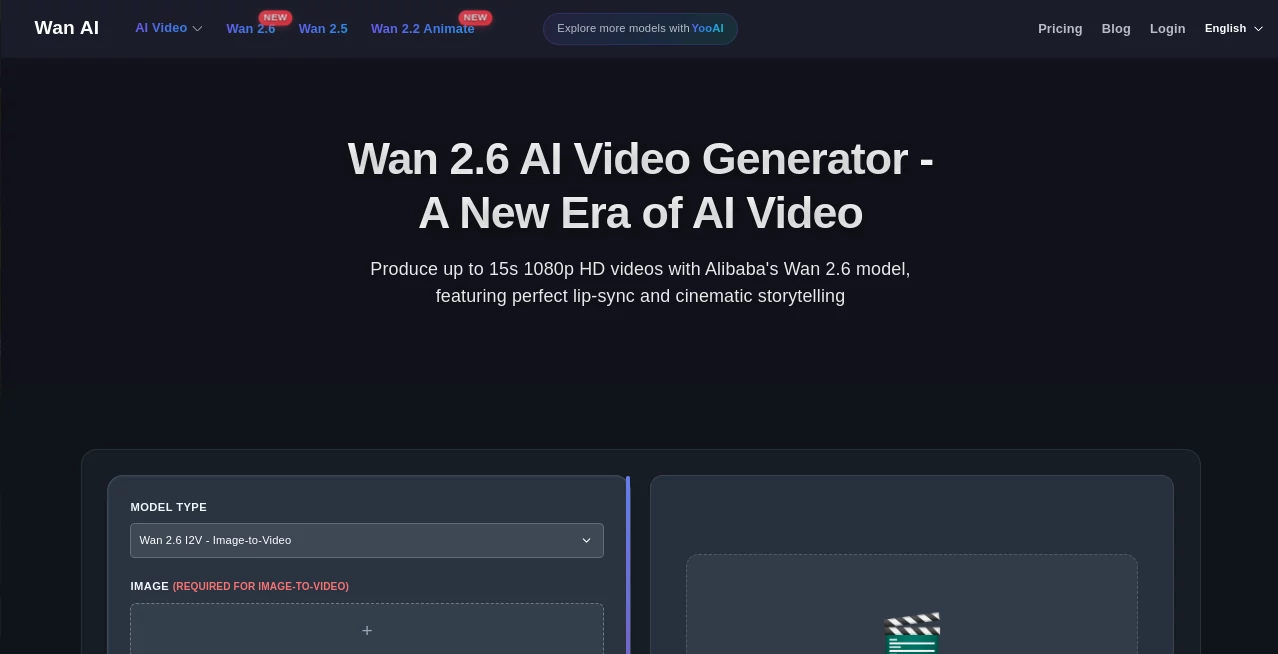
The workspace is clean and intuitive. A clear prompt area, easy image upload for reference, simple controls for duration and aspect ratio, and one prominent generate button. Previews appear reasonably fast, and you can iterate by adjusting prompts or references without starting over completely. It avoids overwhelming you with too many options while still giving enough control to shape the outcome. Beginners get great results quickly, while experienced users appreciate the straightforward workflow that keeps focus on creativity.
Accuracy & Performance
The model excels at maintaining character consistency across frames and producing natural, fluid motion that feels cinematic rather than artificial. It handles complex prompts with multiple subjects and camera movements better than many alternatives. Generation times are practical for real workflows, and the output quality is high enough for professional use in many cases. The results show thoughtful attention to lighting, physics, and storytelling coherence, which builds confidence to try more ambitious ideas.
Capabilities
It supports high-quality text-to-video and image-to-video generation, with strong lip-sync capabilities, multi-shot storytelling, and good control over style and motion. You can guide creations with reference images for character or scene consistency, adjust parameters for different looks, and produce clips suitable for social media, ads, prototypes, or creative experiments. The platform continues to evolve with newer Wan model versions, bringing improvements in quality and features over time.
Security & Privacy
Your prompts and generated content are handled responsibly. The platform focuses on delivering the service without unnecessary data retention or sharing. For creators working with original ideas or client projects, this respectful approach allows comfortable experimentation.
Use Cases
Marketers quickly generate short product videos or social ads from text descriptions or hero images. Filmmakers prototype key scenes to test pacing and visual tone before full production. Social creators produce consistent character-driven Reels or TikToks without daily filming. Educators create short explanatory animations or storytelling clips for lessons. Indie teams mock up narrative sequences or trailers to pitch ideas. It fits anywhere you need high-quality video fast without a big budget or crew.
Pros and Cons
Pros:
- Strong character consistency and natural motion that feels cinematic.
- Fast generation suitable for iterative creative work.
- Good balance between ease of use and advanced control.
- High visual quality that works well for both fun and professional projects.
Cons:
- Clip lengths are best for short-form content (longer stories need multi-shot approaches).
- Very complex or highly specific scenes may benefit from prompt refinement.
- Full unlimited access and highest quality options require paid plans.
Pricing Plans
It offers free daily credits so you can test the quality and workflow without commitment. Paid plans provide higher limits, faster generation, priority access, and more features for regular users. The pricing is reasonable for the creative output and time it saves, making it accessible for individuals and growing teams alike.
How to Use Wan AI
Start with a clear, descriptive prompt for your scene or idea. Upload a reference image if you want stronger visual consistency. Choose your preferred aspect ratio and duration, then generate. Review the result and refine the prompt or add references for better alignment with your vision. For longer content, create multiple short clips and combine them. The process rewards thoughtful prompts but remains approachable even for quick experiments.
Comparison with Similar Tools
While many AI video tools produce decent clips, Wan AI often stands out with better motion naturalness, character consistency, and overall cinematic feel. Some alternatives are faster but less coherent, while others offer more control but feel slower or more technical. This platform strikes a practical balance that works well for real creative workflows, making it a strong choice for users who need reliable, visually appealing results without excessive complexity.
Conclusion
Creating video that looks intentional and engaging no longer requires expensive equipment or large teams. Wan AI brings professional-level generation within reach, helping creators turn ideas into moving visuals quickly and effectively. It respects your vision while handling the technical challenges, resulting in footage you can be proud to share. For anyone who wants to tell stories, promote ideas, or experiment visually, it opens exciting new possibilities without the usual barriers. The future of content creation feels closer and more accessible with tools like this.
Frequently Asked Questions (FAQ)
How long can generated clips be?
Best suited for short, high-quality clips; longer content works well through multi-shot generation.
Do I need reference images?
Not required, but they significantly improve consistency for characters and specific styles.
What kind of prompts work best?
Clear, descriptive prompts with details about mood, lighting, camera movement, and action tend to give the strongest results.
Can I use it for commercial projects?
Yes—paid plans support commercial usage for most creative and marketing needs.
Is there a free way to try it?
Yes, daily free credits let you test the quality before deciding on a plan.
AI Animated Video , AI Image to Video , AI Video Generator , AI Text to Video .
These classifications represent its core capabilities and areas of application. For related tools, explore the linked categories above.

WanAI Alternatives Product

AI Happy Hor…

Wan 2.6

Wan-Animate.…

Gemini Omni

WonderShare …

Kling 5.0

Fiddl.art

Seedance 2.0…

Sora AI Vide…
