


















x1.new
What is x1.new?
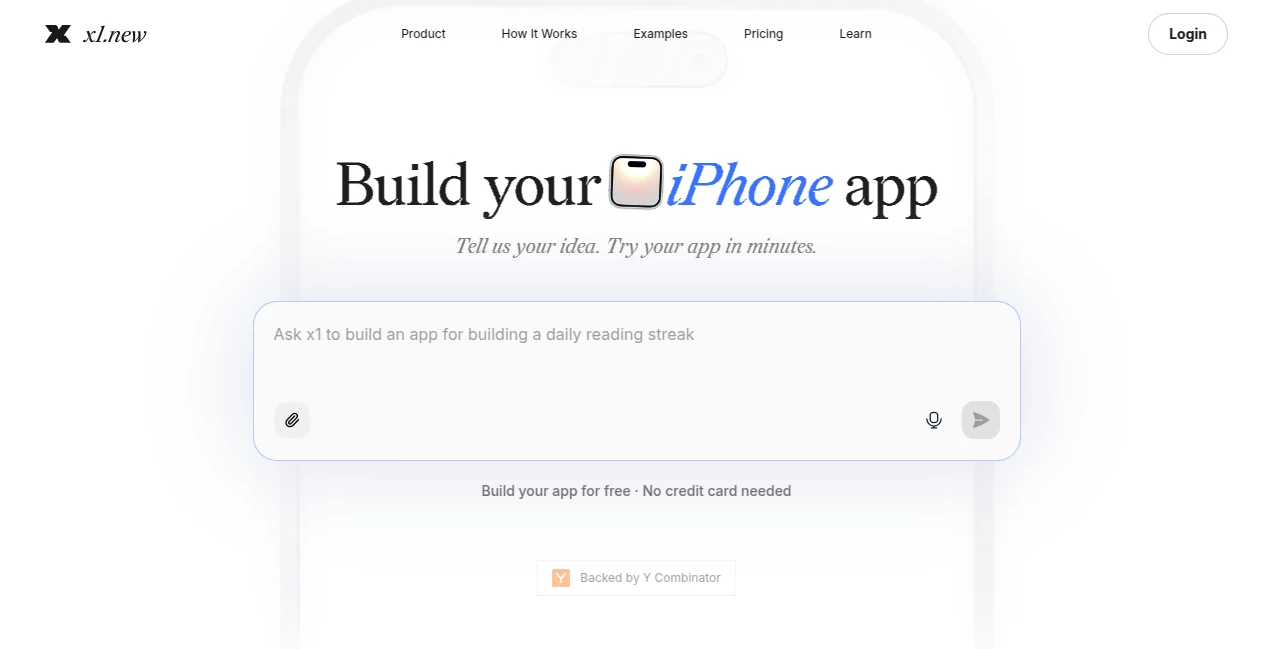
x1 is a guided AI app studio designed to help people turn an app idea into a real iPhone product. Instead of starting with an empty coding environment or relying on a single oversized prompt, the platform takes users through a structured process covering product planning, visual design, development, testing, and launch preparation.
The approach is particularly appealing to founders, creators, students, designers, product managers, and indie developers who have a clear idea but do not necessarily have a mobile engineering team behind them. You describe what you want to build in plain English, answer important product questions, and gradually shape the application before the development work begins.
What makes the experience interesting is the focus on the complete product rather than simply generating a quick prototype. The workflow considers screens, user flows, branding, functionality, quality assurance, App Store materials, and monetization. For someone with an app idea sitting in a notebook or document, this can turn a vague concept into a much more practical starting point.
Key Features
- Guided planning that turns an app idea into screens, features, and user flows.
- Feasibility checks before committing heavily to development.
- Visual tools for shaping the app's brand, interface, typography, layouts, and components.
- Milestone-based application development rather than attempting everything in one generation.
- Quality assurance after individual build milestones.
- iPhone app development with a workflow designed around real mobile products.
- Preview and testing through Expo Go and TestFlight.
- Tools for preparing App Store screenshots, descriptions, keywords, and other launch materials.
- Revenue and monetization planning for applications intended to become commercial products.
- React Native source export on paid plans, allowing owners to continue developing their projects.
User Interface
The interface is organized around the different stages of creating an application rather than presenting users with a complicated development environment. The visual workspace gives users control over screens, layouts, buttons, spacing, copy, colors, fonts, and other design decisions.
This is useful because design decisions happen before the application is fully built. A founder can think through the experience visually and make changes while the product is still taking shape. The result is a workflow that feels closer to working with a small product team than simply typing prompts into a chatbot.
Accuracy & Performance
The platform takes a milestone-based approach to development, which can make larger projects easier to manage. Rather than asking an AI system to understand an entire application and generate everything in one pass, the project is divided into smaller pieces that can be reviewed and tested as development progresses.
Before building, the system can examine whether an idea is realistic, identify important product decisions, and help establish a workable plan. Each milestone can then be reviewed and tested before moving forward. This approach is especially valuable for applications where small changes to one feature could affect other parts of the user experience.
Capabilities
The workflow covers much more than code generation. Users can start with an idea, clarify the product concept, map screens and features, establish a visual identity, build the application, perform quality checks, prepare launch assets, and plan monetization.
The platform also supports real-world testing. Applications can be previewed on an iPhone through Expo Go, shared privately through TestFlight, and prepared for submission to the Apple App Store. Paid users can export the full React Native source code, giving them the ability to continue improving and extending their application outside the platform.
Security & Privacy
For anyone building a commercial application, ownership and control are important considerations. Paid plans allow users to export the full React Native source code of their project, which means the finished work is not intended to remain locked inside the platform.
Users should still review the platform's current terms, privacy documentation, and the data requirements of their own application before launching a production product. This is particularly important for apps handling personal information, payments, accounts, or other sensitive user data.
Use Cases
This platform fits a wide range of mobile product ideas. A founder could use it to turn a startup concept into an initial iPhone application without assembling a complete development team from day one. An indie maker could use the guided workflow to experiment with a paid utility or subscription product.
It can also be useful for designers and product managers who understand the user experience they want but do not want to spend their time writing every part of the underlying application. Students and first-time builders can benefit from the structured process because it exposes product decisions that are easy to overlook when jumping straight into development.
For example, someone planning a habit-tracking app can begin with the basic concept, define onboarding and tracking screens, decide what users can save or edit, shape the interface visually, and then build the application in manageable milestones. That is a much more practical route than hoping one prompt will correctly understand every detail of the finished product.
Pros and Cons
- Pros: Guided end-to-end workflow, strong focus on iPhone applications, visual planning and design, milestone-based building, QA during development, App Store preparation, free starting credits, and source-code export on paid plans.
- Pros: No traditional coding background is required to begin, making the workflow approachable for founders, creators, and other non-technical builders.
- Cons: The platform is focused primarily on iPhone app creation, so it may not be the right choice for teams whose first priority is a broad Android or cross-platform product.
- Cons: More advanced projects may still require technical judgment, testing, and product decisions from the user.
- Cons: The free credits are intended for exploration and early development rather than typically covering an entire production application.
Pricing Plans
New users can start with 100 free credits without entering a credit card. These credits do not expire and can be used for activities such as validating an idea, estimating revenue potential, generating an app plan, exploring design directions, and building an initial milestone.
Paid plans are available at $20, $50, and $100 per month, with monthly and yearly billing options. Yearly billing is available at a discount. The platform uses credits for AI actions, allowing users to see how their usage is being consumed as they work.
Paid plans also provide a path toward testing and publishing an application, while source-code export is available to paid users. Users can upgrade as their projects become more demanding rather than committing to a paid plan before they have tested the workflow.
How to Use x1
- Start by describing your iPhone application idea in plain English.
- Answer the questions presented during the planning process so the product requirements become clearer.
- Review the proposed screens, features, and user flows.
- Use the visual design workspace to adjust the application's branding and interface.
- Build the application through individual milestones instead of trying to generate the entire product at once.
- Review and test each milestone as the application develops.
- Preview the application on your phone and use TestFlight when you are ready for private beta testing.
- Prepare App Store screenshots, listing information, and other launch materials.
- Submit the finished application to the Apple App Store using an Apple Developer account.
Comparison with Similar Tools
Many AI development products focus on generating a first version as quickly as possible. That can be excellent for prototypes, but it can become difficult when a project grows and multiple changes need to remain consistent.
This platform takes a different route. Its workflow combines planning, design, development, QA, publishing, and revenue considerations. Compared with prompt-first AI builders, the emphasis is less on producing an impressive first screen and more on keeping the project organized as it moves toward a real product.
Traditional AI coding assistants provide developers with considerable control over source code, but they assume the user can make many technical decisions independently. No-code builders, meanwhile, often rely on visual components and predefined logic. The guided approach here sits somewhere different: it uses AI to help manage the broader product-building process while still giving the creator control over important decisions.
Conclusion
Building an iPhone application involves much more than generating code. Product decisions, screen flows, visual design, testing, launch preparation, and monetization can all determine whether an idea becomes a useful product or remains a prototype.
This platform stands out by bringing those stages into one guided workflow. The combination of planning, visual design, milestone-based development, QA, testing, and App Store preparation makes it a compelling option for people who want to move from an idea toward a genuine mobile product without beginning with a blank codebase.
The 100 free credits also make the starting point relatively low-risk. Someone with an idea can explore the workflow, validate the concept, create an initial plan, and build an early milestone before deciding whether a paid plan makes sense.
Frequently Asked Questions (FAQ)
Do I need coding experience?
No. The platform is designed so that users can begin by describing their product idea in plain English. However, building a serious application still requires thoughtful product decisions, testing, and review throughout the process.
What type of applications can I build?
The platform focuses on real iPhone applications and supports a workflow from the initial idea through development, testing, and App Store preparation.
Can I test my application on an iPhone?
Yes. Applications can be previewed on an iPhone through Expo Go, and private beta testing can be handled through TestFlight.
Can I publish an application to the App Store?
Yes. Paid users can prepare their application for App Store submission and submit it using their own Apple Developer account.
Do I own the application source code?
Paid plans allow users to export the full React Native source code as a ZIP file, so they can keep, modify, extend, and monetize their application.
How many free credits are available?
New users receive 100 free credits. No credit card is required, and the free credits do not expire.
Can the free credits build a complete application?
Usually not. They are primarily intended for validating an idea, generating a plan, exploring designs, and building an initial milestone so users can evaluate the workflow.
What happens when I run out of credits?
You can still view your project, but additional AI generation and building will pause until you add credits or upgrade your plan.
Is this a traditional no-code builder?
Not exactly. It is a guided AI app studio that combines product planning, design, development, quality assurance, publishing, and revenue planning instead of relying only on visual drag-and-drop components.
Who is it best suited for?
It is particularly suitable for non-technical founders, indie makers, creators, students, designers, product managers, operators, and small teams that want to build and launch an iPhone application.
AI App Builder , AI No-Code & Low-Code , AI Developer Tools .
These classifications represent its core capabilities and areas of application. For related tools, explore the linked categories above.

x1.new Alternatives Product

Geekflare AI

Ideavibes AI

Schema Synth
Fugte

Built2WinWeb

FormRoyale

Lovable

Bolt AI

tanship
