


















ACCELQ
What is ACCELQ?
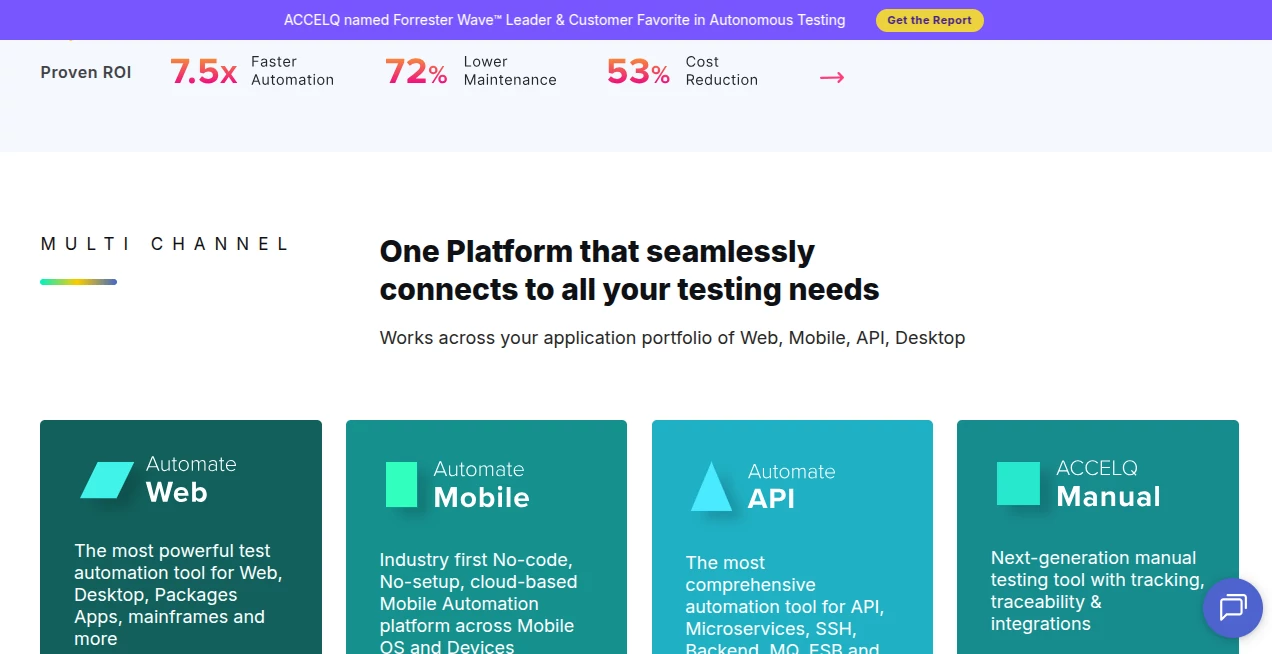
Modern software teams need faster release cycles without sacrificing quality. This platform brings test automation, quality management, and AI-powered assistance together in a unified environment that helps organizations deliver reliable applications across web, mobile, desktop, APIs, and enterprise systems. Instead of relying on traditional scripting, teams can create, maintain, and execute automated tests using an intuitive no-code approach supported by natural language.
The platform is designed for everyone involved in quality assurance—not only automation engineers but also manual testers, business analysts, product owners, and QA managers. By reducing technical barriers, it encourages collaboration while making automated testing more accessible across the entire development lifecycle. Built with enterprise scalability in mind, it supports continuous testing, CI/CD integration, self-healing automation, and AI-driven optimization for long-term maintainability.
Organizations working with complex business applications often struggle with maintaining thousands of automated tests as products evolve. This solution addresses that challenge with intelligent automation that adapts to interface changes, promotes reusable business processes, and minimizes maintenance effort. The result is a faster testing workflow with greater confidence before every software release.
Key Features
User Interface
The interface focuses on simplicity without limiting advanced capabilities. Test scenarios can be designed visually using natural language, allowing technical and non-technical team members to contribute equally. Projects remain organized through reusable business components, making large automation suites easier to manage as applications grow.
Accuracy & Performance
AI-assisted automation improves execution reliability through intelligent self-healing technology that adapts when application elements change. Automated validation, reusable workflows, and integrated quality management reduce repetitive work while improving test stability across multiple environments.
Capabilities
- No-code automation for web, mobile, desktop, API, and backend testing.
- Natural language test creation for improved collaboration.
- Business process-driven automation architecture.
- AI-assisted test generation and optimization.
- Self-healing automation to reduce maintenance.
- Continuous testing support for agile development.
- CI/CD integration with popular DevOps tools.
- Cross-browser and cross-platform execution.
- Integrated manual and automated testing management.
- Cloud and on-premises deployment options.
Security & Privacy
The platform supports enterprise-grade security requirements with flexible deployment models, including cloud and on-premises environments. Organizations can maintain control over testing assets while integrating securely with existing development, project management, and DevOps ecosystems.
Use Cases
- Automating regression testing for enterprise applications.
- Testing web, mobile, API, and backend services from one platform.
- Accelerating QA processes within agile development teams.
- Reducing maintenance costs for large automation projects.
- Enabling manual testers to participate in automation without programming.
- Supporting continuous integration and continuous delivery pipelines.
- Improving software quality for large digital transformation initiatives.
Pros and Cons
Pros
- Easy-to-use no-code automation environment.
- Supports multiple testing technologies in one platform.
- Strong AI-powered self-healing capabilities.
- Excellent collaboration between business and QA teams.
- Enterprise-ready scalability and integrations.
- Reduces long-term automation maintenance effort.
Cons
- Advanced enterprise functionality may require onboarding for new users.
- Smaller projects may not utilize every available feature.
- Custom enterprise deployments typically require consultation.
Pricing Plans
The platform offers multiple product-specific plans for web, mobile, API, and manual testing, along with enterprise solutions for organizations requiring unified quality management. A free trial is available for several products, while enterprise pricing is provided through customized quotations based on business requirements.
How to Use the Platform
- Create a workspace and configure your application under test.
- Design business processes using the visual no-code interface.
- Generate automated test scenarios with natural language workflows.
- Execute tests across web, mobile, APIs, desktop, or backend systems.
- Review reports, analyze failures, and allow AI-assisted self-healing to reduce maintenance.
- Integrate automated execution into CI/CD pipelines for continuous quality assurance.
Comparison with Similar Tools
Compared with traditional automation frameworks that depend heavily on scripting, this solution emphasizes business-driven automation and natural language design. While many competitors focus on a single testing area, it provides unified support for web, mobile, API, desktop, and backend testing within one ecosystem. Its AI-powered self-healing, reusable business processes, and integrated quality lifecycle management make it particularly attractive for enterprise teams seeking long-term scalability rather than isolated automation projects.
Conclusion
For organizations looking to modernize software quality assurance, this platform offers an impressive combination of AI-powered automation, enterprise scalability, and user-friendly design. Its no-code philosophy lowers the barrier to automation while advanced capabilities continue to satisfy experienced QA professionals. By combining intelligent automation, continuous testing, and collaborative workflows, it helps development teams release software faster with greater confidence and significantly less maintenance effort.
Frequently Asked Questions (FAQ)
Is coding required to build automated tests?
No. The platform focuses on a no-code, natural language approach that enables both technical and non-technical users to create automated tests.
Can it test more than web applications?
Yes. It supports web, mobile, desktop, API, backend, and enterprise application testing from a unified environment.
Does it integrate with DevOps pipelines?
Yes. It integrates with popular CI/CD and project management tools to support continuous testing workflows.
Is it suitable for enterprise organizations?
Yes. The platform is designed for enterprise-scale deployments with cloud and on-premises options, advanced collaboration, and centralized quality management.
Does it offer AI features?
Yes. AI is used for intelligent automation, self-healing, test optimization, and accelerating the overall software testing lifecycle.
AI DevOps Assistant , AI Code Assistant , AI Testing & QA , AI Developer Tools .
These classifications represent its core capabilities and areas of application. For related tools, explore the linked categories above.

ACCELQ Alternatives Product

Claude and C…

ChatFlowchart

Somnio

freellm

Where Is Thi…

Firefox

globalize.now

DeepSeek V4

Geekflare AI
