AI Voice Cleaner
What is AI Voice Cleaner?
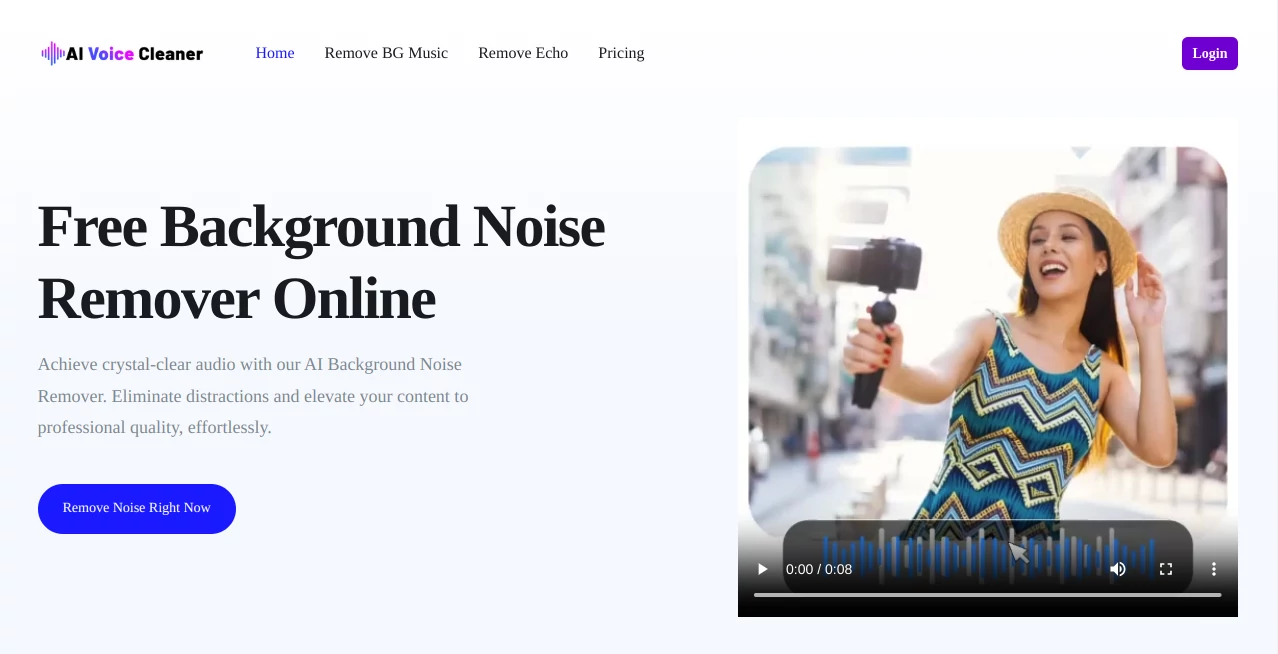
Clean, professional audio has become a necessity for creators, podcasters, educators, and marketers. Background noise, echo, and distortion can easily ruin an otherwise great recording. This is where an AI-powered voice enhancement platform steps in, offering a fast and simple way to transform raw recordings into studio-quality sound without requiring technical editing skills.
Designed for both beginners and professionals, this type of tool focuses on removing unwanted noise while preserving the natural tone of the speaker’s voice. Whether you're recording a podcast at home, conducting online meetings, or producing content for social media, it helps ensure your message is heard clearly and confidently.
Key Features
User Interface
The platform offers a clean and intuitive interface that makes audio processing straightforward. Users can simply upload their file, apply enhancements, and download the improved version in just a few clicks. No complicated timeline editing or technical setup is required.
Accuracy & Performance
Advanced machine learning models analyze audio in real time to separate speech from unwanted background noise. The result is a balanced and natural-sounding output that avoids the robotic or over-processed feel common in older audio tools.
Capabilities
- Noise reduction for background sounds like fans, traffic, or chatter
- Echo and reverb removal for clearer speech
- Voice enhancement for richer and more professional tone
- Audio normalization for consistent volume levels
- Fast processing for both short and long recordings
Security & Privacy
User files are handled securely, with processing designed to ensure data protection throughout the workflow. Uploaded audio is typically processed without unnecessary storage, making it suitable for sensitive or private recordings.
Use Cases
- Podcast creators improving home-recorded episodes
- YouTubers enhancing voiceovers for better engagement
- Online educators cleaning lecture recordings
- Business professionals refining meeting recordings
- Content creators preparing social media audio content
Pros and Cons
Pros
- Easy to use, even for beginners
- Fast processing time
- Noticeable improvement in audio clarity
- No need for professional audio editing skills
Cons
- Limited manual control for advanced audio engineers
- Performance may vary depending on original recording quality
Pricing Plans
The platform typically offers flexible pricing options to accommodate different users. A free tier may be available for basic usage, while premium plans unlock higher processing limits, faster performance, and advanced audio enhancement features. Monthly and annual billing options are often provided for convenience.
How to Use This Tool
Getting started is simple and does not require any technical background. Users begin by uploading their audio file directly into the platform. After that, they select the desired enhancement settings and let the AI process the recording. Once completed, the improved audio can be previewed and downloaded instantly.
This streamlined workflow makes it especially useful for creators who need quick results without spending time on complex editing software.
Comparison with Similar Tools
Compared to traditional audio editing software, this AI-driven solution focuses heavily on automation and ease of use. While professional tools may offer deeper manual control, they often require technical expertise and time. In contrast, this platform prioritizes speed, simplicity, and accessibility, making it ideal for everyday users and content creators who need fast results.
Conclusion
High-quality audio is no longer something reserved for professional studios. With the help of modern AI technology, anyone can achieve clean, polished sound in just a few steps. This tool stands out as a practical solution for creators who value both quality and efficiency, making audio cleanup accessible to everyone.
Frequently Asked Questions (FAQ)
Is technical experience required?
No, the platform is designed for users of all skill levels, including complete beginners.
What types of audio files are supported?
Most common audio formats such as MP3 and WAV are typically supported.
Can it remove all background noise?
It significantly reduces most common noise types, though results depend on the original recording quality.
Is it suitable for professional work?
Yes, many professionals use it to speed up their audio post-production workflow.
AI Audio Enhancer , AI Voice & Audio Editing , AI Speech Recognition , AI Noise Cancellation .
These classifications represent its core capabilities and areas of application. For related tools, explore the linked categories above.
AI Voice Cleaner details
Website unavailable — View Alternatives
Pricing
- Free
Apps
- Web App
Categories

AI Voice Cleaner Alternatives Product

Krisp
FluentDictat…

Qwen3 TTS

SongFromShort

PureMIDI

MP3toMIDI

livetalktran…

SeedMusic 1.0

Adobe Podcast