BudgetPixel
What is BudgetPixel?
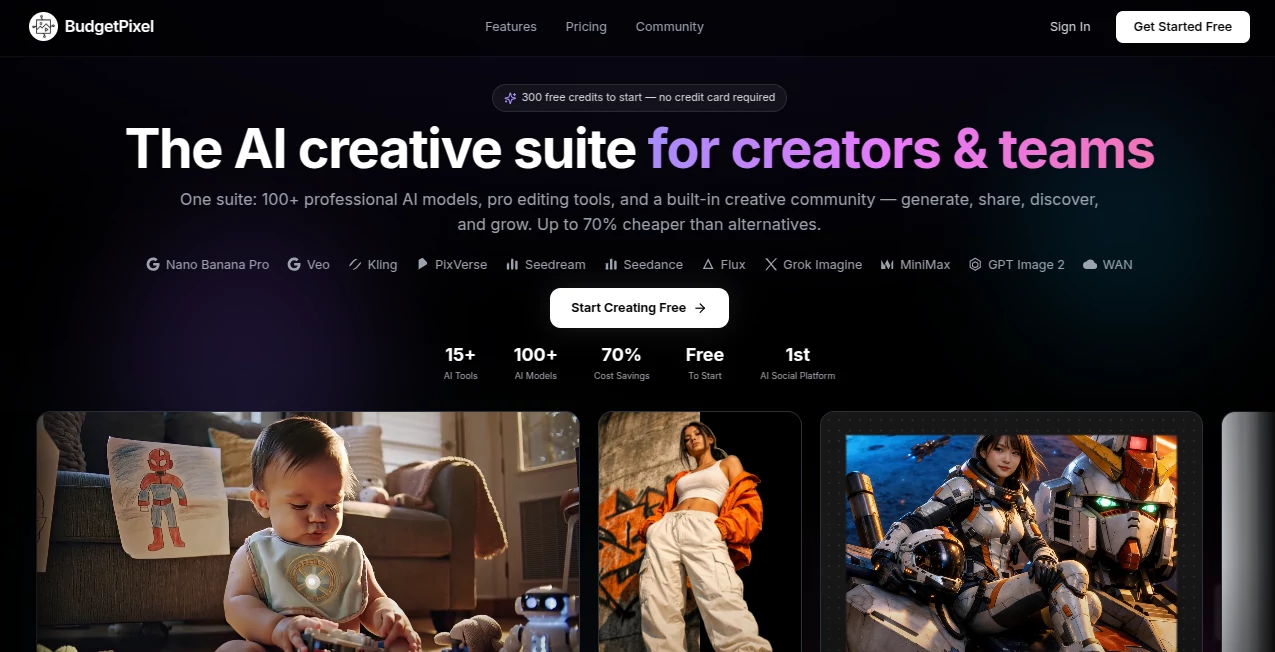
BudgetPixel brings image generation, video creation, music production, voice tools, and creative editing into a single workspace. Instead of opening a different service for every model, creators can work with a wide selection of AI models through one account and one credit system.
The platform is particularly appealing to people who regularly experiment with different generative models. A designer can create an image, turn it into a video, improve the result, and add sound without constantly moving between unrelated applications. It also provides a creative studio and design canvas for users who want more control after generation.
One of the strongest points is the range of models available. The platform brings together well-known image and video technologies such as FLUX, Qwen Image, SeeDream, Recraft, Kling, Veo, Wan, and SeeDance, while also offering music, speech, and sound-effect models.
Key Features
- Text-to-image generation for creating visuals from written prompts.
- Image-to-image editing and multi-reference image composition.
- AI video generation from text or existing images.
- Video editing and enhancement features, including lip sync and sound effects.
- AI music generation for songs and instrumental tracks.
- Text-to-speech and voice generation for narration and dubbing.
- Image upscaling and background removal.
- A creative design canvas for combining generated assets with design work.
- Access to a large collection of image, video, audio, and speech models.
- Custom LoRA model training on eligible paid plans.
- Developer API and MCP access on higher-tier plans.
- ComfyUI integration for users who prefer node-based creative workflows.
User Interface
The interface is designed around separate creative workspaces rather than forcing every task into one complicated editor. Image, video, audio, design, and AI applications can be accessed from dedicated areas, which makes the platform easier to approach depending on the project.
The model-based workflow is also useful for experienced creators. Someone who already knows which model works best for a particular style can select it directly instead of relying on a single hidden generation engine. This gives the creative process a more practical, hands-on feel.
Accuracy & Performance
Performance naturally depends on the selected model, output resolution, generation length, and workload. Rather than treating every generation as identical, the platform uses a credit system where different models and operations consume different amounts of credits.
This approach can be useful when comparing models. For example, a creator can choose a faster model for rough concepts and reserve higher-end models for final production. Video jobs may take longer than image generations, but the platform supports multiple concurrent generations on paid plans to make larger workflows more manageable.
The developer API also provides an exact cost-estimation endpoint before a request is submitted, while successful generations are charged according to the applicable credit rate. This gives developers considerably more visibility into generation costs.
Capabilities
The platform covers a surprisingly broad range of creative tasks. For images, users can work with text prompts, image editing, references, enhancement, and multiple generation models. Video workflows support both text-to-video and image-to-video creation, with options for animation, editing, and enhancement.
Audio is another important part of the platform. Users can create full songs, instrumental material, sound effects, and voiceovers. Text-to-speech capabilities can also be used for narration and dubbing, making the service useful beyond visual content creation.
For developers, the API provides programmatic access to image, video, and music generation models. The platform also offers MCP connectivity and a ComfyUI node package, allowing hosted models to be incorporated into more advanced production workflows.
Security & Privacy
Account credentials are the responsibility of the account holder, and the service's terms require users to maintain the confidentiality of their credentials and report unauthorized use. Payments are handled through third-party payment processors.
Developers using the ComfyUI integration also benefit from a thoughtful approach to API-key handling. The official node package does not place the API key inside workflow files, helping prevent credentials from being accidentally included when workflows are shared.
Use Cases
- Social media creators: Produce images, short videos, music, voiceovers, and supporting visual assets for social campaigns.
- Marketing teams: Quickly test multiple creative directions for advertisements, landing pages, product campaigns, and promotional content.
- Graphic designers: Explore visual concepts, generate brand imagery, edit existing assets, remove backgrounds, and upscale finished work.
- Video creators: Turn still images into moving scenes, generate videos from prompts, experiment with different video models, and enhance clips.
- Indie filmmakers: Build early visual concepts, storyboards, cinematic shots, characters, and supporting audio before moving into traditional production.
- Music creators: Generate songs, instrumental backgrounds, and sound effects for videos, games, presentations, and other projects.
- Developers: Integrate generative image, video, and music capabilities into applications through an API.
- ComfyUI users: Combine hosted AI models with local nodes in the same visual workflow without requiring a powerful local GPU for hosted models.
Pros and Cons
Pros
- Large selection of image and video models in one account.
- Image, video, music, voice, and sound generation are available from the same platform.
- Free monthly credits make it possible to test the service without an immediate payment.
- Pay-as-you-go credit packs are available without requiring a subscription.
- Higher plans provide additional storage, concurrent generations, commercial usage, and developer access.
- API and MCP support make the platform useful beyond its web interface.
- ComfyUI integration is valuable for advanced creative workflows.
Cons
- The large number of models and options may take some time for new users to understand.
- Credit consumption varies by model, resolution, and generation length, so users need to monitor usage.
- Higher-end video models can consume substantially more credits than basic image generation.
- Some advanced capabilities are reserved for paid plans.
Pricing Plans
The service uses a credit-based pricing model rather than forcing every user into a subscription. A free plan provides 300 credits per month with no credit card required, allowing users to explore image, video, music, speech, and other capabilities.
The Starter plan costs $5 per month when billed monthly or $50 per year and includes 5,000 credits per month. The Basic plan costs $10 per month or $100 annually and includes 11,000 credits.
The Premium plan costs $22 per month or $200 annually and provides 25,000 credits, 40 GB of storage, commercial usage, and developer API and MCP access. Pro costs $55 per month or $495 annually with 60,000 credits, while Ultra costs $125 per month or $1,050 annually with 130,000 credits.
Users who do not want a recurring subscription can purchase credit packs and pay according to their actual usage. Generation costs vary depending on the selected model and type of content, so the credit-based system is particularly useful for people whose workloads change from project to project.
How to Use It
- Create an account and start with the available free monthly credits.
- Choose the creative workspace that matches your project, such as image, video, audio, or design.
- Select an AI model based on the type of output and quality you need.
- Enter a detailed prompt or upload the required source material.
- Generate the result and review the available variations.
- Edit, enhance, upscale, animate, or otherwise refine the generated asset when necessary.
- Download the finished result or continue working with it in another creative workflow.
Comparison with Similar Tools
Many AI creative platforms focus primarily on one area, such as image generation, video creation, or design. This platform takes a broader approach by putting multiple generation categories and models behind one account and one credit balance.
This can be especially useful for creators who like comparing models. Instead of maintaining several subscriptions simply to test different image and video systems, users can access a wide model selection from the same environment. The pay-as-you-go option is another practical difference for people whose AI usage is occasional or project-based.
For professional users, the distinction becomes even clearer through API, MCP, and ComfyUI support. These features make the service suitable not only for casual generation but also for automated and node-based workflows.
Conclusion
For creators who regularly move between images, video, music, voice, and design, having these capabilities under one roof can save both time and subscription overhead. The broad model selection is the main attraction, but the combination of credit-based pricing, creative workspaces, developer tools, and workflow integrations gives the platform a wider role than a simple AI image generator.
It is a strong option for experimenting with different models as well as producing real creative assets. Beginners can start with the free allowance, while designers, marketers, developers, and professional creators can move into higher plans when their workload grows.
Frequently Asked Questions (FAQ)
Is there a free plan?
Yes. The free plan provides 300 credits every month and does not require a credit card to get started.
Can I use it without a subscription?
Yes. Users can purchase credit packs and pay as they go instead of maintaining a monthly subscription.
What types of content can I create?
You can create images, videos, music, sound effects, and voice content. The platform also provides editing, enhancement, upscaling, background removal, and other creative functions.
Can I generate videos from images?
Yes. Image-to-video generation is supported alongside text-to-video workflows, with several video models available for different creative requirements.
Does it provide an API?
Yes. Developer API access is available on Premium and higher plans, providing programmatic access to supported image, video, music, moderation, classification, and conversion capabilities.
Can I use it with ComfyUI?
Yes. A dedicated ComfyUI node package allows hosted models to be connected to local workflows. The hosted generation runs on the platform's infrastructure, so a local GPU is not required for those hosted models.
Can I train my own AI model?
Paid plans include access to LoRA training, allowing creators to train custom models for more specialized visual generation workflows.
Is commercial use available?
Commercial usage is included with the Premium plan and higher tiers according to the current pricing structure.
How does the credit system work?
Credits are used for generations and related operations. The amount consumed depends on the selected model and factors such as output resolution and video length. Higher plans provide larger monthly credit allowances.
AI Photo & Image Generator , AI Video Generator , AI Music Generator , AI Text to Image .
These classifications represent its core capabilities and areas of application. For related tools, explore the linked categories above.
BudgetPixel details
Website unavailable — View Alternatives
Pricing
- Freemium
Apps
- Web App
Categories

BudgetPixel Alternatives Product

GPT Image 2-…

AI Family Ph…

HappyHorse AI

SeedMusic 1.0

Nano Banana …

Seedance 2.0

S2LIfe AI
Change-BG

MiniMax H3