
Filloom
What is Filloom?
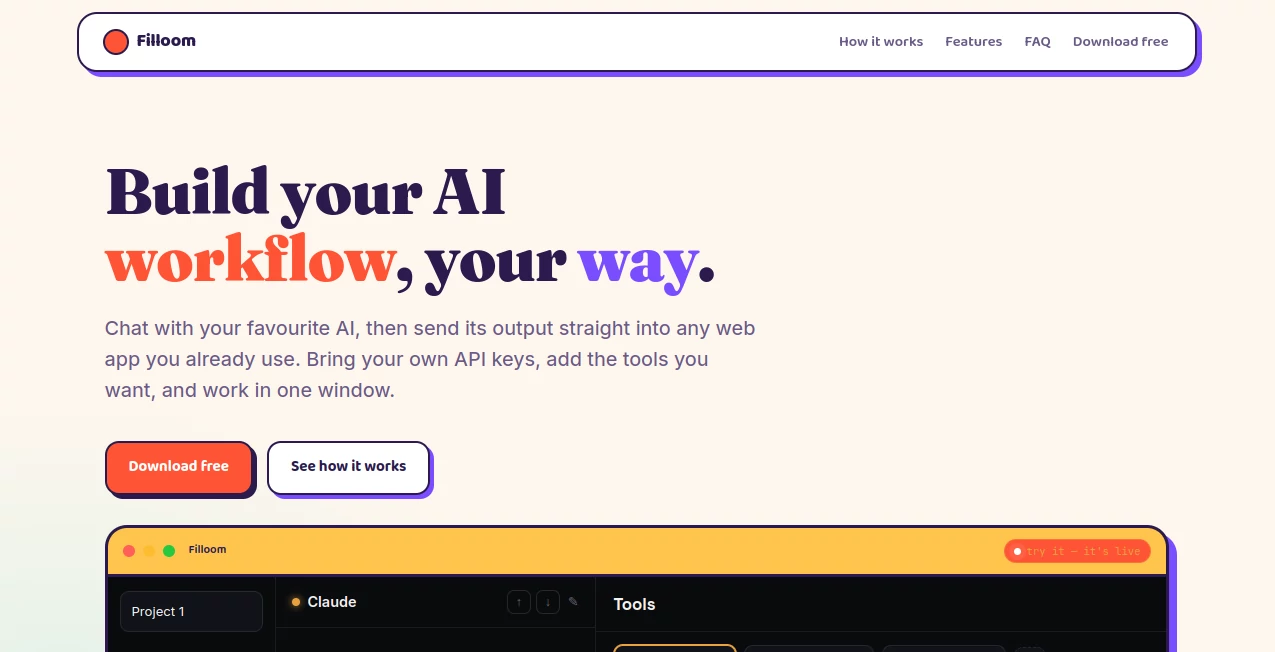
Switching between AI assistants, browsers, and productivity apps can quickly interrupt your workflow. This platform solves that problem by creating a single workspace where conversations with AI naturally connect to the web tools you already rely on every day. Instead of copying responses between tabs, users can move AI-generated content directly into external applications with minimal effort.
One of its standout advantages is flexibility. Rather than locking users into a single language model, it allows them to connect their own API keys and choose the AI services they prefer. This approach gives professionals, developers, marketers, and creators full control over costs, model selection, and workflow customization while keeping everything inside one streamlined interface.
The result is a faster and more organized way to work with AI. Whether writing content, analyzing information, researching ideas, or completing repetitive online tasks, users can build personalized workflows that fit their daily routine instead of adapting to rigid software limitations.
Key Features
User Interface
The interface focuses on simplicity and efficiency. Conversations, connected tools, and workflow actions are available within a single window, reducing unnecessary context switching and helping users stay focused on their work.
Accuracy & Performance
Since users can connect their preferred AI providers using personal API keys, they remain in control of model quality and performance. Responses can immediately be routed into supported web applications, minimizing manual copying and improving productivity.
Capabilities
- Connect personal API keys for supported AI models.
- Chat with multiple AI services in one workspace.
- Send AI-generated output directly to web applications.
- Create personalized AI workflows.
- Extend functionality with custom tools.
- Reduce browser tab switching.
- Work inside a unified interface.
- Improve productivity with workflow automation.
- Support flexible AI model selection.
Security & Privacy
Users maintain greater control by supplying their own API credentials rather than relying solely on bundled AI access. This setup provides flexibility over service providers while keeping workflow management centralized.
Use Cases
- Create content and publish it directly into online platforms.
- Automate repetitive browser-based workflows.
- Use different AI models for specialized tasks.
- Generate research and transfer results into productivity apps.
- Build customized AI-assisted business processes.
- Improve efficiency when working across multiple online services.
Pros and Cons
Pros
- Supports multiple AI providers.
- Allows users to bring their own API keys.
- Works with existing web applications.
- Reduces manual copy-and-paste tasks.
- Highly customizable workflows.
- Simple and distraction-free interface.
Cons
- Some features require personal API accounts.
- Workflow setup may take time for new users.
- Advanced integrations depend on supported web applications.
Pricing Plans
A free download is available, allowing users to explore the platform before deciding whether additional services or connected AI providers are needed. Costs for AI usage depend on the external API services selected by the user.
How to Use Filloom
Download and install the application, then connect your preferred AI providers using your own API keys. Add the tools and web applications you use most frequently, start chatting with your chosen AI model, and send generated responses directly into supported online platforms without leaving the workspace.
Comparison with Similar Tools
Unlike traditional AI chat interfaces that operate as standalone assistants, this platform focuses on workflow orchestration. Instead of limiting users to one model or requiring constant browser switching, it combines AI conversations, custom tools, and web app integration in a single environment. This makes it particularly appealing for professionals who depend on multiple AI services throughout their daily work.
Conclusion
For users looking to create a truly personalized AI workspace, this platform offers an efficient and flexible solution. Its support for multiple AI providers, direct integration with web applications, and customizable workflow system helps eliminate repetitive tasks while keeping productivity high. Whether you're a content creator, marketer, developer, or business professional, it provides a practical way to make AI fit naturally into your existing workflow.
Frequently Asked Questions (FAQ)
Can I use my own AI API keys?
Yes. The platform is designed to let users connect their own supported AI provider API keys.
Does it support multiple AI models?
Yes. Users can work with different AI providers within the same workspace.
Can AI responses be sent directly to web apps?
Yes. One of its core features is transferring AI-generated output into compatible web applications.
Is it suitable for workflow automation?
Yes. Users can build customized workflows that connect AI conversations with their everyday online tools.
Who benefits most from this platform?
Content creators, developers, marketers, researchers, and professionals who frequently use multiple AI services can gain the greatest productivity improvements.
AI Workflow Management , AI Productivity Tools , AI Team Collaboration , AI Developer Tools .
These classifications represent its core capabilities and areas of application. For related tools, explore the linked categories above.

Filloom Alternatives Product

Remove My Me…

globalize.now

Glanced

KwaKwa Cours…

WhatsMyName …

KarmaGuy

TrySchedule

CoolVerdict

Youfiliate