Glasscribe
What is Glasscribe?
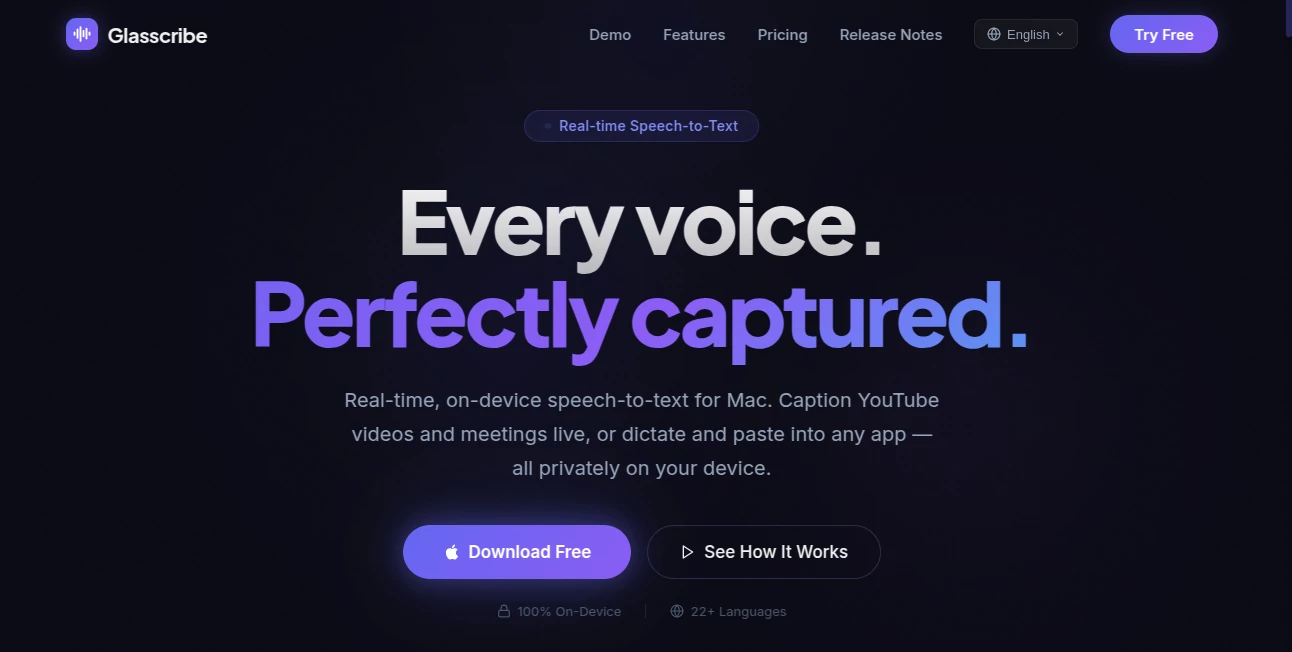
Imagine watching a YouTube video, joining a Zoom call, or simply dictating notes—and seeing every word appear on screen instantly, without sending anything to the cloud. That’s the everyday magic Glasscribe brings to your Mac. It listens to whatever audio is playing on your system and transcribes it in real time, all while keeping your data completely private on your device. I’ve used it during long meetings and late-night documentaries, and the speed and accuracy still impress me. No more frantic note-taking or worrying about privacy. It just works, quietly and reliably.
Introduction
Most transcription tools force you to choose between speed and privacy. Cloud services are fast but send your voice data away. Local options are private but often slow or limited. Glasscribe solves this by running entirely on your Mac’s Neural Engine. It captures system audio directly, transcribes in real time, and even offers live translation—all without needing an internet connection after setup. For professionals in meetings, students watching lectures, or anyone who wants accurate captions while protecting their privacy, it feels like a breath of fresh air in a world full of cloud-dependent tools.
Key Features
User Interface
The app lives quietly in your menu bar but pops up a clean floating overlay when active. You can drag the transcript window anywhere, adjust opacity and font size, and toggle it on or off with a simple shortcut. Everything feels native and thoughtful—no bloated interfaces or confusing settings. Just start it, choose your source (mic or system audio), and watch the words flow in real time. It’s one of those rare tools that disappears when you don’t need it and shines when you do.
Accuracy & Performance
It keeps up with natural speech remarkably well, even in meetings with multiple speakers or videos with background noise. Words appear almost instantly, with interim results updating smoothly before locking in as final text. The on-device processing means no lag from network delays, and it handles 22+ languages with impressive accuracy. In practice, it often feels faster and more reliable than cloud alternatives because there’s no waiting for servers.
Capabilities
Beyond basic transcription, it captures any system audio (YouTube, Zoom, podcasts) without extra drivers, offers live translation between languages, provides a floating overlay for watching while reading, auto-copies text for pasting anywhere, and saves full session history with search. It supports dictation with automatic paste at your cursor and works completely offline after the initial download. The combination of features makes it versatile for meetings, content consumption, learning, and productivity.
Security & Privacy
Everything stays on your Mac. No audio or text is sent to any server, no account is required for core features, and nothing leaves your device. That level of privacy is rare and deeply reassuring, especially when working with sensitive conversations or personal notes. It’s built for people who value control over their data.
Use Cases
Professionals transcribe Zoom meetings in real time and paste key points directly into documents. Students watch lectures or videos with live captions and translations. Content creators capture ideas by dictating while the app pastes text automatically into their editor. Language learners watch foreign content and read along in their native tongue. Anyone who consumes audio while working benefits from the floating transcript that keeps them focused without switching apps constantly.
Pros and Cons
Pros:
- Truly private on-device processing with zero data leaving your Mac.
- Excellent real-time speed and solid accuracy across many languages.
- System audio capture works seamlessly without extra setup.
- Clean, native-feeling interface that stays out of your way.
- Live translation adds huge value for multilingual users.
Cons:
- Accuracy can vary with heavy accents or very noisy environments.
- Some advanced features require a paid upgrade.
- Currently Mac-only (no Windows version yet).
Pricing Plans
Glasscribe offers a generous free version that covers most everyday needs. The paid one-time purchase unlocks unlimited usage, higher accuracy models, additional features, and future updates. The lifetime model is particularly attractive—no recurring fees, just one payment for ongoing improvements. It feels like a fair deal for a tool you’ll use almost daily.
How to Use Glasscribe
Download and open the app from the menu bar. Choose whether to transcribe your microphone or system audio. For meetings or videos, enable system audio capture. Position the floating overlay where it’s convenient, adjust size and opacity, and start listening. The transcript appears in real time. Need to paste something? It can auto-copy or you can select and copy manually. For translation, select your target language and read along. It’s simple enough that you’ll be productive within minutes of installing it.
Comparison with Similar Tools
Cloud services like Otter.ai are powerful but require sending your audio online and often come with subscriptions. Built-in macOS dictation is private but lacks system audio capture and real-time overlay features. Glasscribe combines the best of both worlds: full privacy and offline capability with the speed and features professionals actually need. It’s lighter, faster, and more respectful of your data than most alternatives.
Conclusion
In a world where our conversations and content are increasingly digital, having a reliable, private way to capture and understand speech matters. Glasscribe delivers that without compromise—fast, accurate, and completely on your device. Whether you’re in meetings, learning new languages, consuming content, or just want to dictate notes effortlessly, it makes the experience smoother and more private. For Mac users tired of cloud dependency, it’s a refreshing and genuinely useful tool worth trying today.
Frequently Asked Questions (FAQ)
Does it require an internet connection?
No—after downloading the models, everything runs completely offline.
Can it transcribe Zoom or YouTube?
Yes—it captures any system audio playing on your Mac.
Is my data private?
Completely. Nothing leaves your device.
How many languages does it support?
Over 22 languages with real-time transcription and translation.
Is there a free version?
Yes, with generous limits. Paid unlocks unlimited use and extra features.
AI Productivity Tools , AI Speech Recognition , AI Speech to Text , AI Voice Assistants .
These classifications represent its core capabilities and areas of application. For related tools, explore the linked categories above.
Glasscribe details
Website unavailable — View Alternatives
Pricing
- Free
Apps
- Web App
- Mac App
Categories

Glasscribe Alternatives Product

Hairstyle An…

Adobe Podcast

Agent Grid

Gpt Realtime

Grok 4

Black Screen

Toolquix

Whisper AI

Your Own AI