Graphkit
What is Graphkit?
Turning a pixel-based logo into a clean, scalable vector used to be a headache that required hours in Illustrator or expensive freelancers. This platform quietly solves that frustration and a few more. Upload almost any image and get professional results across multiple tools in one place. I’ve watched designers go from “this will take all afternoon” to “done in under a minute” with genuinely usable outputs. It’s the kind of practical toolkit that feels like it was built by someone who actually does creative work every day.
Introduction
Creative work often gets bogged down in repetitive technical tasks: vectorizing logos, removing messy backgrounds, or making low-res images print-ready. Graphkit bundles the most common image challenges into one clean platform powered by solid AI. Whether you’re a solo designer, small studio, or someone who occasionally needs sharp visuals, it removes the friction without asking you to learn complex software. The best part? The results don’t look “AI-generated” in that obvious way—they look like careful, skilled work. That balance of speed and quality is why people keep coming back.
Key Features
User Interface
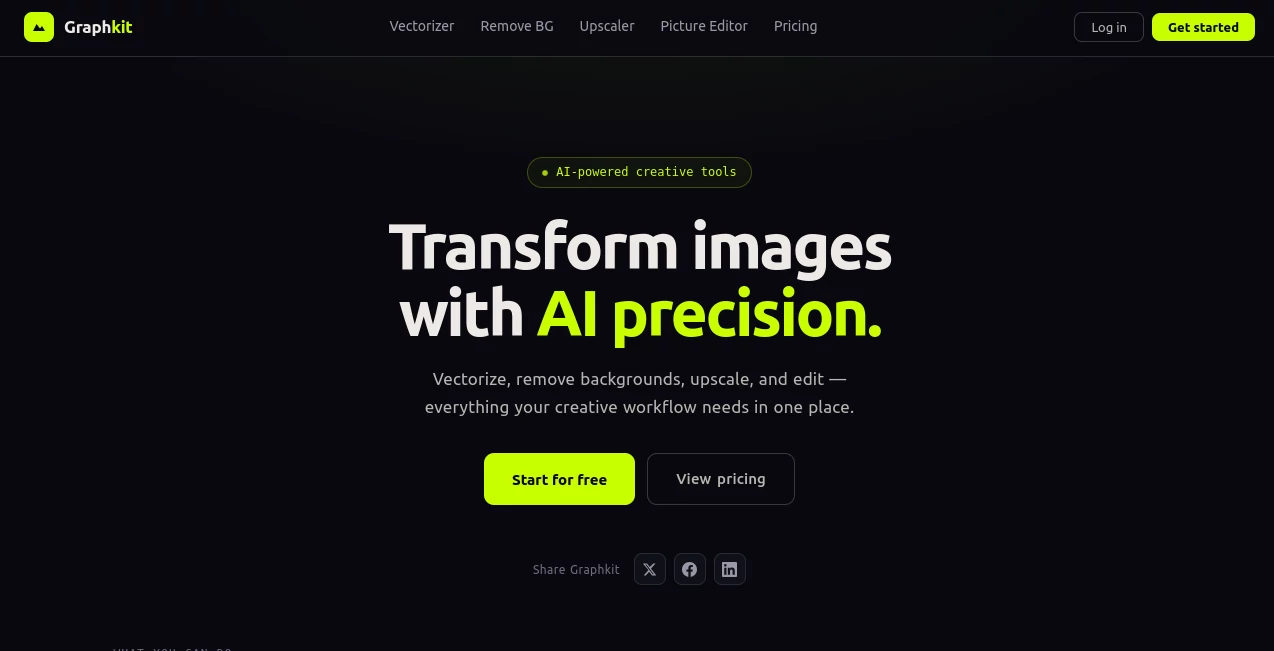
The experience is refreshingly straightforward. A big, friendly upload area greets you, with clear cards for each tool: Vectorizer, Background Remover, Upscaler, and Picture Editor. You pick what you need, drop your image, and get previews fast. No overwhelming menus or hidden settings—just focused, logical steps that respect your time. Even on mobile it feels usable, which is rare for image tools this capable.
Accuracy & Performance
The vectorizer stands out—it keeps clean lines and smart curves instead of turning everything into messy paths. Background removal handles tricky edges (hair, fur, transparent objects) with impressive accuracy. Upscaling uses strong super-resolution tech that enlarges images up to 4× while keeping details crisp rather than blurry or noisy. Everything processes quickly, so you stay in flow instead of waiting around.
Capabilities
Convert raster images to crisp SVGs (with multiple format exports), instantly remove backgrounds with one click, upscale photos while preserving quality, and use the built-in picture editor to place vector logos onto new backgrounds. It supports common creative needs in one place: logos, product photos, illustrations, social assets. The outputs are production-ready—clean files you can take straight into other design software without extra cleanup.
Security & Privacy
Your images are processed securely and not stored longer than needed. No surprise data collection or training on user uploads. For freelancers and small teams handling client work, that respectful approach to privacy is genuinely appreciated.
Use Cases
A freelance designer vectorizes client logos in seconds instead of hours. An e-commerce seller removes backgrounds from product shots for clean listings. A marketer upscales old campaign assets for bigger formats without quality loss. A content creator quickly places logos onto new mockups for presentations. It shines anywhere you need fast, high-quality image transformations without compromising on the final look.
Pros and Cons
Pros:
- All-in-one workflow saves switching between different tools.
- Vector outputs are clean and editable, not just pretty approximations.
- Fast processing keeps momentum going during tight deadlines.
- Generous free tier lets you test real work before committing.
- Results look professional, not overly “AI-processed.”
Cons:
- Heavy batch work or unlimited use requires Premium.
- Very complex or low-quality source images can still need minor manual tweaks.
Pricing Plans
Free tier gives you meaningful usage with watermarks on some exports—perfect for testing or light personal projects. Premium is a reasonable monthly fee that unlocks full quality downloads, higher limits across all tools, and removes restrictions. Pay-per-use options are also available for occasional needs. It feels fair: you only pay more when you’re getting serious value from the time it saves.
How to Use Graphkit
Choose your tool from the main page (Vectorizer is the most popular starting point). Drag or upload your image. Adjust any simple settings like style or strength if available. Hit process and review the preview. Download the result in your preferred format. For repeated tasks, Premium users can handle batches efficiently. The whole flow is fast enough that you can improve multiple assets in one focused session.
Comparison with Similar Tools
Standalone vectorizers often produce overly complex paths that are hard to edit. Dedicated background removers can struggle with fine details. This platform combines them thoughtfully with strong upscaling and editing in one spot. The balance of quality, speed, and simplicity makes it more practical for real creative work than many specialized (and often more expensive) alternatives.
Conclusion
Good design tools should remove friction, not add it. Graphkit does exactly that—delivering reliable, high-quality image transformations that fit naturally into real workflows. Whether you’re polishing client work, preparing assets for a launch, or just need something to look sharper fast, it consistently delivers results you’re proud to use. In a crowded creative space, that kind of focused usefulness stands out.
Frequently Asked Questions (FAQ)
Do I need to sign up to try it?
No— you can start using the tools right away with the free tier.
How good are the vector conversions?
Very good for logos, icons, and illustrations. Complex photographic images convert best when they have clear shapes and contrast.
Can I use it for commercial projects?
Yes—paid plans fully support commercial use with clean, watermark-free files.
What file formats are supported?
Input: JPG, PNG. Output: SVG, EPS, PDF, AI for vectors, plus standard image formats for other tools.
Is batch processing available?
Yes, Premium users can process multiple images efficiently.
Photo & Image Editor , AI Graphic Design , AI Design Generator , AI Image to Image .
These classifications represent its core capabilities and areas of application. For related tools, explore the linked categories above.

Graphkit Alternatives Product

Kynelio

Claude Desig…

Freepik

OGimage
RenderQuill

Blur & Unblu…
DLSS 5 Meme …

ChatGPT Imag…

Artguru