
Just The Gist
What is Just The Gist?
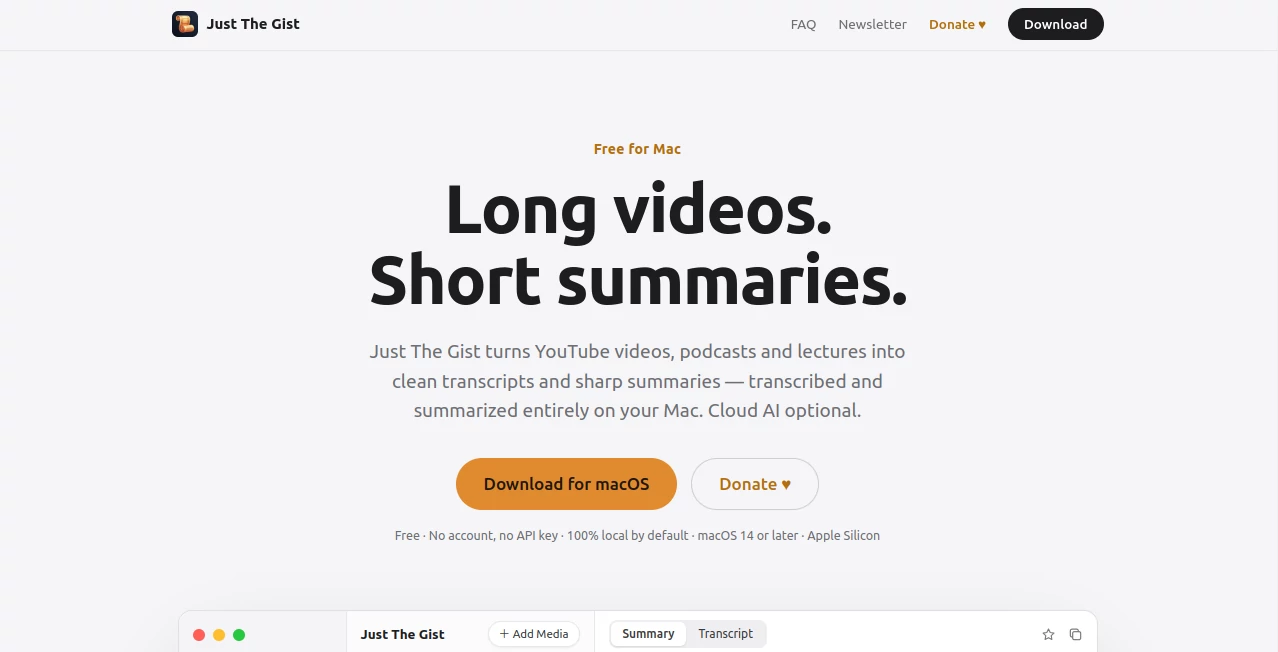
Long podcasts, lectures, interviews, and educational videos can contain hours of useful information, but finding the parts that actually matter takes time. Just The Gist is a free Mac application designed to make that process much easier by turning spoken content into clean transcripts and concise summaries directly on your computer.
The app is built around a simple idea: spend less time watching or listening from beginning to end and more time understanding the information you actually need. A two-hour podcast, for example, can be reduced to a short, readable summary with important moments clearly highlighted.
One of its most appealing qualities is the local-first approach. Transcription is handled on the Mac using Whisper, while the built-in summarization model can also run locally. This means users can process their content without automatically sending audio to an online service.
Key Features
- Transcription powered by Whisper running locally on Apple Silicon.
- On-device AI summarization with no account or API key required.
- Support for YouTube links and common audio and video formats.
- Clickable timestamps that take users directly to important moments.
- Support for MP3, M4A, WAV, MP4, and MOV files.
- Optional integration with OpenAI, Claude, and OpenRouter.
- Compatibility with OpenAI-compatible local servers such as Ollama and LM Studio.
- Multilingual transcription and flexible summary language selection.
- Native SwiftUI interface designed specifically for macOS.
- No subscription and no locked features in the free version.
User Interface
The interface follows the familiar feel of a native Mac application rather than trying to imitate a complicated web dashboard. A library keeps processed videos and audio organized, while users can add new media and move between transcripts, summaries, starred items, and content that is still being processed.
The workflow is particularly straightforward. Add a YouTube link or drop a supported media file into the application, let the local transcription finish, and then review the generated summary. Key topics and timestamps make it easier to jump around the source instead of searching through a long transcript manually.
Accuracy & Performance
Transcription uses Whisper locally, with the website demonstrating performance at around 2.8× realtime using Whisper large-v3 on Apple Silicon. Actual speed will naturally depend on the Mac model, recording quality, duration, and language, but the local processing approach can make the experience feel considerably more private and responsive than uploading every recording to a remote service.
The summaries are designed to focus on the substance of a recording rather than simply shortening every sentence. Key topics and important moments are surfaced alongside the transcript, giving users a practical way to understand lengthy material quickly.
Capabilities
The application can handle more than YouTube videos. Users can bring in podcasts, lectures, conference talks, interviews, meeting recordings, and other speech-based media stored on their Mac. Supported formats include MP3, M4A, WAV, MP4, and MOV.
Language support is another useful feature. Transcription and summarization do not have to use the same language. For example, an English lecture can be transcribed in English and summarized in Spanish, while a German podcast could be summarized in English.
For users who prefer larger or different language models, the application also supports optional cloud providers and OpenAI-compatible local servers. This gives users more control over the balance between convenience, model capability, privacy, and hardware usage.
Security & Privacy
Privacy is one of the strongest aspects of the product. By default, audio transcription takes place directly on the Mac using Whisper, and the built-in summarization model also works locally. The website states that audio does not leave the computer under the default setup.
Cloud processing is optional rather than mandatory. If a user chooses a cloud provider, only the completed transcript is sent for summarization rather than the original audio. This local-first design makes the application particularly interesting for people working with private meetings, research recordings, lectures, interviews, or other material they would rather keep on their own machine.
Use Cases
- Podcast listeners: Quickly review long episodes and find the most valuable sections without listening to the entire recording.
- Students: Turn recorded lectures into searchable transcripts and shorter study notes.
- Researchers: Process interviews, talks, and recorded discussions while keeping source audio on the local computer.
- Professionals: Review meeting recordings and identify important topics without replaying the entire session.
- Content creators: Extract useful information and key moments from long interviews, videos, and podcasts.
- Language learners: Transcribe spoken material and create summaries in another language.
- Developers and privacy-conscious users: Combine local transcription with local models through tools such as Ollama or LM Studio.
Pros and Cons
Pros
- Free to use with no subscription.
- No account or API key required for the default setup.
- Audio transcription happens locally by default.
- Supports YouTube as well as local media files.
- Useful clickable timestamps connect summaries to source moments.
- Supports multiple languages.
- Optional cloud and local-model integrations provide additional flexibility.
- Designed as a native Mac application.
Cons
- Requires an Apple Silicon Mac.
- macOS 14 Sonoma or later is required.
- Intel-based Macs are not supported.
- Local AI processing can depend on the available hardware resources.
- Users looking for a Windows or Linux desktop application will need another solution.
Pricing Plans
The application is completely free to download and use, with no subscription and no locked features. There is also no requirement to create an account or enter a credit card for the standard local workflow.
The project is supported through voluntary donations. Users who find the application useful can contribute to help fund its continued development and maintenance.
Optional cloud models can be connected when users want to work with services such as OpenAI, Claude, or OpenRouter. The local workflow itself does not require a paid API subscription.
How to Use the App
- Download and install the application on an Apple Silicon Mac running macOS 14 or later.
- Launch the application and allow the required local model to download during the first setup.
- Add a YouTube link or drag an audio or video file into the library.
- Wait while Whisper creates the transcript locally.
- Let the built-in model generate the summary.
- Read the TL;DR and key topics to understand the main points quickly.
- Use the clickable timestamps to jump back to important moments in the original recording.
- Optionally connect a preferred cloud model or compatible local server if you want to use a different summarization model.
Comparison with Similar Tools
Many transcription and summarization services are built primarily around cloud processing. They can be convenient, but they often require users to upload recordings to external servers and may operate through subscriptions or usage-based pricing.
This application takes a different approach by making local processing the default. That distinction is especially valuable when privacy matters or when someone wants to avoid recurring costs for processing their own recordings.
It also goes beyond simple transcription. The combination of transcripts, concise summaries, key topics, and clickable timestamps creates a workflow that is closer to a personal research assistant for spoken content. At the same time, users who need more powerful cloud models are not locked out, since optional integrations are available.
Conclusion
For Mac users who regularly deal with long videos, podcasts, lectures, meetings, or recorded conversations, this is a remarkably practical approach to turning hours of spoken material into something that can be understood in minutes. The local-first architecture is its biggest differentiator, while support for multiple file formats, multilingual transcription, clickable timestamps, and optional model integrations gives it plenty of flexibility.
The fact that there is no subscription, account requirement, or mandatory API key makes the barrier to trying it extremely low. Someone who simply wants to understand a two-hour podcast without spending two hours listening to it can start with a local workflow and get straight to the important information.
It will not be the right choice for everyone because it is currently built specifically for Apple Silicon Macs, but within that audience it offers a compelling combination of privacy, simplicity, and useful AI-powered summarization.
Frequently Asked Questions (FAQ)
Is the application free?
Yes. The application is free, has no subscription, and does not lock its core features behind a paid plan. Development is supported through optional donations.
Do I need an API key?
No. The default local workflow does not require an account, API key, or credit card. Optional connections to cloud providers are available for users who want them.
Does it upload my audio?
No, not in the default setup. Transcription runs locally using Whisper, and the built-in summarization model also runs on the Mac. Cloud processing only occurs if the user deliberately chooses a cloud provider.
What file formats are supported?
The application supports YouTube links as well as MP3, M4A, WAV, MP4, and MOV files.
Can it summarize podcasts and lectures?
Yes. Podcasts, lectures, meetings, conference talks, interviews, and other recordings containing speech can be processed and summarized.
Does it support multiple languages?
Yes. Whisper supports numerous languages, and the language used for the transcript can be different from the language selected for the summary.
Can I use Ollama or LM Studio?
Yes. The application can communicate with OpenAI-compatible servers, allowing users to connect local models through platforms such as Ollama and LM Studio.
What Mac do I need?
An Apple Silicon Mac with an M1 chip or newer is required, along with macOS 14 Sonoma or later. Intel Macs are not supported.
Can I use OpenAI or Claude?
Yes. OpenAI and Claude can be connected as optional cloud summarization providers. OpenRouter is also supported.
Does it only summarize YouTube videos?
No. YouTube is supported, but users can also add local audio and video files, making the application useful for podcasts, lectures, meetings, interviews, and personal recordings.
AI Summarizer , AI Transcription , AI Speech to Text , AI Podcast Assistant .
These classifications represent its core capabilities and areas of application. For related tools, explore the linked categories above.
Just The Gist details
Website unavailable — View Alternatives
Pricing
- Free
Apps
- Web App
- Mac App
Categories

Just The Gist Alternatives Product

WhispriNote

Maestra
MP3 to Text …

Whisper Web

SnapVee Stud…

Speech Notes

Transpocket

YTVidHub-you…

Video Transl…