MaxWorker
What is MaxWorker?
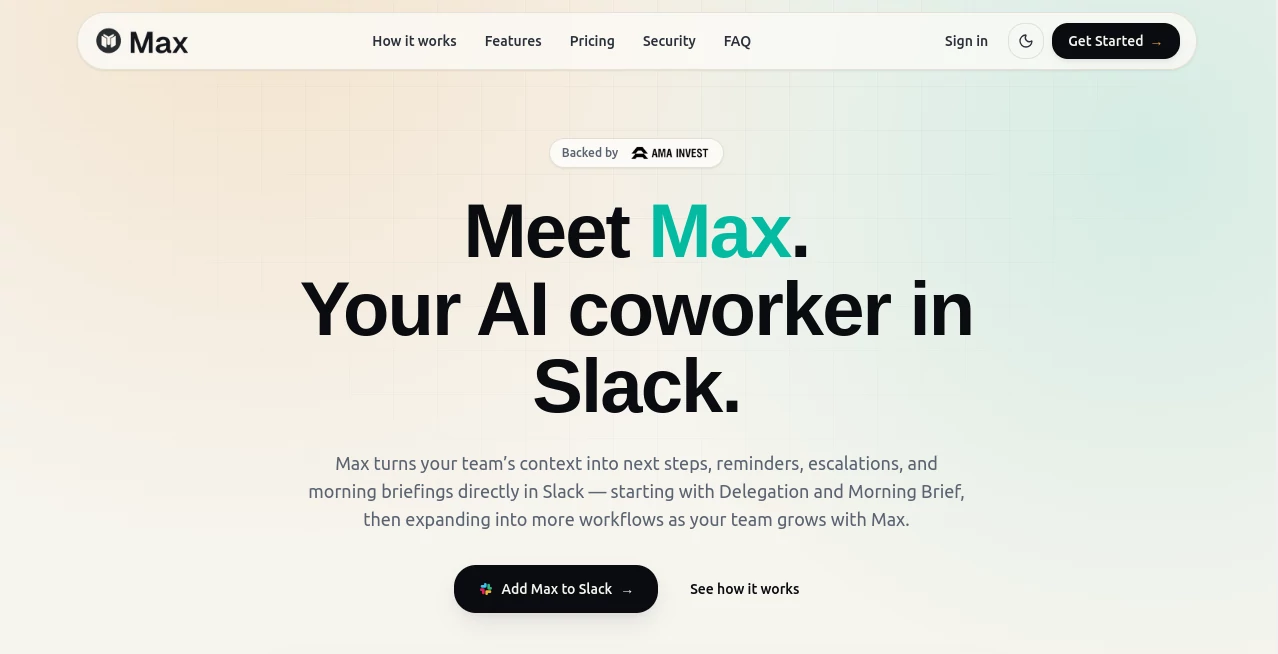
Modern teams rely on dozens of business applications, yet important tasks still disappear inside conversations, emails, project boards, and meeting notes. This AI-powered coworker is designed to eliminate that gap by transforming everyday requests into completed work directly inside Slack. Instead of acting like a traditional chatbot that only answers questions, it focuses on execution, helping teams stay organized, accountable, and productive.
The platform connects with more than 25 popular workplace applications, including Google Workspace, Microsoft 365, HubSpot, Salesforce, Jira, GitHub, Notion, Asana, Trello, ClickUp, Zoom, and many more. By gathering context from connected tools, it prepares reports, summaries, reminders, follow-ups, drafts, and daily briefings without forcing users to switch between multiple applications. As the platform grows, support for thousands of additional integrations is planned, making it an increasingly valuable digital teammate for businesses of every size.
Key Features
User Interface
The experience feels remarkably natural because everything happens inside Slack. Team members simply write requests in plain language, just as they would ask a colleague for help. There is no complicated workflow builder or lengthy setup process. Responses appear directly within conversations, allowing users to review drafts, approve actions, or request changes without leaving their existing workspace.
Accuracy & Performance
Rather than producing generic responses, the system gathers information from connected business tools before preparing its output. This context-aware approach results in reports, reminders, project summaries, and follow-ups that reflect real business data. Every generated result includes source visibility, making it easy to verify information before taking action.
Capabilities
- Slack-native AI coworker
- Morning briefings with personalized priorities
- Smart delegation and task tracking
- Automatic reminders and follow-up management
- Escalation workflows for overdue tasks
- Business report generation
- Meeting and project summaries
- Context-aware document drafting
- Recurring workflow automation
- Support for 25+ business integrations
- Approval-based collaboration
- Clear source attribution for generated outputs
Security & Privacy
Business teams remain fully in control of every workflow. Workspace permissions determine what information can be accessed, while tool-level permissions define available integrations. Sensitive actions require human approval before anything is published, updated, or sent. Detailed activity logs and source references provide transparency throughout every workflow, helping organizations maintain accountability and compliance.
Use Cases
- Preparing daily morning briefings for executives and managers.
- Tracking delegated tasks across departments.
- Creating recurring weekly reports automatically.
- Generating sales pipeline summaries from CRM platforms.
- Preparing client updates using information from multiple systems.
- Drafting follow-up emails after meetings.
- Monitoring project deadlines and escalating overdue work.
- Helping operations teams reduce repetitive administrative work.
- Supporting founders with business updates and operational overviews.
- Keeping remote teams aligned without constant manual follow-ups.
Pros and Cons
Pros
- Works directly inside Slack with minimal learning curve.
- Excellent collection of business integrations.
- Transforms scattered information into actionable outputs.
- Built-in approval workflow improves reliability.
- Morning Brief feature saves significant planning time.
- Delegation tracking reduces forgotten tasks.
- Transparent source references increase trust.
- Simple fixed-price subscription model.
Cons
- Best suited for organizations already using Slack.
- Some advanced workflows depend on connected third-party services.
- Growing integration library is still expanding.
Pricing Plans
A free trial provides full access to the Pro experience for three days without requiring a credit card. After the trial, users can upgrade to a paid subscription with predictable fixed pricing instead of usage-based billing. This approach makes budgeting easier while allowing teams to scale recurring workflows confidently.
How to Use Max
Start by adding the AI coworker to your Slack workspace. Connect the business applications your organization already uses, such as CRM platforms, calendars, cloud storage, documentation tools, and project management software. Once connected, simply describe the desired outcome in natural language. The system gathers relevant context, prepares the requested output, and presents it for review. After approval, workflows can be repeated automatically whenever needed.
Comparison with Similar Tools
Many AI assistants focus primarily on answering questions or generating text from prompts. This platform takes a different approach by emphasizing completed business outcomes rather than conversation alone. Instead of requiring users to manually collect information from multiple services, it automatically retrieves relevant context, prepares actionable work, and returns results ready for review. For teams managing recurring operational tasks, this execution-first model provides a practical advantage over traditional conversational assistants.
Conclusion
Businesses often lose valuable time chasing updates, collecting information, and reminding colleagues about important tasks. This AI coworker addresses those everyday challenges by combining workplace context with intelligent automation inside the communication platform many teams already use. Its ability to generate ready-to-review work, automate recurring routines, and maintain human oversight makes it an impressive productivity solution for modern organizations seeking greater operational efficiency without increasing headcount.
Frequently Asked Questions (FAQ)
What makes this platform different from a standard AI chatbot?
Instead of simply answering questions, it gathers business context, completes operational work, and delivers ready-to-review results.
Which applications can it connect with?
It supports more than 25 popular workplace tools, including Slack, Google Workspace, Microsoft 365, HubSpot, Salesforce, Jira, GitHub, Notion, Asana, Trello, ClickUp, Zoom, and many others.
Can users approve outputs before anything is sent?
Yes. Human approval is built into the workflow, allowing teams to review drafts, updates, and actions before publication.
Is it suitable for small businesses?
Absolutely. Startups, growing companies, and enterprise organizations can all benefit from automated recurring workflows and intelligent task management.
Does it support recurring business processes?
Yes. Teams can automate recurring reports, reminders, follow-ups, briefings, and operational workflows after the initial setup.
AI Workflow Management , AI Productivity Tools , AI Task Management , AI Team Collaboration .
These classifications represent its core capabilities and areas of application. For related tools, explore the linked categories above.

MaxWorker Alternatives Product
KoloQR

VideoLens

Online White…

Zloth

Where Is Thi…

Helploom

PDF Inspector

MyMap.AI

FINIITE AI