
Pixado
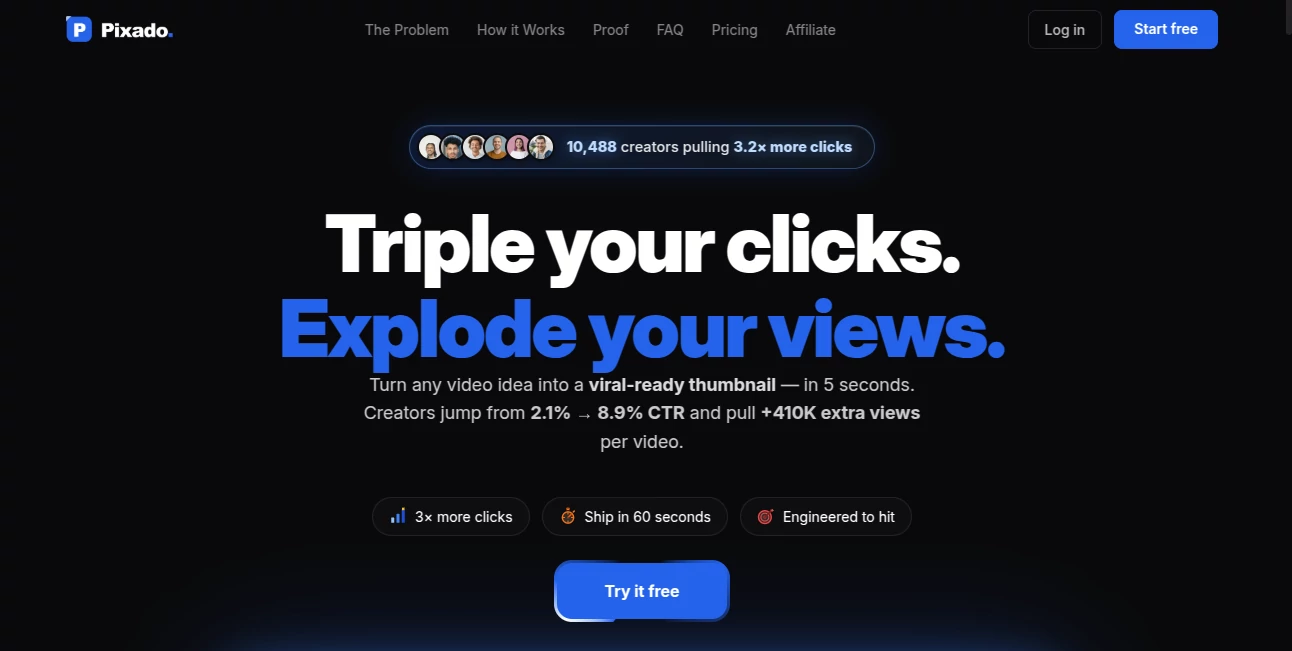
What is Pixado?
Creating a thumbnail that attracts clicks is often the difference between a video that gets noticed and one that disappears in the crowd. This platform focuses on removing the guesswork by analyzing thumbnail designs before they go live. Instead of relying solely on personal opinion or trial and error, creators receive predictive insights based on visual elements that influence click-through performance.
Whether you are launching educational videos, gaming content, product reviews, podcasts, or entertainment channels, the platform helps identify design strengths and weaknesses early in the creative process. It combines AI-powered analysis with thumbnail generation and optimization tools, making it easier to produce visuals that stand out while maintaining a consistent brand identity. Its straightforward workflow makes it accessible for both beginners and experienced YouTube creators.
Key Features
User Interface
The interface is clean and designed around a simple workflow. Users can search by niche, creator, or video URL, making it quick to start generating ideas or evaluating existing thumbnails. The dashboard keeps every important function within easy reach, allowing creators to focus on improving visual quality instead of navigating complex menus.
Accuracy & Performance
One of the strongest aspects of the platform is its predictive scoring system. By evaluating factors such as facial prominence, color contrast, visual hierarchy, and text placement, it estimates how effectively a thumbnail may attract viewers. This data-driven approach helps creators make informed design decisions before publishing their videos.
Capabilities
- AI-powered thumbnail generation
- Predictive thumbnail scoring before publishing
- Optimization of existing thumbnail designs
- Creation of multiple thumbnail variations
- Support for different YouTube niches
- Trend-inspired thumbnail suggestions
- Visual analysis based on design elements
- Fast iteration for A/B testing ideas
- Suitable for beginners and professionals
- Improves creative decision-making with actionable insights
Security & Privacy
The platform operates through a secure cloud-based environment and focuses on processing user projects efficiently. Users can analyze or generate thumbnail concepts without complicated setup, making it convenient for creators working across multiple devices.
Use Cases
- Growing a YouTube channel with higher-quality thumbnails.
- Testing multiple thumbnail concepts before publishing.
- Creating thumbnails for tutorials, reviews, gaming, finance, podcasts, and educational content.
- Helping marketing teams maintain visual consistency across campaigns.
- Supporting agencies that manage multiple creator accounts.
- Speeding up thumbnail production for frequent content publishing.
Pros and Cons
Pros
- Predictive scoring provides useful publishing insights.
- Simple workflow with minimal learning curve.
- Generates multiple creative thumbnail concepts.
- Works across a wide range of YouTube categories.
- Saves time compared to manual design testing.
Cons
- Primarily focused on YouTube thumbnails rather than broader graphic design.
- Final creative decisions still depend on audience preferences.
- Advanced creators may continue refining AI-generated concepts manually.
Pricing Plans
The platform offers multiple pricing options designed for different creator needs. Users should visit the official website to review the latest subscription plans, available features, and any free trial opportunities before choosing the most suitable package.
How to Use Pixado.ai
Begin by selecting your content niche, entering a YouTube video link, or describing your upcoming video. Generate new thumbnail concepts or upload an existing design for evaluation. Review the predictive score and detailed visual feedback, then make improvements based on the recommendations. After comparing different versions, choose the strongest design and publish your video with greater confidence.
Comparison with Similar Tools
Unlike traditional graphic design platforms that concentrate only on creating visuals, this solution emphasizes prediction and optimization. Instead of simply producing attractive graphics, it evaluates whether a thumbnail is likely to perform well based on visual characteristics associated with viewer engagement. This analytical approach makes it especially valuable for creators who prioritize click-through rate optimization rather than design alone.
Conclusion
Successful YouTube growth depends on more than producing excellent videos. The first impression often comes from the thumbnail, and making data-informed design decisions can significantly improve visibility. By combining intelligent analysis, thumbnail generation, and optimization in one workflow, this platform helps creators reduce uncertainty while producing more compelling visuals. For anyone serious about increasing engagement and refining their publishing strategy, it offers an efficient and practical solution.
Frequently Asked Questions (FAQ)
What is the primary purpose of this platform?
It helps creators generate, evaluate, and optimize YouTube thumbnails using artificial intelligence and predictive analysis.
Can existing thumbnails be analyzed?
Yes. Users can upload existing thumbnail designs to receive performance insights and recommendations for improvement.
Who can benefit from using this tool?
YouTube creators, marketers, agencies, educators, podcasters, gaming channels, and businesses that regularly publish video content.
Does it generate new thumbnail ideas?
Yes. It can create fresh thumbnail concepts and multiple variations based on the video topic or current trends.
Is it suitable for beginners?
Absolutely. Its intuitive interface allows users with little design experience to create and optimize professional-looking thumbnails quickly.
AI Photo & Image Generator , AI Design Assistant , AI YouTube Assistant , AI Thumbnail Maker .
These classifications represent its core capabilities and areas of application. For related tools, explore the linked categories above.

Pixado Alternatives Product

grok imagine…

Flux 2 Klein

GPT Image 2 …

GPT Image 2 …

GPT Image 2

Image3

Transform An…

SkipBait

GPT Image 2 …