yakki.
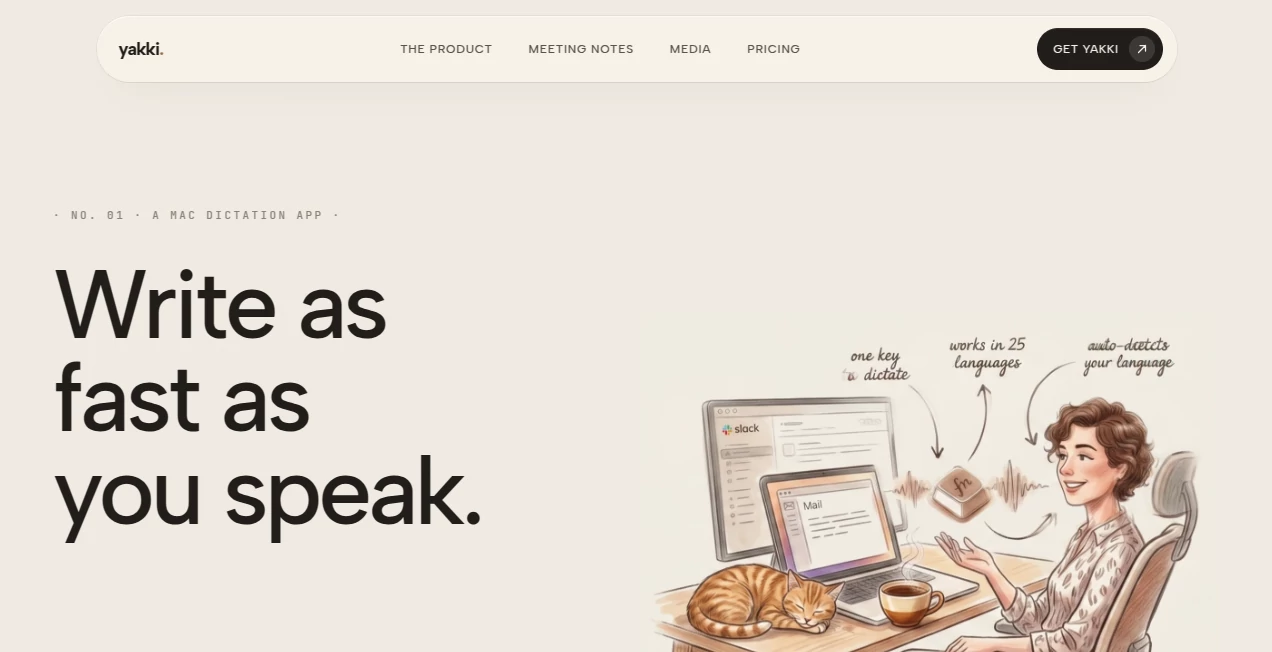
What is yakki.?
Yakki is a powerful voice dictation and transcription solution designed to help people write faster, capture ideas instantly, and turn conversations into useful text. Built with privacy and productivity in mind, it allows users to speak naturally instead of spending hours typing, making everyday writing tasks smoother and more efficient.
The platform is designed for professionals, creators, researchers, and anyone who wants to transform their voice into accurate text without losing the natural flow of their thoughts. With local processing, multi-language support, and intelligent transcription features, it creates a more comfortable way to communicate with your computer.
Key Features
- Fast voice dictation with natural speech recognition
- Transcription directly from audio sources and applications
- Speaker identification for meetings and conversations
- AI-powered meeting summaries and action points
- Support for more than 25 languages
- Automatic removal of filler words and unnecessary repetition
- Searchable transcription history
- Local processing for improved privacy
- Compatibility with everyday Mac workflows
User Interface
The interface focuses on simplicity and speed. Users can activate dictation with a keyboard shortcut, speak naturally, and receive polished text without complicated settings. The lightweight design makes it easy to use across different applications, whether writing emails, creating documents, taking notes, or capturing quick ideas.
The experience feels natural because the tool adapts to different writing environments. A message written in a chat application, a professional email, or personal notes can all receive the right formatting and style automatically.
Accuracy & Performance
Accurate transcription is one of the strongest parts of this solution. The system is optimized to understand natural speech patterns while reducing the need for manual editing. Users can record thoughts quickly and receive clean text that is ready to use.
Fast response times help maintain the connection between thinking and writing. Instead of interrupting creativity with slow typing, users can continue speaking while their ideas are captured almost instantly.
Capabilities
Beyond basic dictation, the platform can capture audio from different sources, including meetings, podcasts, interviews, and other applications. It can identify different speakers, organize conversations, and create summaries that highlight important points and decisions.
The ability to import audio files also makes it useful for reviewing recorded discussions, research materials, and long-form conversations. Writers, consultants, developers, and business professionals can benefit from turning spoken information into searchable text.
Security & Privacy
Privacy is a central focus of the product. Core transcription processes run directly on the user's device, reducing dependence on external servers and giving users more control over their information.
For users working with sensitive conversations, private notes, or professional meetings, having local processing provides additional confidence. Optional AI features can be managed depending on the user's privacy preferences.
Use Cases
This tool can support many different workflows. Writers can capture creative ideas before they disappear, professionals can document meetings without manual note-taking, and researchers can quickly convert interviews into searchable content.
- Writing articles, emails, and documents through voice
- Creating meeting notes and summaries
- Transcribing interviews and podcasts
- Capturing brainstorming sessions
- Improving productivity for remote workers
- Helping professionals reduce typing time
Pros and Cons
Pros
- Privacy-focused local processing
- Fast and natural voice-to-text experience
- Supports multiple languages
- Useful for meetings and professional workflows
- Reduces time spent typing
Cons
- Mainly focused on Apple devices
- Some advanced AI features may require additional services
- Users may need a short adjustment period to build voice-based workflows
Pricing Plans
The platform offers flexible pricing options designed for different types of users. A free trial is available for new users, allowing them to explore the full experience before choosing a paid option.
- Monthly Plan: $12/month with unlimited transcription, audio capture, speaker identification, and history features.
- Annual Plan: $99/year with additional AI enhancements and yearly updates.
- Lifetime Plan: $149 one-time payment with future updates and lifetime access.
How to Use Yakki
Getting started is simple. Users install the application, choose their preferred settings, and activate voice input whenever they want to create text. After speaking naturally, the system converts the voice into formatted text that can be used immediately.
For meetings or recordings, users can capture audio, generate transcripts, and review important information without manually listening through hours of recordings.
Comparison with Similar Tools
Compared with traditional dictation applications, this solution focuses more strongly on privacy, local processing, and capturing audio from different sources. Many transcription services rely heavily on cloud processing, while this approach gives users more control over where their information is handled.
It also combines dictation, transcription, speaker recognition, and meeting intelligence in one workflow, making it a practical option for users who need more than simple voice typing.
Conclusion
For anyone looking to work faster, communicate naturally, and reduce the frustration of constant typing, Yakki provides a modern voice-first workflow. Its combination of accurate transcription, privacy-focused technology, and productivity features makes it a valuable choice for professionals, creators, and everyday users.
By turning spoken thoughts into organized text, it helps users focus more on ideas and less on the mechanics of writing.
Frequently Asked Questions (FAQ)
Is Yakki available for Windows?
Currently, the application is designed primarily for Apple devices, including Mac and iPhone.
Does it support multiple languages?
Yes, it supports more than 25 languages and allows users to switch between languages easily.
Can it transcribe meetings?
Yes, it can capture meeting audio, identify speakers, and create summaries with important points and action items.
Is my voice data stored online?
Core transcription is processed locally on the device, giving users stronger privacy control over their recordings and transcripts.
Is there a free trial?
Yes, new users can try the service with a free trial before selecting a subscription plan.
AI Meeting Assistant , AI Productivity Tools , AI Transcription , AI Speech to Text .
These classifications represent its core capabilities and areas of application. For related tools, explore the linked categories above.

yakki. Alternatives Product

VideoLens
OLVA
AI Wire

ekstrakt
TranscribeYT
SubtitleGene…

FLINT AI

WhatIsThisMo…

bridger west…