
















Flowmaps
What is Flowmaps?
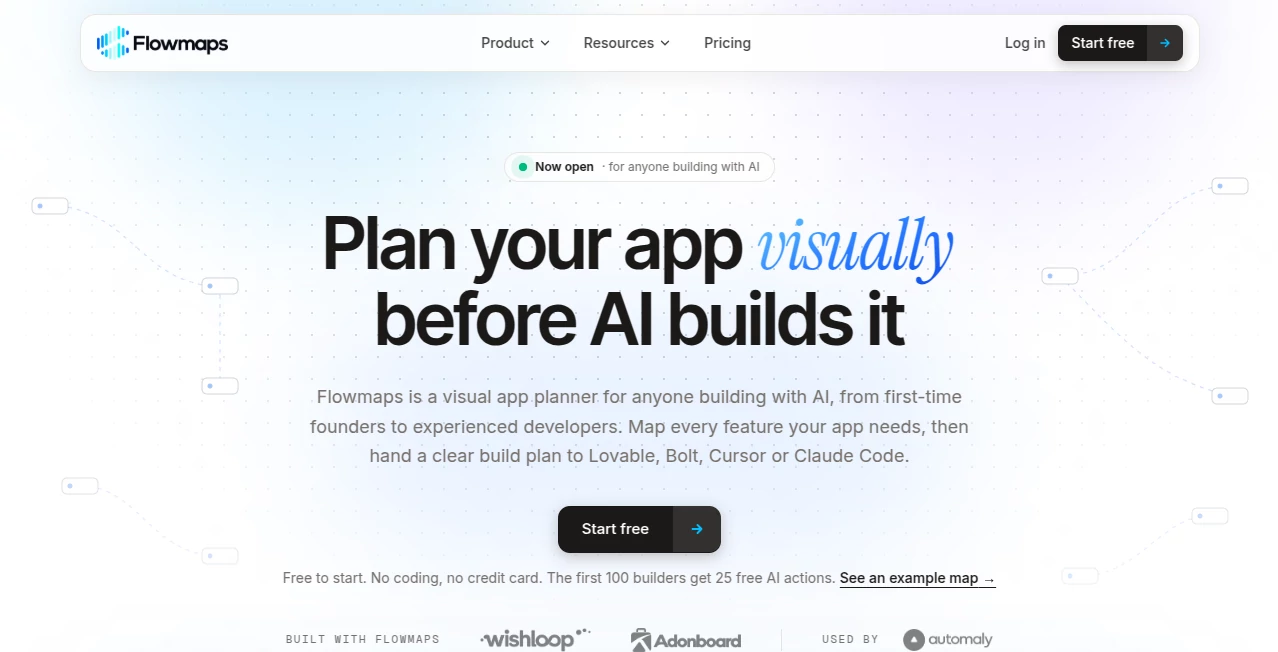
Flowmaps is a visual app planning tool designed to help founders, developers, and product teams turn an early idea into a structured development plan. Instead of asking an AI coding assistant to build an entire application from a vague description, users can map out the features, understand their dependencies, and decide what needs to be built first.
The platform is particularly useful for people working with AI-powered development tools such as Claude Code, Cursor, Lovable, Bolt, Replit, and v0. It provides a planning layer between an initial concept and the actual coding process, helping users approach development with a clearer understanding of the product they want to create.
For example, someone building a subscription-based productivity app might begin with a simple idea but overlook account recovery, payment handling, email notifications, or privacy settings. A visual feature map makes these requirements easier to identify before development gets complicated. By organizing the work into manageable steps, the platform helps users spend less time correcting vague instructions and more time moving their projects forward.
Key Features
User Interface
The visual mapping interface gives users a central place to organize application features and sub-features. Related components can be grouped together, while dependency connections help clarify which tasks need to be completed before others can begin. Color-coded elements make the overall structure easier to scan than a long document or an extended conversation with an AI assistant.
The board also provides a practical way to review development progress. Features can move through a workflow from the initial idea toward completion, giving individuals and teams a clearer picture of what has been planned, what remains unfinished, and what is ready to ship.
Accuracy & Performance
The platform focuses on improving the quality and completeness of development planning rather than generating finished application code on its own. Its AI-assisted mapping and gap-detection capabilities help identify features that may be missing from an initial specification, including authentication, database requirements, payments, and security considerations.
These suggestions can make an early plan more useful, particularly for first-time founders who may not know every component a working application requires. However, the resulting plan still depends on the quality of the original description and should be reviewed before implementation. Technical requirements, integrations, and security decisions may need additional input from an experienced developer.
Capabilities
The main capabilities are designed around the practical stages of planning and building an application:
- Idea-to-feature mapping: Transform an application concept into a visual breakdown of its main features and supporting components.
- Website and project analysis: Use an existing website or project as a starting point when planning improvements or understanding an application that is already under development.
- Dependency tracking: Identify relationships between features and determine a sensible order for implementation.
- Gap detection: Review a plan for commonly overlooked requirements involving accounts, security, payments, privacy, and other essential functionality.
- AI-ready build instructions: Prepare feature-specific prompts for compatible AI coding tools, helping turn a broad objective into a more focused development task.
- Development progress tracking: Organize work from idea through completion and maintain a clearer view of the project's current state.
- Development integrations: Support workflows involving coding assistants and tools such as Claude Code, Cursor, Lovable, Bolt, Replit, v0, and GitHub-related project tracking.
- Team collaboration: Support shared planning and review workflows for teams working on the same application.
These capabilities make the platform useful beyond the initial brainstorming stage. As a project develops, its map can serve as a reference for deciding what to implement next and checking whether the original requirements have been addressed.
Security & Privacy
Security and privacy considerations are part of the planning process, with the gap-detection functionality helping users remember requirements that are easy to overlook during rapid development. This is especially relevant for applications that process personal information, accept payments, or require user authentication.
However, identifying a security requirement in a plan is not the same as implementing or validating it. Users should independently review data handling, access permissions, payment integrations, and deployment settings. Before connecting external services or importing a project, it is also sensible to review the platform's current privacy policy and understand how project information and any connected AI credentials are handled.
Use Cases
- Startup founders: Turn an early business concept into a feature roadmap before investing time and money in development.
- AI-assisted app builders: Prepare more focused instructions for coding assistants instead of repeatedly correcting broad or incomplete prompts.
- SaaS development: Map subscription features, user accounts, billing workflows, permissions, and administrative functions before implementation.
- Mobile application planning: Organize screens, user-facing features, supporting services, and dependencies into a manageable development sequence.
- Existing project improvements: Review an application that is already being built, identify potential omissions, and organize the remaining work.
- Independent developers: Keep track of decisions and unfinished tasks when working across multiple AI tools or development sessions.
- Small teams and agencies: Establish a shared understanding of project scope and coordinate implementation across designers, developers, and stakeholders.
- Minimum viable product development: Separate essential launch features from later improvements to maintain a more realistic initial scope.
Pros and Cons
Pros
- Provides a visual alternative to managing an entire application plan through chat messages.
- Helps identify dependencies and organize features into a logical implementation order.
- Encourages users to consider security, privacy, payments, and other requirements before coding begins.
- Supports workflows involving several popular AI coding assistants rather than relying on a single development environment.
- Makes project progress and unfinished requirements easier to review.
- Can be useful for beginners without preventing experienced developers from planning complex projects.
- Helps break large development goals into smaller, more manageable tasks.
Cons
- AI-generated feature maps may require manual corrections and technical review.
- The quality of the initial plan depends on how clearly the application idea and requirements are described.
- Users still need separate coding tools to implement and test the actual application.
- Projects with established product-management systems may require additional effort to incorporate another planning workspace.
- Advanced integrations and collaboration capabilities may depend on the current subscription or configuration.
Pricing Plans
The available product information describes a free starting option and a Pro subscription, with a 14-day Pro trial mentioned in the product's launch information. This gives prospective users an opportunity to explore the planning workflow before committing to a paid plan.
- Free: A starting option for exploring visual app planning and evaluating whether the workflow fits your development process.
- Pro: A paid tier intended for users who want access to additional planning capabilities and a more complete development workflow.
The exact current subscription prices, usage limits, and differences between plans should be confirmed on the official pricing page before purchasing. The AI functionality has been described as using the user's own Anthropic API key, which can help avoid an additional markup on AI usage; users should still account for any applicable API charges.
How to Use Flowmaps
- Start with an application idea: Describe the product you want to build in plain language, including its intended audience and primary purpose.
- Provide additional context: Where supported, use an existing website or project to give the planning process more information about the application.
- Generate the feature map: Review the proposed features, sub-features, and dependencies to understand the overall scope.
- Check for missing requirements: Examine the suggested gaps, paying particular attention to authentication, data storage, payments, security, and privacy.
- Prioritize development: Decide which features are necessary for the first release and which can be postponed until later.
- Prepare implementation tasks: Use the feature-specific build instructions with a compatible AI coding assistant, adjusting the requirements whenever necessary.
- Track progress: Update the project as work advances, review unfinished features, and verify that completed functionality meets the original requirements.
A useful approach is to begin with a small but complete version of the product. For instance, a booking application might initially need account management, appointment selection, confirmation messages, and basic administration. Optional analytics and advanced integrations can follow after the essential journey works reliably.
Comparison with Similar Tools
Several tools can help developers organize application ideas, but they serve different purposes. The right choice depends on whether the main challenge is planning functionality, generating diagrams, or implementing software.
- Lovable and Bolt: These tools focus on building applications from natural-language instructions. A structured feature map can help users prepare clearer requirements before sending them to an application builder.
- Cursor and Claude Code: These development assistants help users work with code and implement features. A dedicated planning workspace complements them by organizing requirements and dependencies before individual coding tasks begin.
- Traditional mind-mapping tools: General-purpose visual mapping software can organize ideas and relationships, while a development-focused planner adds application-specific feature breakdowns, build instructions, and progress tracking.
- Project-management platforms: Tools built around tasks, deadlines, and team assignments are useful for coordinating delivery. A feature-oriented planning map is more specifically concerned with understanding what an application needs and how its components relate to one another.
The main distinction is the focus on planning applications for AI-assisted development. Rather than replacing coding assistants or general project-management software, the platform provides a structured starting point that can make those tools easier to use effectively.
Conclusion
Flowmaps addresses a common challenge in AI-assisted software development: knowing what to build before asking an AI coding assistant to build it. By turning an application idea into a visual feature map, identifying potential gaps, and organizing implementation steps, it gives developers a clearer starting point for their work.
It is particularly relevant to indie hackers, startup founders, and small development teams who want to move quickly without losing track of essential requirements. Experienced developers may also find value in using a shared map to clarify scope or organize an existing project.
The platform does not remove the need for technical judgment, testing, or security reviews. Its value lies in making planning more structured and actionable. For builders who frequently find themselves rewriting prompts, adding forgotten features, or losing track of unfinished work, a dedicated planning stage can make the development process considerably easier to manage.
Frequently Asked Questions (FAQ)
1. What is Flowmaps used for?
It helps users turn application ideas into visual feature maps, identify missing requirements, organize development dependencies, and prepare tasks for AI coding assistants.
2. Does it build the entire application automatically?
Its primary purpose is application planning rather than independently generating a finished product. Users can take the resulting feature instructions into compatible coding assistants to implement the application.
3. Which AI coding tools can it work with?
The available product information mentions Claude Code, Cursor, Lovable, Bolt, Replit, v0, and related development workflows. Integration details may vary, so users should check current documentation for the supported connection methods.
4. Can beginners use it?
Yes. Visual feature breakdowns and suggested missing requirements can help beginners understand what an application needs. However, complex technical decisions may still require developer guidance.
5. Can it help with an application that is already under development?
Yes. Existing websites and projects can serve as starting points for mapping features and reviewing remaining work, where the relevant import or analysis functionality is supported.
6. Does it help identify security issues?
It can flag planning gaps involving security, privacy, and sensitive functionality. These checks are planning aids rather than substitutes for security testing, code review, or compliance assessments.
7. Is there a free plan?
A free starting option has been described in the product's launch information. Check the current pricing page for the latest limits, Pro trial terms, and subscription details.
8. Does using its AI features incur additional costs?
The product has described an approach that uses the user's own Anthropic API key. Depending on the configuration, AI usage may therefore incur separate API charges, so users should review the applicable billing terms.