
Reline
What is Reline?
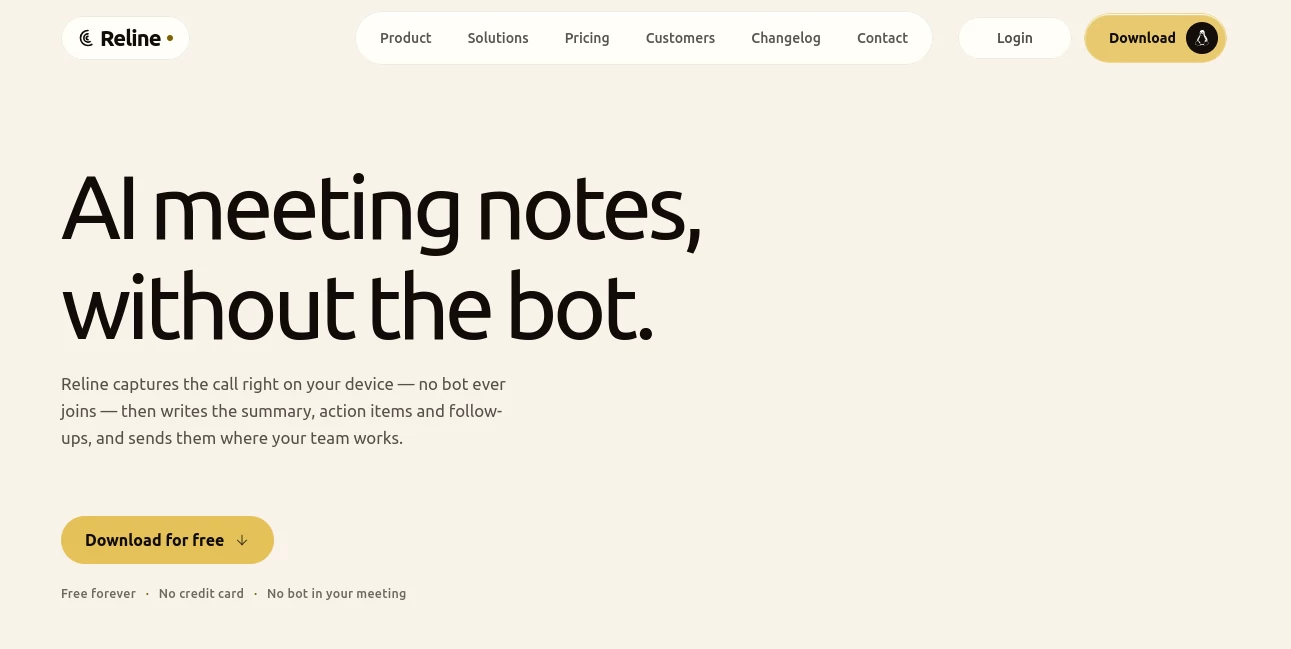
Reline is an AI-powered meeting notepad built for people who want useful notes without adding another participant to their calls. Instead of sending a recording bot into a Zoom, Google Meet, Microsoft Teams, or other conversation, it captures the meeting from your device and turns it into a searchable transcript, summary, decisions, and action items.
The approach is refreshingly practical. You can record a conversation, keep the original audio, replay specific moments from the transcript, and turn the discussion into a structured note that is actually useful after the meeting ends. For consultants, product teams, researchers, sales professionals, and anyone who spends a large part of the week in meetings, that can make a noticeable difference.
Key Features
- Bot-free recording that does not add an automated participant to the meeting.
- Live speaker-separated transcription in more than 60 languages.
- AI-generated summaries, decisions, and action items.
- Citation-backed answers that connect AI responses to specific transcript moments.
- RAG chat across individual notes, folders, or an entire workspace.
- Lenses for creating consistent meeting outputs such as summaries, follow-up emails, and structured notes.
- Calendar integrations for keeping recordings associated with the right meetings.
- Collaborative notes with real-time editing and workspace organization.
- Audio playback directly from transcript lines.
- Support for browser recording as well as native desktop applications.
User Interface
The interface is designed around the meeting itself rather than a complicated collection of AI controls. Recordings, transcripts, summaries, folders, and conversations are brought together in a workspace that feels closer to a modern notes application than a traditional transcription dashboard.
One particularly useful touch is transcript playback. When a summary makes an important claim, you can go back to the relevant transcript section and listen to the original recording. That is a small feature, but it makes reviewing important conversations much more comfortable.
The browser version also removes a common barrier: there is no need to install an application before trying the service. It can run in a modern browser, including on Linux and ChromeOS, while desktop applications are available when users want more convenient system-audio capture.
Accuracy & Performance
The service provides live transcription with automatic language detection and support for more than 60 languages. Speaker separation helps turn a raw conversation into something easier to read, particularly when several people are involved in a discussion.
Another strong point is the connection between transcription and AI-generated information. Instead of presenting a summary as something that simply has to be trusted, its answers can point back to the relevant section of the transcript. This is especially valuable when a meeting contains deadlines, customer requirements, technical decisions, or other details that need verification.
For specialized terminology, names, acronyms, and product language, personal or workspace glossaries can also be used to improve transcription results.
Capabilities
The biggest advantage is that recording is only the first step. Once a conversation has been captured, the transcript can be transformed into different formats through Lenses. A team can define the structure it wants for recurring meetings and reuse that format instead of manually rewriting every conversation.
The built-in AI chat goes further by allowing questions across a single note, a folder, or a broader workspace. For example, after several customer interviews, a consultant could ask what customers said about a particular issue and trace the response back to the underlying conversations.
Calendar synchronization, collaborative editing, workspace permissions, and integrations with tools such as Slack, Linear, and Notion are designed to move meeting information closer to the place where the team already works.
Security & Privacy
Privacy is an important part of the product's positioning. Audio capture happens locally on the user's device, meaning a recording bot does not need to enter the meeting or appear in the participant list. However, this should not be confused with completely on-device AI processing: transcription, AI summaries, and cloud storage are handled through cloud infrastructure.
The company states that audio and transcripts are not used to train third-party models. Its security model also includes permission levels and audit logging, with additional administrative controls available on the Enterprise plan.
Organizations should still review their own recording and consent requirements before capturing meetings. The absence of a visible bot does not remove legal or organizational obligations surrounding recording conversations.
Use Cases
Consultants: Client calls can be recorded, summarized, and searched later without forcing a meeting bot into the conversation. Folder-level questions are particularly useful when an engagement contains dozens of calls.
Sales teams: Customer conversations can be turned into structured summaries and action items. Reviewing the original recording from a transcript line also makes it easier to verify an important customer statement.
Product and research teams: Interviews, planning sessions, and research conversations become a searchable knowledge base instead of disappearing into scattered notes.
Remote teams: Shared workspaces and collaborative notes make it easier for teammates to catch up on conversations they did not attend.
Students and educators: Lectures and study discussions can be recorded and converted into summaries, while searchable transcripts make revisiting a specific explanation much easier.
Pros and Cons
- Pros: No meeting bot, browser-based recording, 60+ transcription languages, searchable transcripts, audio replay, cited AI answers, reusable Lenses, collaborative workspaces, and a permanent free plan.
- Pros: The product works across different meeting platforms because it captures computer audio rather than depending on a meeting-platform bot.
- Pros: Professional users get unlimited recording, transcription, storage, and workspaces.
- Cons: AI processing and storage are cloud-based even though audio capture happens locally.
- Cons: The service is not currently positioned as HIPAA compliant, which may rule it out for certain sensitive healthcare workflows.
- Cons: Some integrations are rolling out rather than being universally available.
Pricing Plans
The Free plan costs $0 and is designed to provide a genuine starting point rather than a short trial. It includes recordings of up to one hour per note, 10 hours of transcription per month, 2 GB of storage, calendar integrations, AI summaries, and the Lenses library. No credit card is required.
The Professional plan costs $15 per user per month when billed monthly, or $12 per user per month with annual billing. It removes the recording and transcription limits and adds unlimited storage, unlimited workspaces, and priority support.
The Enterprise plan costs $32 per user per month monthly, or $26 per user per month with annual billing. It adds features aimed at organizations, including workspace audit logs, organization-wide policy controls, single sign-on, custom DPA and MSA options, and a priority SLA.
How to Use the AI Meeting Notepad
Getting started is straightforward. Create an account and open the recording experience in a browser or use the desktop application. When recording from the browser, the appropriate meeting audio can be shared through the browser's screen-sharing mechanism along with the microphone.
Once the conversation begins, the service captures the audio and produces a live, speaker-separated transcript. After the meeting, the transcript can be reviewed, replayed, edited, and transformed into an AI summary.
Choose a suitable Lens when you want a particular output format, such as a concise meeting recap or a list of action items. You can also ask questions about the conversation and use the resulting citations to jump back to the relevant point in the transcript.
For teams, notes can then be organized into folders and workspaces, shared with collaborators, or sent toward connected work tools as supported by the available integrations.
Comparison with Similar Tools
Compared with familiar AI meeting assistants such as Otter, Fathom, Granola, and Jamie, the most distinctive approach here is the combination of bot-free capture, browser availability, preserved recordings, and citation-backed AI answers.
Its browser-first option is particularly interesting for people working on Linux or Chromebook devices, where some competing meeting notetakers have more limited platform support. The ability to replay audio from a transcript also gives it an advantage when accuracy matters and a user wants to check what was actually said rather than relying entirely on an AI-generated summary.
The choice ultimately depends on workflow. Someone looking for basic transcription may find several alternatives suitable, while teams that want searchable meeting knowledge, reusable output formats, collaborative notes, and traceable AI answers may find this approach considerably more appealing.
Conclusion
For anyone who has finished a meeting and immediately realized that nobody wrote down the important parts, an AI notepad can be more than a convenience. It can become part of the team's working memory.
The combination of bot-free recording, multilingual transcription, replayable audio, structured AI summaries, searchable conversations, and reusable Lenses gives this service a well-rounded workflow from conversation to completed action. The free plan also makes it easy to test the experience on real meetings before committing to a paid subscription.
Its strongest appeal is simple: the meeting stays a normal meeting. There is no artificial participant to introduce, no complicated note-taking routine to maintain, and far less reason to choose between listening carefully and writing everything down.
Frequently Asked Questions (FAQ)
Does it add a bot to meetings?
No. Meetings are captured from the user's device, so an automated notetaker does not appear as a participant in the call.
How many languages are supported?
Live transcription supports more than 60 languages with automatic language detection.
Can I record meetings without installing an application?
Yes. Recording can be started directly in a modern web browser. Desktop applications are also available for users who want more convenient system-audio capture.
Can I listen to the original recording?
Yes. The recording is retained, and transcript lines can be used to replay the corresponding moment of the conversation.
Can I ask questions about previous meetings?
Yes. AI-powered RAG chat can work across an individual note, a folder, or a workspace, with answers linked back to relevant transcript timestamps.
Is there a free plan?
Yes. The Free plan is available without a credit card and includes one-hour recordings per note, 10 hours of transcription per month, 2 GB of storage, AI summaries, Lenses, and calendar integrations.
Is the AI processing completely on my device?
No. Audio capture happens locally, but transcription, AI summaries, and storage are handled through cloud infrastructure.
Is it suitable for sensitive healthcare information?
The service states that it is not HIPAA compliant, so organizations handling protected health information should consider other solutions or confirm their requirements directly with the provider.
AI Recording , AI Transcription , AI Meeting Assistant , AI Notes Assistant .
These classifications represent its core capabilities and areas of application. For related tools, explore the linked categories above.
Reline details
Website unavailable — View Alternatives
Pricing
- Freemium
Apps
- Web App
- Linux App
Categories

Reline Alternatives Product

justmarkdown

SuperAI

Eleven AI

SkipBait

Omphalis

Read

GeekBye

ekstrakt
Speechara