
SoundBoost
What is SoundBoost?
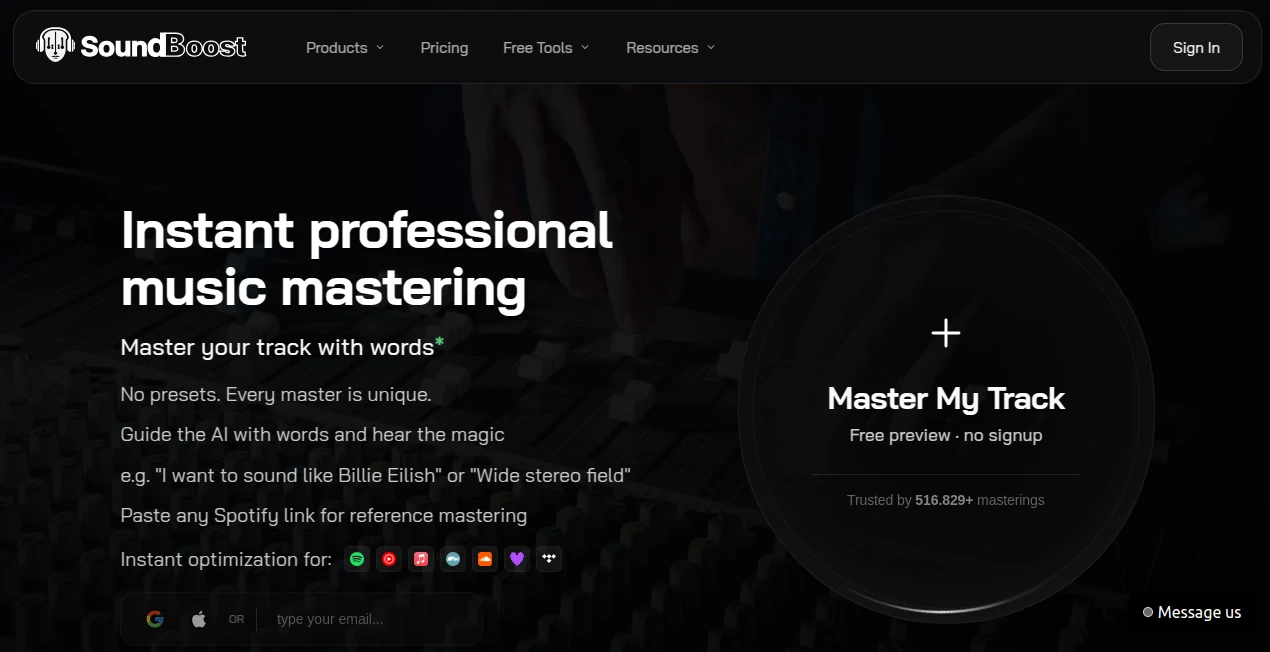
SoundBoost is an AI-powered music mastering platform designed to help musicians, producers, and independent artists turn finished mixes into polished masters without needing a traditional mastering setup. Instead of forcing users through a long list of technical presets, the platform lets you describe the sound you want in plain language and uses that direction to shape the mastering process.
The workflow is remarkably straightforward. Upload a track, describe the character you are looking for, and preview the result. You can ask for something warmer, wider, punchier, smoother, or more energetic, then compare the mastered version with your original mix before deciding whether it is ready to export.
It is particularly appealing for bedroom producers and independent musicians who want to move quickly from a completed mix to a release-ready master while still having meaningful creative control.
Key Features
- Prompt-guided mastering: Describe your desired sound using natural language instead of relying entirely on traditional presets.
- Reference mastering: Use a Spotify track as a reference and guide the master toward its loudness, tonal balance, stereo width, and dynamics.
- AI mastering engineers: Choose from multiple AI engineer profiles with different approaches to musical character and processing.
- Advanced audio processing: The mastering system works with EQ, compression, saturation, stereo width, analog warmth, de-essing, tape effects, and true-peak limiting.
- Streaming optimization: Masters can be prepared with major streaming environments such as Spotify, Apple Music, and YouTube Music in mind.
- Stem separation: Vocals, drums, bass, guitar, piano, and other musical elements can be separated for production, remixing, and practice workflows.
- Vocal removal: Create instrumental or acapella versions of tracks for rehearsal, remixing, and creative projects.
- Audio analysis tools: LUFS measurement, loudness analysis, and device simulation help producers evaluate how a track may translate across different listening environments.
- Multiple export formats: Finished projects can be exported in formats including WAV, MP3, FLAC, OGG, AAC, and M4A.
User Interface
The interface focuses on getting the musician from upload to useful results quickly. The central workflow revolves around the track, the desired sonic direction, and the resulting master rather than overwhelming users with dozens of technical controls.
This makes the platform approachable for someone who understands music but does not necessarily want to spend an afternoon learning every parameter on a conventional mastering chain. More experienced producers can still dig deeper by adjusting available effects, intensity, engineer profiles, and reference settings.
Accuracy & Performance
The mastering engine analyzes characteristics such as genre, BPM, loudness, and the sonic requirements of the mix before assembling an appropriate processing chain. According to the platform, its current mastering engine uses multiple AI engineer profiles and performs deeper analysis than earlier versions.
Speed is another strong point. A typical master can be generated in under a minute, making it practical for artists who want to compare several approaches rather than committing to one processing chain from the beginning.
The built-in A/B comparison is especially useful here. Instead of judging the result in isolation, you can switch between the original and mastered versions and decide whether the processing genuinely improves the song.
Capabilities
The biggest advantage is the combination of automation and creative direction. A producer can write something as simple as “warm, powerful and wide stereo” and let the system translate that instruction into audio processing. More specific requests can also be used when a track needs a particular adjustment.
Reference mastering adds another useful layer. Rather than describing every sonic characteristic yourself, you can point toward a reference track and let the system analyze its loudness and tonal characteristics.
The surrounding production tools make the service more than a mastering utility. Stem splitting, vocal removal, tempo changes, key changes, looping, chord information, and practice-oriented features can support musicians before and after the mastering stage.
Security & Privacy
For musicians, unpublished recordings can be highly sensitive, so privacy matters. The platform states that it does not train its AI models on users' masters and does not share those recordings with third parties.
It also provides browser-based tools such as the LUFS meter and loudness analysis that can run locally without uploading the audio file. This gives users an additional option when they simply need to inspect a track rather than send it through the mastering workflow.
Use Cases
- Independent artists: Prepare singles, EPs, and albums without hiring a mastering engineer for every revision.
- Bedroom producers: Turn a home-produced mix into a more polished final master with minimal technical setup.
- Electronic music producers: Experiment with loudness, width, punch, saturation, and reference-based mastering.
- Remixers: Separate vocals, drums, bass, and instruments to create new arrangements and edits.
- Singers: Remove vocals from existing songs and create backing tracks for rehearsal and performances.
- Music educators: Isolate individual instruments and sections to study arrangements or practice specific parts.
- Content creators: Improve the consistency and perceived quality of music used in digital content.
Pros and Cons
Pros
- Natural-language control makes mastering easier to understand.
- Fast processing can produce a master in under a minute.
- Reference mastering provides more precise creative direction.
- Multiple AI mastering engineer profiles offer different sonic approaches.
- A/B comparison makes it easier to judge changes objectively.
- Includes useful stem separation and vocal-removal capabilities.
- Supports mobile workflows across modern devices.
- Offers tools for checking loudness and playback translation.
Cons
- Producers who prefer complete manual control may still prefer a traditional mastering setup.
- The quality of the final master remains dependent on the quality of the original mix.
- Some advanced features require a paid membership.
- Artists with highly specialized mastering requirements may still want a professional human engineer.
Pricing Plans
The service uses a subscription-based model, with membership options designed for different levels of music production activity. Current plans include weekly, monthly, and annual options, while membership provides unlimited mastering credits and stem-splitter runs.
The paid feature set includes unlimited mastering and stems, access to all effects, prompt-to-mastering, WAV and HD-WAV exports, MP3 exports, and multiple revisions per track. Higher-tier access adds features such as bulk mastering, unlimited revisions, full-length previews, drum separation, guitar and piano stems, and priority processing.
There is also a free preview workflow that allows users to test AI mastering without signing up before deciding whether the full suite is worth using.
How to Use the Platform
- Upload your finished music file in a supported audio format.
- Listen to the original mix and make sure the track is properly mixed before mastering.
- Describe the sound you want using a short natural-language prompt.
- Select an AI mastering engineer or use the default mastering approach.
- If desired, provide a Spotify reference track for reference mastering.
- Generate the master and listen carefully to the result.
- Use A/B comparison to evaluate the original against the processed version.
- Adjust the direction or effects and create another revision if necessary.
- When the result sounds right, finalize the master and export it in the format required for your release.
Comparison with Similar Tools
Traditional online mastering services generally ask users to select a preset and make relatively broad choices before generating a result. This approach can be convenient, but it may feel restrictive when an artist has a very specific sonic goal.
This platform takes a more conversational route. Instead of thinking only in terms of genre presets, you can describe what you hear in your head and let the mastering engine interpret the request. Reference mastering adds another advantage by giving the system a concrete sonic target.
Compared with a fully manual DAW-based mastering workflow, it is considerably faster and easier to operate. The trade-off is that experienced mastering engineers may still want the granular control available from a completely manual signal chain.
Conclusion
For musicians who want professional-looking mastering without turning the process into a technical project, this platform offers a convincing middle ground between one-click automation and full manual production.
Its strongest feature is not simply that it can make a track louder or brighter. The ability to describe a desired sound, compare the result against the original, experiment with different AI engineers, and use a reference track gives artists more say in the final character of their music.
The additional stem separation, vocal removal, loudness analysis, and mobile capabilities make it useful beyond the final mastering stage. Whether you are preparing your first single or working through another release, it can shorten the distance between a finished mix and a polished final track.
Frequently Asked Questions (FAQ)
What does AI mastering do?
AI mastering analyzes a completed mix and applies audio processing intended to improve characteristics such as loudness, tonal balance, dynamics, stereo width, and peak control.
Can I describe how I want my song to sound?
Yes. The prompt-based workflow allows you to describe the desired sonic character in natural language, such as asking for more warmth, width, clarity, punch, or energy.
Can I use a reference song?
Yes. Reference mastering allows a Spotify track to be used as a sonic reference for characteristics such as loudness, tonal balance, and dynamics.
How long does mastering take?
The platform states that a typical online master can be generated in under a minute, although processing time can vary depending on the workflow and project.
Can I compare the master with my original mix?
Yes. An A/B comparison feature lets you switch between the original and mastered versions so you can judge whether the processing has actually improved the track.
Does it support mobile devices?
Yes. The service provides mobile access through iOS and Android, allowing users to continue music mastering and related workflows away from a desktop.
Can I separate vocals and instruments?
Yes. Its stem separation tools can isolate vocals, drums, bass, guitar, piano, and other musical elements for remixing, practice, backing tracks, and production.
Does the service use my music to train its AI?
The platform states that it does not train its models on users' masters and does not provide those recordings to third parties.
AI Audio Enhancer , AI Voice & Audio Editing .
These classifications represent its core capabilities and areas of application. For related tools, explore the linked categories above.
SoundBoost details
Website unavailable — View Alternatives
Pricing
- Freemium
Apps
- Web App
- iOS App
- Android App
Categories

SoundBoost Alternatives Product

Voice Art

Soniq Chat

Qwen3 TTS

Lyria 3

Audio Convert

Speech Notes

PureMIDI

MP3toMIDI

Ssave App