
🧠 AI Quiz
Think you really understand Artificial Intelligence?
Test yourself and see how well you know the world of AI.
Answer AI-related questions, compete with other users, and prove that
you’re among the best when it comes to AI knowledge.
Reach the top of our leaderboard.


















Adcrafty

What is Adcrafty?
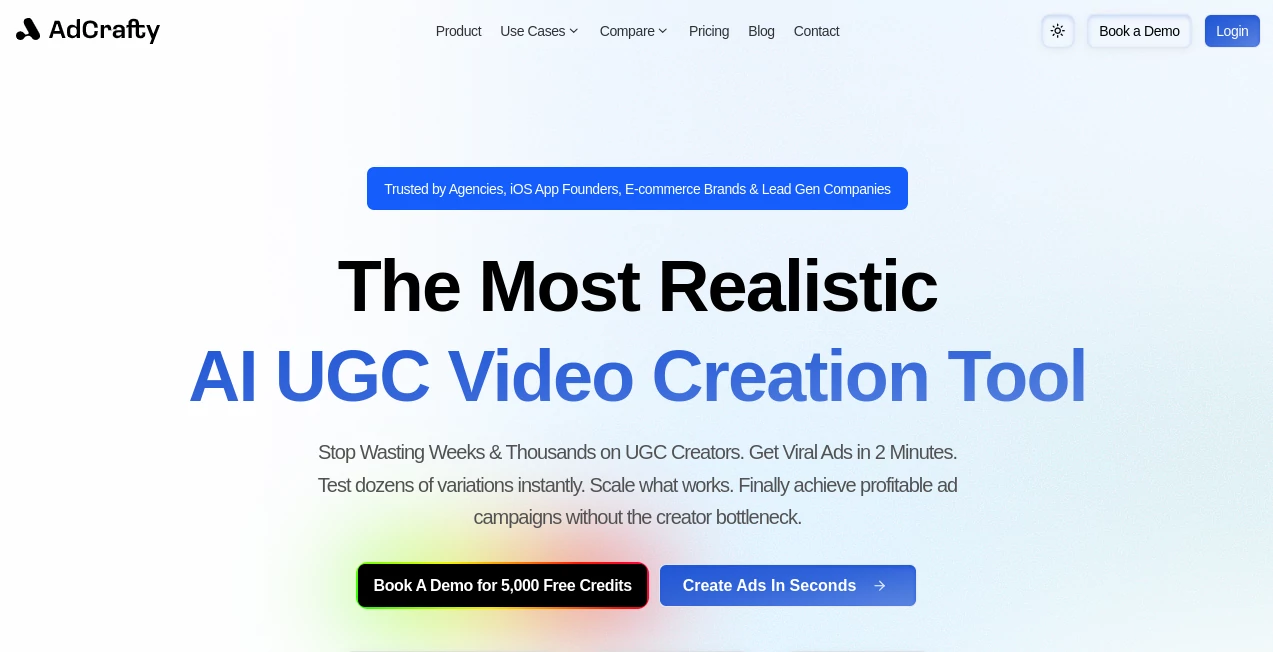
Picture this: you’re staring at a blank canvas for your next Facebook ad, deadline looming, and suddenly a tool hands you five killer creatives that look like they came from a top agency—sharp visuals, punchy copy, and hooks that actually stop the scroll. That’s the daily reality for people using this platform. It takes the guesswork out of ad design, blending smart AI with real-world performance data to churn out visuals and headlines that feel custom-made and convert like crazy. I’ve seen small brands go from flat campaigns to eye-catching ones overnight, and the results speak for themselves—higher click-throughs, lower costs, more sales.
Introduction
In the crowded world of digital advertising, standing out isn’t just nice—it’s survival. This tool was built exactly for that moment when you need fresh, high-performing creatives fast. It pulls from a massive library of proven ad templates and styles, then tailors everything to your product, audience, and goals. What started as a simple idea to help e-commerce sellers has grown into a full creative engine used by agencies, solo entrepreneurs, and brands who want to test dozens of ideas without burning time or budget. The best part? It doesn’t just spit out pretty pictures—it prioritizes what works, so your ads don’t just look good, they move the needle.
Key Features
User Interface
Everything is clean and fast. You land on a simple dashboard, drop in your product image or link, pick a platform (Facebook, Instagram, TikTok, etc.), and the tool starts cooking. No cluttered menus or confusing settings—just a clear flow that feels like working with a sharp creative partner. The preview pane updates in real time, letting you tweak copy or swap visuals with a click. I’ve used it on a coffee run and still got a campaign ready by the time I finished my latte.
Accuracy & Performance
This is where it really shines. It doesn’t just generate random designs—it analyzes thousands of winning ads and applies those patterns to your brief. Colors, fonts, layouts, and copy all feel battle-tested. Early adopters have reported CTR boosts of 30–70% on their first tests. The AI learns from your past campaigns too, so the longer you use it, the sharper it gets. It’s like having a creative director who’s seen every ad that ever worked.
Capabilities
It handles everything from static images and carousels to short video ads and even text overlays that pop. You can generate dozens of variations in minutes, each one optimized for different audiences or angles—pain points, benefits, urgency, humor, you name it. It supports multiple languages and adapts to brand guidelines if you feed it examples. Whether you’re selling skincare, SaaS, or handmade jewelry, it finds the visual and verbal sweet spot that resonates.
Security & Privacy
Your product images and campaign data stay yours. The tool uses secure processing and doesn’t store your assets beyond the session unless you choose to save them. It’s GDPR-compliant and built with enterprise-grade encryption. For agencies handling client work, this is a big deal—no one wants their brand assets floating around.
Use Cases
A boutique clothing brand uses it to test 20+ variations for Black Friday in under an hour, then picks the top performers based on early engagement. A SaaS founder creates scroll-stopping video ads for LinkedIn without hiring a video team. A local gym runs seasonal campaigns with fresh creatives every week, keeping members engaged without the same tired visuals. It’s perfect for anyone who needs to move fast and stay fresh.
Pros and Cons
Pros:
- Generates dozens of high-converting creatives in minutes.
- Learns from your brand and past winners for better results over time.
- Supports images, carousels, and video—covers all major ad formats.
- Affordable pricing that scales with your needs.
Cons:
- Video generation is still rolling out and limited in some plans.
- Best results come from clear product images and specific prompts.
Pricing Plans
It starts with a generous free tier that lets you test the waters and generate a handful of creatives without spending a dime. Paid plans begin at a low monthly rate for unlimited generations, priority processing, and access to premium templates. Higher tiers add team collaboration, video support, and dedicated support. Yearly billing saves you a nice chunk, and there’s no long-term lock-in—cancel anytime. It’s built so you only pay for the value you’re getting.
How to Use AdCrafty
Sign up, connect your ad account if you want (optional), then upload your product image or enter a URL. Choose your platform and goal—awareness, traffic, conversions—and add any brand guidelines or tone preferences. Hit generate and watch the magic happen. Review the options, tweak copy or visuals if needed, and export directly to your ad manager. It takes about 5–10 minutes from idea to ready-to-run campaign.
Comparison with Similar Tools
Most ad generators throw out generic visuals and basic copy. This one stands apart by focusing on performance-proven templates and real-time learning from your campaigns. It’s faster, more consistent, and actually understands what converts—not just what looks nice. For serious advertisers, it’s the difference between throwing darts and aiming with precision.
Conclusion
This tool takes the frustration out of ad creative and replaces it with speed, quality, and results. It’s not just another AI generator—it’s a creative partner that helps you win. Whether you’re a solo founder or running a full agency, it gives you the edge to test more, iterate faster, and convert harder. If you’re tired of mediocre ads, this is the upgrade you’ve been waiting for.
Frequently Asked Questions (FAQ)
Do I need design skills?
No. The tool does the heavy lifting—you just provide the product and direction.
Can I use my own brand assets?
Yes. Upload logos, colors, and fonts to keep everything on-brand.
How many creatives can I generate?
Unlimited on paid plans—perfect for testing multiple angles quickly.
Does it support video ads?
Video is rolling out now and available on higher plans.
Is there a free trial?
Yes—start for free and upgrade when you’re ready.
AI Ad Creative Assistant , AI Ad Generator , AI Marketing Plan Generator , AI Digital Marketing Generator .
These classifications represent its core capabilities and areas of application. For related tools, explore the linked categories above.
Adcrafty details
This tool is no longer available on submitaitools.org; find alternatives on Alternative to Adcrafty.
Pricing
- Free
Apps
- Web Tools
Categories

Adcrafty Alternatives Product

Reachara

SalesPageNow

Shutterstock
Domer

Linkedora

Touchpoint

Serplux
AILeadz.io

PostingCat
