🧠 AI Quiz
Think you really understand Artificial Intelligence?
Test yourself and see how well you know the world of AI.
Answer AI-related questions, compete with other users, and prove that
you’re among the best when it comes to AI knowledge.
Reach the top of our leaderboard.


















PicPhoto

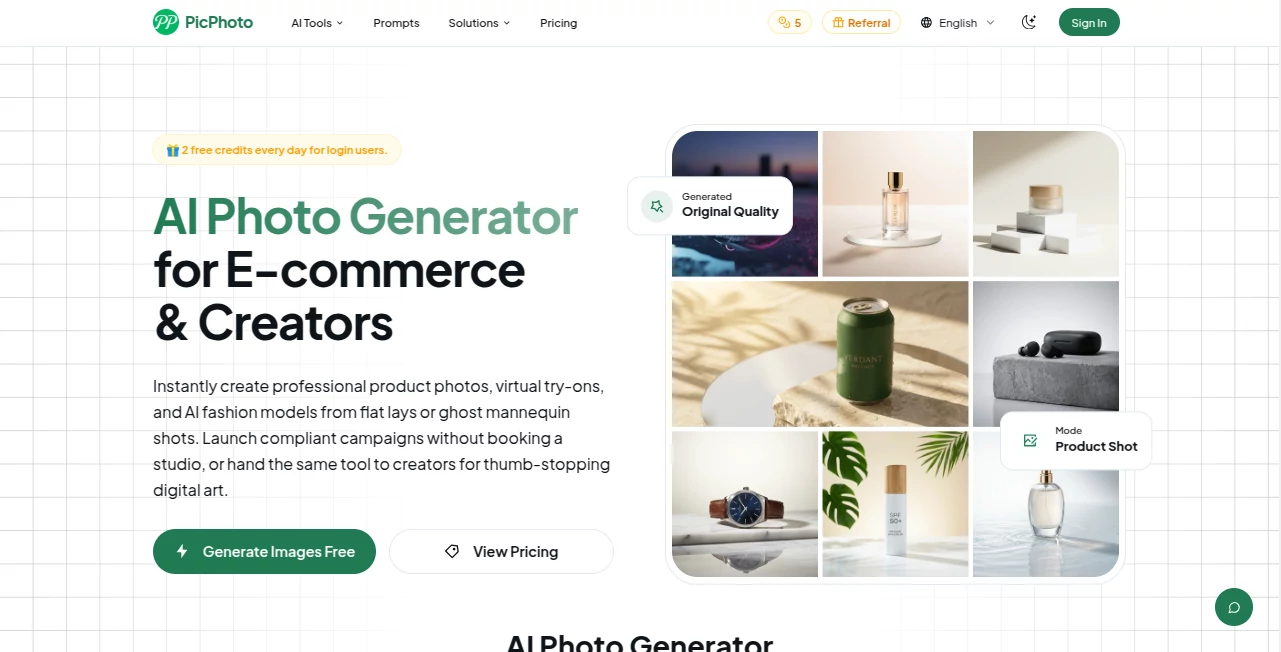
What is PicPhoto?
Ever had a vision in your head that you wished you could just pull out and show people? This tool makes that feel almost too easy. You type a few words, maybe add a photo reference if you want, and within moments you’re looking at something that looks like it came straight out of a professional studio. I remember trying it late one night with a vague idea of “a cyberpunk street at dusk with neon signs and light rain”—the result was so spot-on I almost didn’t believe it was AI.
Introduction
What sets this platform apart is how it balances simplicity with serious creative power. It’s not just another image generator that spits out generic art; it’s built for people who actually care about the details—lighting, composition, mood. Whether you’re designing book covers, creating social media posts, or just messing around for fun, it delivers consistently beautiful results without forcing you to become a prompt engineer. The community around it is growing fast because it simply works—and it looks good doing it.
Key Features
User Interface
The dashboard is refreshingly clean. You get a big prompt box, a few style presets if you’re in a hurry, and a preview pane that updates as you refine your idea. No overwhelming menus, no confusing sliders everywhere—just the essentials. It feels like someone actually thought about how real people use these tools instead of cramming in every possible option.
Accuracy & Performance
Consistency is where it really shines. Faces stay recognizable across generations, lighting behaves like real light, and the overall composition rarely feels random. Speed is impressive too—most images appear in under 15 seconds even on higher resolutions. It’s not perfect every single time, but the hit rate is high enough that you’re rarely frustrated.
Capabilities
Beyond basic text-to-image, you can upload reference photos to guide style, faces, or entire scenes. There are also strong editing tools built in: inpainting, outpainting, upscaling, and even face restoration that actually works. The variety of styles—from photorealism to painterly to cinematic—is genuinely impressive.
Security & Privacy
They take privacy seriously. Images are processed quickly and not stored on servers unless you explicitly choose to save them. No sneaky data harvesting, no ads, just a straightforward service that respects your creative work.
Use Cases
Graphic designers use it to quickly mock up concepts or create hero images for clients. Content creators generate eye-catching thumbnails and visuals for YouTube or Instagram. Writers bring book cover ideas to life without hiring an illustrator. Even photographers use it for inspiration or to quickly test composite ideas.
Pros and Cons
Pros:
- Beautiful, consistent results with minimal prompt engineering
- Fast generation times, even at higher resolutions
- Powerful editing tools that actually work well
- Very generous free tier for testing
Cons:
- Free tier has slower queue times during peak hours
- Some advanced features (like higher resolutions) are paid-only
- Occasional minor artifacts in complex scenes (though rare)
Pricing Plans
Free plan gives you 25 images per day—enough to experiment seriously. Paid plans start at a very reasonable price for 300 images monthly, with higher tiers offering priority access, faster generation, and commercial rights. No hidden fees, no sneaky credit systems.
How to Use AI Photo Generator
Just type what you want to see. Be specific about lighting, mood, and composition for best results. Use reference images when you want a particular style or person. Use the built-in editor to fix small issues or expand the image. Download and go. The more you play with it, the better you get at guiding it exactly where you want.
Comparison with Similar Tools
Compared to other popular generators, this one stands out for its balance of quality, speed, and editing capabilities. Some competitors are faster but produce less consistent results; others offer more control but are much slower and more complicated. This tool hits a sweet spot that feels right for most creators.
Conclusion
If you’re tired of mediocre AI images that need heavy editing afterward, this tool will surprise you. It delivers professional-looking results with surprisingly little effort, and the built-in editing suite makes it a complete creative package. Once you start using it, it’s hard to go back to anything else.
Frequently Asked Questions (FAQ)
Is it really free?
Yes, the free plan gives you 25 images per day with no time limit. Paid plans remove watermarks and give you priority access.
Can I use the images commercially?
Yes, all paid plans include full commercial rights. Free images are for personal use only.
How good is the image quality?
Very good—especially for portraits, product shots, and artistic styles. It competes well with much more expensive tools.
Do I need to write long prompts?
Not really. Short, clear prompts work great. The tool understands natural language well.
Is there a mobile app?
No mobile app yet, but the web version works beautifully on phones and tablets.
AI Photo & Image Generator , AI Design Generator , AI Text to Image .
These classifications represent its core capabilities and areas of application. For related tools, explore the linked categories above.
PicPhoto details
This tool is no longer available on submitaitools.org; find alternatives on Alternative to PicPhoto.
Pricing
- Free
Apps
- Web Tools
Categories

PicPhoto Alternatives Product

Freepik
Image to Pro…

claude image

Generador De…

ChromaPeel

Caricature G…

Qwen Image

Nano Banana …

Nano Banana 2