
🧠 AI Quiz
Think you really understand Artificial Intelligence?
Test yourself and see how well you know the world of AI.
Answer AI-related questions, compete with other users, and prove that
you’re among the best when it comes to AI knowledge.
Reach the top of our leaderboard.


















AI Family Photo Generator
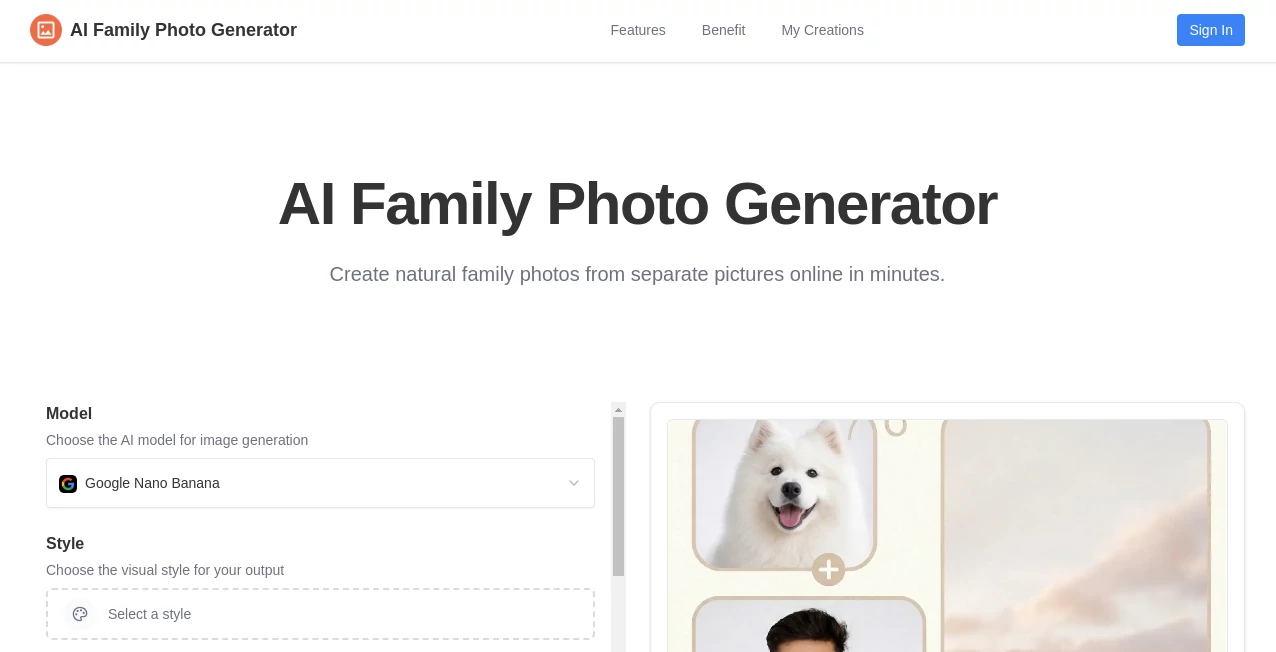
What is AI Family Photo Generator?
Family photos have a special kind of magic, but getting everyone together in the same place at the same time with good lighting is surprisingly hard. This tool quietly solves that problem. You upload individual photos of family members, and it brings them together into one natural-looking group portrait that feels like it was taken during a real moment. The results often look so convincing that people do a double-take. I've seen families use it to include a loved one who couldn't travel, or to create that perfect holiday card photo when schedules never aligned. It's the kind of small miracle that turns scattered snapshots into something meaningful and lasting.
Introduction
Life moves fast, and perfect family photos are rare. Someone is always missing—working late, living far away, or just not in the mood. Traditional solutions like Photoshop take skill and time, while generic AI tools often produce weird lighting or unnatural poses. This platform strikes a beautiful balance: it understands faces, lighting, and family dynamics, then creates cohesive group images that feel warm and real. Whether you want a classic studio-style portrait, a casual outdoor scene, or a festive holiday gathering, it adapts beautifully. For busy parents, distant relatives, or anyone preserving memories, it has become an unexpectedly emotional tool that brings people together even when they can't be physically in the same frame.
Key Features
User Interface
The experience is intentionally simple and welcoming. You upload photos of each person one by one or in batches, choose a scene style or background, and the tool does the rest. A clean preview lets you see how everyone fits together before finalizing. No complicated layers or technical settings—just enough options to guide the mood without overwhelming you. It feels like working with a patient photographer who knows exactly how to make a group look natural.
Accuracy & Performance
The AI pays close attention to facial features, skin tones, lighting consistency, and body proportions. People look like themselves—not smoothed into plastic versions, but gently enhanced so they feel present and real. Generation is reasonably fast, and the results hold up well across different photo qualities. Even when source images vary in lighting or angle, the final portrait blends them convincingly without obvious seams or mismatches.
Capabilities
You can combine any number of individual photos into one cohesive family image, choose from various styles (studio, outdoor, holiday, formal, casual), adjust group arrangement, and generate multiple variations to pick the best one. It handles different ages, ethnicities, and lighting conditions gracefully, making it ideal for blended or extended families. The output quality is high enough for prints, social media, or framed gifts.
Security & Privacy
Your uploaded photos are processed securely and not stored long-term after generation. There's no forced account creation for basic use, and the platform respects the personal nature of family images. That thoughtful approach gives peace of mind when working with precious memories.
Use Cases
A couple expecting their first child combines their photos with a future baby prediction for a sweet announcement. Extended families create holiday cards when travel isn't possible. Military families include deployed loved ones in group portraits. Wedding planners mock up family formals before the big day. Even pet parents add furry members into human family shots. Wherever distance, timing, or life circumstances make a real photo difficult, this tool steps in with warmth and realism.
Pros and Cons
Pros:
- Creates remarkably natural-looking group photos from separate images.
- Handles diverse family compositions and lighting conditions well.
- Fast enough to experiment with different styles and arrangements.
- Results are print-worthy and emotionally meaningful.
- Simple workflow that doesn't require design skills.
Cons:
- Very large groups or extremely different photo qualities may need extra refinement.
- Free usage has reasonable daily limits; heavier needs benefit from paid access.
Pricing Plans
The free tier lets you create several high-quality family portraits to experience the magic firsthand. Paid plans unlock unlimited generations, higher resolution outputs, more style options, and priority processing. The pricing feels fair for the emotional value and time it saves—many families say one paid month is worth it for a single perfect holiday card or reunion memory.
How to Use AI Family Photo Generator
Upload clear photos of each family member (face-forward works best). Choose a background style or scene (studio, beach, living room, etc.). The tool automatically arranges everyone naturally—review and make small adjustments if needed. Generate a few variations and pick your favorite. Download the final image in high resolution. For best results, use recent, well-lit photos. The whole process usually takes just a few minutes from upload to finished portrait.
Comparison with Similar Tools
Many AI photo tools focus on single portraits or heavy stylization that makes people look artificial. This one stands out by prioritizing natural group dynamics and realistic blending. Where others produce cartoonish or overly filtered results, the portraits here feel like they could have been taken during a real family gathering. The balance of ease, quality, and emotional authenticity makes it particularly strong for meaningful family use.
Conclusion
Family photos are more than just pictures—they're stories, connections, and moments frozen in time. This tool makes capturing those moments possible even when life gets in the way. It brings scattered loved ones together with warmth and realism, creating images worth printing, framing, and cherishing for years. In a digital world full of filters and perfection, it offers something refreshingly genuine: a way to see your family as they are, beautifully together. If you've ever wished for one more perfect family photo, this is as close as technology has come to granting that wish.
Frequently Asked Questions (FAQ)
How many people can be in one photo?
It handles typical family sizes well (up to 8–10 people comfortably), with good results even for larger groups.
Do the source photos need to be professional?
No—everyday phone photos work great as long as faces are reasonably clear and well-lit.
Can I choose the background?
Yes—multiple scene and background options let you set the perfect mood.
Are the images high resolution?
Yes, outputs are suitable for printing and large displays, especially on paid plans.
Is my data private?
Photos are processed securely and not stored long-term after generation.
AI Photo & Image Generator , Photo & Image Editor , AI Design Generator , AI Image to Image .
These classifications represent its core capabilities and areas of application. For related tools, explore the linked categories above.
AI Family Photo Generator details
Pricing
- Free
Apps
- Web Tools
Categories

AI Family Photo Generator Alternatives Product

Image to Pro…

Face Shape D…

Seedream 4.5

flux 3

Image Descri…

Image to URL…

VIGGLE

Image to STL

seedream 6
