🧠 AI Quiz
Think you really understand Artificial Intelligence?
Test yourself and see how well you know the world of AI.
Answer AI-related questions, compete with other users, and prove that
you’re among the best when it comes to AI knowledge.
Reach the top of our leaderboard.


















Image3D AI
Bring Flat Photos to Life in Three Dimensions

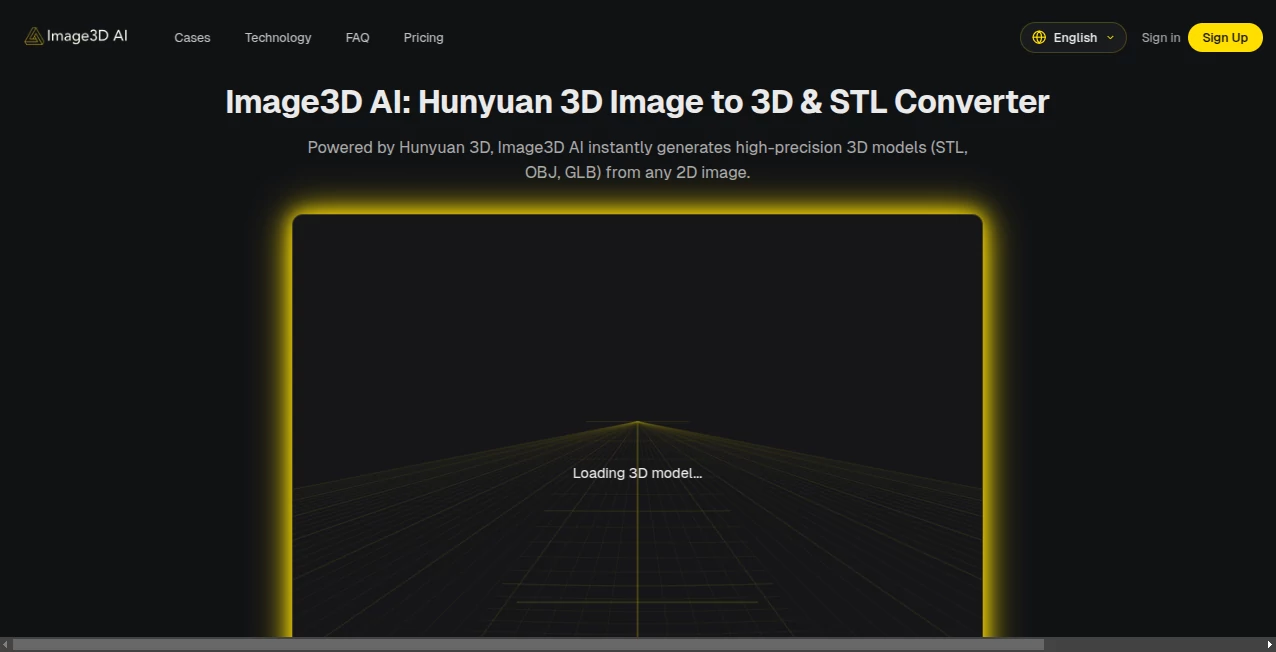
What is Image3D AI?
Image3D slips into the creative toolkit like a secret weapon, whisking everyday snapshots into detailed 3D replicas that pop with depth and detail. This online gem lets hobbyists and pros alike ditch the hassle of modeling software, simply uploading a picture to watch it unfold into something tangible. Word among makers is that it sparks ideas you didn't know you had, turning a quick doodle into a printable prototype before lunch.
Introduction
Image3D hit the scene not long ago, cooked up by a squad of tinkerers who figured why sweat over wireframes when a smart system could do the heavy lifting. It caught on quick with the DIY crowd, those late-night experimenters sharing tales of surprise successes—like breathing volume into a family heirloom sketch that suddenly felt real enough to hold. Drawing on solid tech roots, it keeps things grounded yet full of promise, evolving with user nudges to handle everything from crisp logos to fuzzy pet pics. At its core, it's about handing over the power to play in 3D without the usual barriers, making the jump from screen to sculpture feel less like rocket science and more like a weekend whim.
Key Features
User Interface
Right off the bat, the setup welcomes you with a wide-open drag zone that practically begs for your file, or a browse button if you're old-school. Once in, a built-in viewer spins your creation around with mouse drags, letting you poke at angles like it's already yours. Sample shots sit ready for a spin, and the whole flow zips without extra pages or pop-ups, feeling more like a friendly chat than a chore.
Accuracy & Performance
Feed it a sharp-edged subject against a plain backdrop, and it carves out contours that ring true, capturing the subtle curves without wild guesses. Turnarounds clock in fast, often under a minute even for denser uploads, keeping the wait short enough to chain ideas together. Creators note how it shines on straightforward scenes, delivering meshes that slice clean for prints, though busier backgrounds might call for a quick crop first.
Capabilities
At heart, it spins single images into versatile files ready for slicing or viewing, spitting out formats that slot right into hobby printers or design apps. It handles a spread of everyday shots, from bold icons to casual portraits, always aiming for that printable polish. While it thrives on clear inputs, the output's flexibility means you can tweak further in your go-to tools, bridging the gap from rough idea to refined render.
Security & Privacy
Uploads get handled swiftly and then cleared out, with no long-term holds unless you save the results yourself. The process stays contained, giving you the reins on what sticks around, so personal projects remain just that—yours. It's the kind of behind-the-scenes care that lets you experiment freely, without second thoughts about shared spaces or stray data.
Use Cases
Jewelry fans mock up custom pendants from hand-drawn charms, seeing the weight and gleam before committing to metal. Game devs prototype assets from concept art, dropping quick 3D stand-ins to test in engines overnight. Teachers bring history lessons to life with busts from old portraits, handing students models to rotate and ponder. Even casual crafters revive faded vacation snaps into keychain keepsakes, blending nostalgia with a modern twist.
Pros and Cons
Pros:
- Zero learning curve—upload and go, no tutorials required.
- Spot-on for clean images, yielding files that print like pros.
- Generous starter pack lets you play without upfront costs.
- Versatile exports fit right into workflows big and small.
Cons:
- Complex scenes with clutter can trip up the depth detection.
- Credit system gates heavier use behind a paywall.
- Lacks built-in editing for mid-process adjustments.
Pricing Plans
Newcomers snag twenty free turns just for showing up, enough to fuel a few fun runs without dipping into pockets. Beyond that, each build pulls twenty credits, with packs likely scaling for steady makers—think bundles that stretch further for frequent flyers. It's set up light on the wallet, rewarding quick tests while nudging toward commitment only when the hook's set.
How to Use Image3D
Sign in to unlock the gates, then haul your pick—drag a file under ten megs or click to hunt it down. Let it mull the pixels, and soon enough, your viewer fills with a rotatable wonder in flavors like STL for slicing. Spin it, download what clicks, and loop back with tweaks for the next layer of your build.
Comparison with Similar Tools
Next to beefier suites that demand downloads and degrees, Image3D keeps it web-simple, trading depth for door-opening ease, though those might edge out on finicky fixes. Against free-for-all converters, it leans on proven engines for crisper results, but could bow to open-source hordes in raw customization. It fits best for folks craving instant gratification over endless options.
Conclusion
Image3D nudges the boundary between flat fancy and full form, making 3D less a distant dream and more a desktop delight. It empowers the everyman artist to stack dimensions on their sketches, fostering finds that fuel further folly. In a maker world wired for wonder, this one's a quiet catalyst, turning 'what if' whispers into worlds you can wander.
Frequently Asked Questions (FAQ)
What file types does it chew?
PNG, JPEG, or WEBP snaps up to ten megs work best.
How sharp are the outputs?
Crisp enough for prints, especially on clean-cut subjects.
Need an account to play?
Yep, but signing up bags you free starter credits.
What if my pic's a mess?
Trim the chaos first for results that hit home.
Downloads in what shapes?
STL for slicing, OBJ or GLB for broader builds.
Photo & Image Editor , AI Design Generator , AI 3D Model Generator , AI Image to 3D Model .
These classifications represent its core capabilities and areas of application. For related tools, explore the linked categories above.
Image3D AI details
This tool is no longer available on submitaitools.org; find alternatives on Alternative to Image3D AI.
Pricing
- Free
Apps
- Web Tools
Categories

Image3D AI Alternatives Product

Sketchready

Upscale image

KOOX AI

Kapwing
AI 3D World

AI Slop Canv…

Normal Map G…

OutfitSwap S…
Free PNG to …