
🧠 AI Quiz
Think you really understand Artificial Intelligence?
Test yourself and see how well you know the world of AI.
Answer AI-related questions, compete with other users, and prove that
you’re among the best when it comes to AI knowledge.
Reach the top of our leaderboard.


















AIImagetoImage.io

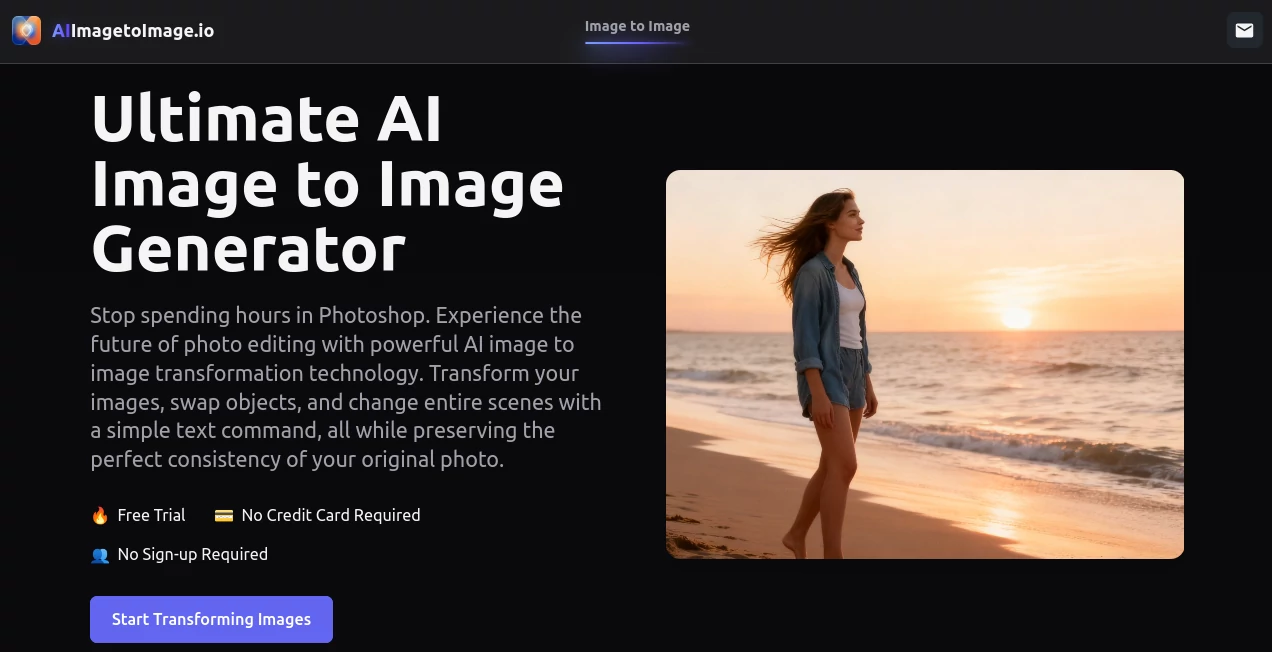
What is AIImagetoImage.io?
There's something downright addictive about watching a ordinary snapshot morph into a masterpiece with just a few typed words—swap a background, shift a style, or tweak details that once took hours in Photoshop. This free gem nails that thrill every time, delivering edits so precise and natural you'd swear a pro touched them up. I've lost count of how many casual photos I've rescued with it, turning blah into breathtaking without a single brush stroke.
Introduction
In the rush of daily creating, who has time for finicky layers and masks? This tool cuts straight to the chase, letting you upload a photo and guide changes with plain English prompts that yield stunning, consistent results. It's built on clever models trained to cling to your original's blueprint—faces stay true, textures hold, proportions perfect—while weaving in whatever twist you dream up. From the moment it launched, creators have flocked to it for that rare combo of power and playfulness, sharing before-and-afters that spark envy. Whether you're polishing personal shots or pumping out variants for clients, it feels like a trusted partner who gets the brief right the first go, freeing you to chase the fun parts of making.
Key Features
User Interface
Everything unfolds on one welcoming page—upload your shot, type your wish in a simple box, and watch previews stack up fast. Presets for styles sit ready if you're in a hurry, but pro toggles let you dial in strength or focus when the mood strikes. It's the kind of clean setup that vanishes into the background, leaving you lost in the possibilities rather than poking menus. My go-to for late-night experiments: drop a selfie, whisper "studio lighting with soft glow," and grin as it delivers options that feel tailor-made.
Accuracy & Performance
What sets it apart is that stubborn grip on consistency—swap clothes or scenes, and the face doesn't warp, lighting stays believable, details crisp. It hums through complex asks in seconds, no lags or half-baked tries, even when you're pushing boundaries like outpainting edges or restoring faded heirlooms. Friends in design swear it's shaved hours off their days, churning reliable highs where others falter on fidelity.
Capabilities
Dive into style swaps that turn photos into watercolors or anime vibes, object trades that feel seamless, background erases that leave no trace, or canvas extensions that blend like they were always there. It handles headshots with studio polish, ups old snaps to sharp glory, and keeps everything private while you're at it. The real joy? Plain words unlock pro outcomes—describe a futuristic twist or vintage filter, and it translates flawlessly, opening doors for endless iterations without the grind.
Security & Privacy
Your uploads stay locked down, processed quick and confidential, with nothing lingering or shared without your nod. In a world full of data worries, this straightforward promise feels refreshing—focus on creating, not covering tracks. It's that quiet assurance that lets you upload personal pics without a second thought, knowing they're safe from start to finish.
Use Cases
Concept artists crank out dozens of polished variants in half an hour, testing moods before committing brushes. Marketers whip daily scene spins for campaigns, staying fresh without stock hunts. Game teams upscale sketches to assets that speed shipments, while everyday folks revive family albums or craft pro headshots from phone snaps. One pal turned vacation pics into anime keepsakes that wowed the group chat—simple, speedy, and spot-on every time.
Pros and Cons
Pros:
- Lightning turns on tough edits, freeing evenings for what matters.
- Rock-solid hold on originals, no weird warps or washes.
- All the bells—restores, outpaints, swaps—wrapped in one spot.
- Truly free, no sneaky caps cramping your creativity.
Cons:
- Best with clear starters; murky inputs might need a pre-crop.
- Prompt finesse grows with practice for those pinpoint hits.
Pricing Plans
It's all yours at no cost—unlimited plays, full features, zero upsells lurking. Dive deep without watching a meter, perfect for bursts of inspiration or steady streams. That generous spirit makes it a standout, inviting everyone to experiment bold and often, turning casual tries into serious habits.
How to Use AI Image to Image
Grab a decent photo—clear face or scene works wonders—and pop it in the upload slot. Jot your change, like "make this a vibrant oil painting with golden hour light," tweak any sliders if you fancy, and let it spin. Browse the lineup, snag your fave, and download crisp. I often start loose, refine prompts on reruns, building a folder of favorites from one base snap in no time.
Comparison with Similar Tools
Plenty out there promise edits, but few cling to consistency like this, avoiding the floaty faces or mismatched lights that plague others. It's snappier than bloated apps, freer than gated ones, and more intuitive for word-driven tweaks over slider wars. For creators who value fidelity and flow, it pulls ahead, delivering that pro polish without the pro price or pain.
Conclusion
This tool quietly redefines what's possible with a photo and a phrase, handing everyday makers pro-level power that sparks joy with every click. It bridges the gap from "nice shot" to "wow piece," all while keeping things private and painless. If you've got images gathering dust, waiting for that perfect tweak, here's your invite to breathe fresh life into them—simple, swift, and seriously satisfying.
Frequently Asked Questions (FAQ)
What prompts get the best bang?
Descriptive ones—mix style, mood, lighting—for results that hug your vision tight.
Any file quirks to know?
JPG, PNG, WebP fly fine; sharper inputs yield sharper magic.
Styles on tap?
From paintings to renders, anime to realistic—prompt it, and it pursues.
Safe for personal pics?
Absolutely—confidential handling from upload to done.
Limits on uses?
None noted—create to your heart's content.
Photo & Image Editor , AI Photo Enhancer , AI Image to Image , AI Design Generator .
These classifications represent its core capabilities and areas of application. For related tools, explore the linked categories above.
AIImagetoImage.io details
This tool is no longer available on submitaitools.org; find alternatives on Alternative to AIImagetoImage.io.
Pricing
- Free
Apps
- Web Tools
Categories

AIImagetoImage.io Alternatives Product

Mage

Nano Banana 2

MakeMyOC
Nano Banana …

Caricature G…

Normal Map G…

photo to URL

Nano Banana 2

Trending AI …
