
🧠 AI Quiz
Think you really understand Artificial Intelligence?
Test yourself and see how well you know the world of AI.
Answer AI-related questions, compete with other users, and prove that
you’re among the best when it comes to AI knowledge.
Reach the top of our leaderboard.

















AI Line Art

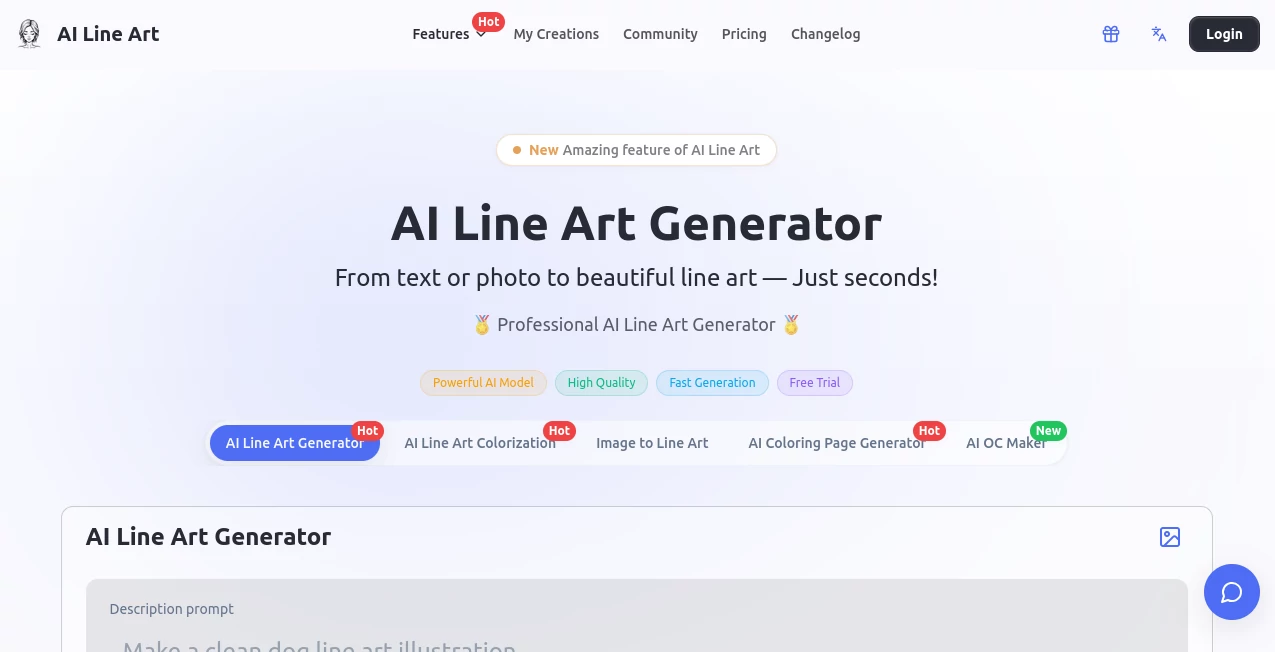
What is AI Line Art?
There's a quiet thrill in watching a favorite photo morph into a sleek line drawing, edges crisp and details distilled to their essence—like uncovering the skeleton of beauty hidden in everyday shots. This tool delivers that thrill reliably, bridging the gap between casual snaps and artistic outlines without demanding hours at a drawing board. A friend once turned a messy vacation portrait into a minimalist masterpiece for framing; the clean contours captured the moment better than the original, and it all happened over a coffee break.
Introduction
Born from the desire to make line art accessible beyond skilled hands, this platform harnesses sharp algorithms to pull precise contours from images or weave them from simple descriptions. It's gained a loyal following among designers juggling deadlines and hobbyists exploring new outlets, offering styles that range from delicate pencil whispers to bold woodcuts. What stands out is the balance: powerful enough for pros refining branding elements, yet forgiving for beginners testing tattoo ideas or coloring pages. In a crowded field of converters, it carves a niche with its focus on clean, print-ready results that feel thoughtfully crafted rather than hastily thrown together.
Key Features
User Interface
The layout greets you with welcoming simplicity—an upload spot front and center, a prompt box for nudges, and style picks tucked neatly below. One click sets it in motion, with previews popping up fast for quick judgments or regenerations. It's browser-friendly across devices, no apps cluttering your phone, and the flow feels intuitive, like chatting with an artist who sketches back instantly.
Accuracy & Performance
It excels at edge detection, trimming noise and textures to leave bold, consistent lines that hold up on close inspection or large prints. Generations wrap in seconds, even for detailed inputs, maintaining high contrast without muddy overlaps. From experience, it handles varied lighting well, pulling strong outlines from challenging shots where others might falter.
Capabilities
A dozen styles await, from minimalist singles to comic bursts, architectural precision, fashion flows, vector sharpness, pixel nods, and even 3D renders—each tunable via prompts for composition or lighting. Upload references for faithful transformations, or start blank for original creations like custom characters or coloring sheets. Outputs download high-res, ready for edits or direct use.
Security & Privacy
Paid paths keep your prompts and results private, no server lingering, while free explorations get handled securely with encryption. It's reassuring for commercial tweaks, ensuring ideas stay yours until you're ready to share.
Use Cases
Graphic folks craft logos that pop with vector clarity, iterating fast for client pitches. Tattoo enthusiasts preview designs on skin references, refining until the lines sing. Parents whip up custom coloring books from family pics, delighting kids with personalized pages. Architects visualize concepts in clean blueprints, and illustrators build portfolios with varied styles that showcase range without the grind.
Pros and Cons
Pros:
- Lightning-quick turns that fit into stolen moments of inspiration.
- Diverse styles covering everything from subtle to striking.
- Crisp, high-res files perfect for printing or further fiddling.
- Free entry lowers the bar for curious newcomers.
Cons:
- Free outputs carry watermarks, nudging toward paid for clean shares.
- Heavily cluttered images might need pre-cropping for best edges.
Pricing Plans
Dip in free for initial trials, then monthly or yearly subscriptions unlock unlimited runs, no marks, and commercial rights—yearly often sweetens with savings. It's scaled thoughtfully, from light explorers to heavy creators, with straightforward upgrades that feel fair.
How to Use AILineArt
Upload your photo or sketch a description, select a style from the lineup, tweak prompts for specifics like aspect or light, then generate. Preview variations, regenerate if needed, and download the keeper in full resolution. For coloring pages, aim for high-contrast prompts; it's that loop of small adjustments yielding big delights.
Comparison with Similar Tools
Against broader generators that splash color and detail, this one hones in on pure lines with superior edge fidelity and style variety tailored to outlines. It's nimbler than desktop editors requiring setups, delivering web-speed results that rival dedicated sketch apps without the bloat.
Conclusion
This platform strips art to its elegant bones, inviting everyone to play with forms that endure. It's a gentle reminder that sometimes less truly reveals more, turning ordinary images into timeless outlines worth lingering over. Give it a photo you've always loved, and watch it uncover the drawing waiting within.
Frequently Asked Questions (FAQ)
What styles are on offer?
From pencil and woodcut to minimalist, comics, fashion, vector, pixel, and 3D—plenty to match your mood.
How fast is generation?
Seconds usually, keeping the creative momentum rolling.
Commercial use allowed?
Yes on paid plans; free for personal only.
Best for coloring pages?
High-contrast modes produce clean, printable outlines ready for crayons.
Privacy on paid?
Full—your work stays yours, no server shares.
Photo & Image Editor , AI Art Generator , AI Design Generator .
These classifications represent its core capabilities and areas of application. For related tools, explore the linked categories above.
AI Line Art details
This tool is no longer available on submitaitools.org; find alternatives on Alternative to AI Line Art.
Pricing
- Free
Apps
- Web Tools
Categories

AI Line Art Alternatives Product
AI Best

Trending AI …

Consistent C…
Nano Banana 2

EaseMaker
upscayl
Nano Banana …

WatermarkZero

Brave Pink H…
