🧠 AI Quiz
Think you really understand Artificial Intelligence?
Test yourself and see how well you know the world of AI.
Answer AI-related questions, compete with other users, and prove that
you’re among the best when it comes to AI knowledge.
Reach the top of our leaderboard.

















AI Music Generator
What is AI Music Generator?
There’s a quiet thrill in watching a few words you typed turn into a complete track—melody, beat, vocals, the whole thing—without ever touching an instrument or spending hours in a DAW. This little gem does exactly that, and the results often land somewhere between surprisingly good and genuinely impressive. I’ve had moments where I threw in a random late-night mood (“rainy jazz with a touch of melancholy”) and ended up with something I actually kept looping for days. It’s not just a toy; it’s starting to feel like a real creative partner.
Introduction
Most people assume making music still requires years of practice or expensive gear. This platform quietly proves otherwise. You describe what you want—genre, mood, tempo, even lyrics if you feel like it—and it builds a full song in under a minute. No subscriptions hidden behind walls, no watermarks nagging you on free generations, just a clean interface and surprisingly listenable output. What started as a fun experiment has become a go-to for creators who need quick background music, song ideas, or just want to mess around without judgment. The fact that you can keep everything you make, even commercially, makes it feel generous in a space that usually isn’t.
Key Features
User Interface
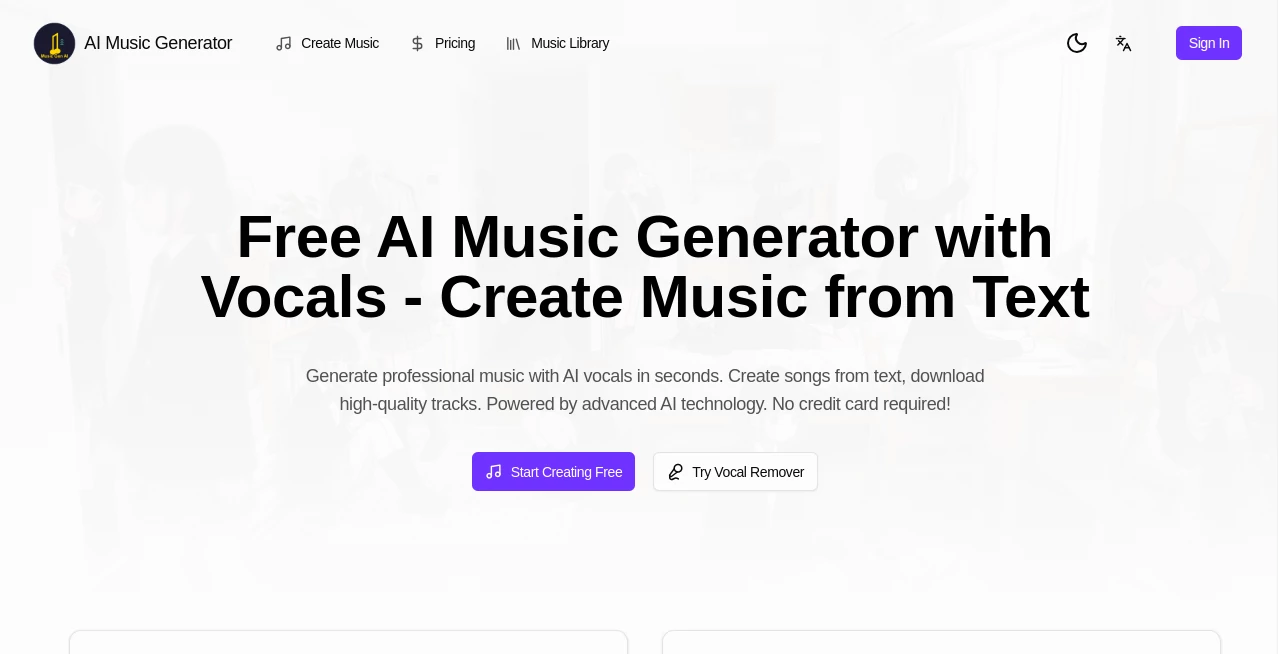
It’s one of those rare tools that doesn’t try to impress you with complexity. You land on a single page with a big prompt box, a couple of genre/mood presets, and a “Generate” button. That’s basically it. No login required for the free tier, no account nagging. You type, you hit go, you listen. The player appears right below with waveform and download options. It’s refreshingly honest—nothing hidden, nothing over-engineered.
Accuracy & Performance
For something that happens so fast, the coherence is honestly surprising. It usually stays in key, follows the structure you hint at (verse–chorus–bridge feels natural), and doesn’t fall apart into random noise halfway through. Vocals can sound breathy or slightly processed depending on the style, but they rarely feel robotic. Speed-wise, most tracks land in 20–45 seconds even on the free plan. That kind of responsiveness keeps the creative flow alive instead of killing it with wait times.
Capabilities
You can go pure instrumental, add lyrics (yours or let it generate), choose from pop, lo-fi, hip-hop, cinematic, rock, electronic, and more. Mood sliders help steer the emotional tone—dreamy, aggressive, nostalgic, upbeat. There’s also a “custom” mode where you can describe instrumentation or vibe in detail. Outputs are usually around 30–60 seconds but feel like complete thoughts, not fragments. Download as MP3 or WAV, no restrictions on usage.
Security & Privacy
No forced sign-up, no creepy data collection prompts. Whatever you type stays between you and the generation engine. Tracks aren’t stored on their servers after you download them. For people who write personal or sensitive lyrics, that matters. It’s quiet, respectful privacy—exactly what you want when you’re experimenting with ideas.
Use Cases
Content creators use it for background music in vlogs, TikToks, and Shorts—quick, royalty-free, and perfectly matched to the vibe. Songwriters test chorus ideas or full demo structures before committing to real production. Indie game devs generate looping ambient tracks or menu themes in minutes. Even teachers make short educational jingles for kids. One friend used it to create a birthday song for his daughter using her favorite cartoon theme as inspiration—five minutes later she was crying happy tears.
Pros and Cons
Pros:
- Truly free tier with no watermarks or usage gates.
- Surprisingly good vocal quality for an instant generator.
- Very fast turnaround—keeps the creative momentum going.
- Full commercial rights on everything you generate.
Cons:
- Song length tops out around 60–90 seconds in most cases.
- Vocal clarity can vary depending on how complex the prompt is.
- No stem separation or advanced editing built-in.
Pricing Plans
The free plan is genuinely usable—no daily limits that feel punishing, no forced upgrades to remove branding. Paid tiers exist for people who generate dozens of tracks a day or want priority queue and longer outputs, but honestly, most casual and semi-pro users never need to upgrade. It’s one of the few tools in this space that doesn’t feel like it’s holding quality hostage behind a paywall.
How to Use AIMusicGen
Go to the main page, type a description (“upbeat synthwave track about driving at night, female vocals, 80s vibe”), optionally add your own lyrics or choose instrumental-only. Pick a genre preset if you want a nudge in the right direction. Hit Generate. Wait 20–40 seconds. Listen. Download if you love it, regenerate with tweaks if it’s close but not perfect. That’s literally it. I usually do 2–3 variations per idea and pick the best one.
Comparison with Similar Tools
Compared to other instant song makers, this one stands out for not plastering watermarks everywhere and actually letting you keep and monetize what you create. Some competitors have prettier interfaces but lock the good stuff behind subscriptions or limit free use to 10 seconds. Others produce longer tracks but sound noticeably more synthetic. This tool hits a sweet spot: fast, free enough to be dangerous, and good enough that you don’t cringe when you share it.
Conclusion
Not every idea deserves a full studio session, but almost every idea deserves to be heard. This tool gives your half-formed thoughts a real voice—literally—in under a minute. It’s not trying to replace musicians; it’s giving everyone else a quick way to join the conversation. And when the result actually makes you smile or nod your head? That’s when you realize how powerful simple tools can be.
Frequently Asked Questions (FAQ)
Can I use the songs commercially?
Yes—100% yours. No royalties, no attribution needed.
How long are the tracks?
Usually 30–90 seconds, depending on complexity and prompt.
Do I need to sign up?
No. You can generate right away without an account.
Can it generate lyrics too?
Yes, either use yours or let it create them based on your description.
Is the free tier really unlimited?
There’s a reasonable daily quota, but it’s generous enough for most people.
AI Lyrics Generator , AI Music Generator , AI Text to Music , AI Singing Generator .
These classifications represent its core capabilities and areas of application. For related tools, explore the linked categories above.
AI Music Generator details
Pricing
- Free
Apps
- Web Tools
Categories

AI Music Generator Alternatives Product

AI Song Maker

Song Lyrics …
Lyria 3 AI M…

Custom Gift …

Lyria3 AI
AI Makes Song

AI Rap Gener…
lyria 3

TyTyAi