🧠 AI Quiz
Think you really understand Artificial Intelligence?
Test yourself and see how well you know the world of AI.
Answer AI-related questions, compete with other users, and prove that
you’re among the best when it comes to AI knowledge.
Reach the top of our leaderboard.


















AI Raphael
What is AI Raphael?
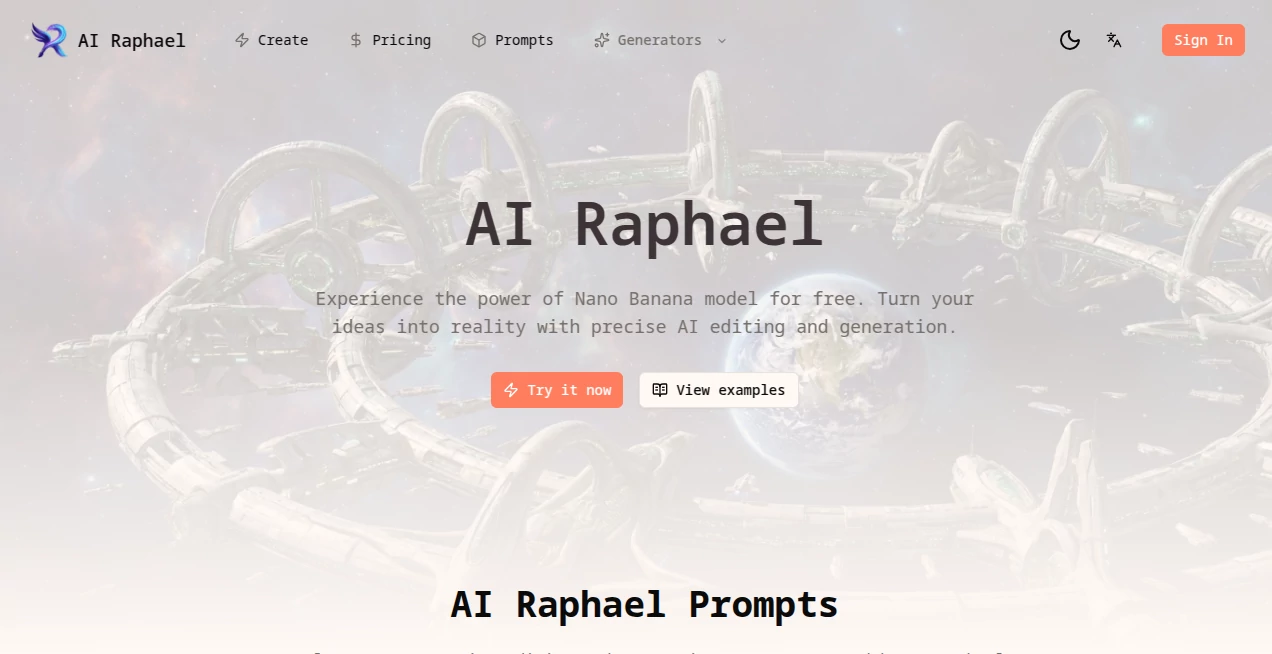
There's something quietly exhilarating about typing a few words and watching a complete, thoughtful piece of art appear—colors that feel intentional, composition that draws the eye, details that surprise you. This tool captures that moment beautifully. You describe what you see in your mind, add a style reference if you want, and seconds later there's artwork that looks like it came from someone who really understands the craft. I've shown results to artist friends who normally scoff at AI, and more than once they've paused, zoomed in, and muttered, “Okay… that's actually good.” It's not about replacing human creativity; it's about giving anyone the ability to visualize ideas quickly and vividly.
Introduction
Most people have ideas—logos they dream up, posters for events, book covers, character concepts—but turning those thoughts into visuals usually means hiring someone, learning complex software, or settling for generic stock. This platform removes every one of those hurdles. No subscriptions forced on you to start, no steep learning curve, just a clean space where your description becomes art. It’s become a quiet favorite for creators who need fast, high-quality visuals without the usual friction: indie authors mocking up covers, small brands testing logo ideas, teachers making classroom visuals, hobbyists exploring concepts they never thought they could realize. The joy is in how personal and immediate it feels—like having a talented collaborator who never sleeps and always gets your vibe.
Key Features
User Interface
The screen greets you with a wide prompt box and a few style thumbnails underneath—no overwhelming menus, no account gate before you can play. Type your idea, pick a look (realistic, painterly, cyberpunk, watercolor, etc.), adjust aspect ratio if needed, and hit create. Previews load quickly; you can regenerate variations with one click or refine the prompt on the fly. It’s designed so you spend time imagining, not configuring. Even first-timers finish a solid piece in under two minutes.
Accuracy & Performance
It listens closely to your words—gets the mood, lighting, composition, and details right more often than not. Faces stay consistent when you ask for the same character across generations; colors and style hold steady even when you push for complexity. Generation is fast (often 8–20 seconds), and the outputs are sharp at high resolutions without the usual AI artifacts like extra fingers or melting backgrounds. The model’s understanding of artistic language (lighting terms, composition rules, art movements) gives results that feel curated rather than random.
Capabilities
Text-to-image in multiple styles (photorealistic, oil painting, digital art, anime, concept art, logo design, and more), image-to-image variation and refinement, aspect ratio control (square, portrait, landscape, custom), high-resolution upscaling, batch generation for exploring ideas quickly, and iterative refinement (regenerate parts of an image or adjust specific elements). It handles everything from book covers and social media banners to character designs, product mockups, album art, and interior inspiration visuals.
Security & Privacy
Your prompts and generated images are processed privately—nothing is used for training unless you explicitly opt in. No mandatory account for basic use, so your early experiments stay yours alone. Downloads are yours to keep; nothing lingers on servers longer than necessary. For personal projects, client mockups, or brand exploration, that clean, no-strings approach feels right.
Use Cases
An indie author types a scene description and gets three strong cover options in minutes—picks one, tweaks, and has a professional-looking mockup to show beta readers. A small coffee shop owner generates seasonal posters and social graphics that match their brand vibe without hiring a designer. A tabletop RPG creator visualizes character portraits and monster concepts to share with players before commissioning final art. A teacher creates engaging classroom visuals for history or literature lessons that actually capture students’ attention. Wherever imagination needs to become visual fast, it delivers.
Pros and Cons
Pros:
- Results feel artistic and intentional, not like generic AI slop.
- Extremely fast—idea to finished image in under a minute most times.
- Style variety and refinement options give real creative control.
- High-res outputs ready for print, social, or professional use.
- Free tier is generous—enough to explore and fall in love with it.
Cons:
- Very specific or contradictory prompts can still lead to odd results (same as any text-to-image model).
- Unlimited generations and advanced refinement require a paid plan.
- No built-in editing canvas (though you can iterate via prompts).
Pricing Plans
Free daily credits let you create several high-quality pieces without spending a cent—perfect for testing and small projects. Paid plans unlock unlimited generations, higher resolutions, priority queue during peak times, and advanced refinement features. Pricing is accessible—many users say one month’s cost is less than a single commissioned piece, yet they generate dozens of usable assets in that time. It’s structured so you only pay when you’re hooked on the speed and quality.
How to Use Image Enhancer
Go to the generator page, type your description (“cozy fantasy bookstore at dusk, warm lantern light, cat on windowsill, painterly style”). Pick a style thumbnail that matches your vision. Adjust aspect ratio if needed (portrait for book covers, landscape for wallpapers). Hit generate. Scroll through variations, pick your favorite, upscale if you want higher resolution, and download. Want changes? Tweak the prompt (“add rain outside the window”) and regenerate. The loop is fast and forgiving—you can explore ten directions in the time it used to take to open Photoshop.
Comparison with Similar Tools
Many generators produce technically impressive but emotionally flat results. This one leans into artistic mood and composition, often delivering pieces that feel like they were made by a thoughtful illustrator rather than an algorithm. Where others overwhelm with too many options or deliver inconsistent quality, the balance here—speed, style control, and natural-looking output—makes it stand out for creators who care about feeling as much as fidelity.
Conclusion
Ideas deserve to be seen, not just thought about. This tool bridges that gap with speed, beauty, and surprising depth, letting anyone turn imagination into visuals that resonate. It doesn’t replace artists—it gives more people the chance to collaborate with their own creativity in ways that used to require years of practice or a big budget. Whether you’re mocking up a passion project, building a brand, teaching, or just playing with what’s in your head, it makes the process feel joyful instead of frustrating. Once you see your own words become art in seconds, it’s hard to go back to blank canvases and wishful thinking.
Frequently Asked Questions (FAQ)
How many free images can I generate?
Several high-quality ones per day—enough to explore ideas and fall in love with the results.
Can I use the images commercially?
Yes—paid plans include full commercial rights; free tier allows personal and non-commercial use.
What styles are available?
From photorealistic and painterly to anime, cyberpunk, vintage illustration, logo design, and more—constantly expanding.
Do I need to sign up to start?
No—generate right away; sign-up is optional for saving favorites and higher limits.
How high-res can the outputs be?
Up to 4K on paid plans; free tier offers solid resolution for most uses.
AI Photo & Image Generator , AI Art Generator , AI Design Generator , AI Image to Image .
These classifications represent its core capabilities and areas of application. For related tools, explore the linked categories above.
AI Raphael details
Pricing
- Free
Apps
- Web Tools
Categories

AI Raphael Alternatives Product

NanoBanana2
AniFlow AI

Gpt Image 1.5

string art g…

Generador De…
Before After…

AI Age Progr…

Z Image
Niji V7