🧠 AI Quiz
Think you really understand Artificial Intelligence?
Test yourself and see how well you know the world of AI.
Answer AI-related questions, compete with other users, and prove that
you’re among the best when it comes to AI knowledge.
Reach the top of our leaderboard.


















Seedream 5.0
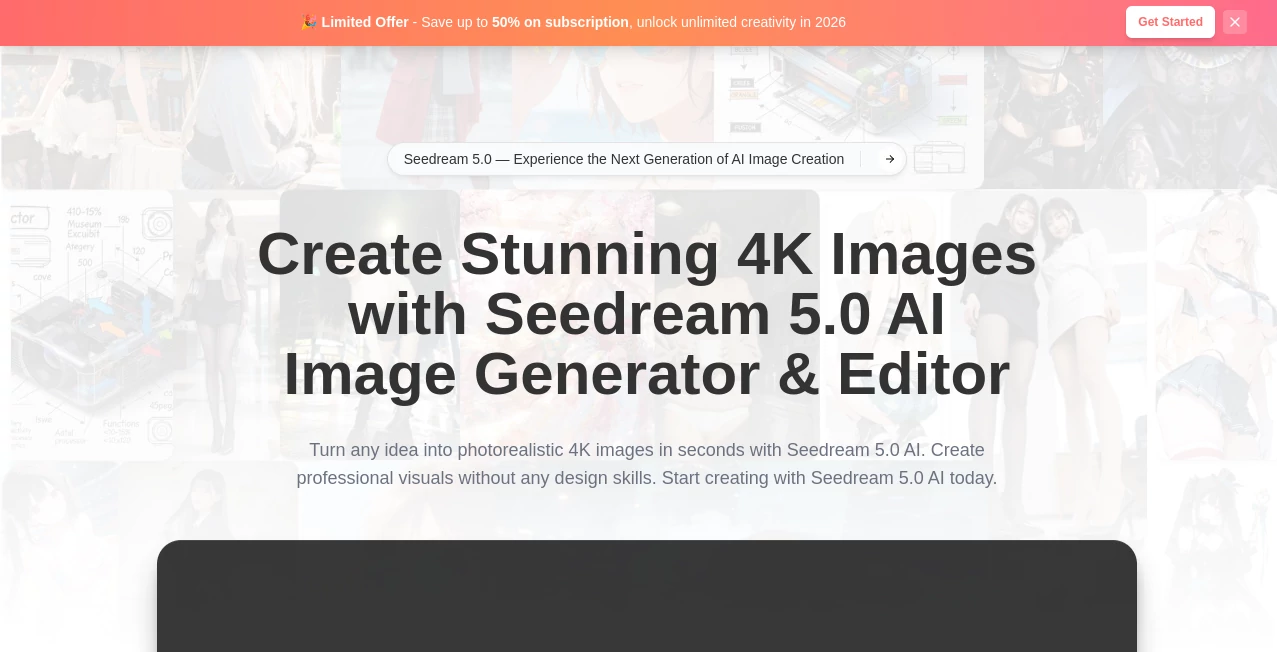
What is Seedream 5.0?
There's a special rush when you type a description and a crisp, detailed 4K image appears almost instantly, looking like it could have been shot by a professional photographer. This tool delivers that feeling reliably, turning ideas into high-resolution visuals faster than most people expect. Whether you're mocking up a product shot for your online store, creating eye-catching social media graphics, or exploring wild creative concepts late at night, it keeps the momentum going instead of slowing you down with long waits or disappointing results. I've watched friends who aren't designers at all generate marketing visuals that look polished enough to use right away, and the speed makes the whole process feel exciting rather than tedious.
Introduction
AI image generators have improved a lot, but many still force you to choose between speed and quality. Seedream 5.0 stands out by combining both in a way that feels practical for real work. Built by ByteDance, it brings real-time web awareness, logical reasoning, and precise editing together so the output matches what you actually meant. No more generic results or endless tweaking—just clear, photorealistic 4K images that capture details, lighting, and composition thoughtfully. It's become a daily companion for marketers testing ad concepts, creators building content calendars, and anyone who needs professional-looking visuals without hiring a photographer or spending hours in editing software.
Key Features
User Interface
The workspace keeps things straightforward and focused. A large prompt area lets you describe what you want in natural language, with options to upload reference images for more control. Style selectors and quality toggles are easy to reach without cluttering the screen. Previews load quickly, so you can see results and refine on the spot. It never feels intimidating—even complete beginners can generate something impressive on their first try, while experienced users appreciate how little friction there is between idea and final image.
Accuracy & Performance
It follows prompts with impressive precision, understanding context, lighting, and composition in ways that feel almost intuitive. Real-time web search helps it pull in current details when needed, and the logical reasoning layer reduces common AI mistakes like wrong proportions or mismatched elements. Generations happen fast—often in seconds—while still delivering clean 4K output. The combination of speed and accuracy means you can iterate through ideas quickly without losing quality or patience.
Capabilities
Beyond basic text-to-image, it excels at photorealistic results, accurate text rendering inside images, intelligent editing based on before-and-after examples, and handling complex scenes with multiple subjects or specific styles. It supports product photography, marketing visuals, creative concepts, and more, all while maintaining consistency in faces, objects, and environments. The ability to reason through multi-step instructions and connect to live information makes it especially useful for timely or detailed requests that other tools struggle with.
Security & Privacy
Your prompts and generated images are handled responsibly, with no unnecessary long-term storage or use for training without consent. The platform focuses on delivering the result while respecting user data. For creators working on client projects or sensitive ideas, that thoughtful approach provides welcome peace of mind.
Use Cases
A small business owner generates professional product photos for their online store without booking a photographer, saving both time and money. A social media manager quickly creates multiple ad variations with current trends incorporated, testing what performs best. A content creator turns rough ideas into eye-catching thumbnails and visuals for videos, keeping their posting schedule on track. A designer explores different styles and compositions for client pitches, presenting polished concepts in minutes instead of hours. It's especially handy when you need high-quality visuals fast but don't have the budget or time for traditional methods.
Pros and Cons
Pros:
- Fast generation that keeps creative momentum alive instead of killing it with waits.
- Photorealistic 4K quality that looks professional right out of the box.
- Strong understanding of complex prompts and real-world context.
- Useful editing and reasoning features that go beyond simple generation.
- Accessible for both beginners and experienced creators.
Cons:
- Very niche or extremely artistic styles may still need a few tries to perfect.
- Heavy daily use benefits from paid plans for unlimited generations.
- Some advanced multi-step reasoning works best with clear, detailed prompts.
Pricing Plans
It offers a generous starting point so you can experience the quality without upfront commitment. Paid plans scale up with more generations, faster priority processing, and access to advanced features. The structure feels fair—pay more only when your workflow demands higher volume or speed. Many users find the jump from free to paid worthwhile once they start relying on it for daily or professional work.
How to Use Seedream 5.0
Head to the generator, type your description in natural language (be as detailed as you like), and optionally upload a reference image for guided results. Choose any style preferences or quality settings, then hit generate. Review the 4K preview—tweak the prompt or regenerate if needed—and download the version you like best. For editing, describe changes in plain words and let the reasoning layer handle the updates. The process stays quick and repeatable, encouraging you to experiment without fear of wasting time.
Comparison with Similar Tools
Many image generators still force a trade-off between speed and quality, or produce results that feel generic. This one stands out by combining fast generation with thoughtful reasoning and real-time awareness, often delivering cleaner, more accurate outputs on the first or second try. The editing capabilities and text rendering inside images give it an edge for practical marketing and design work, while the overall quality holds its own against slower, more expensive alternatives.
Conclusion
When you need visuals that look professional but don't have time for photoshoots or complex editing, this tool quietly steps in and gets the job done. It turns ideas into high-resolution images with impressive speed and intelligence, making creative work feel lighter and more enjoyable. Whether you're building a brand, creating content, or just exploring concepts, it delivers results you can actually use. In a world where speed often compromises quality, finding both in one place feels like a small but meaningful win.
Frequently Asked Questions (FAQ)
How fast are the generations?
Most images appear in seconds, keeping your workflow smooth and uninterrupted.
Do I need design skills to use it?
Not at all—natural language prompts are enough to get strong results.
Can I edit existing images?
Yes—describe the changes you want, and the intelligent editing features handle the updates.
Are the images suitable for commercial use?
Yes, especially on paid plans that include appropriate licensing for business and marketing.
What if the first result isn't perfect?
Small prompt tweaks or a quick regenerate usually get you very close—iteration is fast and painless.
AI Photo & Image Generator , AI Art Generator , AI Design Generator , AI Text to Image .
These classifications represent its core capabilities and areas of application. For related tools, explore the linked categories above.
Seedream 5.0 details
Pricing
- Free
Apps
- Web Tools
Categories

Seedream 5.0 Alternatives Product

Nano banana …

Z Image Turbo

String Art G…

Flux 2 Klein

Fiddl.art

Trending AI …

Nano Banana …

Banana Promp…

Nano Image AI