
🧠 AI Quiz
Think you really understand Artificial Intelligence?
Test yourself and see how well you know the world of AI.
Answer AI-related questions, compete with other users, and prove that
you’re among the best when it comes to AI knowledge.
Reach the top of our leaderboard.


















AI Thumbnail

What is AI Thumbnail?
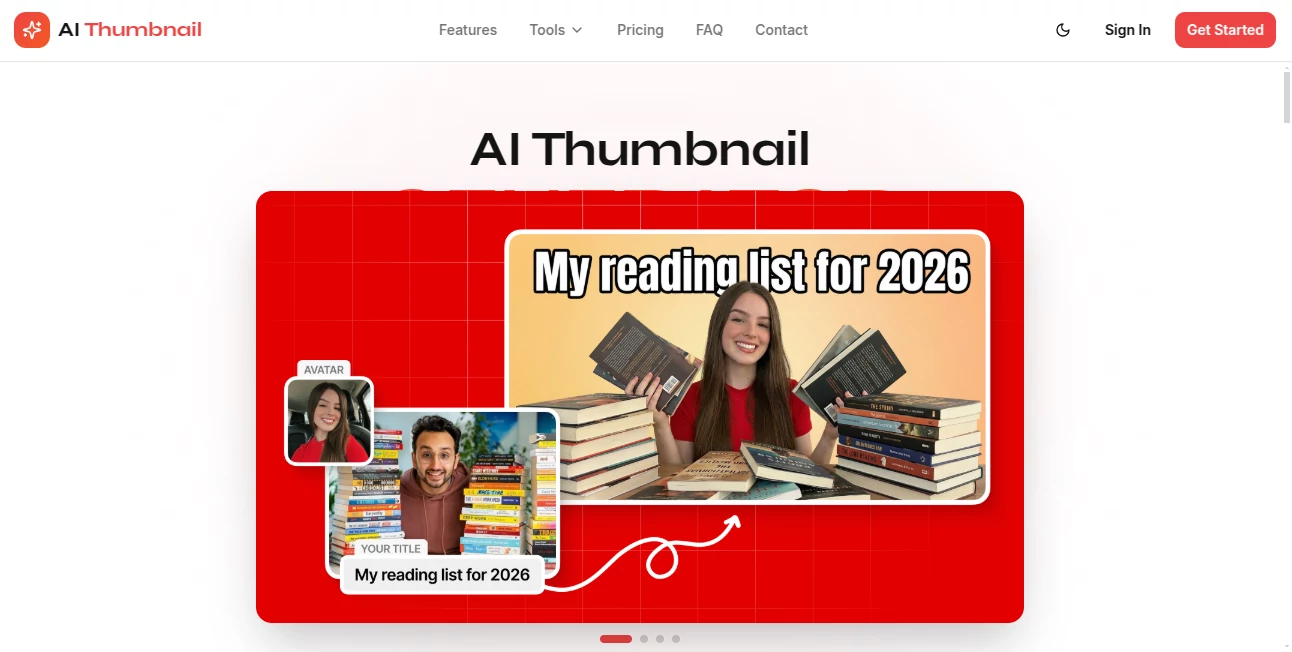
There's something truly satisfying about nailing that perfect thumbnail—the one that stops scrollers dead and pulls them into your video. This tool makes that happen without the usual fuss, letting you craft eye-catching designs that scream 'click me' using smart prompts and a bit of guidance. I've tossed in rough ideas for tech reviews and seen polished, vibrant results pop out that rival what big channels pay designers for. It's the kind of straightforward helper that turns thumbnail stress into a quick win, boosting those all-important clicks.
Introduction
Thumbnails are the gatekeepers of views these days, and getting them right can make or break a video's reach. This platform steps up with a focused approach to YouTube visuals, blending prompt-based creation with styles tailored for different niches—like bold tech unboxings or engaging storytime hooks. Creators who've leaned on it talk about ditching hours in Photoshop for minutes here, emerging with thumbnails that not only look pro but actually perform better in the algorithm's eyes. Whether you're a solo vlogger or building a channel empire, it's designed to fit right into your workflow, offering that extra edge without overcomplicating things.
Key Features
User Interface
It's all about keeping things light and direct: a clean prompt box front and center, options for styles or uploads tucked neatly nearby, and generations that load up in a grid for easy picking. No overwhelming panels or hidden settings—just type your idea, tweak a few sliders if you want, and watch variations appear. My last session felt like brainstorming with a talented designer who reads your mind, no back-and-forth needed.
Accuracy & Performance
It listens well to descriptions, capturing moods and elements with a reliability that saves endless regenerations, often delivering clickable winners on the first batch. Outputs come quick, holding detail sharp even in busy compositions, and the consistency across tries means you spend less time chasing perfection.
Capabilities
Tailored packs for categories like tech reviews bring in glossy reflections and spec highlights, while general prompts handle everything from reaction faces to minimalist text overlays. Support for multiple languages in inputs adds flexibility, and the focus on high-conversion layouts means thumbnails that draw eyes naturally.
Security & Privacy
Uploads and prompts get processed securely, with standard protections in place to keep your ideas private—no lingering data or shares without consent. It's reassuring for creators pouring personal flair into designs, knowing the backend handles things responsibly.
Use Cases
Tech channels craft studio-lit product shots that make gadgets gleam, drawing in viewers hungry for the next review. Storytellers build emotional hooks with expressive faces and bold text that tease the tale inside. Marketers test ad variants for courses or tools, spotting winners that lift sign-ups. Even gaming creators whip up epic scene recreations that promise the thrills awaiting in the footage.
Pros and Cons
Pros:
- Delivers high-quality, niche-specific designs that boost engagement noticeably.
- Cuts creation time drastically, freeing you for content over cosmetics.
- Handles diverse prompts well, including non-English for broader appeal.
- Results feel professional without needing design chops.
Cons:
- Best with detailed prompts—vague ones might need a refine.
- Free tier limits might push frequent users to paid sooner.
Pricing Plans
Generous free starts let you experiment and see the quality firsthand, with paid tiers unlocking more generations and advanced tweaks at reasonable monthly rates. Options scale for casual to heavy use, often with deals that make upgrading feel worthwhile for the time saved.
How to Use AIThumbnail.gg
Drop in your video idea or key elements into the prompt, select a style if it fits your niche, and generate a batch. Scan the options, pick favorites, maybe regenerate with tweaks, and download the standout. Slot it into your upload, and watch the difference in views roll in.
Comparison with Similar Tools
It stands out with category-tuned styles that give an edge over general generators, delivering more targeted, conversion-focused results where others feel generic. Speed and quality hold strong against the crowd, making it a favorite for creators prioritizing clicks over endless options.
Conclusion
Great thumbnails aren't luck—they're the hook that turns browsers into watchers, and this tool makes crafting them a breeze worth taking. It empowers creators to put their best face forward, literally, turning good videos into great performers. Give it a spin next time you're uploading; the difference might just surprise you.
Frequently Asked Questions (FAQ)
What makes a good prompt?
Describe the mood, key elements, and style—details yield the sharpest results.
Supports non-English?
Yes, handles various languages for global creators.
How many variations per go?
Batches give plenty to choose from, refining as needed.
Commercial use okay?
Absolutely, designed for channel growth and monetization.
Face swaps or custom uploads?
Focuses on prompt-driven creation, with strong results from descriptions.
AI Photo & Image Generator , AI Graphic Design , AI Design Generator , AI Thumbnail Maker .
These classifications represent its core capabilities and areas of application. For related tools, explore the linked categories above.
AI Thumbnail details
This tool is no longer available on submitaitools.org; find alternatives on Alternative to AI Thumbnail.
Pricing
- Free
Apps
- Web Tools
Categories

AI Thumbnail Alternatives Product

Sovibe AI

Toon Composer

Image to Pro…

SeeDream 4.5

Fine Image

claude image

AI Clothes

Nanosora

z-image.me
