
🧠 AI Quiz
Think you really understand Artificial Intelligence?
Test yourself and see how well you know the world of AI.
Answer AI-related questions, compete with other users, and prove that
you’re among the best when it comes to AI knowledge.
Reach the top of our leaderboard.


















AnyGen

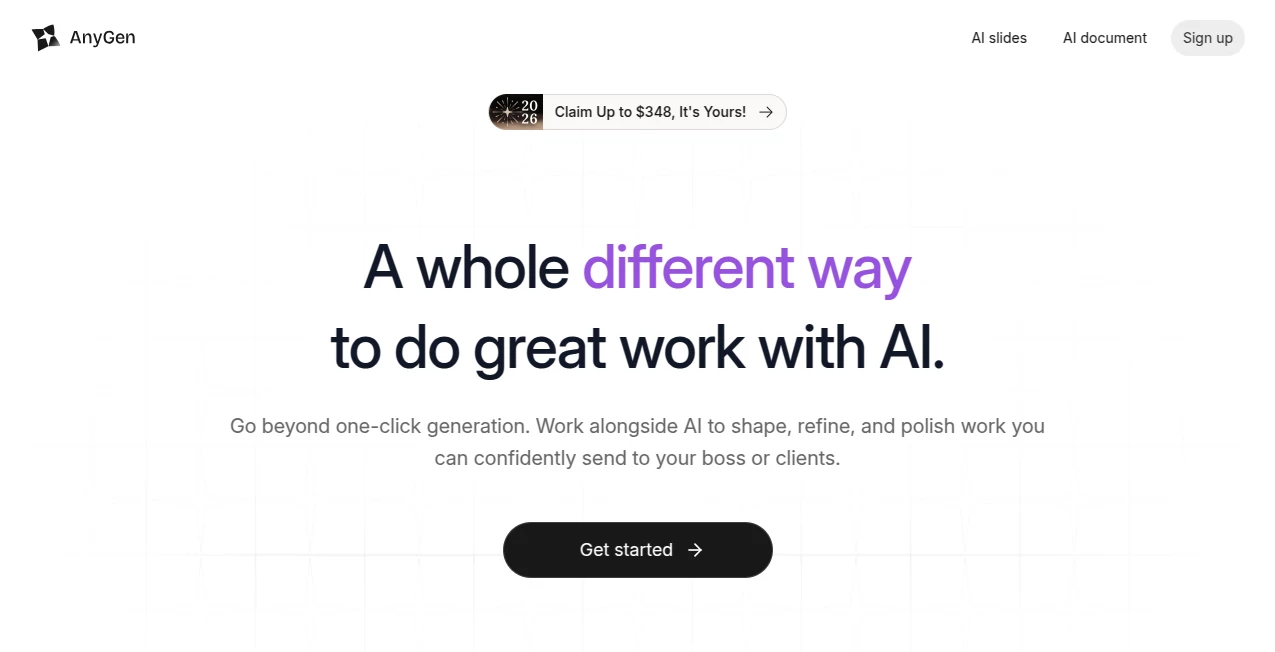
What is AnyGen?
There's a quiet thrill in watching a rough idea transform into a polished report or deck without the usual back-and-forth grind. This platform nails that feeling, acting less like a blunt generator and more like a thoughtful partner that refines alongside you. I've spent afternoons turning scattered notes into client-ready slides, and the way it catches inconsistencies or suggests sharper angles feels genuinely collaborative—almost like bouncing ideas off a sharp colleague who never tires.
Introduction
In the rush of daily deadlines, most tools spit out quick drafts that need heavy lifting afterward. This one flips the script, focusing on depth and accuracy with a dual-check system and guided prompts that draw out your intent step by step. It's perfect for solo creators or teams scaling content, from market analyses to brand books, all in one seamless space. A friend in marketing swears it cut her review cycles in half, letting the team shape outputs live without endless emails. What stands out is the commitment to quality over speed alone—outputs that land close to final, editable and on-brand from the start.
Key Features
User Interface
The workspace feels uncluttered and inviting, with everything in reach—drop in your thoughts, watch structured questions guide the build, and refine inline without jumping tabs. Real-time collab means teammates chime in as it shapes up, like a shared doc but smarter. It's intuitive enough that newcomers dive right in, yet layered for power users who appreciate the subtle nudges.
Accuracy & Performance
One part creates, another verifies—catching slips before they snowball, which means fewer embarrassing fixes later. It handles complex tasks briskly, turning logs into charts or strategies into visuals without lagging, and the consistency across runs keeps trust high. In my experience, it rarely hallucinates on facts, pulling reliable insights that hold up under scrutiny.
Capabilities
Turn docs into editable slides that stay formatted and branded, crunch data into actionable visuals, or craft plans with phased breakdowns. Guided inputs clarify vague ideas, while collab tools streamline feedback for faster finishes. Whether solo brainstorming or team scaling, it adapts, shipping work that feels deliberate and professional.
Security & Privacy
Built with enterprise-grade care, data stays contained during processing, with controls that fit sensitive projects. It's reassuring for client work, knowing outputs are verified and inputs protected without unnecessary exposure.
Use Cases
Marketers map social calendars or competitor breakdowns that inform real strategies. Analysts feed logs for instant charts that spotlight trends without waiting on specialists. Teams build pitch decks from raw notes, refining live to nail the narrative. Even educators spin facts into engaging stories or lessons that stick. It's those everyday wins—faster reviews, sharper insights—that add up to serious time saved.
Pros and Cons
Pros:
- Collaborative refinement that mirrors real teamwork, cutting revisions down.
- Built-in validation for outputs you can trust more readily.
- Specialized flows for slides and data that deliver polished results.
- Scales smoothly from individual to large groups.
Cons:
- Credits reset daily on free, so heavy days might need planning.
- Best with clear intent—vague starts benefit from the guided questions.
Pricing Plans
Free gets you started with daily credits for solid testing, no commitment needed. Pro unlocks more volume and concurrency for steady workflows, while higher tiers handle teams with generous limits and bonuses. Annual billing sweetens the deal, keeping costs predictable as you grow reliant on the boost.
How to Use AnyGen
Jump in with a prompt or upload, let the structured questions sharpen your ask, then watch it build while you guide or collab. Refine sections inline, verify key points, and export clean—slides, reports, or charts ready to go. Start small with a quick analysis, build confidence, and soon you're tackling full projects in one sitting.
Comparison with Similar Tools
Where many churn single drafts that demand cleanup, this emphasizes partnership and checks, yielding work closer to done with less babysitting. It's stronger on collab and verification for teams who value precision, standing out when quality trumps sheer volume.
Conclusion
This platform redefines what AI assistance can feel like—supportive, thoughtful, and geared toward real results that stand tall. It's the difference between rough sketches and refined pieces, empowering you to ship confidently and often. If your days involve wrangling ideas into impact, this is the ally worth inviting in.
Frequently Asked Questions (FAQ)
How does the validation work?
A second layer reviews for accuracy, flagging potential issues early.
Great for presentations?
Absolutely—turns docs into structured, editable slides seamlessly.
Team collaboration included?
Real-time shaping and reviews make group work smoother.
Data analysis capable?
Feeds logs or sets into charts and insights instantly.
Free tier limitations?
Daily credits reset, plenty for trying core flows.
AI Documents Assistant , AI Productivity Tools , AI Presentation Generator .
These classifications represent its core capabilities and areas of application. For related tools, explore the linked categories above.
AnyGen details
This tool is no longer available on submitaitools.org; find alternatives on Alternative to AnyGen.
Pricing
- Free
Apps
- Web Tools
Categories

AnyGen Alternatives Product

Linkflare

TO MD

Alai

Unix Timesta…

InPage AI

Rierino

FINIITE AI

Coresite

eesel AI
