
🧠 AI Quiz
Think you really understand Artificial Intelligence?
Test yourself and see how well you know the world of AI.
Answer AI-related questions, compete with other users, and prove that
you’re among the best when it comes to AI knowledge.
Reach the top of our leaderboard.


















APIFree

What is APIFree?
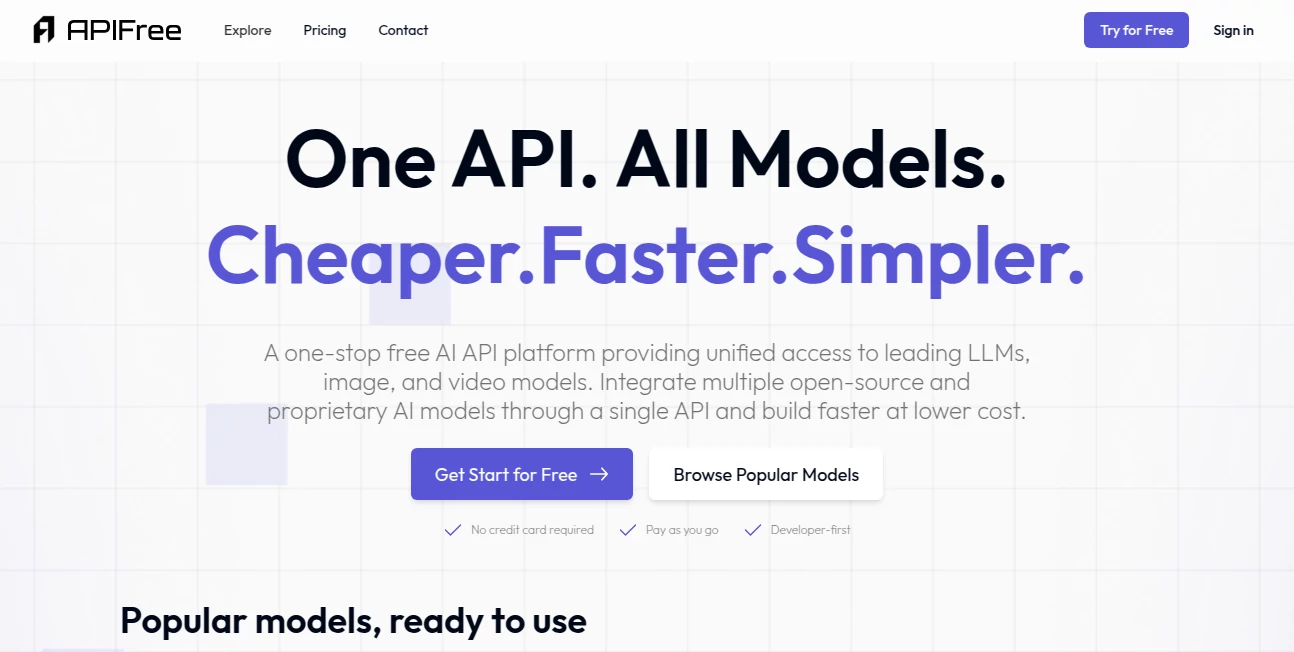
Ever wanted to try a new AI model, test an endpoint, or prototype something quickly without creating yet another account, waiting for approval, or dealing with rate-limit nonsense? This platform quietly solves that pain. It acts as a single, unified gateway to hundreds of powerful AI APIs—text generation, image models, speech, embeddings, moderation, you name it—all available instantly, no auth headers required. I’ve seen indie developers go from “I wonder what this model can do” to having working demos in under ten minutes. That kind of zero-friction access is addictive once you experience it.
Introduction
Most AI APIs come with friction: sign up, verify email, add card for credits, generate key, wait for rate-limit approval, then finally make your first request. Multiply that by every new model you want to try and it becomes a full-time job just to experiment. This platform cuts through all of that. One clean endpoint, one free key (optional), instant access to over a thousand AI services. It’s become a favorite among hackers, educators, small teams, and curious builders who want to focus on ideas instead of infrastructure. The moment you realize you can swap between GPT-class models, image generators, TTS voices, and vision APIs in the same script without touching a dashboard, you start wondering how you ever lived without it.
Key Features
User Interface
The dashboard is deliberately simple: a live playground where you can test any endpoint with one click, copy cURL commands, or generate code snippets in Python, JavaScript, or Go. A sidebar lists every available model/service grouped by category—text, image, audio, embeddings, moderation—with search that actually works. No cryptic menus, no buried settings. It feels like someone who actually uses APIs every day designed it—fast, readable, and to the point.
Accuracy & Performance
Requests route through optimized proxies with very low added latency (often under 100ms). Rate limits are generous even on free tier, and failover handling keeps things running smoothly when upstream providers hiccup. Responses match official API outputs—same JSON structure, same token counts, same quality. In practice, it’s reliable enough for production prototypes and demos; many users run side projects entirely through this gateway without ever touching the original provider’s dashboard.
Capabilities
Over 1000 endpoints covering every major AI category: chat/completion (dozens of models), image generation (Stable Diffusion variants, Flux, Midjourney-style), text-to-speech, speech-to-text, embeddings, moderation, vision (image description, OCR), code generation, summarization, translation, and niche tools (upscaling, inpainting, background removal, face swap, music generation). Unified API format means you can swap providers with one line of code change. Batch requests, streaming support, and custom headers are all handled cleanly.
Security & Privacy
No persistent storage of your prompts or responses unless you explicitly save them in your account. Free tier is anonymous—no email or card required. Paid plans add private keys, request logging you control, and enterprise-grade compliance options. For hobbyists and small teams, the no-account default feels liberating; for companies, the paid tier offers the auditability and controls they need.
Use Cases
A student builds a quick chatbot prototype comparing five different LLMs in one afternoon—no accounts, no credit cards. A marketer tests ten image-generation models side-by-side to find the best style for a campaign. A solo developer adds voice replies to their app by swapping between TTS providers until one sounds perfect. An educator creates interactive demos for class without asking every student to sign up for multiple services. It shines whenever speed-to-experiment or multi-model comparison is more important than long-term vendor lock-in.
Pros and Cons
Pros:
- Instant access to 1000+ models—no signups, no waiting, no keys for most endpoints.
- Unified API format—swap models/providers without rewriting code.
- Generous free tier actually usable for real prototypes and side projects.
- Fast, reliable routing with low added latency.
- Playground + code snippets make testing ridiculously easy.
Cons:
- Rate limits on free tier can be reached quickly during heavy experimentation.
- Not every niche model is available (though the catalog grows fast).
- Paid plans required for high-volume or production use.
Pricing Plans
Free tier is genuinely useful—hundreds of requests daily, access to most popular models, and no card required. Paid plans scale by monthly request volume, unlocking higher limits, priority routing, private keys, usage analytics, and premium models. Pricing stays reasonable; many small teams say it costs less than running one dedicated model directly from the provider, with way more flexibility. Enterprise tiers add SLAs, dedicated support, and custom integrations.
How to Use API Free
Visit the playground, pick any model from the sidebar (or search), paste your prompt or parameters into the request builder, and hit send—response appears instantly. Copy the generated cURL or SDK code snippet and drop it into your project. For heavier use, create a free account to get your own key with higher limits. Swap models by changing one field in the payload. That’s it—zero onboarding, zero vendor dashboards, just working AI.
Comparison with Similar Tools
Most unified AI gateways require accounts, credit cards, or complex setup. This one prioritizes speed and zero friction—free tier actually works for real work, not just demos. Where others lock you into their pricing or limit model choice, the catalog here is massive and growing, with a focus on open and community models alongside big names. It’s less about being the cheapest and more about being the fastest way to try everything.
Conclusion
AI experimentation should be about ideas, not infrastructure. This platform removes the gatekeepers and lets you focus on what you actually want to build. When you can go from “what if I tried this model?” to “here’s a working demo” in minutes instead of days, creativity opens up in ways that feel almost unfair. For developers, creators, educators, and tinkerers who want to play with AI without the usual red tape, it’s hard to overstate how liberating that feels.
Frequently Asked Questions (FAQ)
Do I really not need an account for free access?
Correct—no email, no card, no signup for basic usage. Create one only when you want higher limits or saved keys.
How many requests can I make for free?
Hundreds per day on popular models—enough for prototypes, testing, and small projects.
Can I use this in production?
Paid plans are built for production—higher limits, priority routing, analytics, and SLA options.
Are all major AI models available?
Most popular open and proprietary models are covered, with new ones added frequently.
What happens if a provider goes down?
Automatic failover to alternatives when possible; status page shows real-time uptime.
AI API Design , AI Developer Tools .
These classifications represent its core capabilities and areas of application. For related tools, explore the linked categories above.
APIFree details
This tool is no longer available on submitaitools.org; find alternatives on Alternative to APIFree.
Pricing
- Free
Apps
- Web Tools
Categories

APIFree Alternatives Product

Devplan

AutoChangelog

GPTLocalhost

ModelsLab

Somnio

vivgrid

Kimi K2.5

Chatref

Luma AI
