🧠 AI Quiz
Think you really understand Artificial Intelligence?
Test yourself and see how well you know the world of AI.
Answer AI-related questions, compete with other users, and prove that
you’re among the best when it comes to AI knowledge.
Reach the top of our leaderboard.


















InterMountain AI Consultants LLC

What is InterMountain AI Consultants LLC?
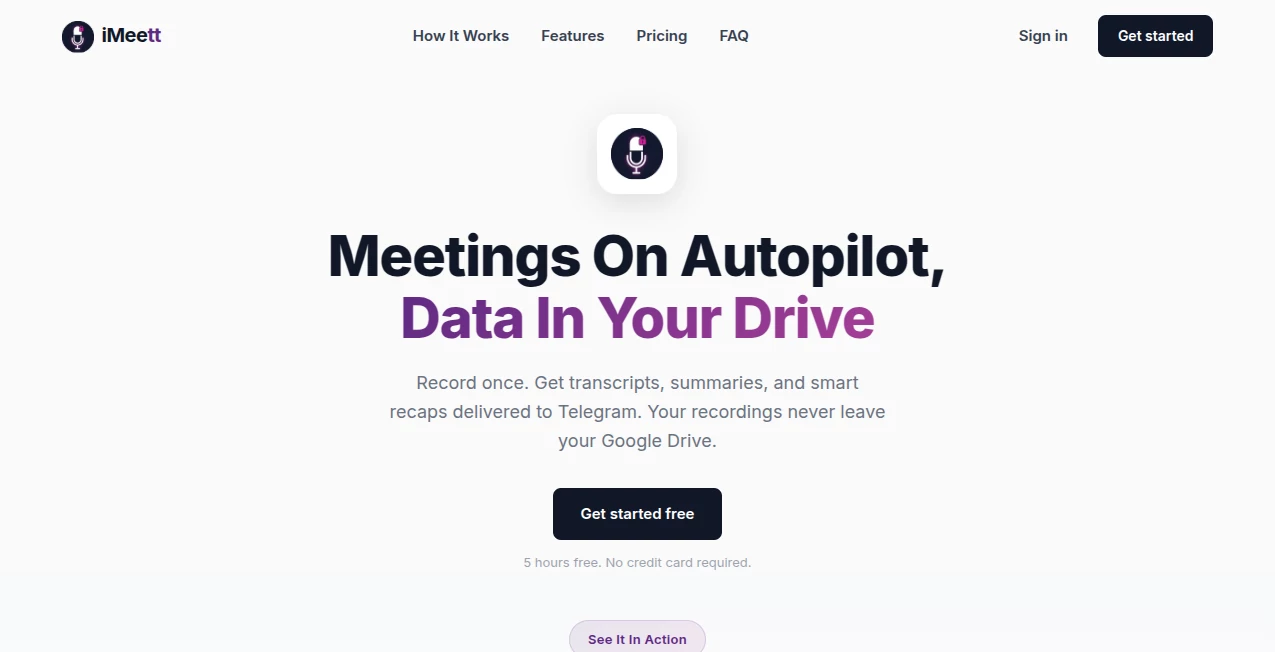
Most meeting tools record, transcribe, and then leave you drowning in notes you never read. This one quietly changes the game. It joins your calls like a sharp colleague who listens intently, captures everything important, organizes chaos into clear action items, and sends a summary that actually gets used. I’ve seen teams go from “we had that meeting, right?” to “here’s exactly what we agreed and who’s doing what” without anyone lifting a finger after the call ends. It’s the kind of help that makes you wonder how you ever survived without it.
Introduction
Meetings eat time, attention, and brainpower. People talk over each other, decisions get forgotten, follow-ups vanish. This platform slips into Zoom, Google Meet, Teams (and more) and becomes the memory and organizer everyone secretly wishes they had. It doesn’t just transcribe—it understands context, highlights key points, assigns tasks, detects sentiment, and delivers concise, actionable summaries in minutes. For remote teams, busy founders, sales reps, educators, or anyone who’s ever left a call thinking “what did we even decide?”, it’s a small revolution. The best part? It feels like a real teammate, not a robot stenographer.
Key Features
User Interface
The dashboard is calm and focused—no overwhelming wall of transcripts. After each meeting you get a clean summary page: key decisions at the top, action items with assignees and deadlines, speaker breakdowns, and searchable full transcript if you need to dive deeper. Sharing is one click (email, Slack, Notion, etc.). It’s designed so you glance at it once and actually remember what matters—no digging required.
Accuracy & Performance
Speech recognition is sharp even with accents, overlapping talkers, and background noise. It correctly attributes speakers (after a quick voice training if needed) and rarely mishears critical terms. Summaries arrive within 2–5 minutes post-call, action items are pulled accurately, and sentiment detection actually catches when someone’s frustrated or excited. In real-world messy meetings, it performs far better than most competitors—less hallucination, more fidelity to what was actually said.
Capabilities
Real-time transcription + post-call summaries, automatic action item extraction with assignees & due dates, speaker identification, sentiment analysis, searchable transcripts, keyword highlighting, integration with calendars and Slack/Teams/Zoom, multi-language support (growing list), and export to PDF, Markdown, or direct sharing. It can also generate follow-up emails or meeting minutes in your tone if you give it a quick style sample. Versatile enough for sales calls, stand-ups, client reviews, lectures, brainstorming, and 1:1s.
Security & Privacy
End-to-end encryption for audio and transcripts. Recordings and data are deleted after processing unless you explicitly save them. No training on your meetings. SOC 2 Type II compliance, GDPR-ready, and enterprise-grade controls (private instances, data residency options). For teams handling sensitive discussions (legal, HR, IP), the privacy posture is reassuring and thorough.
Use Cases
A startup founder runs investor update calls and gets clean summaries + action items sent to the team automatically—no more “wait, what did we promise?” moments. A sales rep closes deals faster because follow-ups are precise and timely, with every objection and agreement captured. A university lecturer records classes and shares searchable, summarized notes with students who missed sessions. A remote product team turns chaotic brainstorms into clear next steps and owners within minutes. Wherever meetings matter, it quietly makes them more effective.
Pros and Cons
Pros:
- Action items and summaries are genuinely useful—not just wall-of-text transcripts.
- Handles real messy meetings (overlaps, accents, interruptions) better than most.
- Privacy-first approach builds trust for sensitive conversations.
- Integrations and sharing options make it easy to fit into existing workflows.
- Generous free tier lets small teams or solo users feel the value immediately.
Cons:
- Voice training step needed for perfect speaker ID in multi-person calls.
- Very long meetings (2+ hours) can push processing time slightly.
- Advanced analytics and custom branding live in higher tiers.
Pricing Plans
Free plan includes limited monthly meetings with core transcription and summaries—enough for individuals or very small teams to test seriously. Pro plan removes limits, adds unlimited storage, advanced integrations, sentiment insights, and priority support. Enterprise tier brings team management, custom voice models, data residency, and dedicated onboarding. Pricing feels fair—many teams say it pays for itself after one month of saved meeting follow-up time and fewer miscommunications.
How to Use iMeet
Sign up, connect your calendar or add meeting links manually. When the call starts, it auto-joins (or you invite it). After the meeting ends, wait a few minutes for processing. Open the summary page: review key points, assigned actions, decisions. Edit if needed, then share via email, Slack, or export. For recurring meetings, set it to auto-join and auto-send summaries. It becomes invisible background help very quickly.
Comparison with Similar Tools
Many transcription tools stop at raw text or basic summaries. This one goes further: accurate action extraction, real sentiment detection, speaker ID that works in chaos, and summaries that feel written by a smart teammate. Privacy posture is stronger than most, and the output is more actionable than competitors who prioritize length over insight. It’s less about recording everything and more about capturing what actually matters.
Conclusion
Meetings are expensive in time and mental energy. When they end with clarity instead of confusion, everyone wins. This platform quietly turns scattered conversations into structured, trusted outcomes—action items get done, decisions stick, follow-ups happen naturally. It’s not trying to replace human connection; it’s protecting it by remembering what humans forget. For teams that value their time and want their meetings to actually move things forward, it’s hard to imagine working without it once you’ve tried it.
Frequently Asked Questions (FAQ)
Does it record audio/video?
Audio only for transcription—video is never recorded or stored.
How accurate is speaker identification?
Very good after a short voice sample per speaker; handles 6–8 people reliably in most cases.
What languages does it support?
English first, with growing list of major languages (check site for latest).
Can I edit summaries or actions?
Yes—fully editable before sharing or exporting.
Is my data used to train models?
No—your meetings are never used for training. Strict privacy policy.
AI Productivity Tools , AI Team Collaboration , AI Meeting Assistant , AI Notes Assistant .
These classifications represent its core capabilities and areas of application. For related tools, explore the linked categories above.
InterMountain AI Consultants LLC details
This tool is no longer available on submitaitools.org; find alternatives on Alternative to InterMountain AI Consultants LLC.
Pricing
- Free
Apps
- Web Tools
Categories

InterMountain AI Consultants LLC Alternatives Product

Meet Submind

GenPPT AI

Coresite

Markdown to …

Alai

KarmaGuy

Maestra

Clay Read

LaunchBoard