
🧠 AI Quiz
Think you really understand Artificial Intelligence?
Test yourself and see how well you know the world of AI.
Answer AI-related questions, compete with other users, and prove that
you’re among the best when it comes to AI knowledge.
Reach the top of our leaderboard.


















ApparenceKit

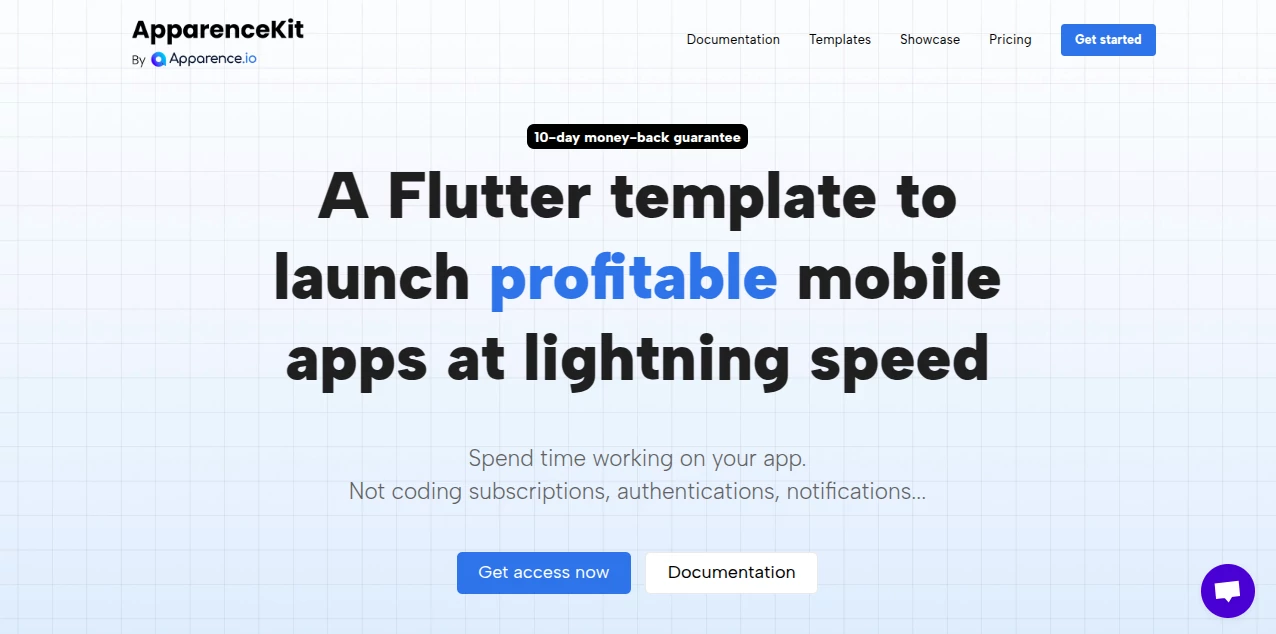
What is ApparenceKit?
ApparenceKit serves as a robust starting point for mobile creators, bundling essential building blocks that cut down on setup time and let you dive straight into what makes your project unique. Crafted with real-world needs in mind, it wraps up common hurdles like user logins and payment flows into a tidy package, freeing up hours for the fun parts. Developers who've adopted it often highlight how it shifts the focus from boilerplate basics to bold innovations, turning ambitious sketches into apps that launch faster and feel polished from day one.
Introduction
ApparenceKit came together through the lens of seasoned builders who knew the drag of starting from scratch all too well, drawing from years of agency work to craft a kit that streamlines the Flutter journey. It took off as a go-to for indie makers and teams alike, with stories circulating about apps hitting stores in weeks rather than months, thanks to its thoughtful pre-wires. Rooted in practical tweaks from user feedback, it's evolved into a trusted launchpad that balances speed with solidity, helping folks from fresh faces to veteran squads bring ideas to life without the usual startup stumbles.
Key Features
User Interface
The kit unfolds with ready-to-tweak screens for key flows, like login landings and subscription hubs, all laid out in a way that slots seamlessly into your design. Navigation feels intuitive from the get-go, with modular pieces you can drag and drop or dial in to match your theme, keeping the workspace clean even as you layer in extras. It's the sort of setup that invites experimentation without overwhelming, much like piecing together a puzzle where every bit clicks without force.
Accuracy & Performance
Components here run tight and true, pulling in only what you need to keep things lightweight and responsive across devices, with tests baked in to catch slips early. It handles heavy lifts like real-time alerts without a hitch, delivering smooth scrolls and quick loads that hold up under real use. Builders appreciate how it stays snappy even as projects grow, proving reliable in the crunch without the common creaks of half-baked starters.
Capabilities
From secure sign-ins across multiple paths to seamless payment gates and push alerts, it covers the core loops that every app craves, all wired for easy swaps with your preferred services. Onboarding flows guide users gently, while state handling keeps everything in sync without extra glue. The real stretch comes in its flexibility for web alongside mobile, plus extras like global tweaks and tracking hooks, making it a full-spectrum springboard for apps that aim to engage and earn.
Security & Privacy
Built-in guards wrap user flows from the ground up, tying into trusted backends that handle the heavy security without exposing weak spots. It gives you knobs to tighten access and manage data drops, ensuring personal bits stay under your watch. The approach leans on proven patterns that keep things locked down, letting you build with confidence that the foundations won't fold under scrutiny.
Use Cases
Solo creators spin up quick prototypes for side gigs, layering in payments and alerts to test market waters without weeks of wiring. Teams at startups bootstrap full-featured launches, like recruitment hubs or media catchers, hitting milestones faster with shared code that scales. Educators craft interactive tools that onboard smoothly, while hobby builders experiment with global reaches, turning weekend wonders into worldwide wins.
Pros and Cons
Pros:
- Slashes setup time, letting you focus on features that matter.
- Modular design adapts to your backend without big rewrites.
- Tested thoroughly, catching bugs before they bite.
- One-time buy unlocks endless projects, no creeping costs.
Cons:
- Tied to Flutter, so other frameworks need a fresh start.
- Deeper customizations might call for some code comfort.
- Pro tiers add extras like consulting, but basics stay lean.
Pricing Plans
Entry hits at a straightforward two hundred for solo spins, packing in a year's worth of tweaks and core tools for endless builds. Bump to unlimited for a bit more to lock in forever updates, or go team-scale at four fifty for shared access and hands-on help. All come as one-and-done deals with a safety net of ten days to back out, keeping the barrier low for those ready to roll.
How to Use ApparenceKit
Grab access post-purchase via a quick repo nudge, then fire up the command-line buddy with one line to spin a fresh project, picking your backend flavor on the fly. Dive into the docs to swap screens or wire services, test the flows, and push to platforms when it clicks. Iterate from there, pulling in updates as they drop to keep your base battle-ready.
Comparison with Similar Tools
Where some starters scatter features across loose packs, ApparenceKit ties them tight with tested threads, though those might flex wider for non-Flutter fans. Against full-from-scratch builds, it saves stacks of hours on the repeats, but purists could pine for total control without the pre-sets. It shines for Flutter faithful craving a quick, quality kickoff over endless empty canvases.
Conclusion
ApparenceKit stands as a smart shortcut for app dreamers, blending proven paths with room to roam into fresh frontiers. It turns the tedious into the triumph, empowering builders to launch leaner and linger longer on what lights them up. As mobile keeps marching forward, this kit keeps pace, proving that a solid start can spark the next big splash in the app ocean.
Frequently Asked Questions (FAQ)
How many projects can I tackle?
As many as you like—no caps on creations once you're in.
What's the backout window?
Full refund in the first ten days, just drop a note.
Need Flutter know-how to jump in?
A bit helps, but guides walk you through without gaps.
Custom services a go?
Absolutely—plug in your picks, though quick ones speed things up.
Updates keep coming?
Regular rolls with fixes and fresh bits to stay sharp.
AI No-Code & Low-Code , AI Developer Docs , AI Developer Tools , AI App Builder .
These classifications represent its core capabilities and areas of application. For related tools, explore the linked categories above.
ApparenceKit details
This tool is no longer available on submitaitools.org; find alternatives on Alternative to ApparenceKit.
Pricing
- Free
Apps
- Web Tools
Categories

ApparenceKit Alternatives Product

Kimi K2.5

Bolt AI

MyToolster W…

GOLANG COLLE…

Fillout.com

Screenshot t…

Tate-A-Tate

LocaFlow

Project Mela
