🧠 AI Quiz
Think you really understand Artificial Intelligence?
Test yourself and see how well you know the world of AI.
Answer AI-related questions, compete with other users, and prove that
you’re among the best when it comes to AI knowledge.
Reach the top of our leaderboard.


















Applytrackr

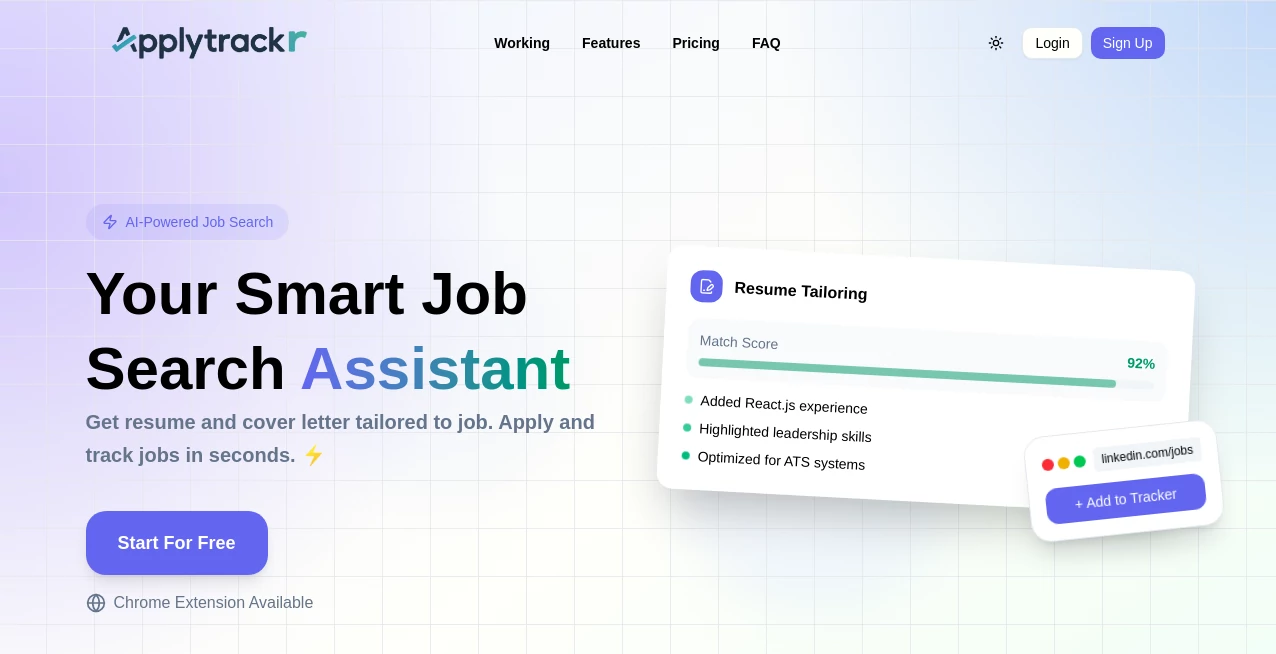
What is Applytrackr?
Job hunting can feel chaotic—spreadsheets forgotten, emails buried, follow-ups missed, and that one promising role you swore you'd circle back to just slips away. This tool quietly changes the game. You add an application in seconds, it logs everything automatically, reminds you when to follow up, and shows you at a glance where you stand in the process. I’ve talked to people who used to dread opening their inbox because of job-search guilt; now they open the dashboard, see clear progress, and actually feel in control. It turns the emotional rollercoaster into a manageable checklist—and that mental shift alone makes a huge difference.
Introduction
Applying to jobs today means juggling dozens of applications across platforms, company sites, recruiter messages, and LinkedIn DMs. Most people try to track it all in messy notes apps or spreadsheets that quickly become outdated. This platform fixes that with a clean, purpose-built system designed specifically for the modern job search. No bloated features, no unnecessary complexity—just a reliable place to log applications, track statuses, set smart reminders, and see your momentum build. It’s become a quiet favorite among recent grads, career switchers, and anyone in a serious job hunt who wants to stay organized without spending half their day managing tools instead of applying.
Key Features
User Interface
The dashboard greets you with a simple, calming overview: a kanban-style board with columns like “Applied,” “Interviewing,” “Offer Stage,” and “Rejected/Withdrawn.” Cards move smoothly as you update them, color-coded for quick scanning. Adding a new application takes three clicks: paste the job link (it auto-fills most details), add notes if you want, and save. It’s built to feel light and fast—never like you’re entering data into a corporate CRM.
Accuracy & Performance
Auto-import pulls company name, role title, location, salary (when available), and posting date from most job links. Reminders are reliable—email or in-app notifications fire exactly when you set them. The search and filter work instantly even with hundreds of entries. No lag, no lost data, no “where did I put that application?” moments. Users consistently praise how dependable it is when you’re juggling 50+ applications and need to recall details fast.
Capabilities
Track unlimited applications with custom statuses, automated job-data import, follow-up reminders, notes & attachment storage (resumes, cover letters, interview prep), progress analytics (application volume, response rates, stage distribution), export to CSV/PDF, dark mode, and mobile-friendly design. It also supports bulk actions so you can mark multiple apps as “Interview Scheduled” or “Rejected” in one go. Everything stays searchable and sortable—by company, role type, date applied, or custom tags.
Security & Privacy
Your job-search data is sensitive—applications, salary expectations, recruiter notes. This platform keeps it locked down: end-to-end encryption, no third-party trackers, no selling data, and secure authentication. You control access completely—no shared workspaces unless you invite someone. For people in confidential job searches, that privacy-first approach is a genuine relief.
Use Cases
A recent grad applies to 30+ entry-level roles and uses the board to prioritize follow-ups—lands three interviews in two weeks. A mid-career switcher tracks applications across industries, spots patterns (e.g., “tech sales roles respond faster”), and refines their approach. A freelancer logs contract pursuits alongside full-time applications, keeping everything in one place. Someone returning to work after a break uses it to rebuild confidence by seeing consistent daily progress. Wherever clarity reduces stress, it fits.
Pros and Cons
Pros:
- Auto-import saves hours of manual entry—paste link, done.
- Kanban view gives instant visual clarity on your pipeline.
- Smart reminders prevent follow-ups from falling through cracks.
- Privacy-focused—no creepy tracking or data resale.
- Free tier is genuinely useful—no hard paywall to get organized.
Cons:
- Analytics are helpful but basic (no deep funnel insights on free plan).
- Integrations (LinkedIn auto-import, calendar sync) are still growing.
- Limited customization on card colors/tags compared to full CRMs.
Pricing Plans
Free plan covers unlimited applications, basic board, reminders, and export—perfect for most active job searches. Premium adds advanced analytics, custom tags & filters, priority support, calendar integration, and removal of any small branding. Pricing stays affordable—many users say it’s cheaper than one missed opportunity due to disorganization. No long-term lock-in; cancel anytime.
How to Use ApplyTrackr
Sign up (email or Google), land on the empty board, click “+ New Application.” Paste the job posting URL—it auto-fills title, company, location. Add notes, tags, or attachments (resume version, cover letter). Set a follow-up reminder if desired. Save. As you hear back, drag the card to the next column or update status. Get notified when follow-ups are due. Search or filter anytime to recall details. Export to CSV when you need a full record. Simple, fast, effective—from application to offer tracking in one calm place.
Comparison with Similar Tools
Spreadsheets are free but quickly become messy. General note apps lack job-specific structure. Other trackers often require heavy setup or push enterprise pricing. This one keeps the sweet spot: tailored to job hunting, visually intuitive, privacy-respecting, and priced for individuals—not corporations. It’s less about feature overload and more about actually helping you land the role.
Conclusion
Job searching is already emotionally taxing—adding disorganization on top makes it unbearable. This platform removes that layer of chaos so you can focus on what matters: crafting strong applications, preparing for interviews, and following up with confidence. When you see your pipeline clearly, progress feels real, and momentum builds. For anyone serious about their next move, it’s one of those small tools that quietly makes a big difference.
Frequently Asked Questions (FAQ)
Do I need to connect my email or LinkedIn?
No—everything is manual or link-based. No integrations required to start.
How many applications can I track for free?
Unlimited—free plan has no cap on entries, just some premium analytics locked.
Can recruiters see my tracker?
No—your data is private. Only shareable links are the individual credential pages you choose to send.
What happens if I miss a follow-up reminder?
Reminders are gentle emails/in-app notifications—you can snooze or dismiss. Nothing dramatic.
Is it mobile-friendly?
Yes—board works smoothly on phones; many users manage applications from bed or during commutes.
These classifications represent its core capabilities and areas of application. For related tools, explore the linked categories above.
Applytrackr details
This tool is no longer available on submitaitools.org; find alternatives on Alternative to Applytrackr.
Pricing
- Free
Apps
- Web Tools
- Chrome Extensions
Categories

Applytrackr Alternatives Product

Geekflare AI

forge calcul…

Judgement Ta…

ZoraInsights

What The Food

ColoringWell

Sand Loop Gu…

BSA calculat…

Dialogues wi…