🧠 AI Quiz
Think you really understand Artificial Intelligence?
Test yourself and see how well you know the world of AI.
Answer AI-related questions, compete with other users, and prove that
you’re among the best when it comes to AI knowledge.
Reach the top of our leaderboard.

















AssiPilot
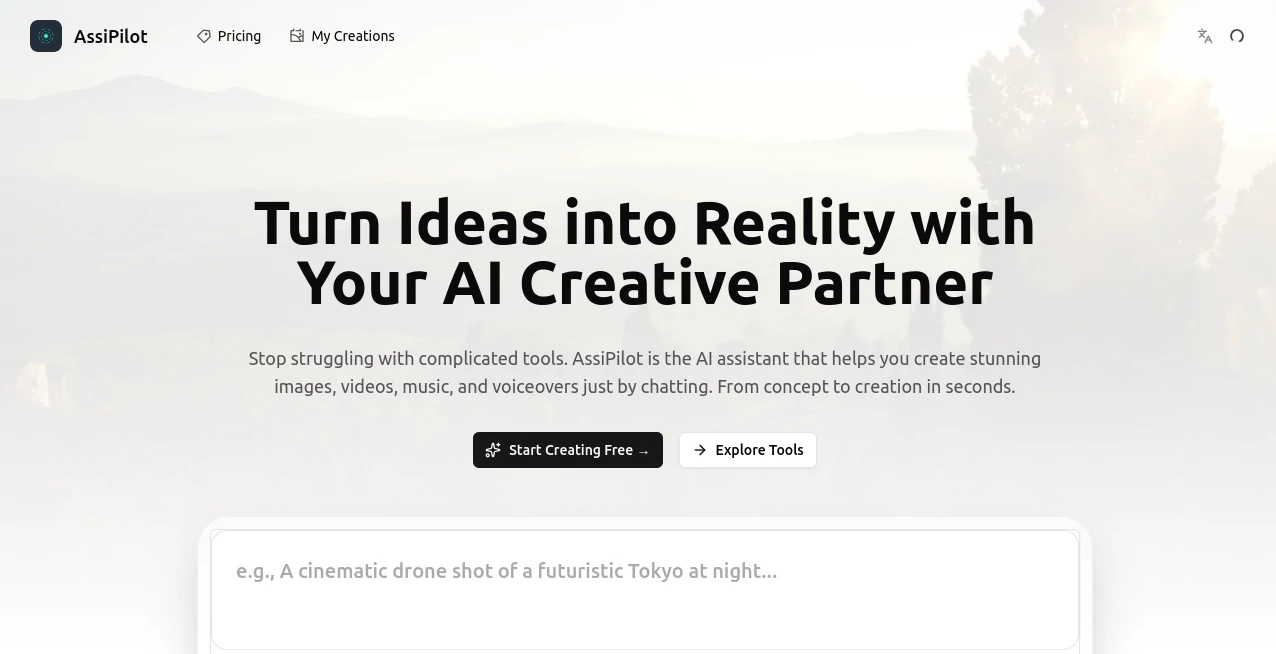
What is AssiPilot?
There's something incredibly satisfying about typing a simple idea into a chat and watching it turn into a complete piece of content—whether that's a polished image, a short video clip, a voiceover that actually sounds human, or even a custom music track. This platform makes that possible in one place, without jumping between different apps or fighting with complicated interfaces. I've seen creators go from "I have this vague idea" to sharing finished assets in under ten minutes, and the results often look like they took far longer to produce. It feels less like using AI and more like having a talented studio partner who understands exactly what you're going for.
Introduction
Creating content today can feel overwhelming. You need images for social posts, videos for Reels, voiceovers for explainer content, and music that fits the mood—all while trying to keep a consistent style. Most tools force you to switch between separate platforms, learn new workflows, and still end up with mismatched pieces. This one brings everything together in a single chat-driven workspace. You talk to it like a creative collaborator, and it delivers professional-grade assets across images, video, voice, and music. It's become a daily go-to for marketers, YouTubers, small business owners, and indie creators who want high-quality output without the usual headaches or steep learning curves.
Key Features
User Interface
The interface is built around a clean, conversational chat window that feels natural from the first message. You simply describe what you want—no complex forms or endless dropdowns. The system understands context, so you can refine ideas by continuing the conversation ("make the lighting warmer" or "add a subtle zoom"). Previews appear quickly, and everything stays organized in one thread. It's the kind of design that makes you forget you're using software and just focus on creating.
Accuracy & Performance
It consistently delivers on prompt understanding—capturing tone, style, and specific details without requiring perfect wording. Images come out sharp and on-brand, videos maintain coherence across shots, voiceovers sound natural rather than robotic, and music tracks match the described mood or genre. Generation times are fast enough to keep momentum going, and the quality holds up even when you push it with more complex requests. The reliability means you spend less time fixing outputs and more time building on them.
Capabilities
You can generate images in various styles, create short videos from text or reference images, produce realistic voiceovers with emotion control, and compose custom music tracks or beats. It handles multi-step workflows smoothly—you can start with an image, turn it into a video, add voice, and layer music all within the same conversation. The chat memory keeps context, so refinements feel natural rather than starting from scratch each time.
Security & Privacy
Your creations and conversation history stay private by default. The platform doesn't use your prompts or outputs to train models without permission, and sensitive projects can be kept contained. For creators working with client briefs or personal ideas, that level of respect for privacy makes a real difference in how freely you can experiment.
Use Cases
A small business owner describes their product and gets a set of professional images plus a short promotional video ready for social media in one sitting. A YouTuber quickly generates custom thumbnails, voiceover narration, and background music that matches their video's energy. A marketer tests different ad concepts by chatting through variations until the messaging and visuals click. Even hobby creators use it to bring story ideas to life—turning a rough concept into animated shorts with voice and soundtrack. It's versatile enough for both quick daily content and more thoughtful creative projects.
Pros and Cons
Pros:
- All-in-one workspace that keeps everything in one conversation—huge time saver.
- Natural chat interface that feels like collaborating with a creative partner.
- Strong quality across images, video, voice, and music without switching tools.
- Fast enough to support real iteration and experimentation.
- Privacy-focused approach that lets you work confidently on any project.
Cons:
- Very long or highly complex projects may still benefit from traditional tools for final polish.
- Some advanced features or higher usage limits require upgrading from the free tier.
Pricing Plans
It starts with a generous free tier that lets you explore and create meaningful content without upfront cost. Paid plans unlock higher limits, faster generation, priority access during busy times, and additional features for heavier users. The pricing feels fair for the breadth of tools you get in one place—many creators find that moving to a paid plan quickly pays for itself through time saved and improved output quality.
How to Use AssiPilot
Start a new chat and simply describe what you want: "Create a vibrant hero image for a coffee brand with warm morning light" or "Generate a 15-second video of a person walking through a forest with calm background music." Add reference images if you have them. Review the output, then continue the conversation to refine—"make the colors more saturated" or "add a voiceover with a friendly female tone." Download the assets when they're ready. The chat history keeps everything organized, so you can build on previous ideas or start fresh whenever you like.
Comparison with Similar Tools
Many AI tools excel at one thing—images, video, or voice—but force you to jump between platforms and lose consistency. This one brings them together in a single, natural chat experience while maintaining solid quality across the board. Where others feel technical or fragmented, the conversational approach here makes creation feel more intuitive and human. It's especially strong for creators who need a mix of assets without learning multiple specialized interfaces.
Conclusion
Content creation doesn't have to be scattered across half a dozen tools or slowed down by technical hurdles. This platform brings the major pieces together in one welcoming space, letting you focus on ideas instead of workflows. Whether you're building a brand, growing a channel, or just exploring creative concepts, it delivers professional results with surprising ease. The real win is how it removes friction and keeps the joy of making things intact—turning "I need content" into "let's create something great" in a single conversation.
Frequently Asked Questions (FAQ)
Do I need technical skills to use it?
Not at all. If you can describe what you want in plain language, you're ready to start.
Can I generate both images and videos in one project?
Yes—continue the conversation and ask for the next piece (image to video, add voiceover, etc.).
How good is the voice quality?
Surprisingly natural—many users say it rivals dedicated voice tools for most everyday needs.
Is there a free way to try it?
Yes, the free tier gives you meaningful generations to test the quality on real projects.
Can I use the outputs commercially?
Paid plans include commercial rights; check the specific plan for details on usage.
AI Video Generator , AI Music Generator , AI Art Generator , AI Voice Assistants .
These classifications represent its core capabilities and areas of application. For related tools, explore the linked categories above.
AssiPilot details
Pricing
- Free
Apps
- Web Tools
Categories

AssiPilot Alternatives Product

Flux.2 AI

MuseCraft.AI
Grok Imagine…
livetalktran…
Lyria.run

GEMPIX2

loraai.me

BlackInk

Seedance 2.0